КРАТКОЕ РУКОВОДСТВО ПОЛЬЗОВАТЕЛЯ
PREMIUM PCIe 5.0 x16 RISER CABLE
GPU ACCESSORY
BEFORE YOU START
IMPORTANT: Ensure your PC case supports vertical GPU mounting and has sufficient clearance for a 175mm cable. FRAME 4000D / FRAME 5000D are recommended, as well as other CORSAIR cases equipped with vertical mounting capability.
- If your case is not designed with built-in vertical mount slot, please use a vertical mounting bracket (not included).
- Prepare up to 2x 6-32 screws and 2x standoff if needed (not included) to fix the Riser Cable onto your case or vertical mount bracket.
- The CORSAIR Premium PCIe 5.0 x16 Riser Cable supports up to PCIe 5.0 x16 and is backward compatible with PCIe 4.0 and earlier PCIe generations.
- The CORSAIR Premium PCIe 5.0 x16 Riser Cable is designed for GPU vertical mounting. PCIe to M.2 NVMe adapter card compatibility are not guaranteed.
LEARN MORE
SPECIFICATIONS
|
Part Number |
34-001275 |
|
|
CORSAIR SKU Number |
CC-9310004-WW |
|
|
DC Input |
12V / 3.3V ⎓ | |
|
Cable Length |
175mm | |
PACKAGE CONTENTS
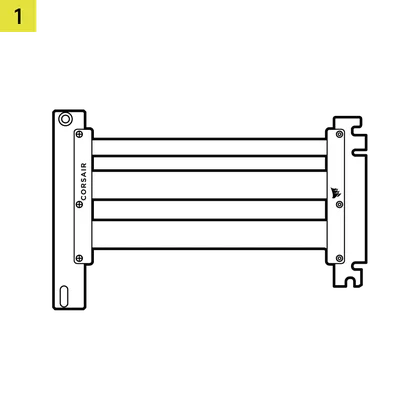
1x PCIe 5.0 x16 Riser Cable

PREPARING YOUR CASE
CORSAIR cases like FRAME series are equipped with a rotatable PCI plate. Refer to your case manual and rotate the plate to vertical direction before proceeding. If your case does not have a native vertical PCI bracket you will need a vertical GPU mount bracket.
INSTALLATION
- Install the vertical GPU standoffs or vertical mounting bracket to your case if needed.
TIP: Some cases, like the FRAME 4000, offer two mounting positions that let you place the GPU closer to or farther from the motherboard.
- Mount the PCIe 5.0 x16 Riser Cable (1) to the installed standoffs or vertical mounting bracket using two 6-32 motherboard screws.
- Insert the straight PCIe connector on the cable into the motherboard PCIe slot.
- Insert the GPU into the rear PCIe bracket and press it firmly until it clicks into the Riser Cable’s vertical connector.
- Secure the GPU to the rear PCIe bracket with the screws.
WARRANTY

CORSAIR Premium PCIe 5.0 x16 Riser Cable comes with a 2-year warranty.
LEGAL
© 2026 CORSAIR MEMORY, Inc. All rights reserved. CORSAIR and the sails logo are registered trademarks of CORSAIR in the United States and/or other countries. All other trademarks are the property of their respective owners. Product may vary slightly from those pictured.