BLOG
Do the Air Ducts on the CORSAIR AIR 5400 Block the Motherboard?
The CORSAIR AIR 5400 is a PC case unlike any other, with a few unique features. One such feature is the use of air ducts that help funnel air where it’s needed and look cool doing it, too. However, given their location, there’s an understandable concern that the air ducts might get in the way of the motherboard, specifically the connections at the top and bottom.
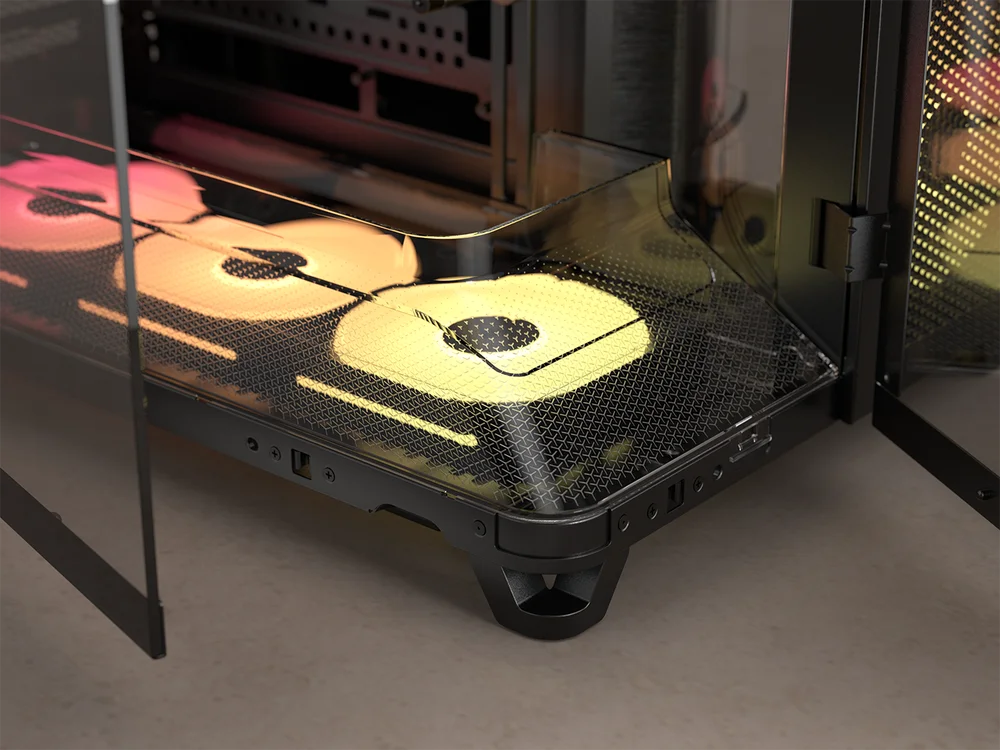
The air ducts have cutouts that ensure they do not restrict access to the motherboard. They are specifically sized for a standard ATX motherboard, but smaller ITX and Mini-ITX motherboards are compatible too. Additionally, both air ducts can be removed to make the building process easier. No tools are required for removal, just unclip and lift them out as illustrated below.
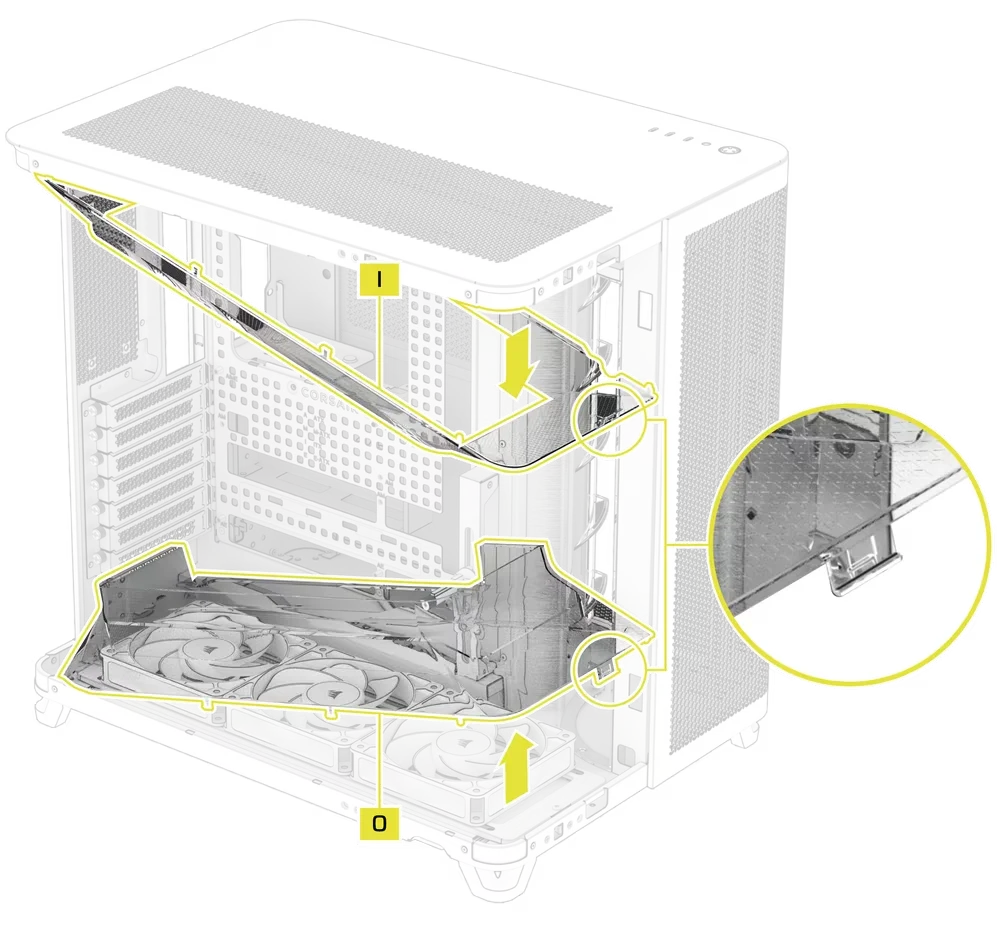
What About the Bottom PCIe Slot?
Just because they do not restrict access to the motherboard doesn’t mean there are no incompatibilities. The bottom air duct blocks the usage of the lowest PCIe slot bracket, so if you use an add-in card that needs to be secured with that bottom PCIe slot bracket, then you will not be able to use the bottom air duct and this card simultaneously.
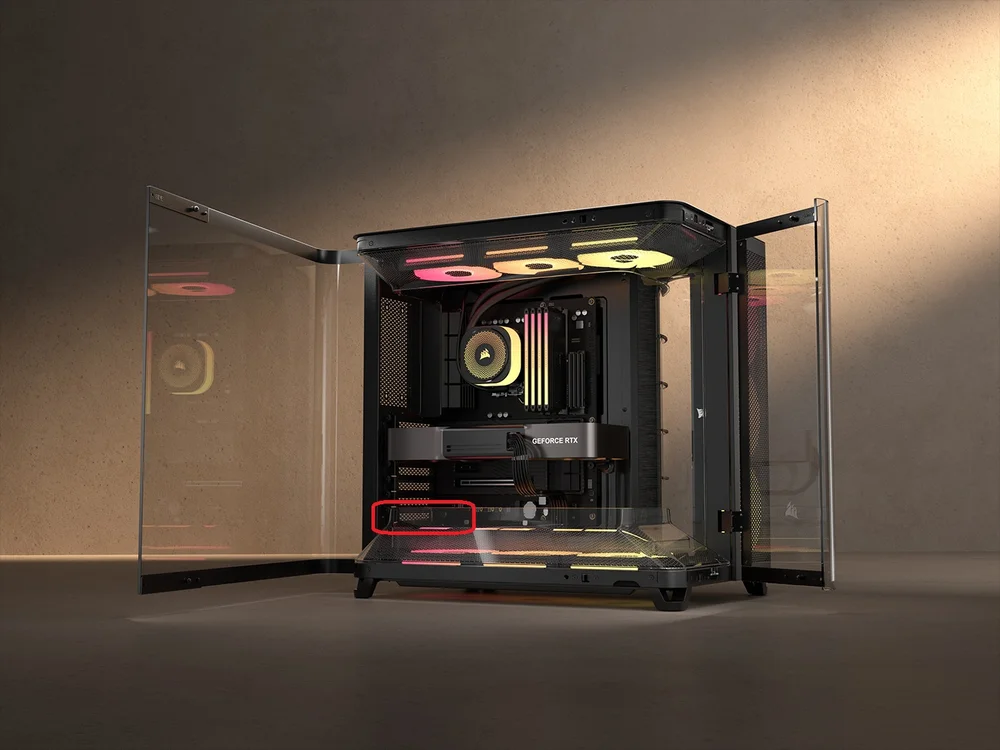
Of course, the case still works without the bottom air duct, but the airflow from the bottom set of fans won’t be quite as neatly funnelled into your GPU. Additionally, removing one of the airducts results in an asymmetrical look, which may be undesirable. If you really need the lower PCIe slot, then it might be worth removing both air ducts from the top and bottom for a more balanced aesthetic.
产品注册
JOIN OUR OFFICIAL CORSAIR COMMUNITIES
Join our official CORSAIR Communities! Whether you're new or old to PC Building, have questions about our products, or want to chat the latest PC, tech, and gaming trends, our community is the place for you.