The CORSAIR iCUE LINK ecosystem has revolutionized the DIY PC market by simplifying building and enhancing aesthetics. It streamlines installing all components, such as AIO liquid coolers, fans, and PSUs, by combining data and power cables into a single cable, saving time and effort. This allows you to focus on things you love running on your PC rather than managing cables or hardware placement.
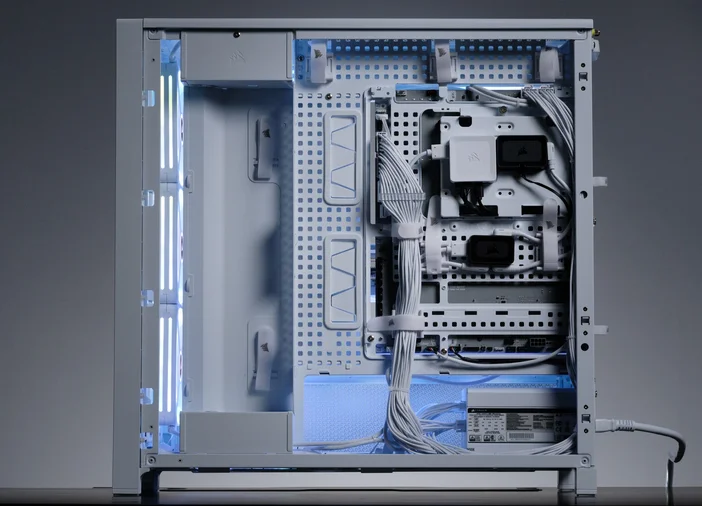
For those who have embraced the iCUE LINK technology and have iCUE LINK-compatible components, building a PC is as simple as installing a game. But what if your system includes iCUE LINK devices, like the CORSAIR TITAN AIO cooler, iCUE LINK RX RGB fans, or other compatible peripherals, yet also features non-iCUE LINK components, such as ARGB fans like the CORSAIR RS ARGB? How can you effectively integrate both iCUE LINK devices and ARGB fans into the same build? Fortunately, CORSAIR offers a solution for this scenario - the COMMANDER DUO.
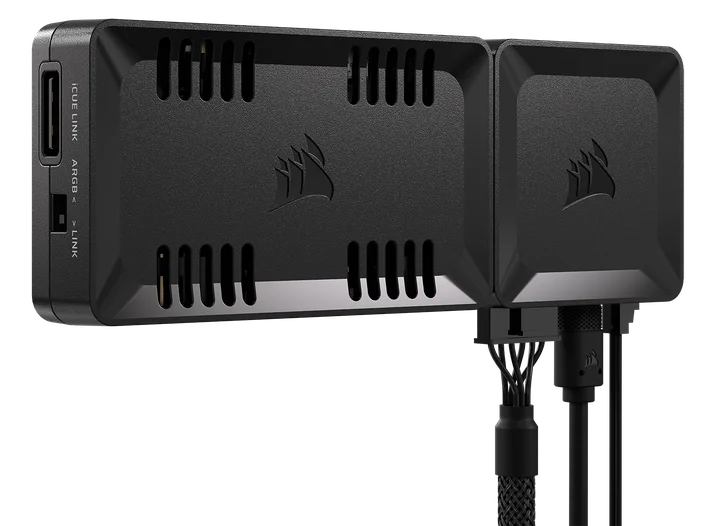
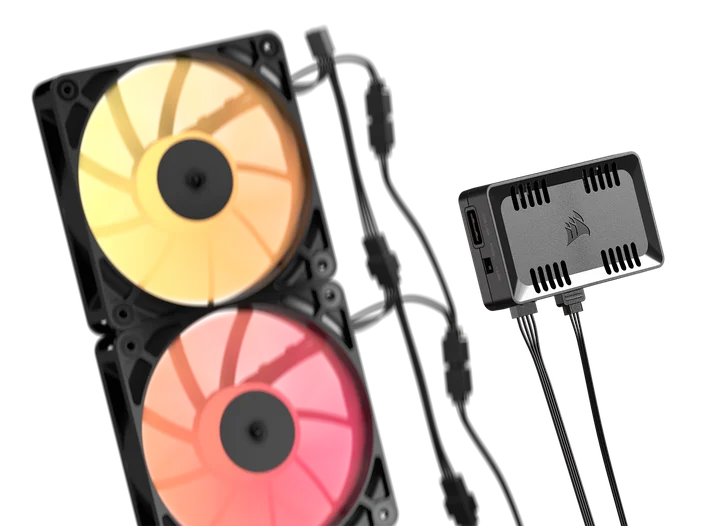
The CORSAIR COMMANDER DUO is designed to give users the flexibility to incorporate different types of RGB devices into one build. It is a unique and versatile fan and RGB lighting controller built to support up to 12 ARGB fans and 11 iCUE LINK devices, allowing users to easily manage airflow and lighting effects without needing extra RGB hubs.
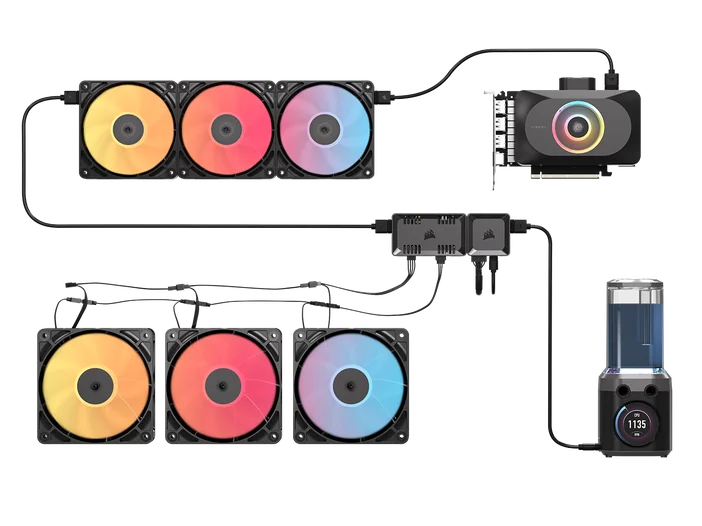
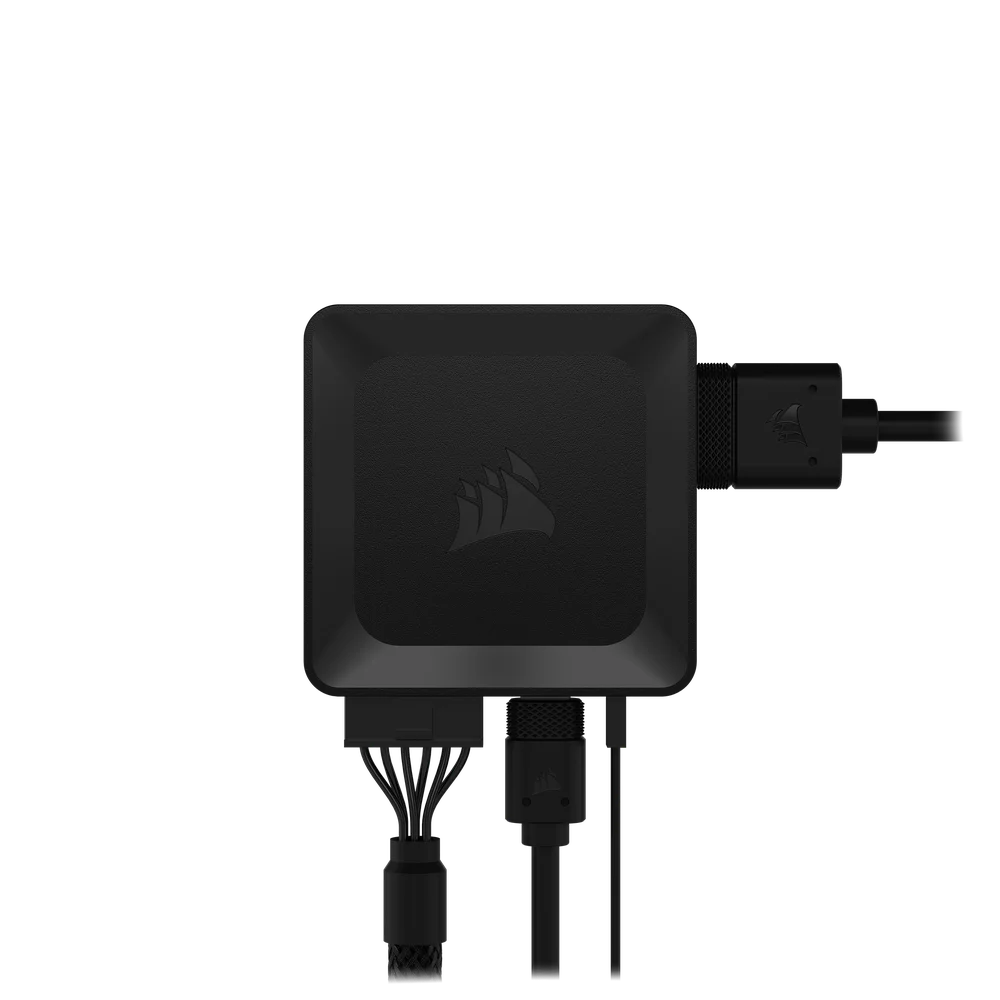
The way iCUE LINK devices are connected is via a single cable, all in series connection from one device to another. It then connects to the iCUE LINK System Hub, which technically is the brain of the whole ecosystem, where power and lighting (data) are processed via iCUE software. It has two channels that can accommodate up to 24 iCUE LINK devices in your system, with a maximum of 12 per channel.
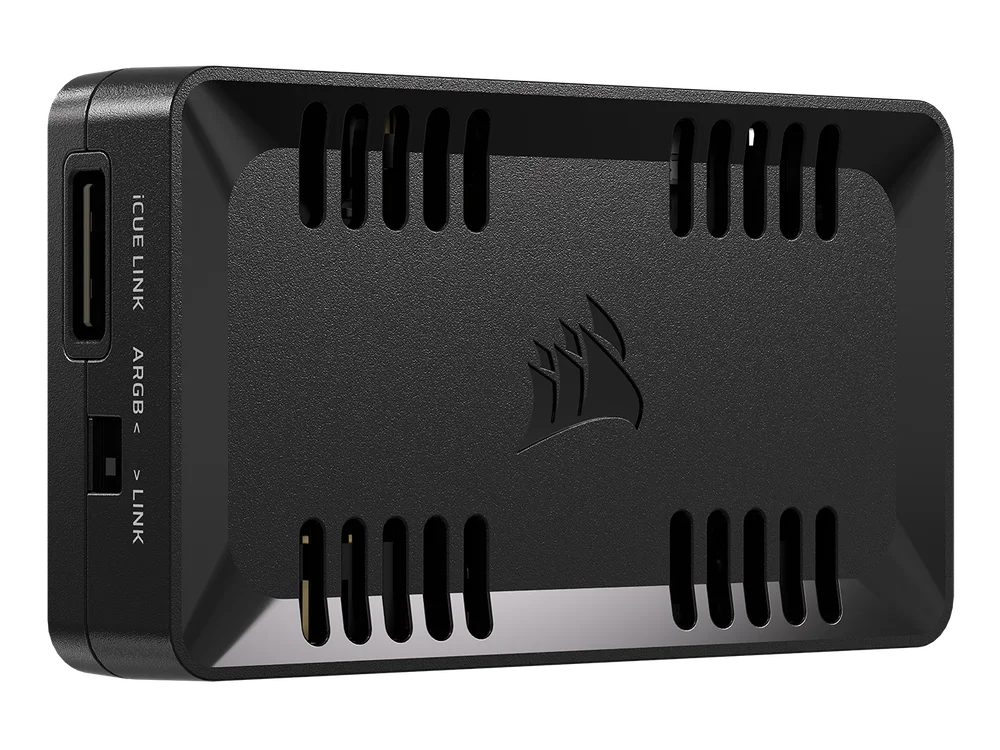
On the other hand, ARGB fans need to be connected to the motherboard via the 5V_RGB port to control both RPM and lighting. The reason ARGB control has become very popular in the DIY PC community is its accessibility and affordability. It also gives users the freedom to use the motherboard’s RGB control instead of being limited to specific software.
How to Control iCUE LINK Fans and ARGB Fans at the Same Time
In this setup, we will be using the following components:
iCUE LINK Devices
ARGB fans & CPU Cooler (non-iCUE LINK)
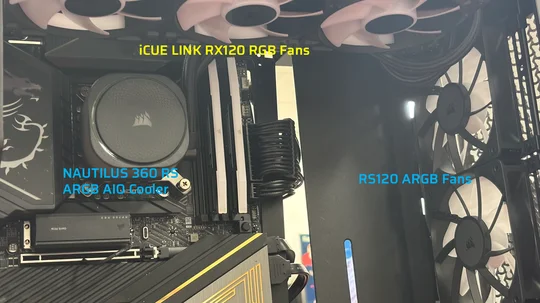
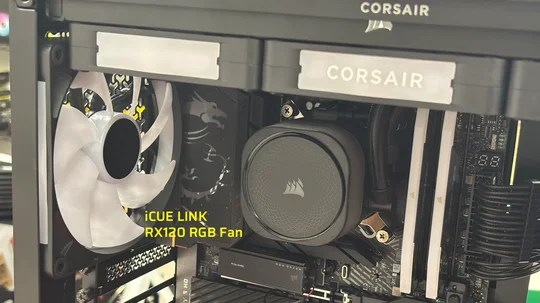
In this PC build, the Nautilus AIO liquid CPU cooler is daisy-chained with the three RS120 ARGB fans at the front of the case and one at the rear, configured as exhaust. There are three iCUE LINK RX120 RGB fans mounted on Nautilus’s 360mm radiator.
At the back of this PC build, you will see the two hubs. On the left is the iCUE LINK System Hub, which is connected to the COMMANDER DUO. The iCUE LINK System Hub will act as the main connection point for the iCUE LINK devices, while the COMMANDER CORE DUO will handle the ARGB devices or other non-iCUE LINK components.
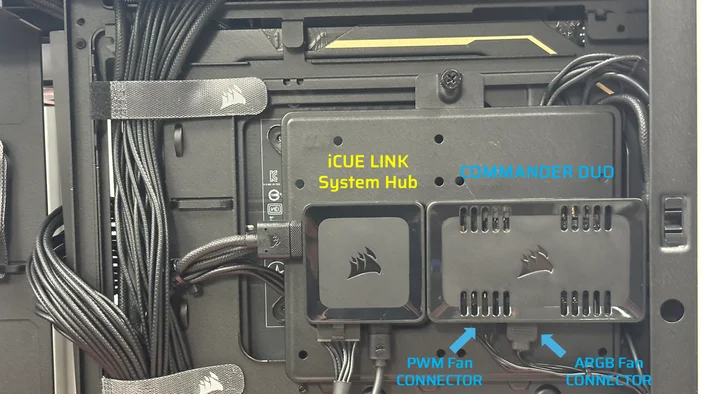
At the end of the daisy-chained ARGB components, there will be two connectors: the PWM fan connector, which controls the fan’s speed, and the ARGB connector, which manages the lighting for the fans and cooler. Both connectors need to be plugged into the COMMANDER DUO – shown in the image below.
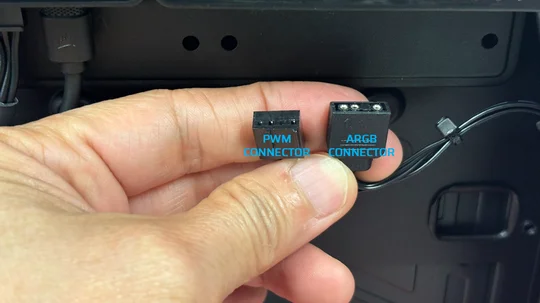
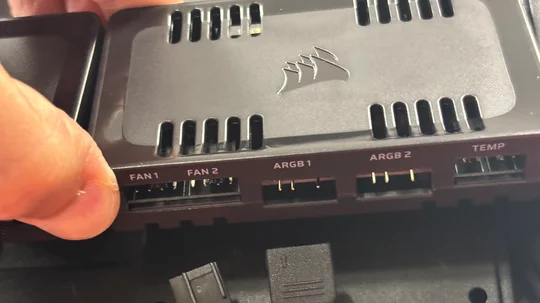
It’s worth mentioning once again that the COMMANDER DUO gives you full control over ARGB lighting and fan speeds via two channels, with each channel supporting up to 50 RGB LEDs and six fans, plus two temperature sensors. And don’t forget, it can also support up to 11x iCUE LINK devices.
We have one iCUE LINK device connected to the COMMANDER DUO, which is the rear fan that’s connected to the iCUE LINK port of the COMMANDER DUO.
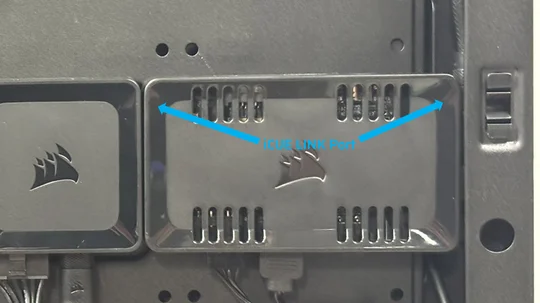
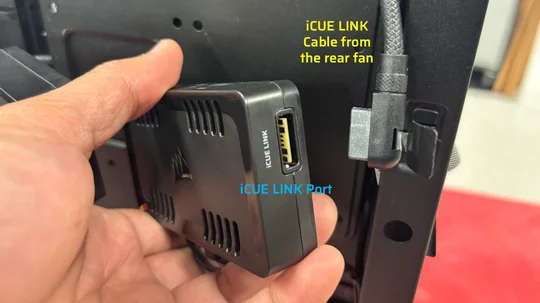
This section links both worlds perfectly. You can connect the COMMANDER DUO directly to the iCUE LINK System Hub using the iCUE LINK connector (or cable). Once both hubs are connected, they function as a single unit, showcasing CORSAIR’s innovation in building a unified ecosystem that integrates two different technologies working together seamlessly.
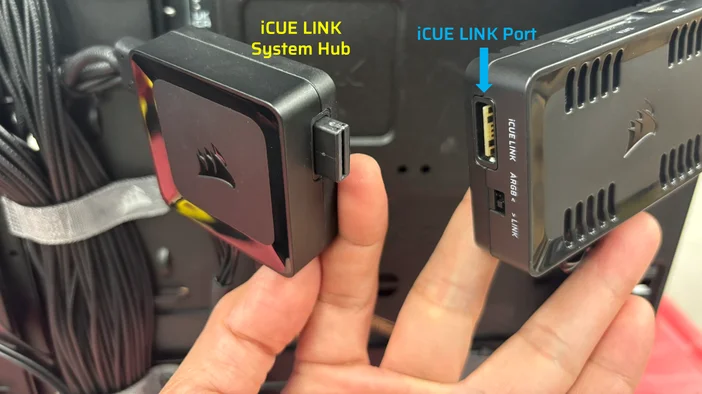
For the rest of the iCUE LINK devices, which are the three RX120 RGB fans mounted on the cooler’s radiator, we’ve connected them directly to the iCUE LINK System Hub.
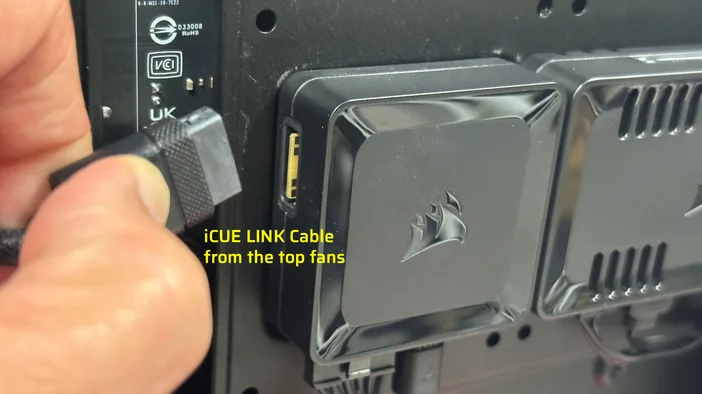
In a setup like this, where you have the COMMANDER DUO connected to the iCUE LINK System Hub, you will only need to power the iCUE LINK System Hub – the COMMANDER DUO does not need to be powered. The iCUE LINK System Hub includes a SATA power cable that must be connected to the PSU’s 6-PCIe connector. You will need to connect the Micro-USB connector from the System Hub to one of the USB headers on the motherboard.
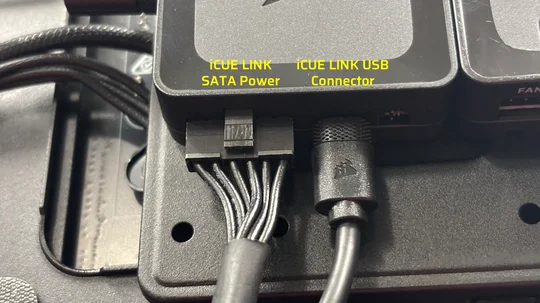
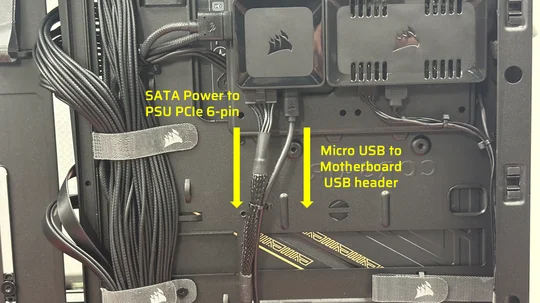
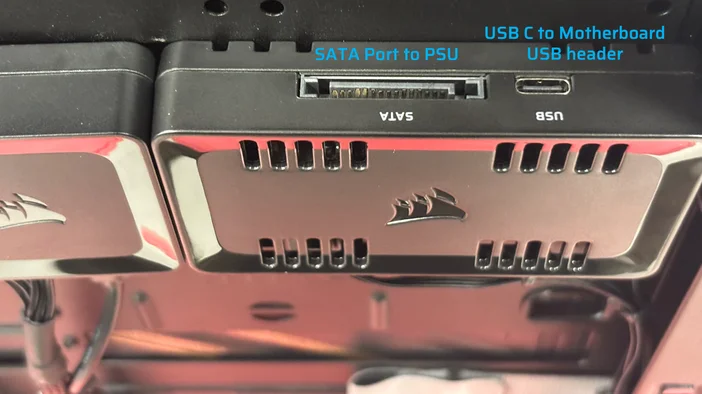
NOTE: If your PC setup uses the CORSAIR COMMANDER DUO only as your main hub, it will need power through a SATA connection. As for the lighting control (data), there is a USB-C port on the hub that must be connected to one of the USB headers on the motherboard.
If you are in the process of building a PC, or if you already have a PC build that has ARGB fans, and want to take advantage of iCUE LINK technology using iCUE LINK-compatible devices, the CORSAIR COMMANDER DUO is the single solution to achieve your goal of having a cohesive ecosystem for cooling and RGB lighting.
You can take advantage of its advanced features, such as fan curve profiles and synchronized RGB lighting effects across multiple devices. This level of control not only enhances your PC’s overall performance but also adds a personalized touch that reflects your mood and style.
JOIN OUR OFFICIAL CORSAIR COMMUNITIES
Join our official CORSAIR Communities! Whether you're new or old to PC Building, have questions about our products, or want to chat about the latest PC, tech, and gaming trends, our community is the place for you.