The CORSAIR 3200D is our new budget-friendly, high-airflow, mid-tower case. It’s designed to provide maximum airflow and performance at an accessible price. It comes with 3x 120mm pre-installed front fans, with space for another three in the top, an additional fan aimed straight at the GPU, and one as exhaust.
Despite its compact size of 458mm (L), 219mm (W), 495mm (H), the 3200D can fit a 360mm AIO (or radiator) at the front or in the top. However, it’s a tight fit up top if you opt for this route, so here’s a quick tutorial to make the experience smoother.
Mounting a 360mm AIO/Radiator in the Top of the CORSAIR 3200D: Step-by-Step Guide
Due to the compact nature of this case, the order of operations for mounting a radiator up top is a little different from what you might be used to. Here are the steps to follow:
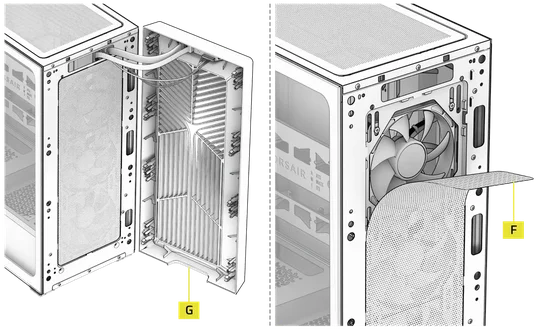
- Remove the front panel by firmly pulling from the bottom using the cutout at the bottom (G) to make it easier. (Be mindful of the front I/O cables here. Swing the front panel out to the side instead of yanking it straight out from the case, as indicated in the image below.)
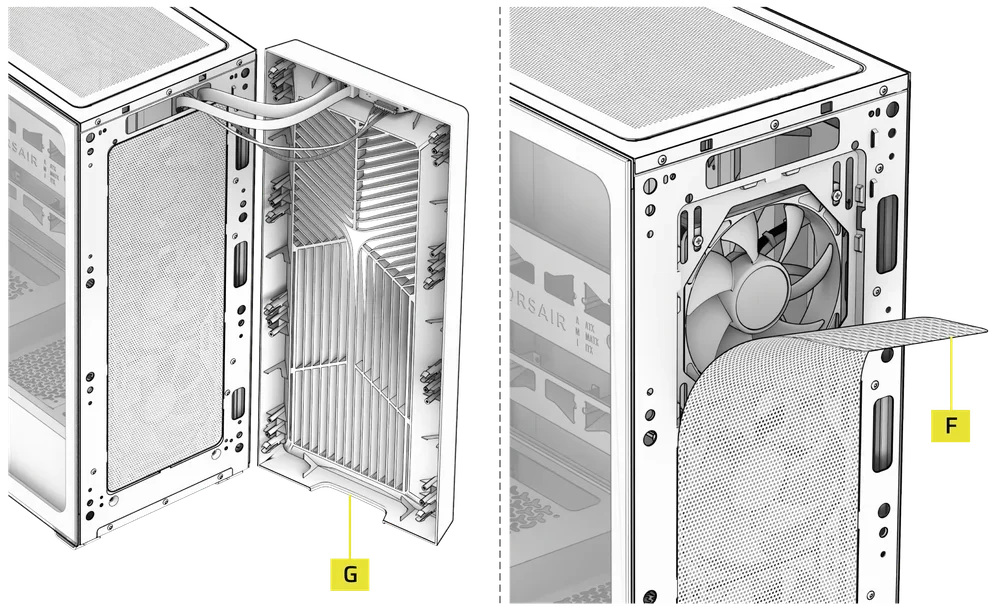
- Remove the magnetic fan filter (F).
- Unscrew the four screws holding the top fan and remove it (there is no need to remove the other fans, but you can if you want more room to work in).
Now you have space to mount the AIO in the top of the case unimpeded. Follow the steps below and refer to the next diagram to do that.
- Remove the magnetic fan filter from the top of the case.
- Install the 360mm AIO by holding it against the top from the inside of the case with the tubes toward the back of the case (as shown in the image below).
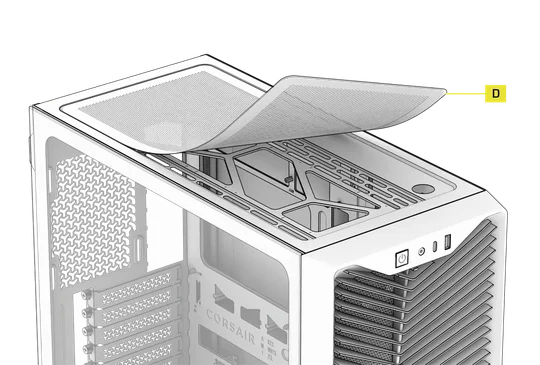
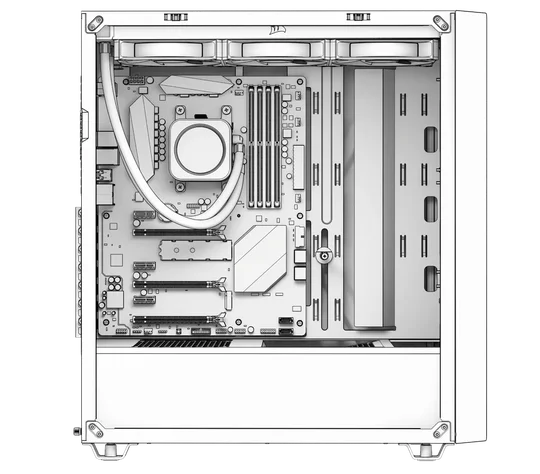
- Hold it in this position with one hand while screwing it into the top mounts from the outside with the other (an extra pair of hands can make this easier).
- Now you can replace the front top fan and manage the cables as normal.
For those intending to install an AIO in the top and add a rear exhaust fan, you can now install the rear exhaust fan. However, it will be a tight fit, and you should take care to ensure the tubes are not interfering with the fan blades.
How to Mount a 360mm AIO/Radiator in the Front of the 3200D
Some users might opt instead to mount a 360mm AIO in the front of the case. This is an easier process and allows you to fully populate the case with fans without worrying about tubes interfering with other components.
- Remove the front panel and fan filter.
- Unscrew the three pre-installed fans from the front.
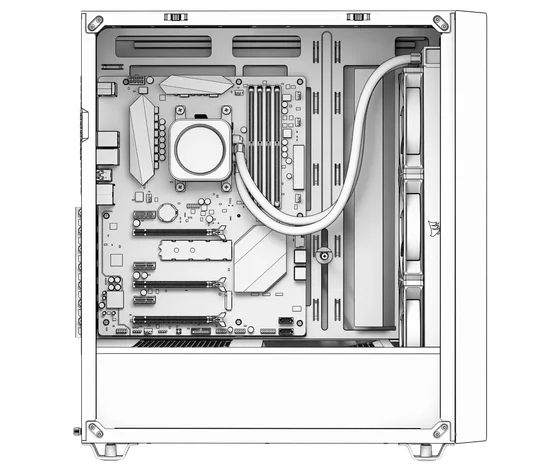
- Install the 360mm radiator here with the tubes at the top (the 3200D is incompatible with 360mm AIOs mounted in the front with the tubes at the bottom).
- You can now fully populate the case with fans as normal.
Please refer to the CORSAIR 3200D manual if you need assistance with any other aspects of building in this case.
PRODUCTS IN ARTICLE
JOIN OUR OFFICIAL CORSAIR COMMUNITIES
Join our official CORSAIR Communities! Whether you're new or old to PC Building, have questions about our products, or want to chat about the latest PC, tech, and gaming trends, our community is the place for you.