Dual booting means installing two operating systems on the same PC and choosing which one to load when you start up. For PC gamers, this usually means keeping Windows for gaming and adding Linux for flexibility, customization, or development work. It’s a way to get the best of both worlds without buying a whole second machine.
So how does it work? You partition your drive so each operating system has its own space. When you power on, a boot manager appears and lets you pick which OS to launch. It sounds simple, but it takes planning. You need enough storage for both systems and your games, and you’ll want to back up your data before you start.
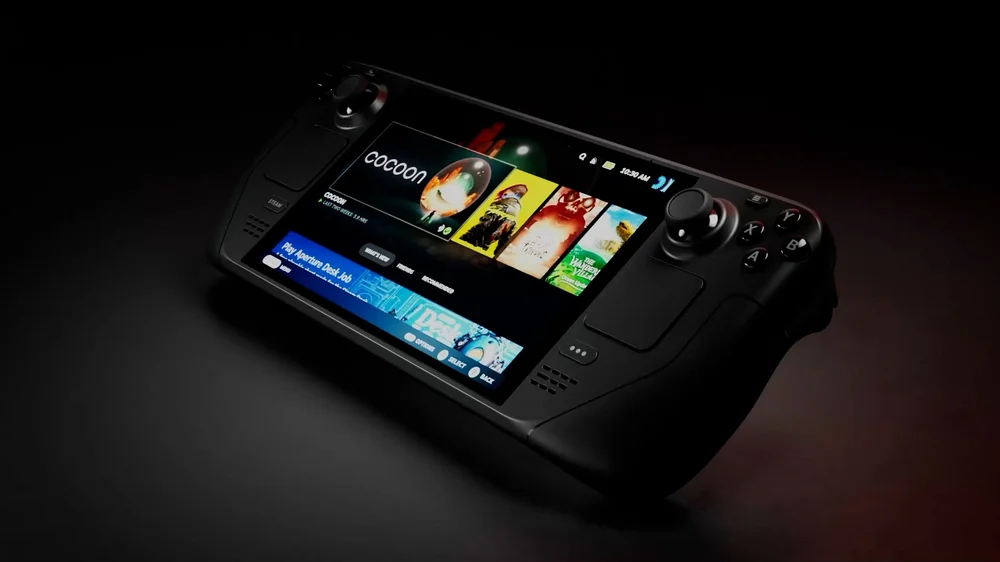
Windows is the king of gaming with broad hardware support and compatibility for almost every title. Linux offers a lightweight environment, powerful customization, and access to open-source tools. Linux gaming has enjoyed a serious boost since the introduction of the Steam Deck too. Thanks to Proton and the work Valve has done, many Windows-only titles now run smoothly on Linux. That makes dual booting far more appealing than it used to be.
The Pros and Cons for Gamers
There are clear benefits to dual booting. You can, for instance, set up your machine so that you switch between Windows for gaming and Linux for productivity. Linux often feels faster for certain tasks, and it’s a great way to learn something new. You also save money by using the hardware you already own.
But there are downsides. Splitting your drive means less space for games, and modern titles eat storage. Setting up partitions and configuring boot loaders can be intimidating if you’ve never done it. It’s another system that can go wrong, which can be frustrating. Each operating system needs its own updates and drivers, so you’re doubling your maintenance. And while Linux gaming has improved dramatically, not every game runs perfectly.

How to Set Up Dual Booting
If you decide to try it, the setup process is straightforward with the right tools. Start by backing up your files. Then shrink your Windows partition using the built-in Disk Management tool to create space for Linux. Download a Linux distribution such as Ubuntu and create a bootable USB stick using a tool like Rufus. Boot from the USB, follow the installer, and choose the option to install alongside Windows.
Most modern Linux installers handle partitioning and boot loader configuration automatically, so you don’t need to dive into command lines unless you want to. When you restart, you’ll see a boot menu that lets you pick Windows or Linux.
Is it worth it? If gaming is your main focus, sticking with Windows is the easiest route. Dual booting makes sense if you want to explore Linux, experiment with performance tweaks, or need a separate environment for work or creative projects. Just be ready for a learning curve and a little extra effort.
PRODUCTS IN ARTICLE
JOIN OUR OFFICIAL CORSAIR COMMUNITIES
Join our official CORSAIR Communities! Whether you're new or old to PC Building, have questions about our products, or want to chat about the latest PC, tech, and gaming trends, our community is the place for you.