GLOSSARY
What is a C:Drive?
On Windows PCs, the “C:” drive is the default letter for the main storage volume that Windows uses for the operating system, apps, and (by default) your user folders. Think of it as “home base” for Windows. Technically, it’s a volume that happens to be labeled C: the letter itself isn’t special hardware, just an assignment the OS makes
Why is it called “C:” (and not “A:” or “B:”)?
History. The earliest IBM‑PC–compatible systems reserved A: and B: for floppy drives. When hard disks arrived, the next letter C: became the first hard‑disk volume. Even though floppies are history, the convention (and lots of software assumptions) stuck, so the primary Windows volume is still called C:.
What actually lives on C:?
Typically, three big things:
- Windows itself (the \Windows folder).
- Programs (the \Program Files and \Program Files (x86) folders).
- Your user profiles (by default under C:\Users\YourName).
Microsoft’s deployment docs even spell it out: the default user‑profile path is usually C:\Users.
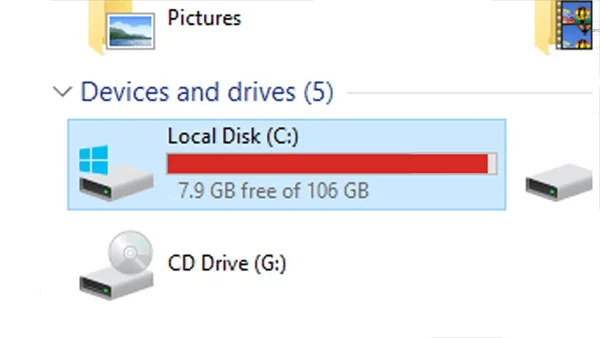
Do I need a C: drive to run Windows?
In practice, yes Windows expects its system volume to be mounted and usually labeled C: on a running system. Under the hood there can also be small, hidden startup partitions (like the EFI System and Recovery partitions) that don’t get drive letters, but the visible, everyday “home base” is C:.
Fun fact: macOS and Linux don’t use drive letters at all. They mount disks as folders in a single tree (for example, Linux commonly uses mount points like /mnt or /media).
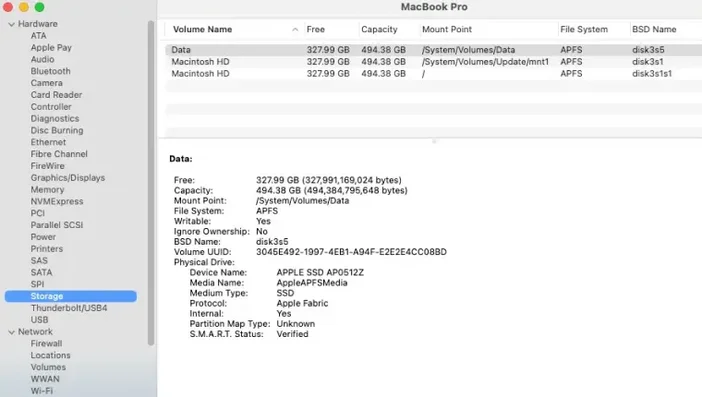
Is C: a type of hardware?
No. “C:” is just a label. Your C: drive can be an SSD, an HDD, or a partition on a larger device. It’s the assignment that matters, not the technology.
What file system does C: use?
Modern Windows installs use NTFS by default Microsoft’s journaling file system that supports permissions, encryption (EFS/BitLocker), quotas, and large volumes.
Can I rename or change the letter of C:?
Don’t. Windows strongly recommends not changing the drive letter of a volume that contains Windows or apps it can break software and paths. Disk Management will let you change letters for other volumes, but the system/boot volumes and certain special partitions are off limits or highly risky. The supported approach is: leave C: as C:.
C: vs. Disk vs. Partition what’s the difference?
- A disk is the physical device.
- A partition slices a disk into regions.
- A volume is a formatted partition that Windows can use (and may assign a letter to, like C:).
A single disk with one partition typically shows up as C:; add more partitions and you’ll see D:, E:, etc.