BLOG
What's The Difference Between CORSAIR Firmware Update Utility and CORSAIR Web Hub?
Last updated:
CORSAIR has two web-based utilities available for interacting with certain peripherals, as opposed to having to download and install iCUE. There is both a Web Hub and a Firmware Update Utility, and they are totally separate programs with different purposes and lists of supported devices. They both require a Chromium-based browser, which means Google Chrome, Opera, or Microsoft Edge. Their primary differences are as follows:
CORSAIR Web Hub: Supports our latest devices at this time, but allows for full control over all settings including updating firmware.
CORSAIR Firmware Update Utility: Supports a wide array of peripherals and is only used for updating the firmware of a device.
With that out of the way, let’s take a look at each of them in-depth.
CORSAIR Web Hub
This is a web-based interface for a limited number of CORSAIR hardware devices that lets you customize the settings on peripherals. In its current form it is only functional for the following keyboards and mice:
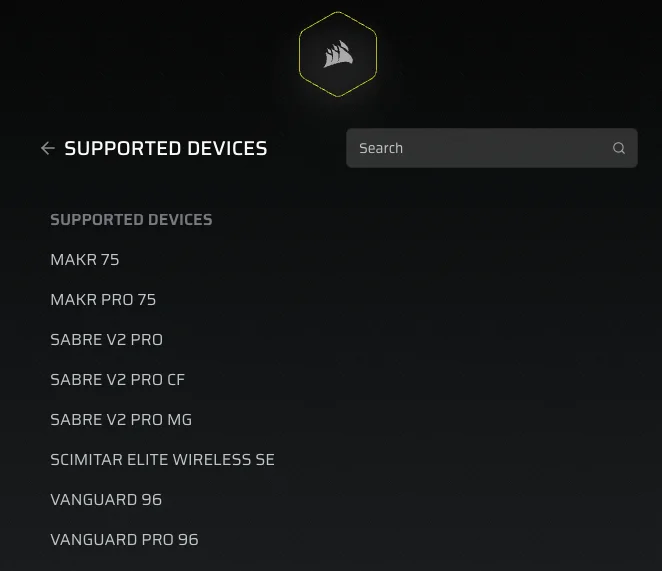
The Web Hub supports the latest devices at this time, but it will support more devices in the future.
The web-based tool lets you customize everything on supported devices including lighting effects, key assignments, and rotary dial functionality and FlashTap on keyboards. You can also use Web Hub to do a Factory Reset on your supported device, which removes all saved profiles and settings. You can also perform a firmware update as well using this interface.
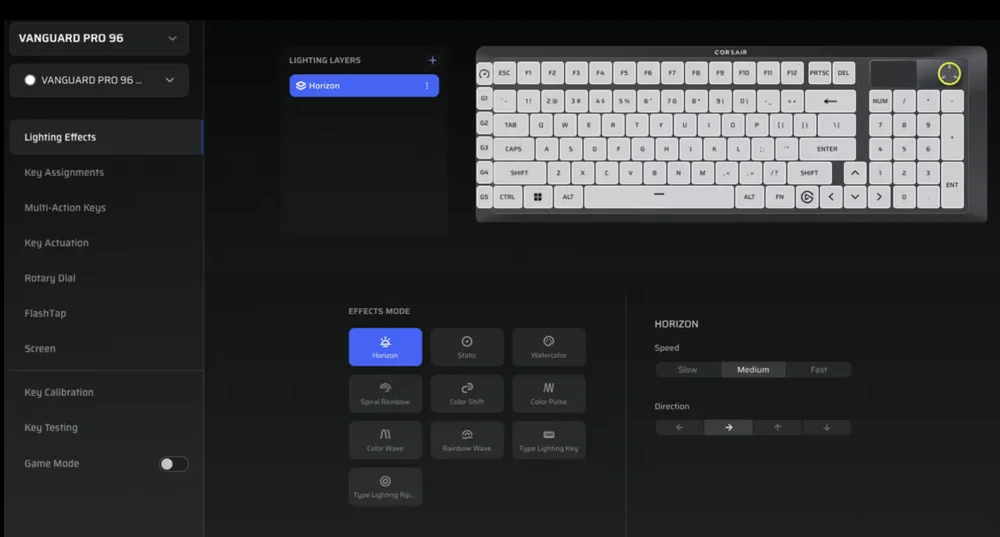
The Web Hub interface lets you tweak every aspect of your keyboard or mouse.
CORSAIR Firmware Update Utility

As the title of this software states, this is a web-based utility that will only update the firmware of your peripheral. It is supported by a long list of hardware which you can see at this link. Once you open it in your Chromium-based browser and grant it access to your system, it will scan for supported peripherals. Once it’s detected supported hardware, it will show you the current firmware version of the device and alert you if it’s the latest version, or if there is an update.
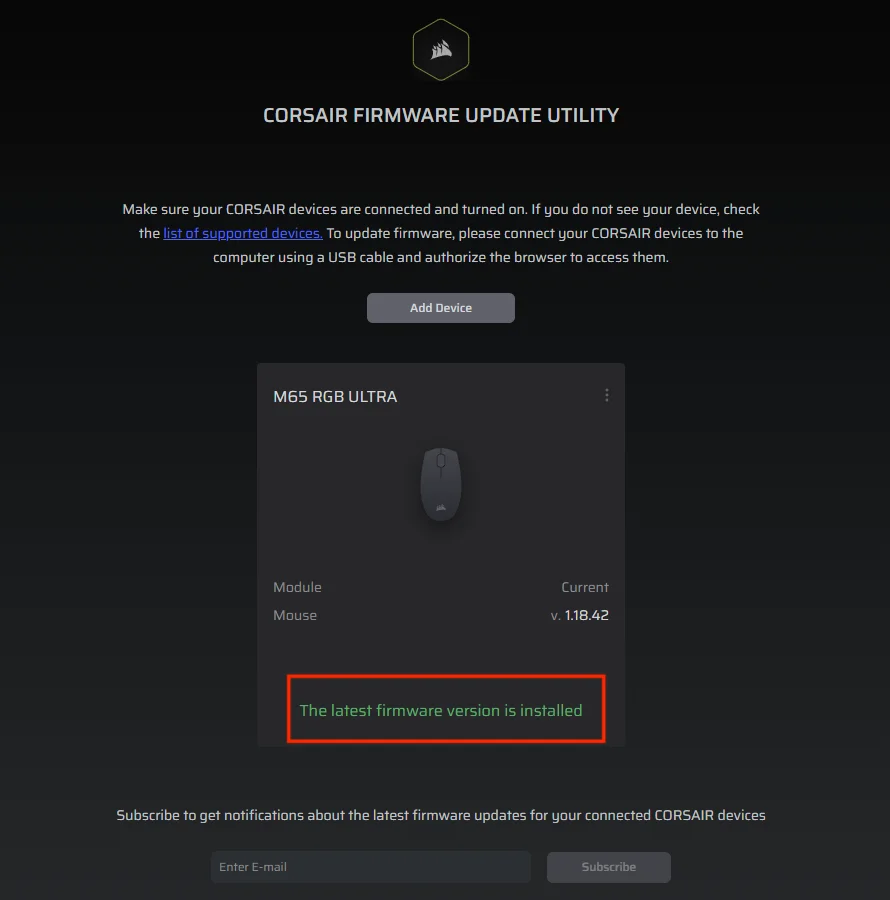
The utility will show you what version of firmware is installed on your device, and prompt you to update if there is a newer version.
On our test system we already had the latest version for our mouse, so there was nothing to update, but if there is a new firmware you can just click “update” and the process will proceed.
The Point of These Tools
Although you can always update the firmware of your devices and tweak settings in iCUE, not everyone wants to have the software running at all times, or they might be traveling or on a different computer without access to iCUE. These web-based tools let you perform some of the same functionality on any computer, providing added convenience and easier accessibility. We certainly hope you enjoy using them for your CORSAIR peripherals!
JOIN OUR OFFICIAL CORSAIR COMMUNITIES
Join our official CORSAIR Communities! Whether you're new or old to PC Building, have questions about our products, or want to chat the latest PC, tech, and gaming trends, our community is the place for you.