In the quick paced world of content creation, streaming, and multitasking, efficiency gets you ahead. Elgato’s Virtual Stream Deck is redefining how creators, professionals, and power users interact with their digital workflows. This innovative software feature brings the power and flexibility of Elgato’s iconic Stream Deck hardware directly to your screen with no extra devices required. Here’s everything you need to know to get started and make the most of this powerful tool.
What Is Virtual Stream Deck?
Virtual Stream Deck is Elgato’s latest leap in workflow management and carries its leading Stream Deck interface to your desktop. It transforms your computer screen into an easy to use, customizable selection panel, letting you trigger actions, launch applications, and automate tasks with a simple click or tap. Whether you’re managing a live stream, editing videos, or powering through your daily tasks, Virtual Stream Deck puts your favorite functions right at your fingertips and your mouse pointer.
First, you’ll want to download the Stream Deck 7.0 software from Elgato’s official website. This update introduces the Virtual Stream Deck feature for both Windows and Mac users along with including integration support for the Scimitar Elite Wireless SE gaming mouse. Installation is straightforward, guided by clear onscreen instructions.
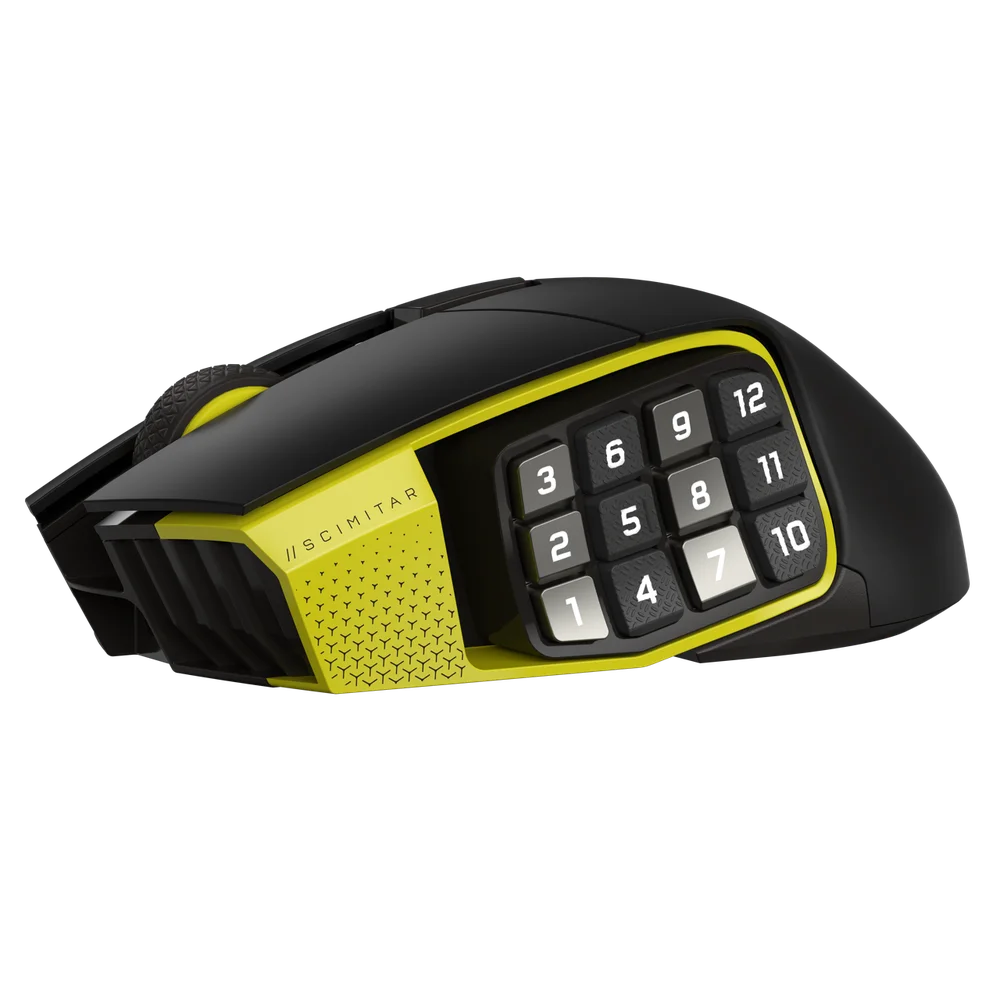
Scimitar Elite Wireless SE
Activation is seamless for users with eligible Elgato hardware. Connect the Corsair Scimitar Elite Wireless SE gaming mouse to your computer. The software will automatically unlock the Virtual Stream Deck feature, integrating it into your workflow instantly.
Setting Up Your Virtual Workspace
Once the software is running and your compatible device is connected, the Virtual Stream Deck becomes available within the Stream Deck interface. With a single click, you can launch your virtual workspace, a sleek, floating panel that overlays your desktop. This panel is fully interactive, allowing you to operate it with your mouse or touchscreen.
Customization is where Virtual Stream Deck truly shines. The intuitive drag-and-drop editor lets you populate your virtual deck with a wide array of actions. Assign keys to launch your favorite applications, control streaming software, send complex keyboard shortcuts, or even trigger elaborate macros. Each virtual key can be personalized with unique icons, colors, and labels, ensuring your workspace is both functional and visually appealing.
The layout is entirely up to you. Arrange keys in any pattern, group related actions, and position the panel wherever it’s most convenient. Need quick access while gaming or presenting? Pin the deck in a fixed spot, or set it to appear at your cursor with a simple gesture or button press.
Keep Your Most Important Skills At Your Fingertips
Whether you’re in the heat of an intense boss raid or casting a complex series of abilities as your cooldown hits, Virtual Stream Deck can position all of your most needed MMO skills nearby so you can easily trigger them. Setting them up is as easy as mapping your hotkeys for your workflow, but you can add a flare of customization by adding custom icons and setting them to separate profiles for easy organization and recognition. A World of Warcraft player can set up their Virtual Stream Deck to be specific to their needs, such as opening their bag storage quickly or easily bringing up their Friends list. A Monster Hunter Wilds player may want quick access to their loadouts so they can adjust them on the fly for the next hunt they choose to endeavor.
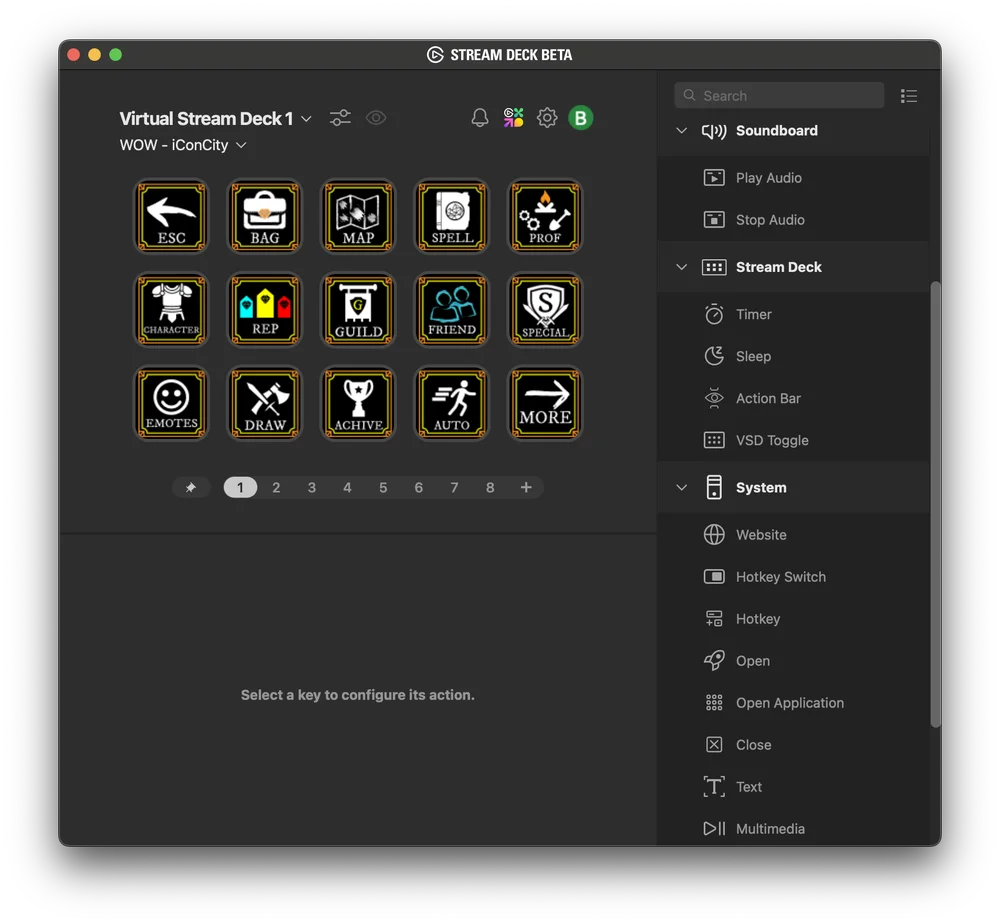
WOW Stream Deck Profile
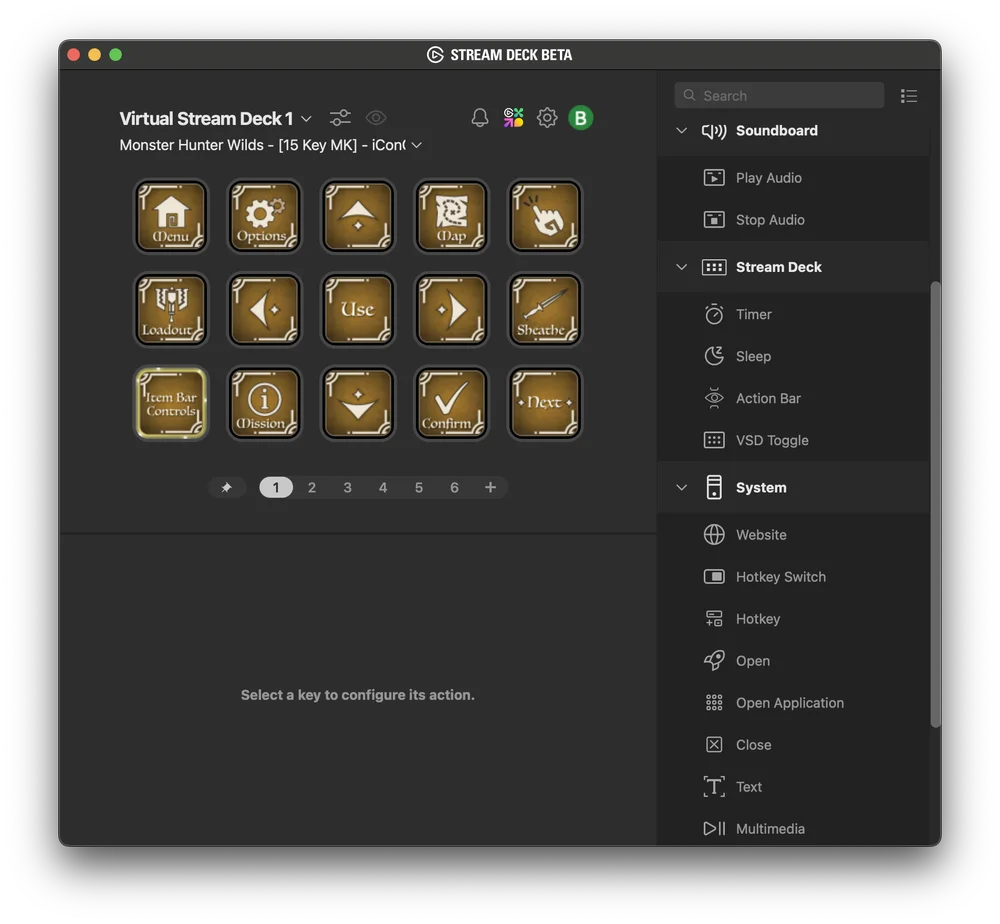
Monster Hunter Wilds Stream Deck Profile
Seamless Integration Across Your Workflow
Virtual Stream Deck is designed for ultimate flexibility. It adapts to your unique needs, whether you’re a streamer switching scenes in OBS, a video editor launching Adobe Premiere shortcuts, or a professional automating daily repetitive tasks. The virtual keys respond instantly to your input, streamlining complex actions into a single tap and eliminating the need to juggle multiple windows or menus.
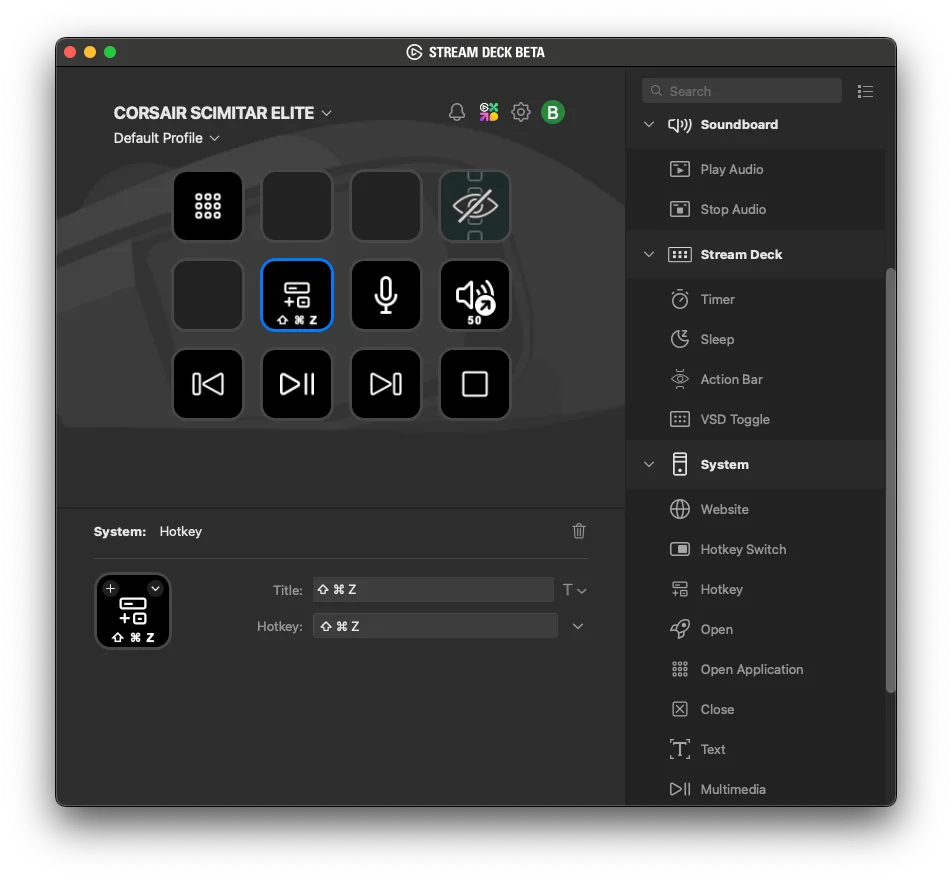
For users with the Corsair Scimitar Elite Wireless SE mouse, integration goes even further. Dedicated buttons on the mouse can summon your virtual keys, giving you tactile control over your digital workspace or your gaming environment.
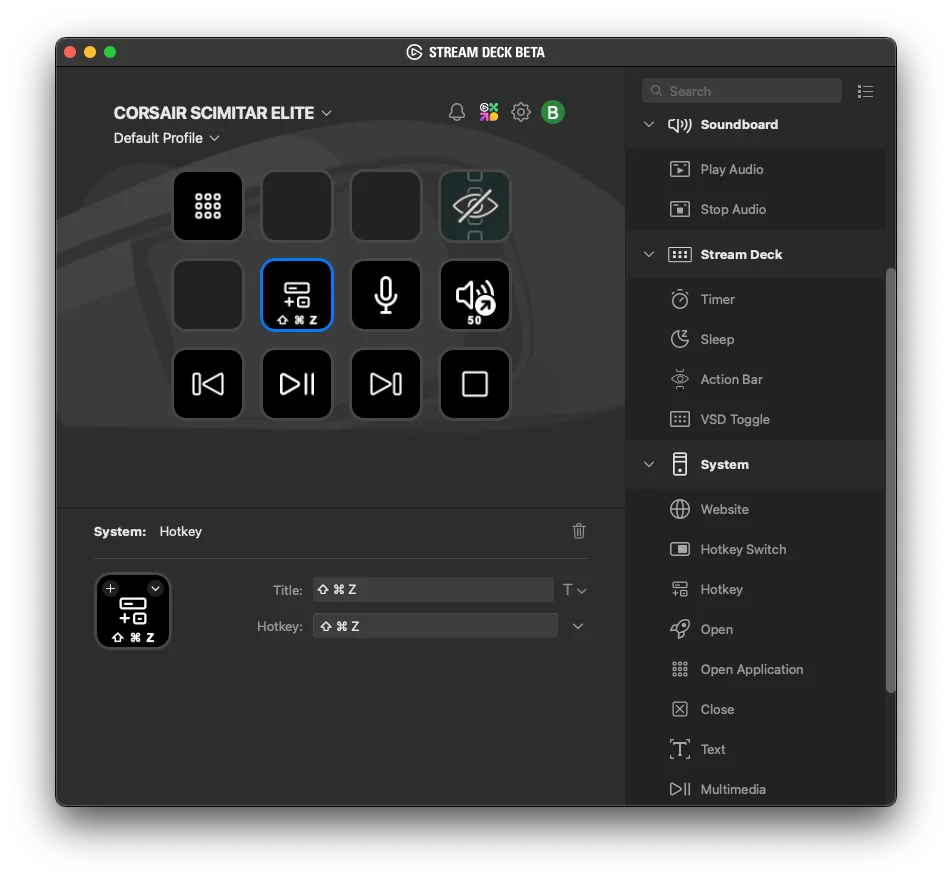
Scimitar Elite in Stream Deck Software
Join the Future of Digital Control
As a feature we're really excited about, Virtual Stream Deck is evolving rapidly. Elgato encourages users to share feedback and suggestions through their official Reddit community, helping shape the future of this powerful tool.
Elgato’s Virtual Stream Deck is more than just a software update, it’s a new way to interact with your computer. Paired with the Scimitar Elite Wireless SE integration, Virtual Stream Deck immediately supercharges your productivity and creativity. By extending customizable controls directly onto your screen, it empowers you to work smarter, faster, and with more freedom than ever before.
Download Stream Deck 7.0, activate Virtual Stream Deck, and unlock a world of possibilities right at your fingertips.
ПРОДУКТИ В СТАТИЯ
JOIN OUR OFFICIAL CORSAIR COMMUNITIES
Join our official CORSAIR Communities! Whether you're new or old to PC Building, have questions about our products, or want to chat about the latest PC, tech, and gaming trends, our community is the place for you.