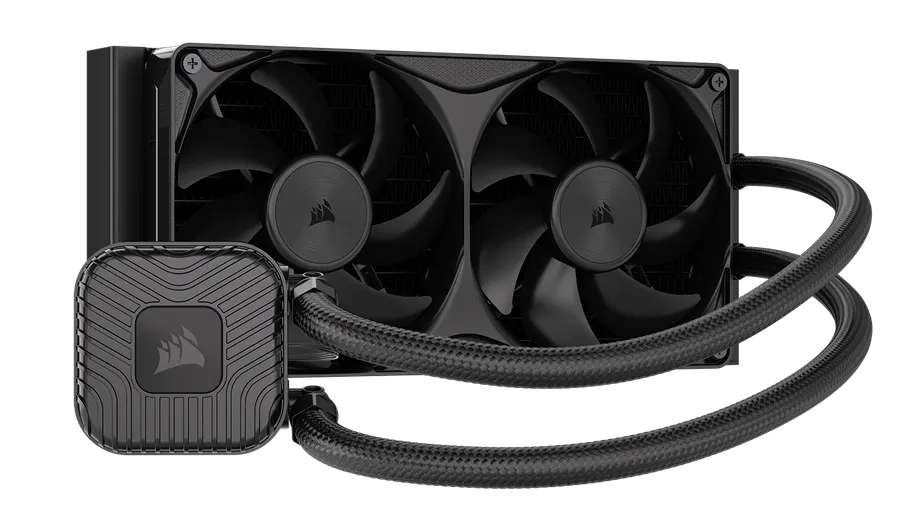
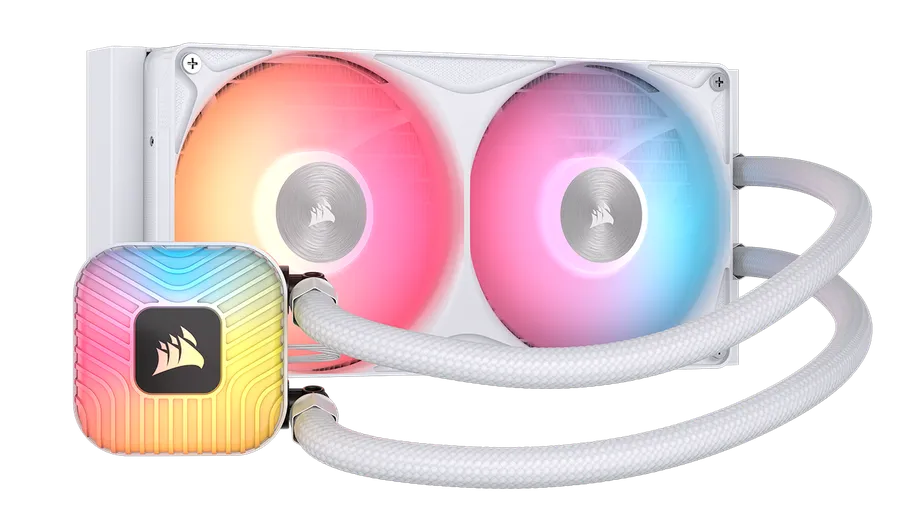
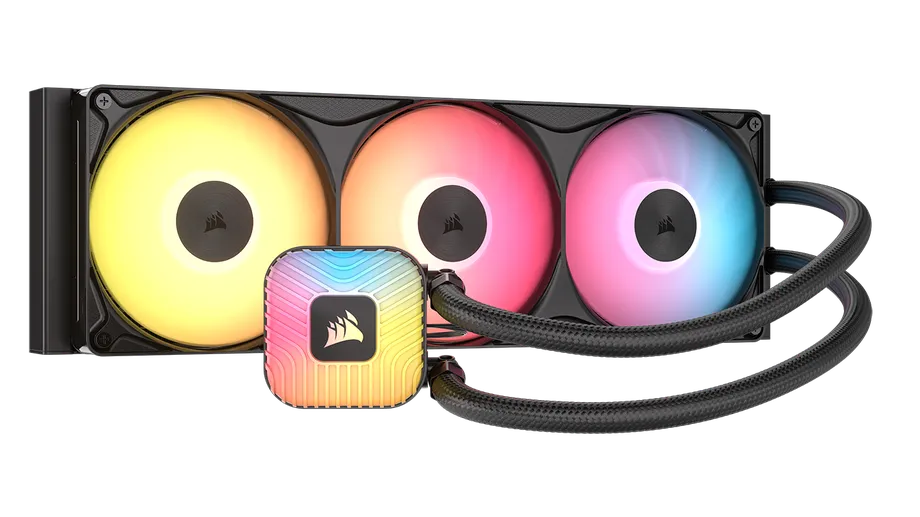
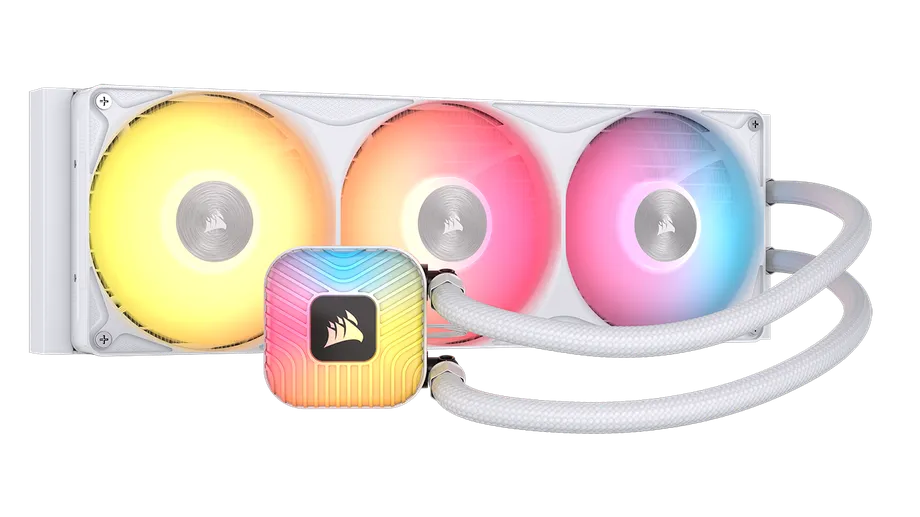
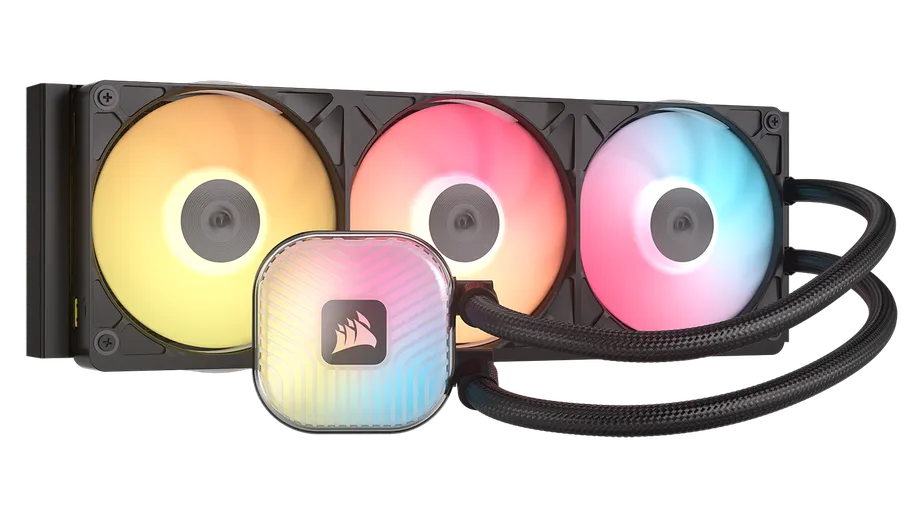
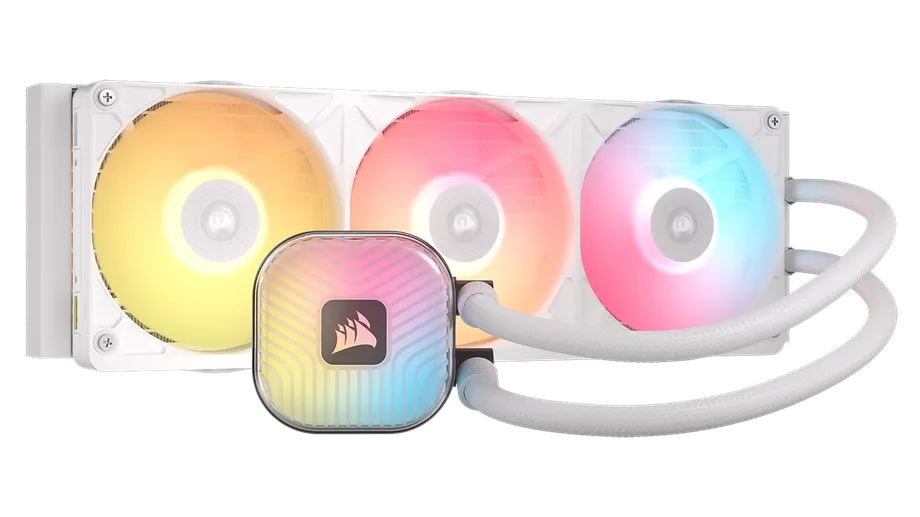
Our AIO liquid cooler lineup has been updated for 2026, with newly improved second-generation coolers arriving in both the iCUE LINK TITAN II and NAUTILUS II families. Both lines are optimized for AMD and Intel platforms. The best part? They now come with unified fan frames to help keep your cables neat and tidy and both are available in 240mm and 360mm sizes, depending on the model.
The two families are built for different priorities - TITAN II is all about those premium features, like iCUE LINK technology and full RGB lighting customization via iCUE software, while NAUTILUS II is a straightforward, motherboard-controlled cooler for those who want strong thermals without the extra ecosystem.
iCUE LINK TITAN II 360 RX RGB
NAUTILUS II RS 360 ARGB
Before diving into the specifics, let's check out the technical specifications to understand how these models differ in terms of raw numbers.
| NAUTILUS II RS | NAUTILUS II RS ARGB | TITAN II 360 RX RGB | |
| Pump | FlowDrive 2S | FlowDrive 2S | FlowDrive 2 |
| Radiator Sizes | 240mm / 360mm | 240mm / 360mm | 360mm |
| Cold Plate Material | Copper | Copper | Copper |
| Radiator Material | Aluminum | Aluminum | Aluminum |
| Fan Type | RS II Unified Frame | RS II ARGB Unified Frame | iCUE LINK RX II RGB Unified Frame |
| Fan Control | Motherboard (4-pin PWM) | Motherboard (4-pin PWM + ARGB) | iCUE LINK / iCUE software |
| Lighting | None | +5V ARGB: 8 LEDs on pump, 16/24 on fans | 20 LEDs on pump, 24 on fans |
| Display | No | No | No |
| Connectivity | Daisy-chained PWM/ARGB | Daisy-chained PWM/ARGB | iCUE LINK single-cable |
| Tubing Length | 400mm (240mm) / 450mm (360mm) | 400mm (240mm) / 450mm (360mm) | 450mm |
| Supported Sockets | AMD: AM5, AM4 | Intel: 1851, 1700 | AMD: AM5, AM4 | Intel: 1851, 1700 | AMD: AM5, AM4 | Intel: 1954, 1851, 1700 |
| Warranty | 5 Years | 5 Years | 6 Years |
The clearest difference between TITAN II and NAUTILUS II comes down to how each cooler connects to the rest of the system. NAUTILUS II relies on standard 4-pin PWM (and, on the ARGB models, +5V ARGB) connections that plug directly into the motherboard. Fans daisy-chain together, so the whole cooler runs off a single motherboard header, and lighting and fan curves are managed through the motherboard manufacturer's own software rather than iCUE.
But if you want your NAUTILUS II AIO cooler to be controlled via iCUE software and be part of the CORSAIR ecosystem, you can always get the COMMANDER DUO (sold separately), so that all your fan curve profiles and lighting customization are all in one place.
iCUE LINK TITAN II - iCUE LINK System Hub
NAUTILUS II - MB 4-pin PWM and +5V ARGB
TITAN II, on the other hand, is built around our iCUE LINK ecosystem. Instead of separate PWM and ARGB headers, every component connects through iCUE LINK's universal connectors into a single iCUE LINK System Hub, which is included in the box. That single hub then talks to iCUE software, giving you a full control over fan curves and RGB lighting for the entire cooler, and any other iCUE LINK devices in the system - from one place.
The pump itself is also generation-specific to each line. NAUTILUS II uses the FlowDrive 2S pump, an updated version of CORSAIR's low-noise pump platform that delivers a 40% increase in flow rate over its predecessor while still running at a whisper-quiet 1,500 RPM.
TITAN II uses the FlowDrive 2 pump, that was first introduced with the original TITAN, tuned for higher efficiency and lower noise alongside an optimized radiator designed to handle the thermal demands of next-generation CPUs.
The fans that come with AIO Liquid CPU coolers play a vital role in making sure AIOs are providing sufficient cooling to the CPU.
Fans differ between the two families as well. NAUTILUS II ships with RS II Unified Frame fans (non-RGB or ARGB), while TITAN II uses the second-generation iCUE LINK RX II RGB Unified Frame fans.
iCUE LINK RX360 II
NAUTILUS RS360 II
The whole point behind the Unified Frame design is to bring together three RS120 II or RX120 II RGB fans into one streamlined housing, so instead of fiddling with 12 screws for three separate fans, you only need to use 4. But it gets even better, all cables connected to the fans run right through the frame, which means less cable clutter behind the fans for uninterrupted airflow. The result? You get quieter operation and a more enjoyable cooling experience with all three fans working together,
Both fan models use Magnetic Dome bearings and CORSAIR AirGuide technology for focused airflow, and both have been optimized for quiet operation, but the RX II RGB fans include built-in temperature sensors for real-time thermal monitoring through iCUE - a feature not present on the RS II fans.
NAUTILUS II is the more flexible option in terms of radiator size, with both 240mm and 360mm variants available in the RS and RS ARGB lines. TITAN II is currently only available in 360mm. That makes NAUTILUS II 240 the better fit for smaller cases or builds where top-mounted radiator space is limited, while TITAN II is built for mid-tower to full-tower cases that can accommodate a full 360mm radiator.
NAUTILUS RS240 II Black
NAUTILUS RS360 II Black
iCUE LINK RX360 II White
Both families support the latest AMD AM5/AM4 and Intel LGA sockets, with TITAN II additional support for Intel's upcoming LGA 1954 socket. Both use a cold plate design optimized for AMD CPUs' hotspot layout while still performing well on Intel platforms, and both come with thermal paste pre-applied at the factory: CORSAIR XTM60 on NAUTILUS II, XTM70 on TITAN II.
iCUE LINK TITAN II's combination of the FlowDrive 2 pump, optimized radiator fin density, and RX II RGB fans with built-in temperature sensors deliver the strongest thermal performance in our AIO lineup, especially for high-wattage next-gen CPUs. NAUTILUS II, running the FlowDrive 2S pump and RS II fans, is tuned more toward quiet, everyday cooling for gaming, content creation, and workstation use. It has strong performance without the added cost of iCUE LINK connectivity and full RGB lighting custoimization via iCUE software.
In practice, the choice comes down to what your PC build actually needs. If you want single-cable iCUE LINK connectivity, expandable lighting, or plan to add more iCUE LINK-compatible devices down the line, the iCUE LINK TITAN II would be the smart choice. But for builders who want dependable, low-noise cooling with simple motherboard-based control, without paying for features you're not really interested in using, you will find the NAUTILUS II the more practical choice.
PRODUKTY V ČLÁNKU
Stay up to date with CORSAIR. Get our latest News, Guides, and Product Updates in your Google feeds.
Add CORSAIR as a preferred sourceThanks for helping us improve this article.
JOIN OUR OFFICIAL CORSAIR COMMUNITIES
Join our official CORSAIR Communities! Whether you're new or old to PC Building, have questions about our products, or want to chat about the latest PC, tech, and gaming trends, our community is the place for you.