HOW TO
How to Find a Serial Number or Part Number on CORSAIR Hardware
If you ever need to send hardware back to CORSAIR for an RMA, you’ll need to provide details about the specific hardware to complete the exchange. To do this, you'll need to give either the serial number or the part number to the representative. You will also need to take a clear photo of the sticker/tag with the number on it to send to CORSAIR. This process involves locating the sticker or tag and photographing it so the numbers are clearly visible.
There are Two Types of Serial Numbers
- Older products use a numeric serial scheme (e.g., 0003223795601).
- Newer products use a alphanumeric serial scheme, (e.g., A13BA244A1AMEO).
Label Locations
Mice: Wired mice have a sticker on the USB cable, and wireless mice have it underneath the mouse. The Part Number starts with CH and the serial number should is labeled S/N.
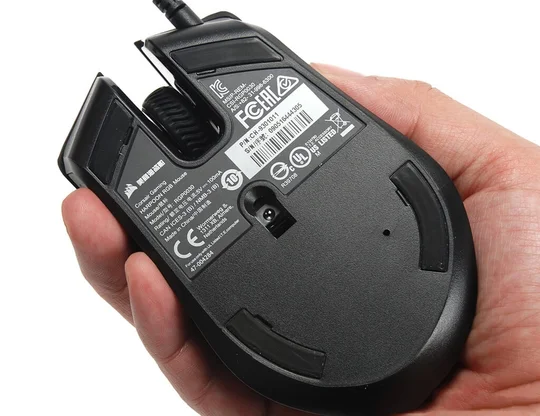
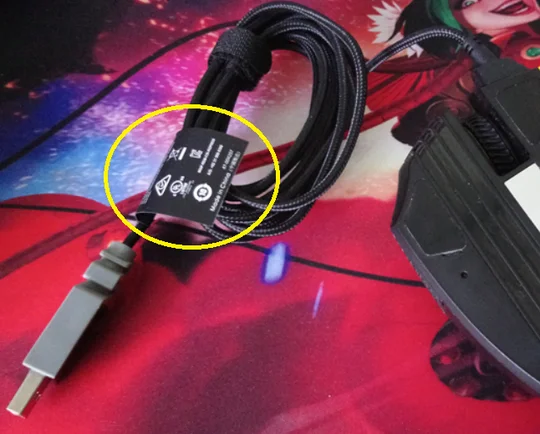
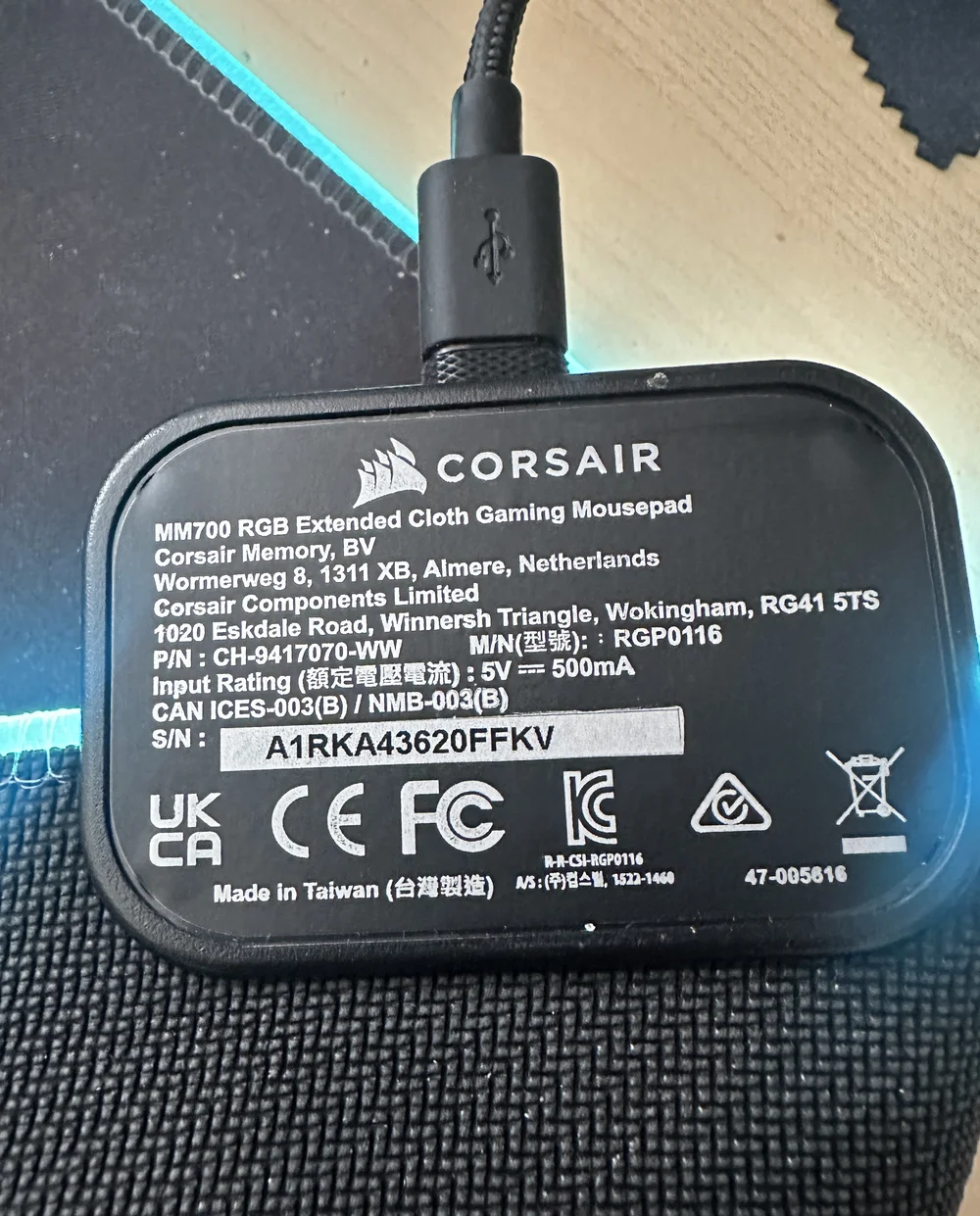
Mousepads: Mousepads have a sticker under the RGB hub (if present), a label attached to the USB cable, or a sticker on the box for standalone, non-RGB mousepads. The part number starts with CH, and the serial number is labeled S/N.
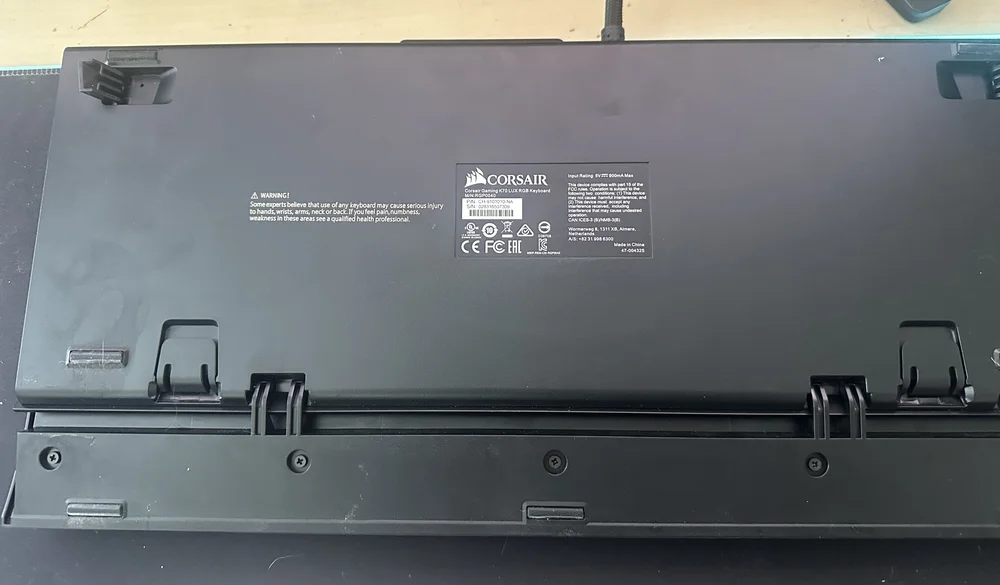
Keyboards: The serial number is located on the back of the keyboard in a clearly visible spot or near where the cable attaches. The part number starts with CH, and the serial number is labeled S/N.
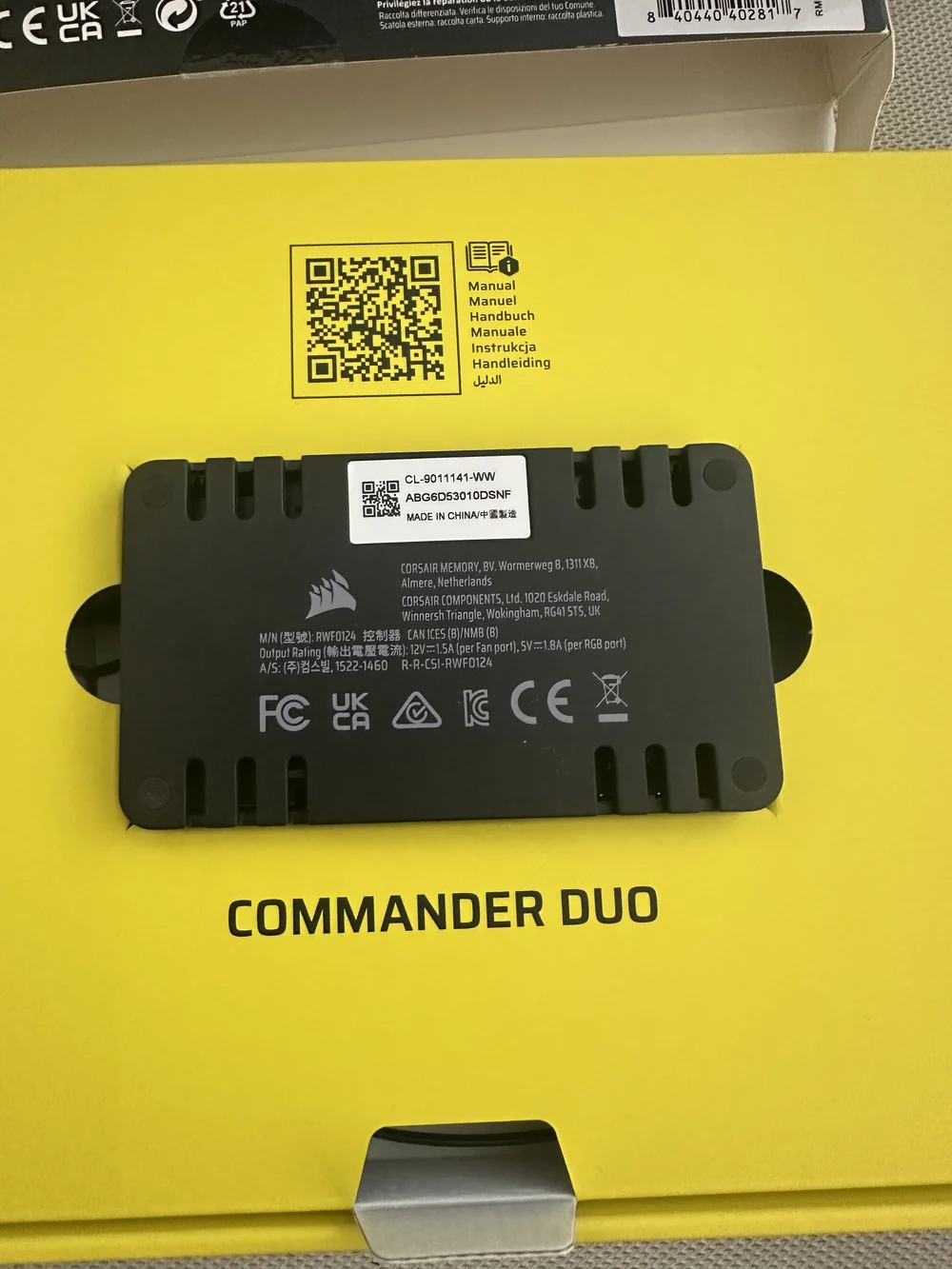
Fan and Lighting Controllers: The serial number is printed on the box and on the back of the hub.
Headsets
The location of the serial number varies by model.
HS Series
HS50, HS60, HS70, HS70 PRO: The sticker is under the left earpad. Gently remove the earpad with a soft tool to expose it.
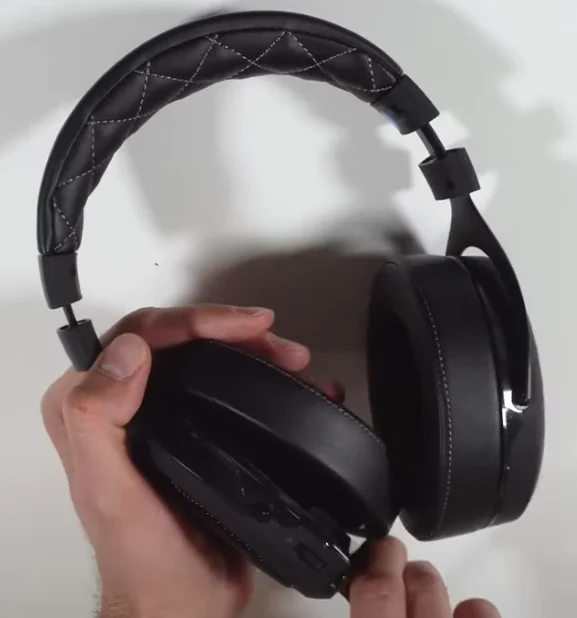
HS55, HS65: The sticker is located under the left earpad. Rotate the earpad clockwise to remove it, then reverse the process to reattach it.
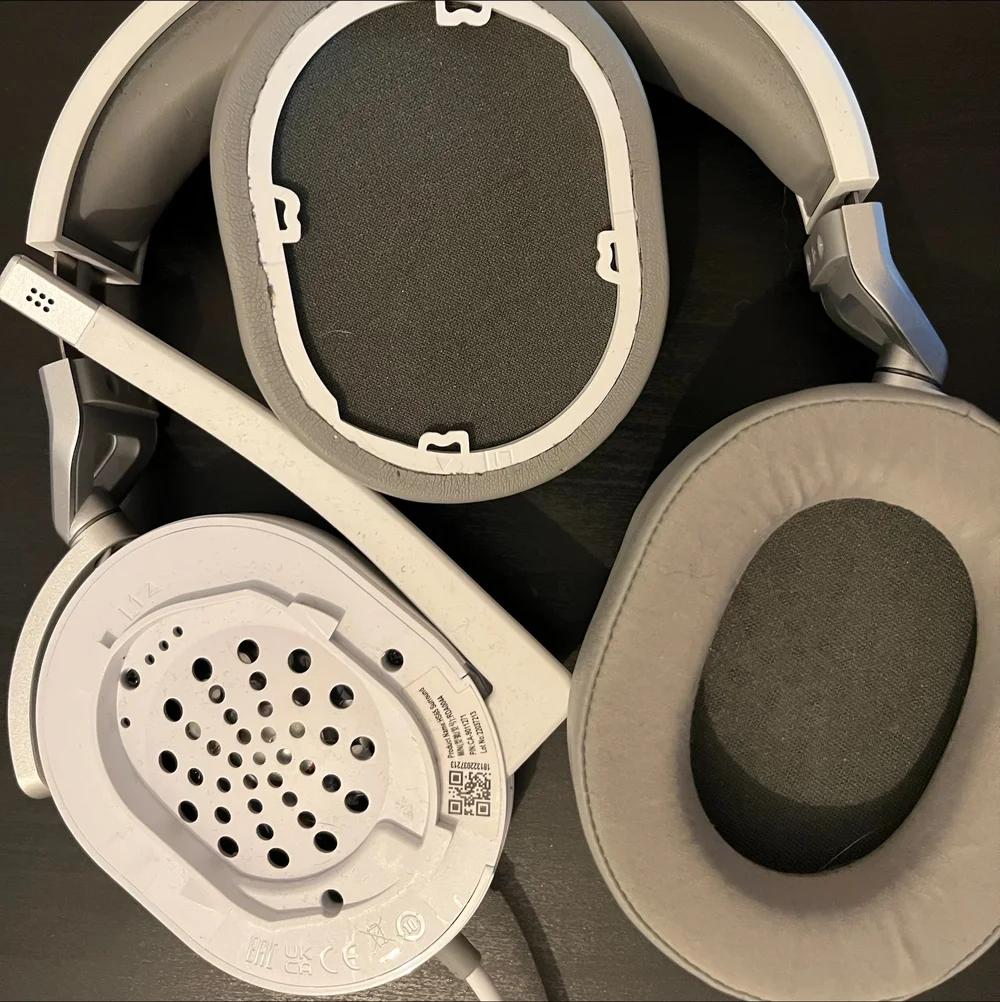
HS80, HS80 MAX, HS80 RGB USB: The part number is located underneath the right earpad. Twist the earpad clockwise to remove it, then reverse the process to reattach it.
VIRTUOSO Series
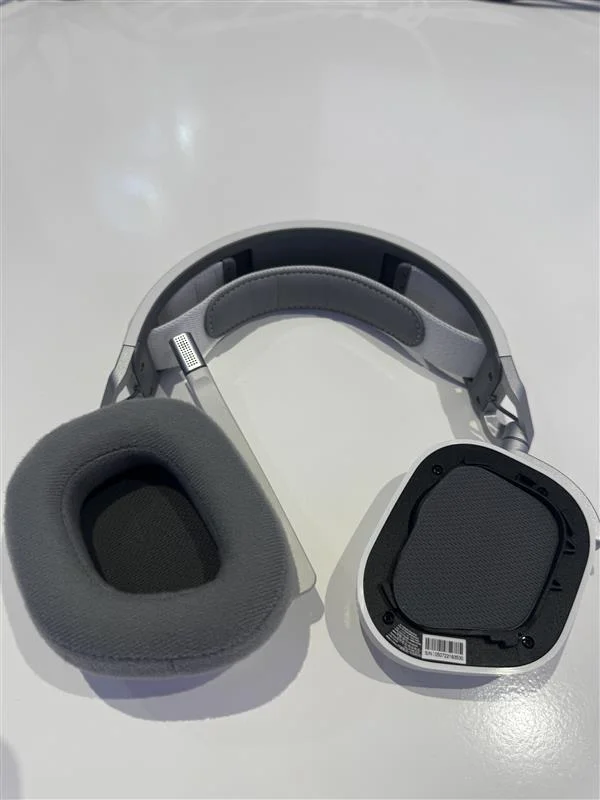
VIRTUOSO, VIRTUOSO SE, VIRTUOSO XT, VIRTUOSO MAX: The sticker is located underneath the right earpad. Twist the earpad off to reveal it.
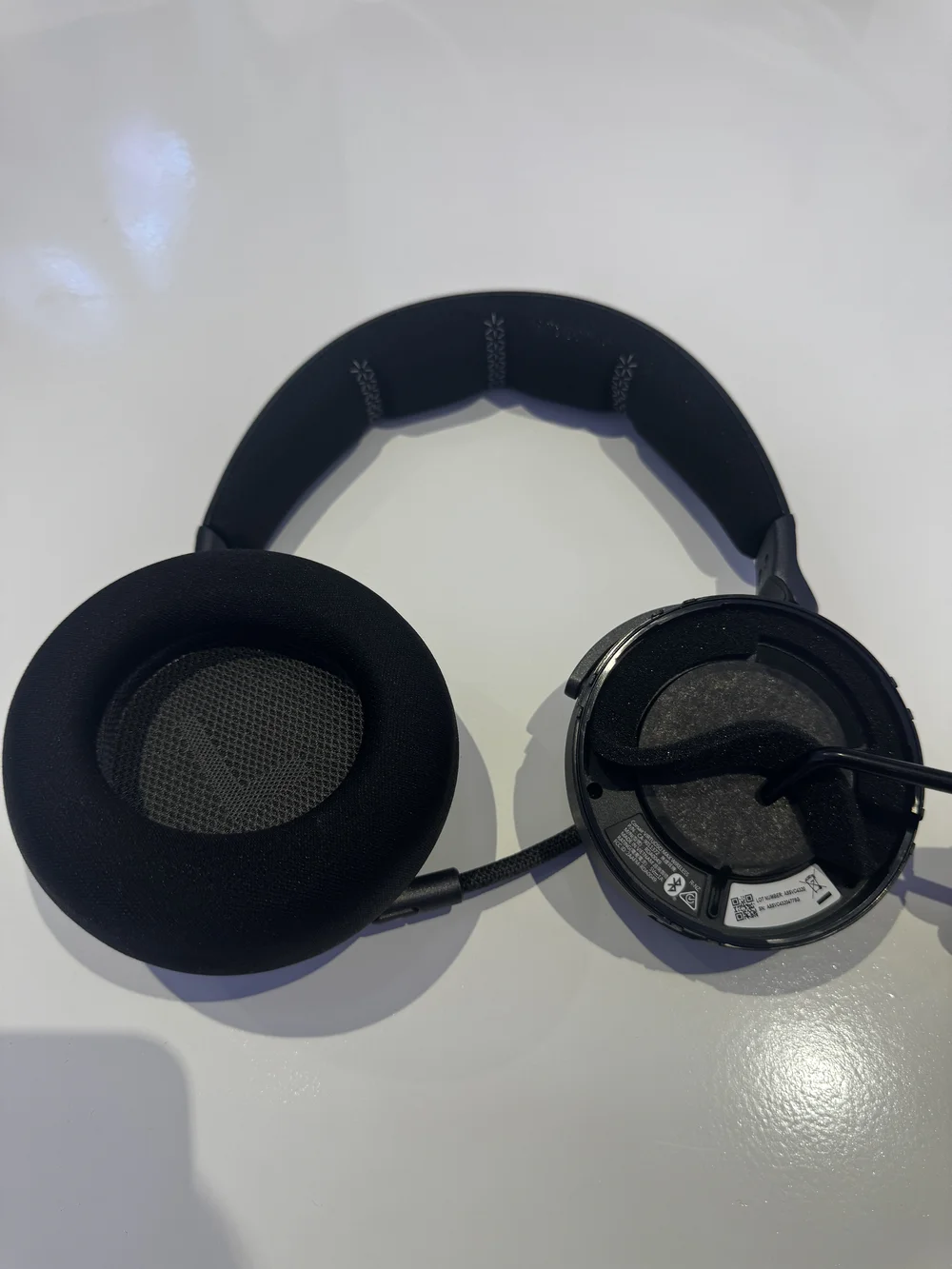
VIRTUOSO PRO: The part and serial numbers are on the headset band. The part number is on the inner right side and is visible when you extend the band. The serial number is on the left side underneath the headband cushion. To access it, squeeze the headband and pull the cushion down with both hands to remove it.
VOID Series
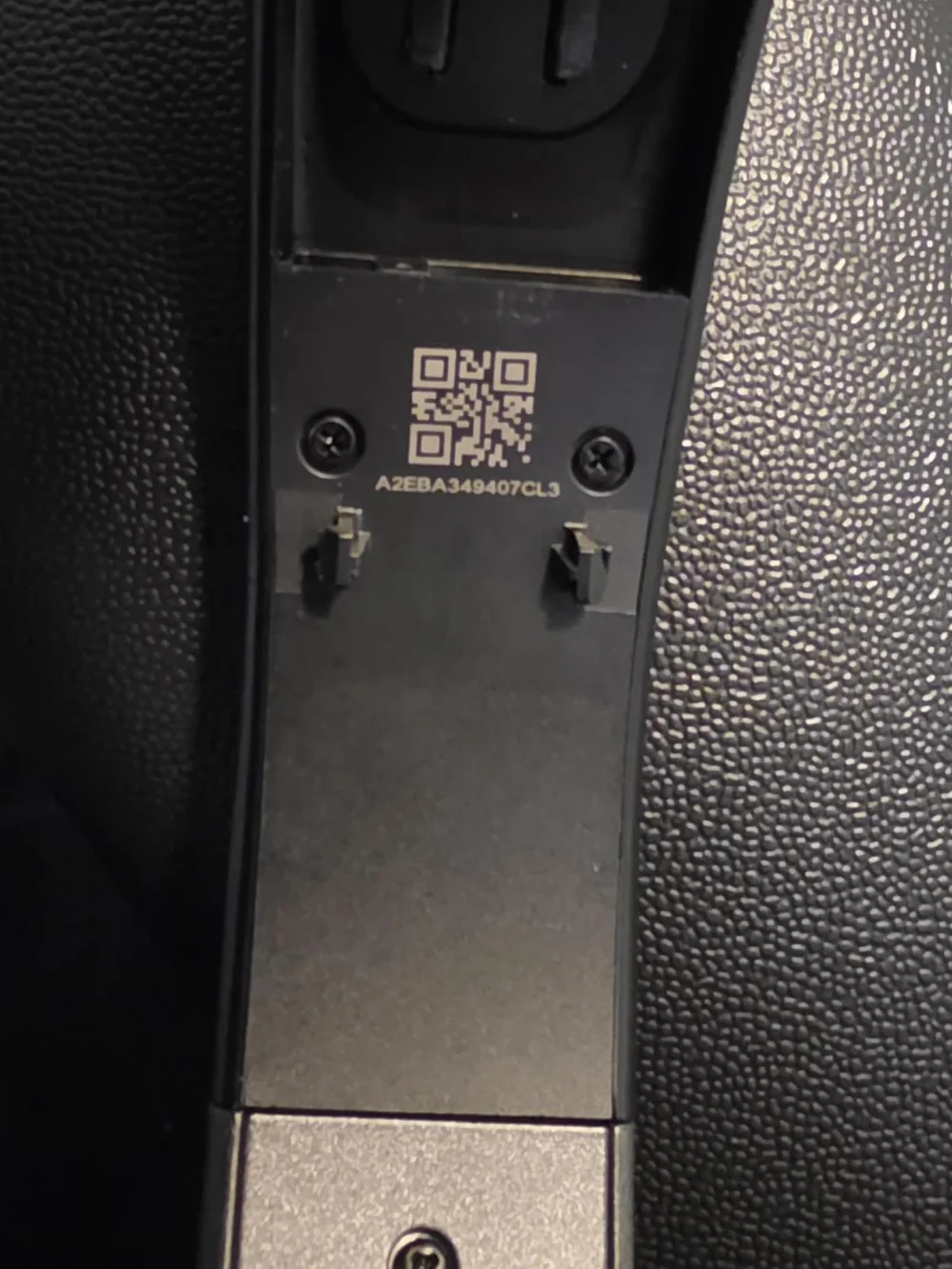
VOID: The serial number is located inside the headband near the left earcup.
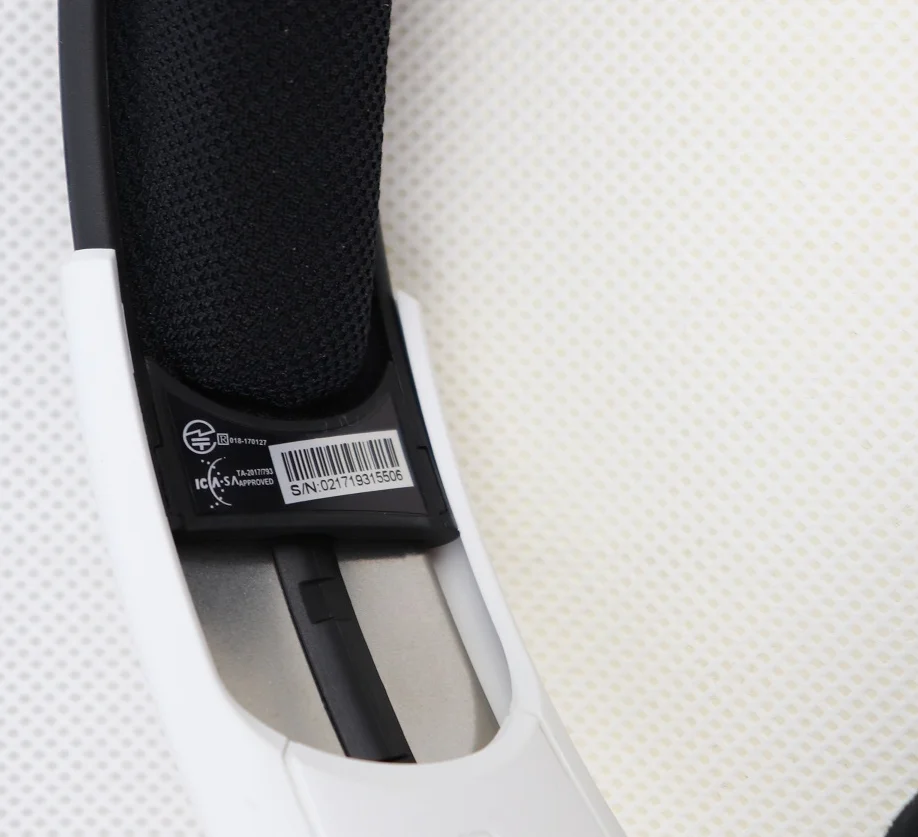
VOID ELITE: The serial number is on the right side of the headband. You may need to fully extend the band to see it clearly.
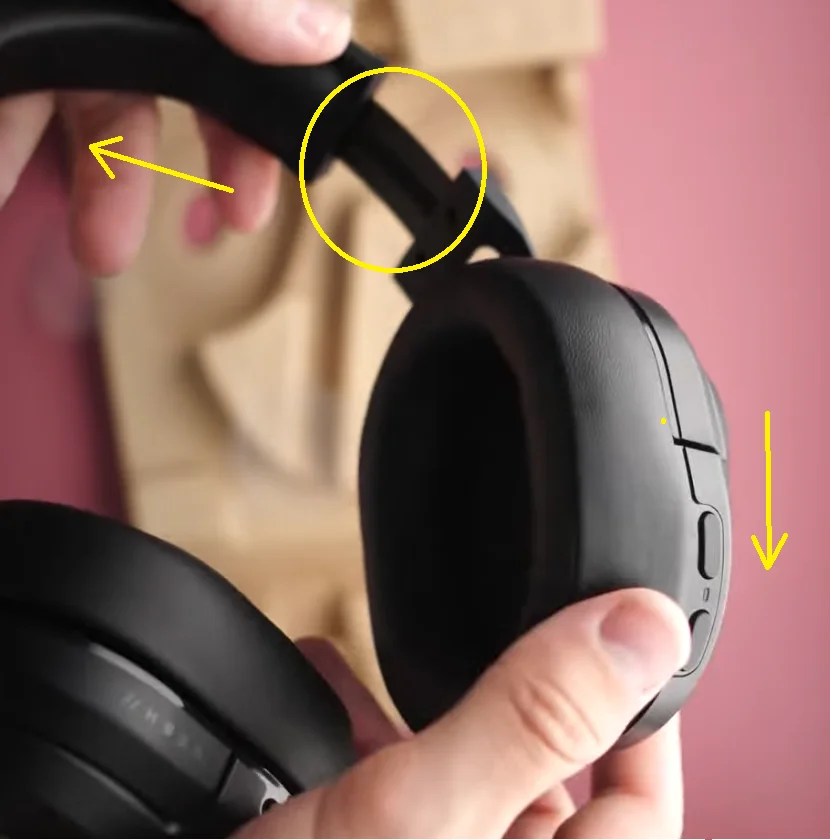
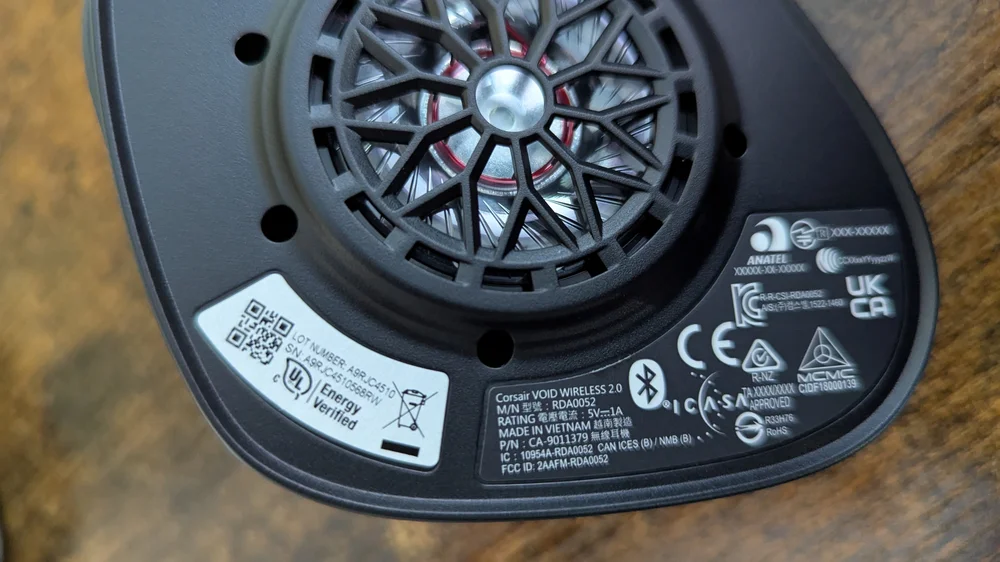
VOID V2: The serial number is located underneath the left earpad.
Furniture and Monitors
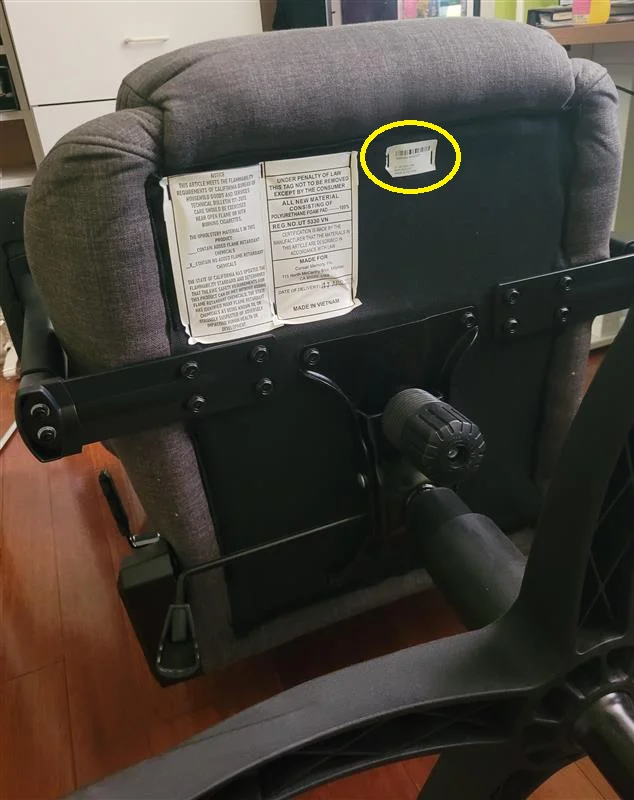
Chairs: The part number is located underneath the seat and begins with CF.
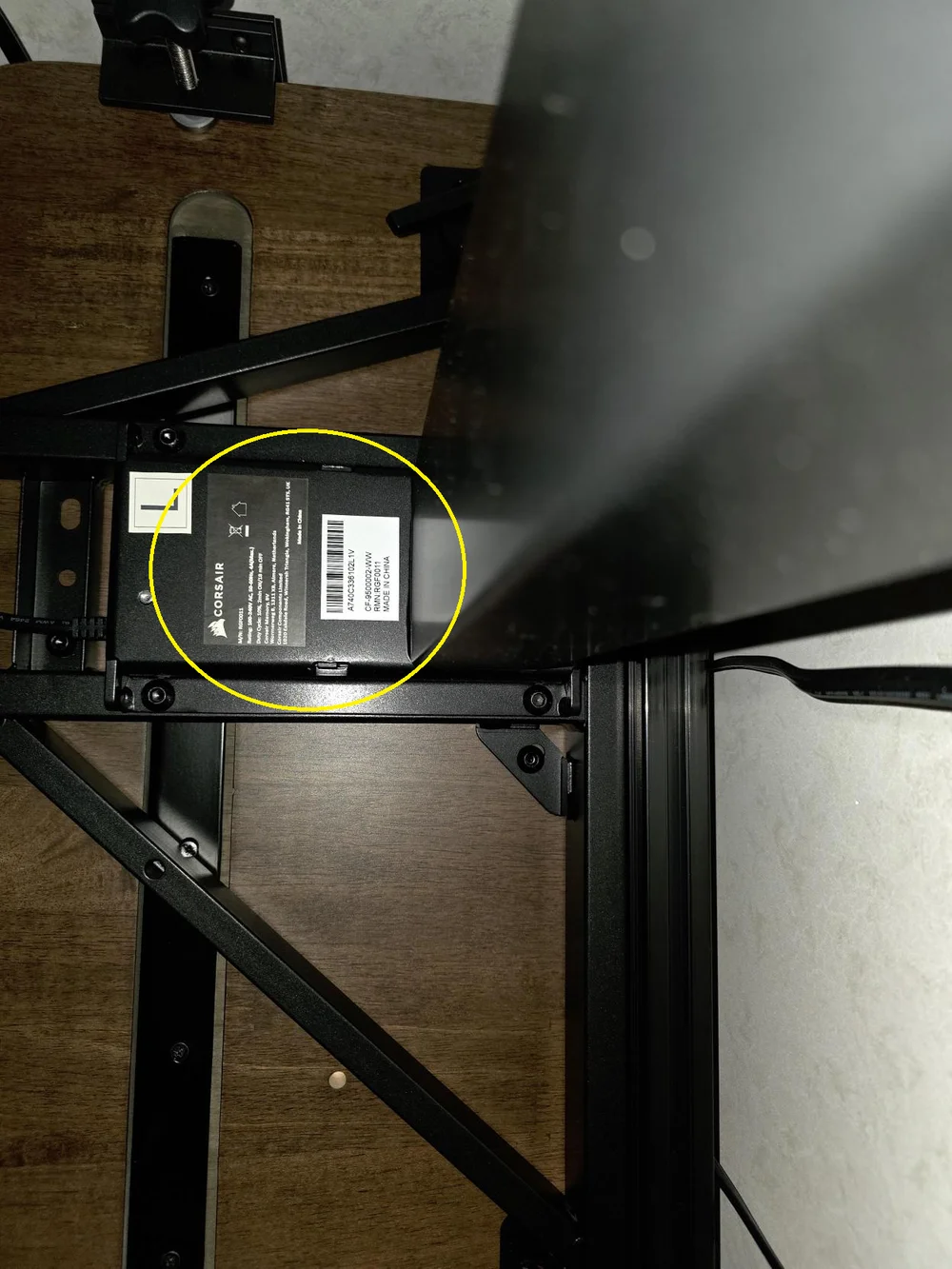
Desks: The part number is located under the tabletop and on the left leg for height-adjustable desks. It starts with CF.
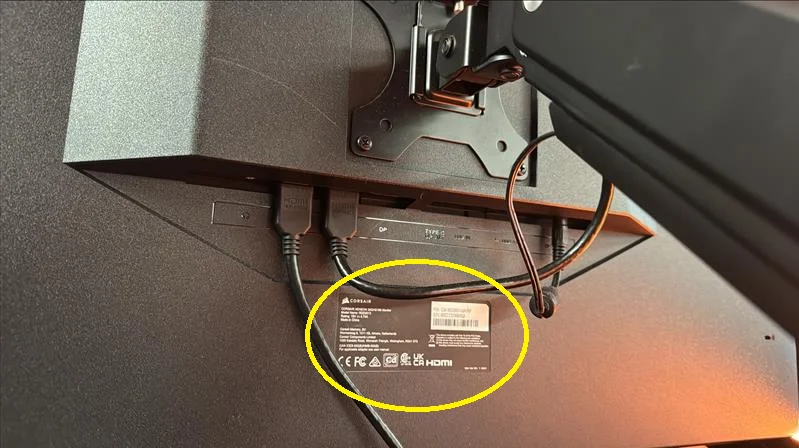
Monitors: The serial number is located on the back, in a clearly visible area next to the connections.
DIY components and Pre-built PCs
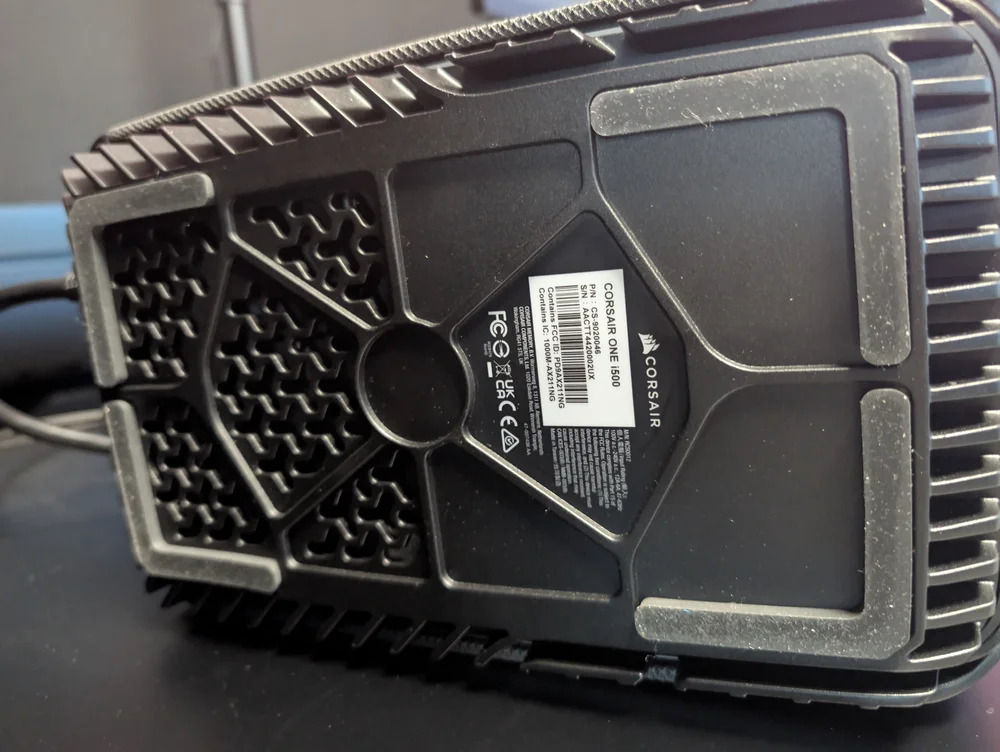
CORSAIR ONE PCs: The part number and serial number are located on the bottom of the machine. The part number begins with CS.
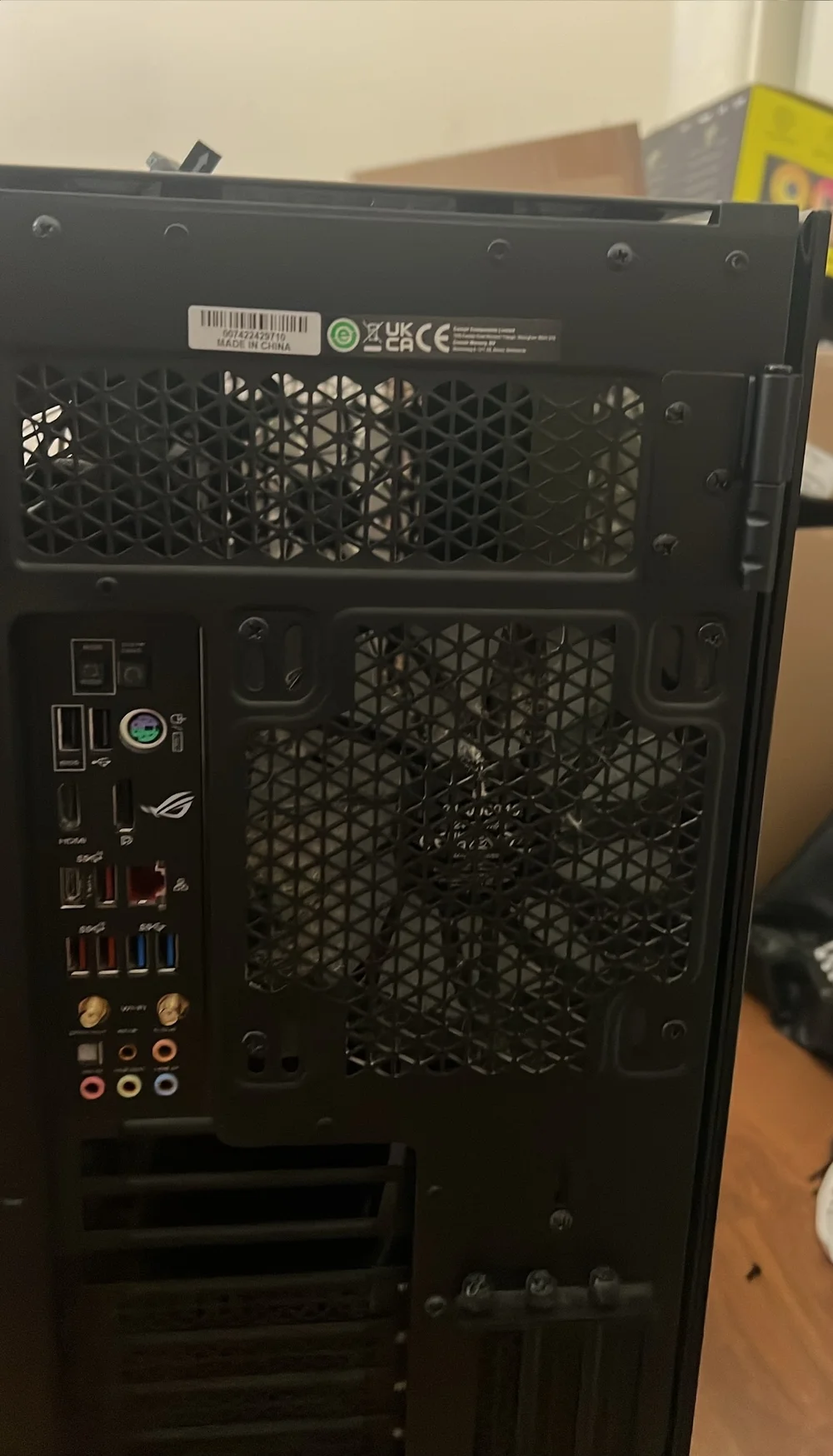
Cases: The serial number is located on the rear, either near the PSU area or at the top, and appears as a barcode with numbers below it.
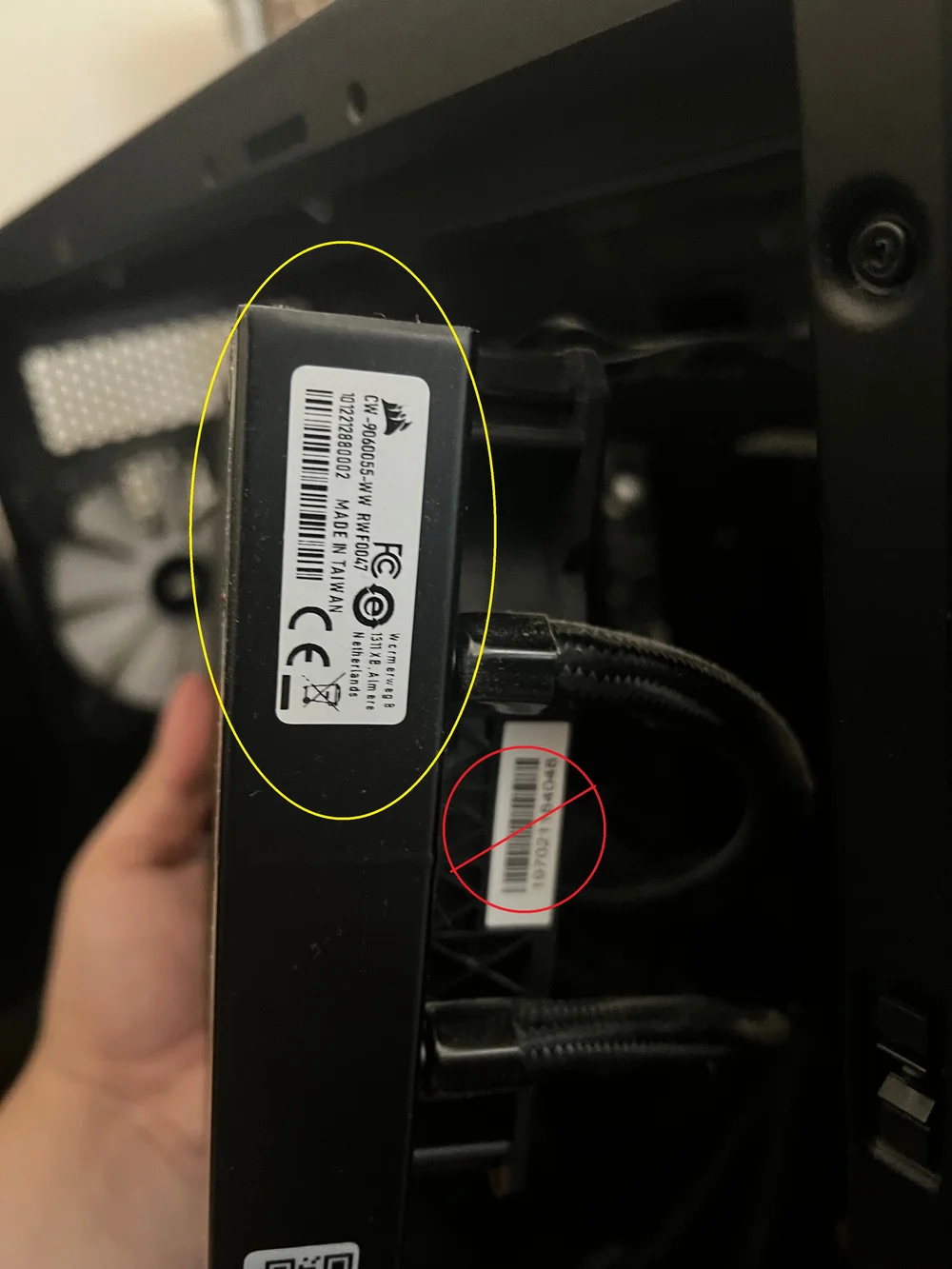
All-In-One (AIO) CPU Coolers: The serial number is located on the side of the radiator (not the fans), and begins with CW.
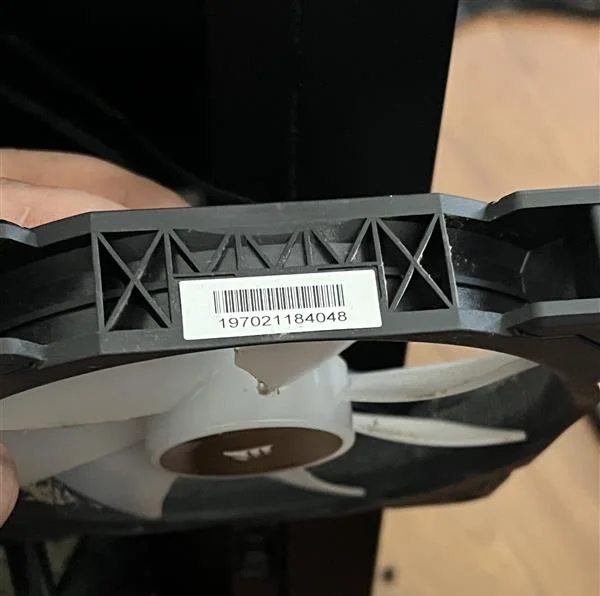
Fans: The serial number is on the outside of the frame and looks like a barcode with numbers below it.
SSD: The label is located on the back of the drive. The part number begins with CSSD.
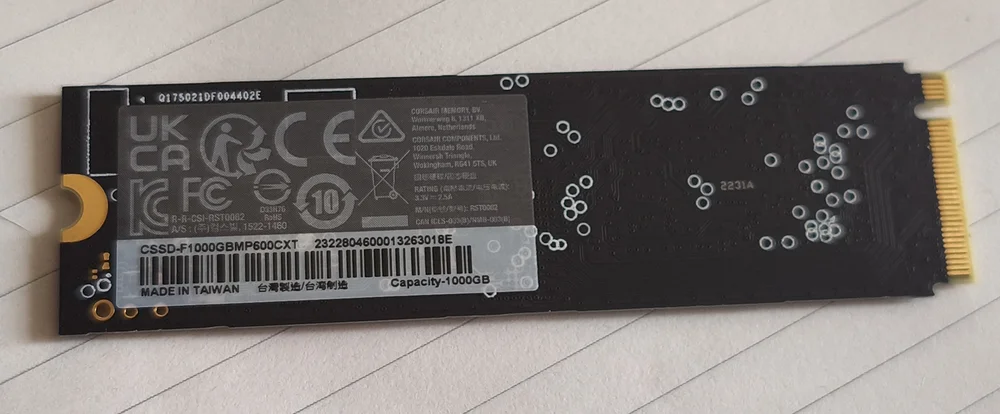
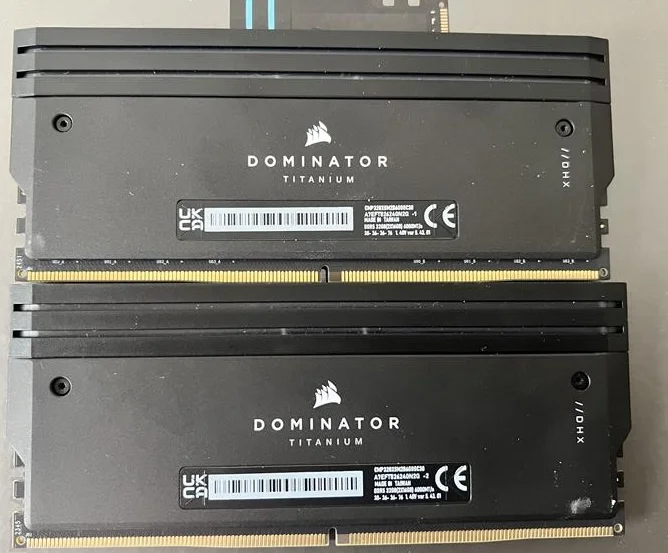
Memory: The part number is located on the side of each module.
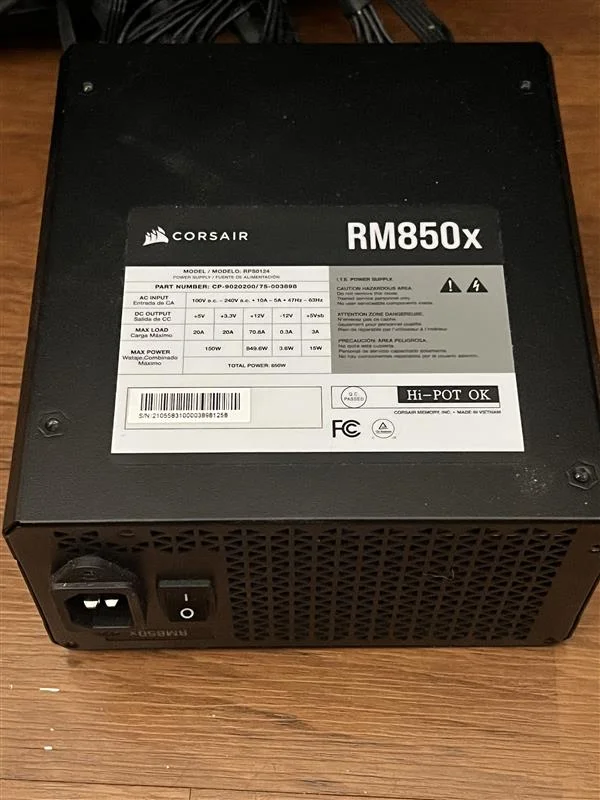
Power Supplies: The part number is located on the side or the top and starts with CP.
JOIN OUR OFFICIAL CORSAIR COMMUNITIES
Join our official CORSAIR Communities! Whether you're new or old to PC Building, have questions about our products, or want to chat the latest PC, tech, and gaming trends, our community is the place for you.