HOW TO
How to connect a headset to your PlayStation 4 via 3.5mm connection
If you have a headset that can connect via 3.5mm connection (e.g. HS30 headset), follow the steps below to connect your headset to your PlayStation 4:
- Connect your headset to your PlayStation 4 controller.
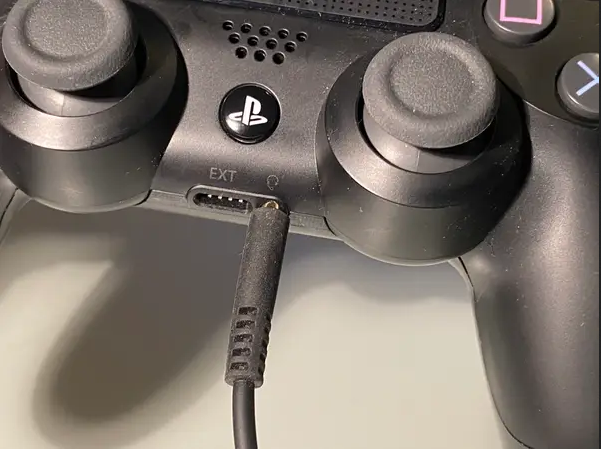
- Turn on your PlayStation 4 and go to Settings.
- Select Audio Devices.
- Make sure that Input Device and Output Device both read Headset Connected to Controller.

- Select Output to Headphones.
- Select All Audio.
JOIN OUR OFFICIAL CORSAIR COMMUNITIES
Join our official CORSAIR Communities! Whether you're new or old to PC Building, have questions about our products, or want to chat about the latest PC, tech, and gaming trends, our community is the place for you.