HOW TO
How to: Set up gaming headsets in iCUE 4 or newer
Need help setting up your gaming headset in iCUE after updating iCUE to version 4 or newer? We have a video and written guide to lend you a hand.
Video instructions
Setting up lighting effects
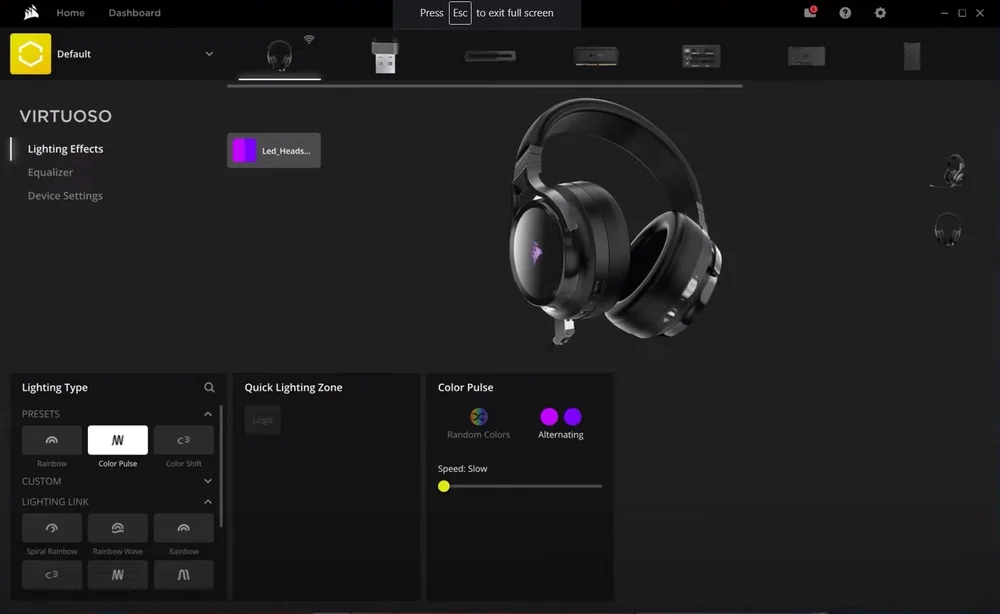
In iCUE, you can choose between preset lighting effects, customize your own lighting effects, or apply a lighting link effect.
NOTE: If you apply a lighting link effect, the effect will be applied to all of your iCUE-compatible devices that are currently connected to your system.
To configure the lighting effects of your headset:
- On the iCUE home screen, mouse over your headset and click Lighting Effects.
- Select the lighting effect type you want to apply in the Lighting Type section.
- Customize your lighting effect as you desire.
NOTE: Depending on what effect you choose, you will see different options for customization.
Configuring audio and equalizer settings
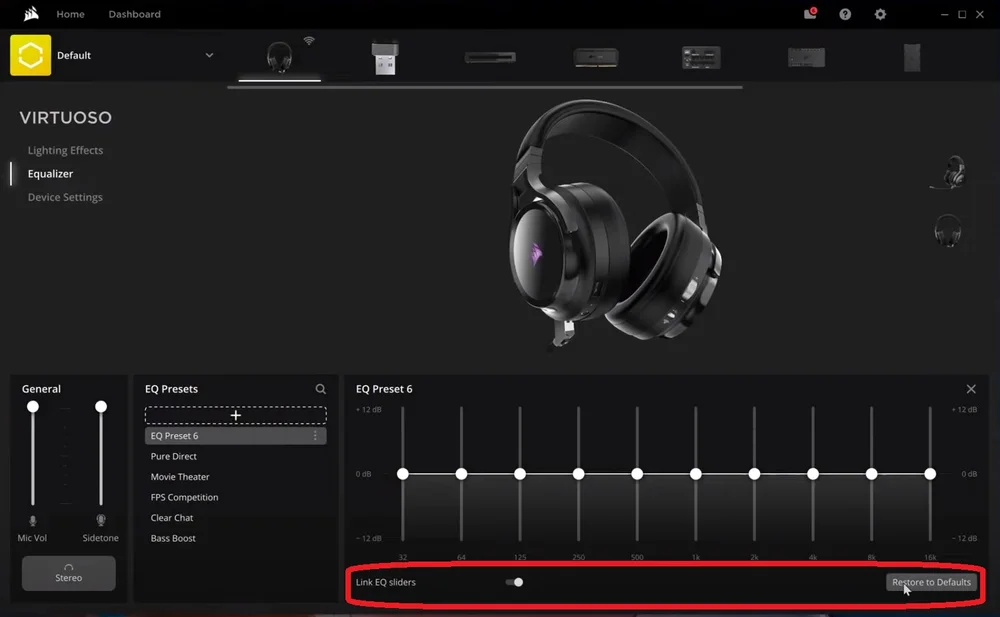
If you want to change your audio and equalizer settings, you can do so in the Equalizer tab of iCUE. You will be able to:
- Adjust microphone volume
- Adjust sidetone
- Change virtual surround controls
- Create and modify equalizer (EQ) presets
To create a new EQ preset:
- Click Equalizer in the left menu.
- Click the + button in the EQ Presets section.
- Adjust the EQ settings to your liking.
NOTE: The options to link EQ sliders or restore EQ settings to default can be found on the bottom of the screen.
4. (Optional) Rename your new EQ preset.
Managing device settings
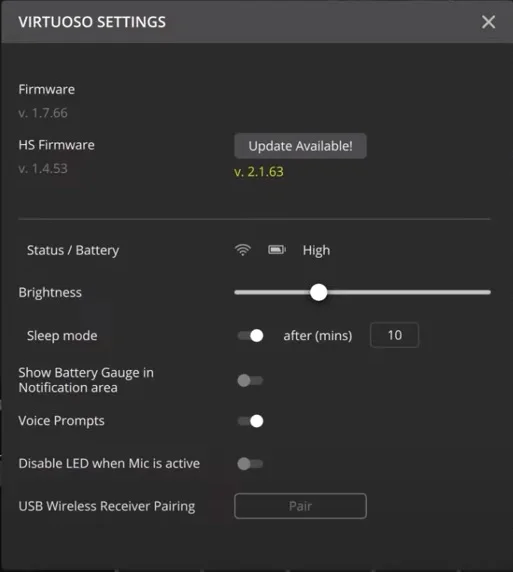
Click Device Settings in the left menu to open up the device settings of your gaming headset. In the device settings, you can:
- Update the firmware of your gaming headset
- Adjust the brightness of your gaming headset
- Enable or disable sleep mode for compatible wireless headsets
- Enable or disable voice prompts
JOIN OUR OFFICIAL CORSAIR COMMUNITIES
Join our official CORSAIR Communities! Whether you're new or old to PC Building, have questions about our products, or want to chat about the latest PC, tech, and gaming trends, our community is the place for you.