The CORSAIR VANGUARD AIR 99 is our second keyboard to utilize the “AIR” nomenclature after the K100 AIR, which was released in October of 2022. Despite the similar naming, the two keyboards are very different. As an aside, we’ve since updated our keyboard naming convention.
That’s what we’re going to be talking about today. We’re directly comparing these two keyboards, so if you’re looking for your next low-profile keyboard, you’ll know which one to choose.
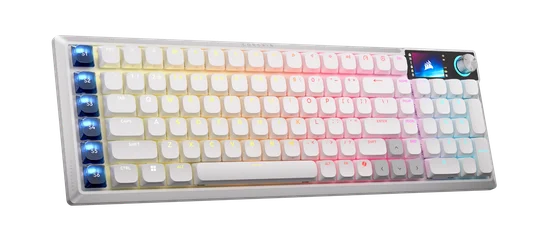
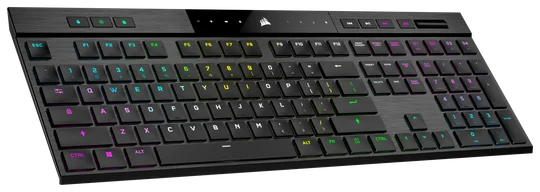
| VANGUARD AIR 99 WIRELESS | K100 AIR WIRELESS | |
| Key Switches | CORSAIR OPX Low-Profile Optical Switches | Cherry MX Ultra Low-Profile Tactile Switches |
| Form Factor | 99% | 100% |
| Battery life | Up to 57 hours (29 hours w/ RGB) | Up to 200 hours (50 hours w/ RGB) |
| Connectivity | 2.4 GHz Slipstream Wireless, Bluetooth, USB | 2.4 GHz Slipstream Wireless, Bluetooth, USB |
| Polling Rate | Up to 8,000 Hz | Up to 8,000 Hz |
| Media Controls | Yes (Via Software) | Yes |
| Software Support | iCUE (coming soon), CORSAIR Web Hub, Stream Deck app | iCUE |
For those of you who know exactly what you’re looking for in a keyboard, the specs matrix will suffice. For those of you who aren’t quite so sure, let’s go over the primary differences in detail.
Form Factor
The most impactful difference between these two keyboards (or indeed any two keyboards) is the form factor. Form factor describes the number and sometimes the specific location of the keys on a keyboard.
The VANGUARD AIR 99 utilizes a 99% form factor, meaning that you get the main alphanumeric section of the keyboard, a full function row, and the numpad, plus a row of S-keys we’ll get to later. If you're used to a traditional full-size keyboard, the main thing to be aware of here is that the keys usually found above the arrow cluster have been streamlined.
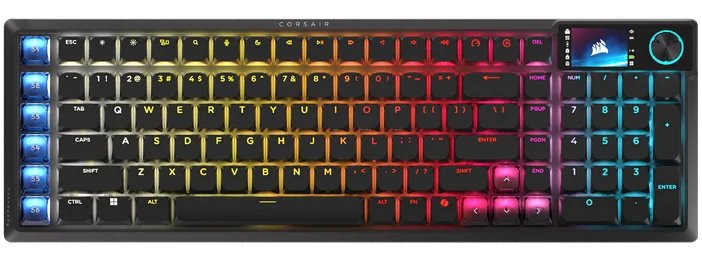
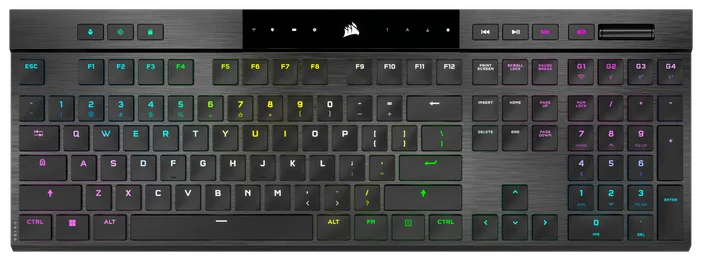
This means that the less frequently used ones, like Insert, Scroll Lock, Print Screen, and Pause/Break, have been removed. The remaining keys are reconfigured into a vertical column, allowing very nearly the same level of functionality to be condensed into a smaller size.
The K100 AIR, by comparison, uses the traditional full-size, or 100% form factor. This means you retain the keys that were removed from the VANGUARD AIR 99, so those who rely on the traditional 100% layout may prefer the K100 AIR.
It's also worth mentioning that the VANGUARD AIR 99 is available in black or white, whereas the K100 AIR is only available in black.
Key Switches
The second most important aspect of a keyboard is the switches, as they define how the keyboard actually feels to use. And here, these two keyboards diverge considerably.
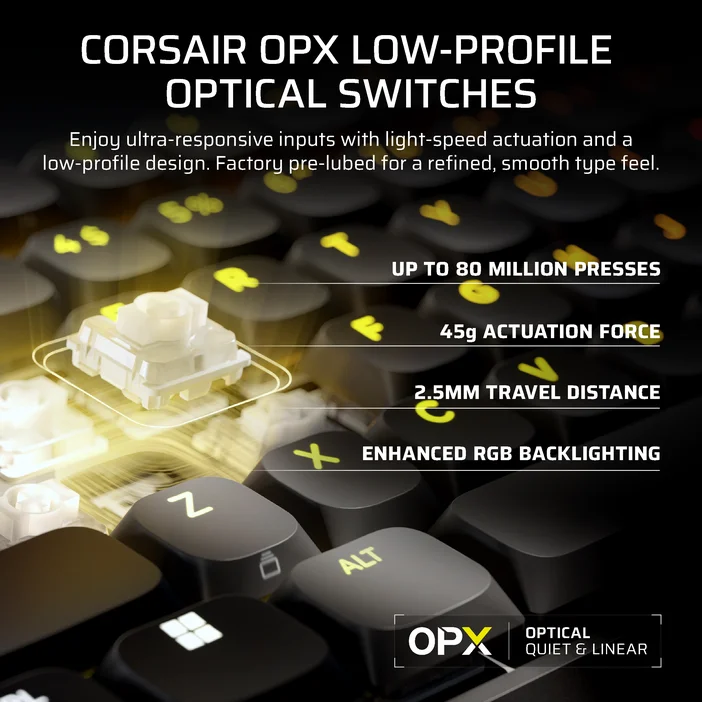
The AIR 99 uses our all-new CORSAIR OPX low-profile switches. These were designed to find the intersection between a smooth mechanical keyboard typing sensation and the slim, laptop-adjacent experience that many people prefer. They’re pre-lubricated, have a 1.5mm actuation distance, a total travel distance of 2.5mm, and an actuation force of 45g. They also have FlashTap SOCD functionality, which can be a big bonus for gaming. We’ve written a dedicated article about the CORSAIR OPX low-profile switches, so refer to that for all the details.
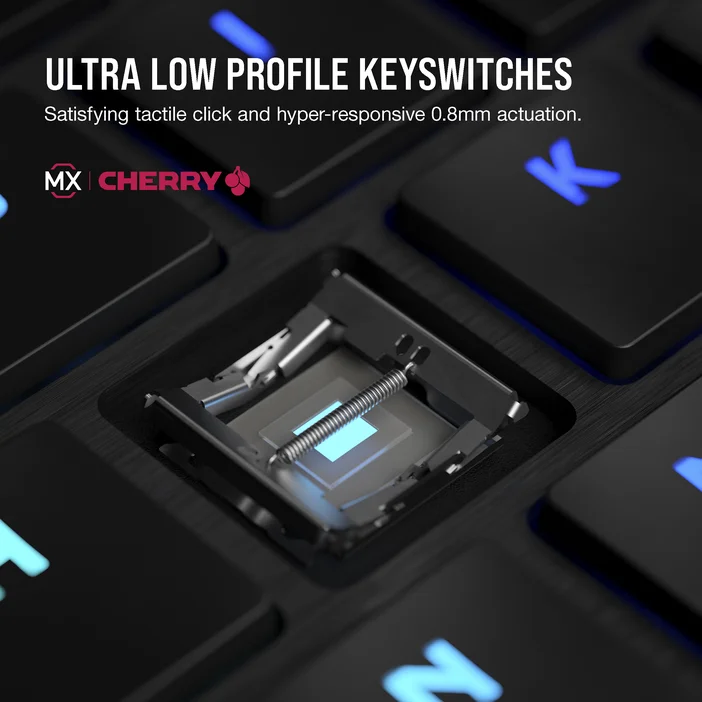
The K100 AIR uses Cherry MX Ultra Low-Profile tactile switches. These have the tactile “bump” that fans of brown-style switches will be pleased to see, resulting in a more noticeable and less smooth keystroke, with that bump taking place at the actuation point.
Key switches are very subjective, so one isn’t better than the other in terms of feel. However, there are some technical differences to be aware of. The Cherry switches have a 65g actuation force, a 0.8mm actuation point, and 1.8mm of total travel. This makes them far “shorter” than the OPX low profile switches, and thus the K100 AIR is a far thinner keyboard in the literal, dimensional sense.
Extra Features
Of course, these days keyboards have a lot more going on inside, and these two are not exceptions to that rule.
The VANGUARD AIR 99 has a customizable 1.9-inch LCD screen in the top right, which can display animations, system info, and more. Alongside this is a physical knob that controls volume by default but can be used to cycle through information on the screen.
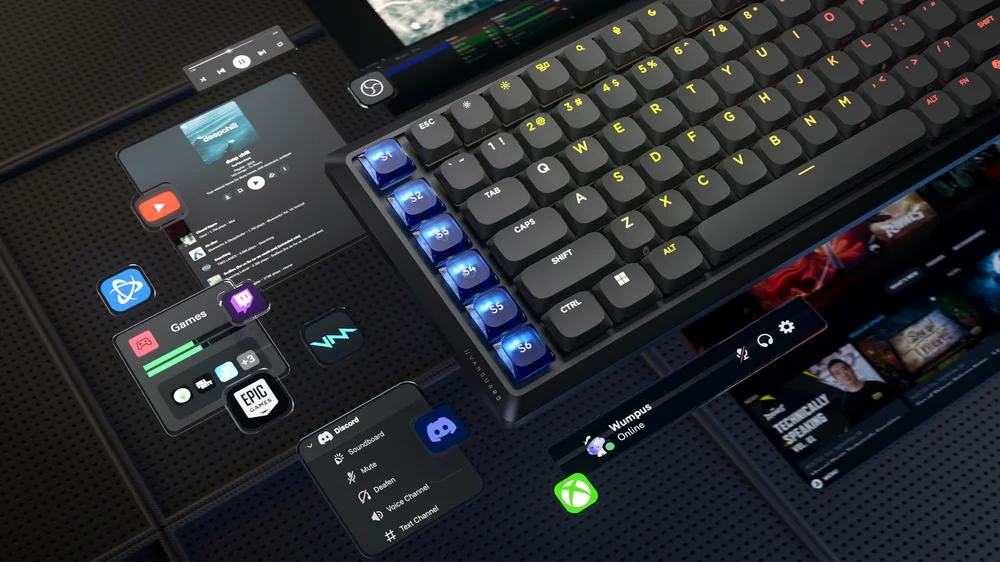
Additionally, there’s a vertical column of six programmable Stream Deck keys on the left side of the keyboard. These can be mapped to anything you like and unlock Virtual Stream Deck support in the Stream Deck app.
The K100 AIR takes a more physical approach to its extra functionality. Here, you get a volume roller, play/pause, skip, and mute buttons on the top right edge, alongside four programmable macro keys. On the other side, you'll find a profile switch button, brightness control, and a quick lock button. All these functions are indicated by either changes to the RGB under the relevant button or a lit symbol in the glossy central section at the top.

This makes the K100 AIR better for those who like physical, tactile controls, while the VANGUARD AIR 99 has more flexibility and customization through software.
PRODUCTS IN ARTICLE
JOIN OUR OFFICIAL CORSAIR COMMUNITIES
Join our official CORSAIR Communities! Whether you're new or old to PC Building, have questions about our products, or want to chat about the latest PC, tech, and gaming trends, our community is the place for you.