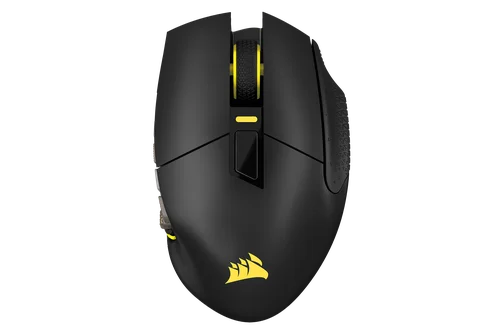
SCIMITAR ELITE WIRELESS SE MMO Gaming Mouse – Gun Metal
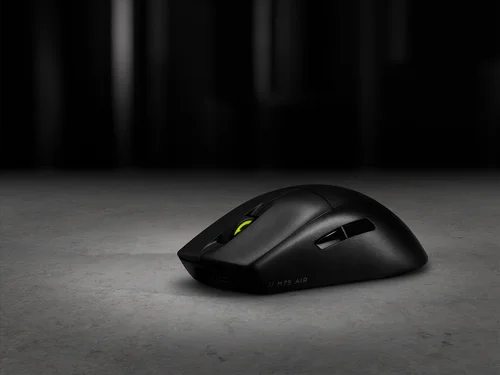
With 16 customizable buttons, an adjustable Key Slider™, an astonishingly accurate MARKSMAN S 33K sensor, and ultra-low latency SLIPSTREAM WIRELESS, the CORSAIR SCIMITAR ELITE WIRELESS SE MMO Gaming Mouse is legendary MMO gaming gear.
Current price: €149.99€149.99
This product qualifies for free shipping
Order today for estimated delivery by 11/20/2026-11/23/2026
Order today for estimated delivery by 11/20/2026-11/23/2026
60-days risk free returns
Overview
Tech Specs
Downloads
Guides
FAQ
FORGE YOUR LEGACY
SCIMITAR ELITE WIRELESS SE
FORM PLUS FUNCTION
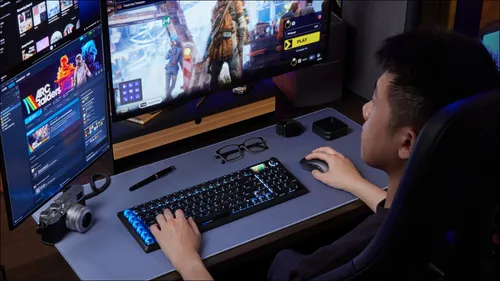
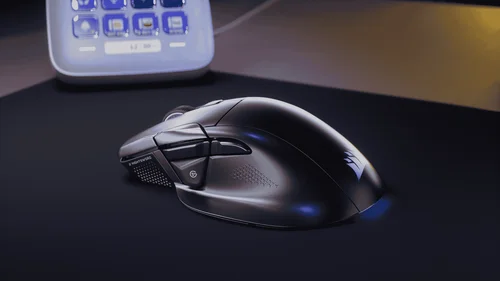
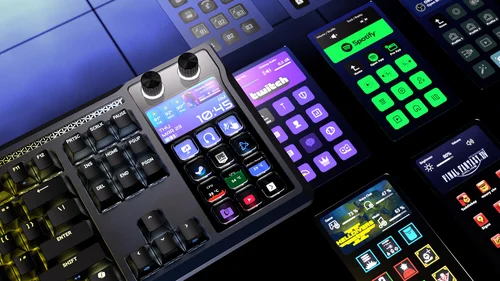
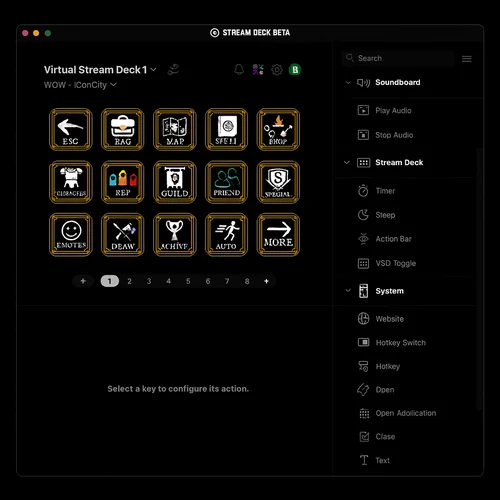
Utilizing the power of the Elgato Virtual Stream Deck, you can create multiple virtual decks, allowing you to give each of the 12 buttons access to more functions than ever.
Hit crits, scan the map, and ping teammates with amazing accuracy with the MARKSMAN S 33k DPI optical sensor. It can track at speeds of 750 IPS and accelerations up to 50G, all while drawing less power than the previous gen.
*Up to 150 hours via 2.4 GHz with RGB off, up to 500 hours via Bluetooth® with RGB off.
UP TO
50G
ACCELERATION
750 IPS
TRACKING SPEED
33,000 DPI
OPTICAL SENSOR
REACT INSTANTLY
Optical switches eliminate debounce delay, enabling you to attack with astonishing speed, up to 100M clicks.
INNOVATION IN iCUE
Program macros, remap buttons, calibrate your sensor, customize your RGB lighting, and more in CORSAIR iCUE software.
MEET THE SCIMITAR ELITE WIRELESS SE
WIRELESS AND BLUETOOTH SWITCH
Easily switch between Wireless Mode, Bluetooth®, or Power Off mode
OPTICAL SWITCHES
Instant shots and spells, guaranteed for 100M clicks
CORSAIR QUICKSTRIKE BUTTONS
Zero gap between primary buttons for ultra-fast actions
PROGRAMMABLE BUTTONS
Program every action you can imagine
ADJUSTABLE 12-BUTTON KEY SLIDERTM SIDE PANEL
Reposition to fit any size hand
TWO-ZONE RGB LIGHTING
Customize vibrant RGB lighting in iCUE
ONBOARD PROFILE STORAGE
Save and take up to three custom profiles with you
100% PTFE MOUSE FEET
Experience ultra-low-friction mouse movements
USB RECEIVER STORAGE
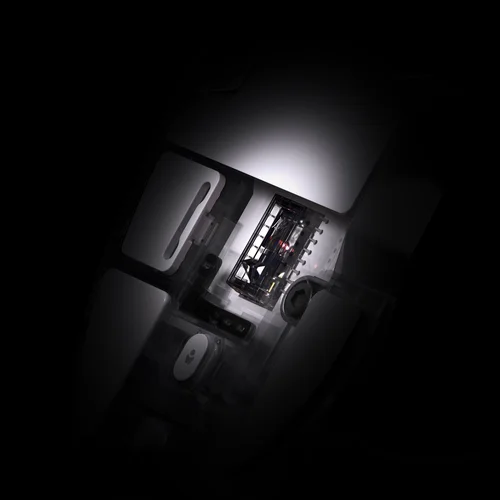
Convenient USB receiver storage compartment under the mouse
CORSAIR MARKSMAN S 33K DPI OPTICAL SENSOR
Register every move with pinpoint precision
SLIPTREAM WIRELESS AND BLUETOOTH®
1,000Hz polling and up to 500 hours of battery life
over Bluetooth with RGB off
WIRELESS AND BLUETOOTH SWITCH
Easily switch between Wireless Mode, Bluetooth®, or Power Off mode
UNITE YOUR SETUP
CORSAIR iCUE software brings your entire setup together, creating a fully immersive ecosystem with intuitive control.
The MARKSMAN S 33K optical sensor supports up to 33,000 DPI, adjustable in 1 DPI resolution steps, with a tracking speed of 750 IPS and up to 50G of acceleration. The mouse reports at 1,000Hz (1ms) polling over 2.4GHz SLIPSTREAM wireless. The previous-generation MARKSMAN sensor topped out at 26,000 DPI at 650 IPS — the MARKSMAN S represents a 26% DPI increase and a 25% speed increase over its predecessor, while also using less energy.
The Scimitar Elite Wireless SE delivers up to 150 hours of battery life via 2.4GHz SLIPSTREAM wireless with RGB lighting off, and up to 500 hours via Bluetooth with RGB lighting off. Activating RGB lighting will reduce these figures. The Scimitar Elite Wireless offers up to 120 hours on 2.4GHz and up to 150 hours using Bluetooth, making the SE a significant improvement on both counts.
A full recharge of the SCIMITAR ELITE WIRELESS SE will take 60 minutes or less. The mouse charges via the included USB-C to USB-A cable connected to any USB 2.0 or 3.0 port. SCIMITAR ELITE WIRELESS SE’s multi-purpose LED indicator pulses green while it is charging and changes to a solid green when it is fully charged.
The Key Slider™ is a patented repositionable side-button cluster that holds all 12 side-panel buttons. Using the included Allen key (2.5mm hex), you loosen the screw on the underside, slide the cluster to your preferred position along 8mm of total travel range (with no predefined increments), then retighten to lock it in place. This lets players of any hand size position the buttons exactly where their thumb naturally rests, without changing grip.
Out of the box, the five DPI stages are: 400 (Red LED), 800 (White LED), 1200 (Green LED), 1600 (Purple LED), and 3200 DPI (Capri LED). Each stage is indicated by the color of the multi-purpose LED indicator when you press the DPI Toggle Button. All five stages can be fully reconfigured to any value within the 1–33,000 DPI range using iCUE software and saved to one of three onboard profiles.
The mouse stores three onboard profile slots — identified by Red, Green, and Blue indicator colors — each holding their own DPI settings, button assignments, and lighting effects. You cycle through profiles by pressing the Profile Button on the underside of the mouse. The default profile assignments map the 12 side buttons to keyboard keys 1–0 and minus/equals. All three profiles work without iCUE installed once they've been configured; iCUE is only required to customize them.
Yes. The mouse supports Bluetooth 4.0 or higher for use with laptops, tablets, or any Bluetooth-enabled device. To pair, hold the DPI Toggle Button while toggling the Power/Wireless Mode switch to the "BT" position — the LED turns solid blue when connected. Corsair notes that Bluetooth mode is best suited for everyday computing tasks and productivity, while 2.4GHz SLIPSTREAM wireless is recommended for optimal gaming performance.
Yes. SLIPSTREAM Multipoint allows up to three compatible devices to share one USB dongle simultaneously. Supported pairings (2:1) include Mouse + Keyboard, Mouse + Headset, and Keyboard + Headset. For 3:1 pairing, all three device types can connect together. Setup is handled through iCUE version 4.10.273 or newer. Note: you cannot pair two devices of the same type (e.g., two mice) on the same receiver.
CORSAIR QUICKSTRIKE buttons are designed with zero gap between the primary click buttons and their switches, eliminating the tiny travel distance required to engage a standard mechanical switch. This means the click registers the instant your finger makes contact with the button, enabling faster reaction times. The Scimitar Elite Wireless SE uses optical switches (not mechanical) for the primary buttons, which are rated for up to 100 million clicks and eliminate debounce delay.
The Scimitar Elite Wireless SE is part of the Stream Deck ecosystem, meaning that it can unlock Elgato's Virtual Stream Deck functionality. This software-based feature allows users to create on-screen panels of shortcuts for triggering actions, launching apps, and automating tasks — without owning a physical Elgato Stream Deck hardware device. Simply connect the mouse and install Stream Deck 7.0 software (available from Elgato's website) and the Virtual Stream Deck is automatically enabled. Mouse buttons can then be mapped directly to Virtual Stream Deck actions from within the Stream Deck app. The Virtual Stream Deck requires the mouse to have been connected at least once within the past 30 days to remain active.
The SE (Special Edition) upgrades the sensor from the MARKSMAN (26,000 DPI, 650 IPS) to the newer MARKSMAN S (33,000 DPI, 750 IPS), and dramatically improves battery life — from 120 hours on 2.4GHz to 150 hours, and from 150 hours on Bluetooth to 500 hours. The SE version is also available in a unique Yellow/Black colorway. The SE also adds the Elgato Virtual Stream Deck integration and Elgato Stream Deck native button mapping, which the original Scimitar Elite Wireless does not have. Both share the same Key Slider™ side panel, 16 programmable buttons, optical switches, SLIPSTREAM wireless, and overall design.
Both mice share SLIPSTREAM wireless connectivity, Bluetooth 4.2, 100% PTFE feet, and optical switches, but differ in key areas. The Scimitar Elite Wireless SE (SE version) has the newer MARKSMAN S 33K sensor and superior battery life (150 hrs / 500 hrs), while the DARKSTAR uses the previous MARKSMAN sensor at 26,000 DPI and lasts up to 65 hours on 2.4GHz. The Scimitar Elite Wireless SE has 16 programmable buttons in a traditional 3x4 grid with the KeySlider™, making it ideal for dedicated MMO players; the DARKSTAR has 15 programmable buttons in a more multipurpose layout and weighs less at 96g vs 114g. Corsair recommends the Scimitar Elite Wireless SE for dedicated MMO/MOBA players and the DARKSTAR for those who want one versatile mouse for all game types.
Yes. Corsair's iCUE software includes a Surface Calibration Utility that can be used with the Scimitar Elite Wireless SE to optimize the sensor's precision and responsiveness for your specific mousepad or desk surface. This involves moving the mouse in a spiral pattern until calibration completes. Corsair notes this ensures optimal tracking accuracy regardless of the surface used.
The Scimitar Elite Wireless SE is backed by Corsair's 2-year limited warranty. This warranty covers defects in materials and workmanship and is supported by Corsair's worldwide customer service and technical support network. To initiate a warranty claim, contact Corsair support at help.corsair.com to create an RMA ticket; you will need your original proof of purchase and a photo of the product's serial number. Corsair does not accept returns without prior RMA authorization.
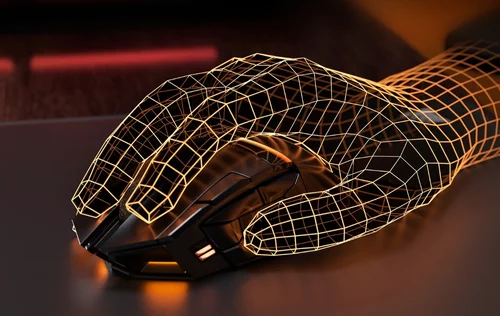
The Scimitar Elite Wireless SE measures 119.23mm (L) x 73.48mm (W) x 42.17mm (H) and weighs 114g without cable or accessories. It features a right-hand ergonomic contoured shape designed primarily for a palm grip, though the relatively low weight also makes it comfortable for claw and fingertip grip users. The broad, long profile is specifically designed to reduce wrist strain during extended MMO gaming sessions.