In recent years, if you're familiar with the PC case market, you've likely noticed that there aren't many cases that support 200mm fans. It almost seems as if PC case manufacturers have entirely moved away from cases that accommodate 200mm fans. One of the main reasons for its decline in popularity is the size. 120mm or 140mm fans are totally capable of cooling a PC, and they make it easier to design a more compact case.
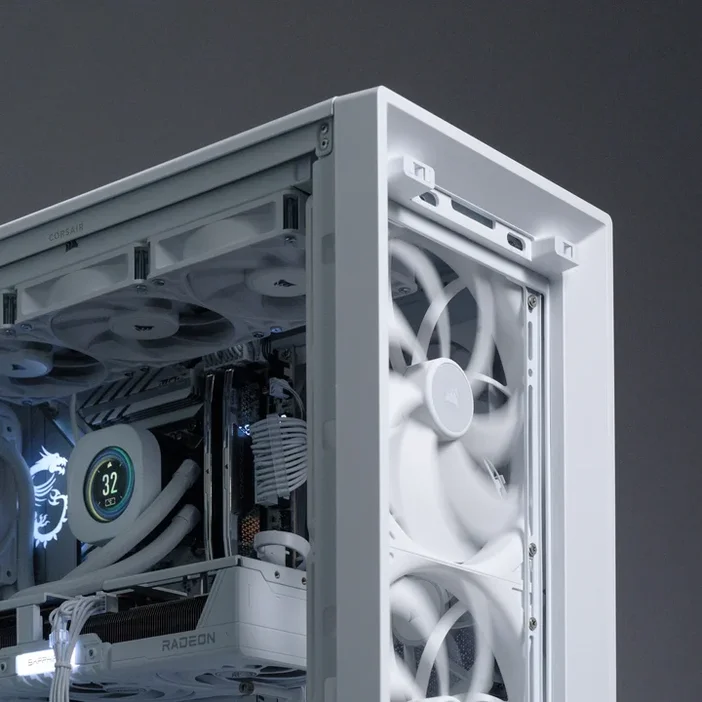
And we're prepared for this change before it becomes a full-blown trend in the DIY PC market with our newest cases, particularly the FRAME 5000D. The FRAME 5000D is not only equipped with innovative features, such as modularity for full customization, but it is also designed to accommodate a wide range of fan sizes, from 120mm all the way up to 200mm fans in the front.
CORSAIR FRAME 5000D Fan Support
| Front | 3x 120mm, 3x 140mm, 2x 200mm |
| Top | 3x 120mm, 3x 140mm |
| Side | 3x 120mm, 3x 140mm |
| Bottom | 2x 120mm |
| Rear | 1x 120mm, 1x 140mm |
| PSU Shroud | 2x 120mm |
How to Install 200mm fans in the FRAME 5000D
As shown in the table above, you can mount two 200mm fans in front of the FRAME 5000D case. This is where the InfiniRail feature is showcased in the best possible way, as it allows you to easily slide the rail to mount fans up to 200mm in front and 140mm on the roof, providing your PC with optimal airflow without fan mounting limitations.
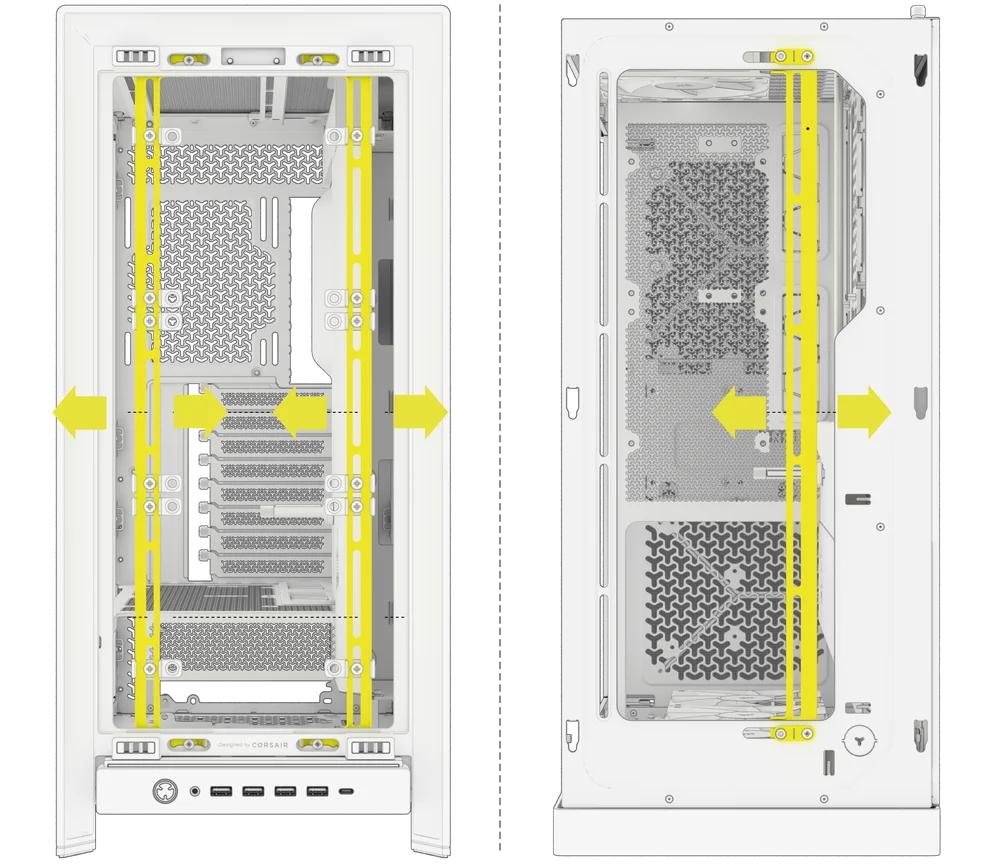
Before installing the 200mm fans, you need to remove a few parts from the case to properly mount the fans. First, remove the plastic fan clips attached to the InfiniRail. There are a total of 10 clips to take out. Remember, you are only removing the plastic clips; the fan screws will be needed to secure the 200mm fans.
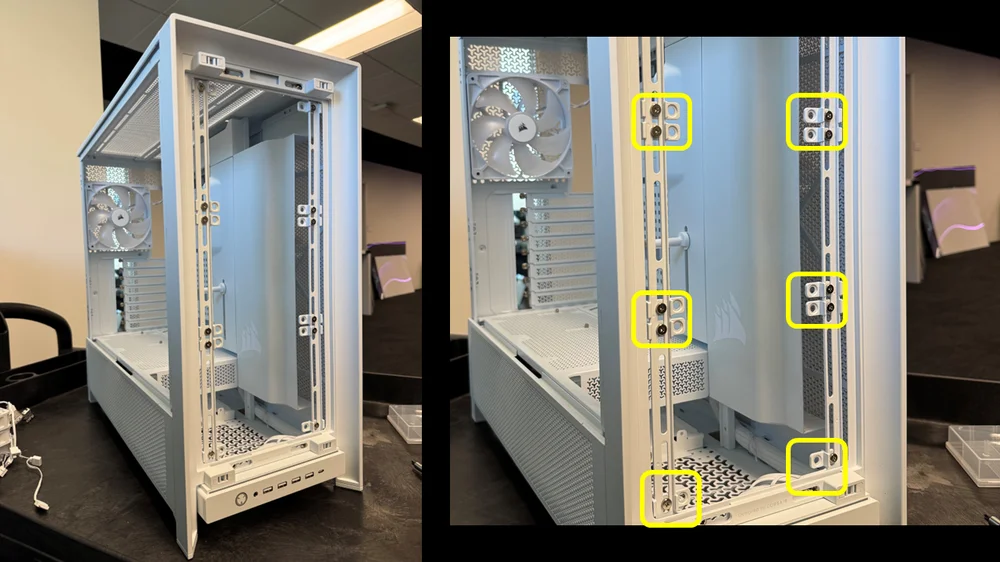
Once the clips are removed, remove the PSU shroud. To fully install 200mm fans in the FRAME 5000D case, the PSU shroud must be removed because the fans extend to the side of the case and will hit the front of the PSU shroud. You won’t be able to securely mount the fans if the PSU shroud remains in place.
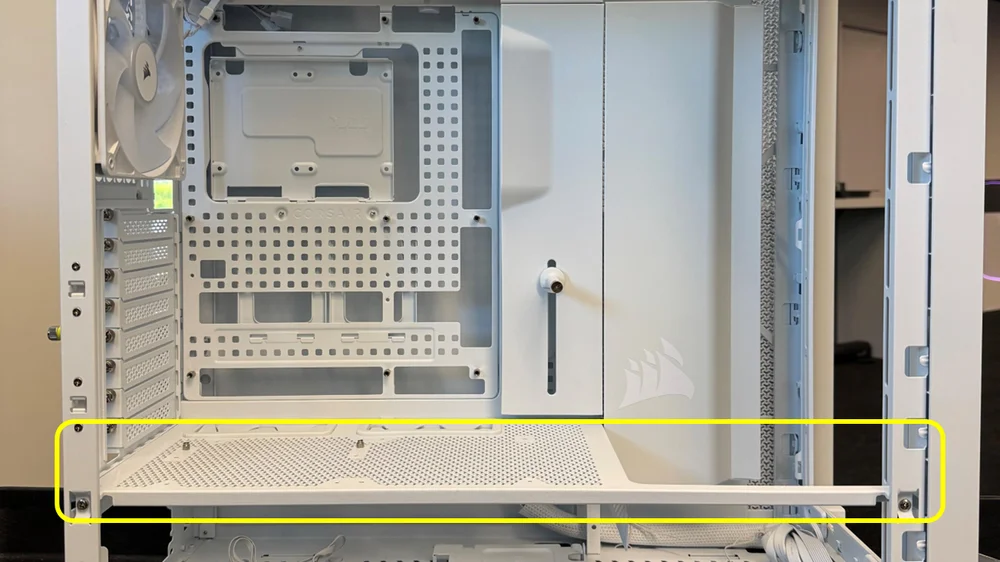
There are two screws that need to be removed, one at the rear and one near the front of the case, holding the PSU shroud in place.
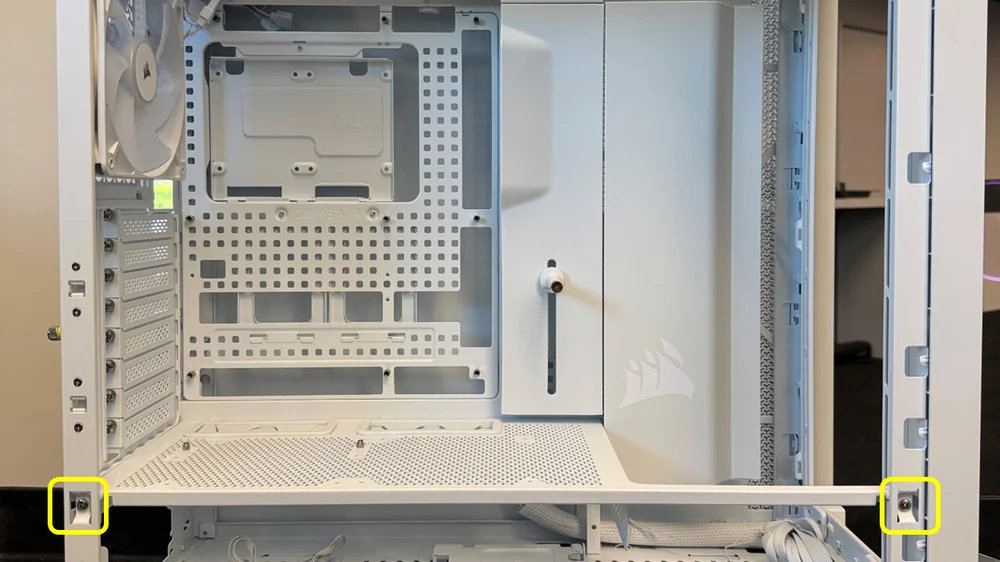
Once the two screws are removed, gently lift the PSU shroud to un latch it from the FRAME 5000D’s main chassis.
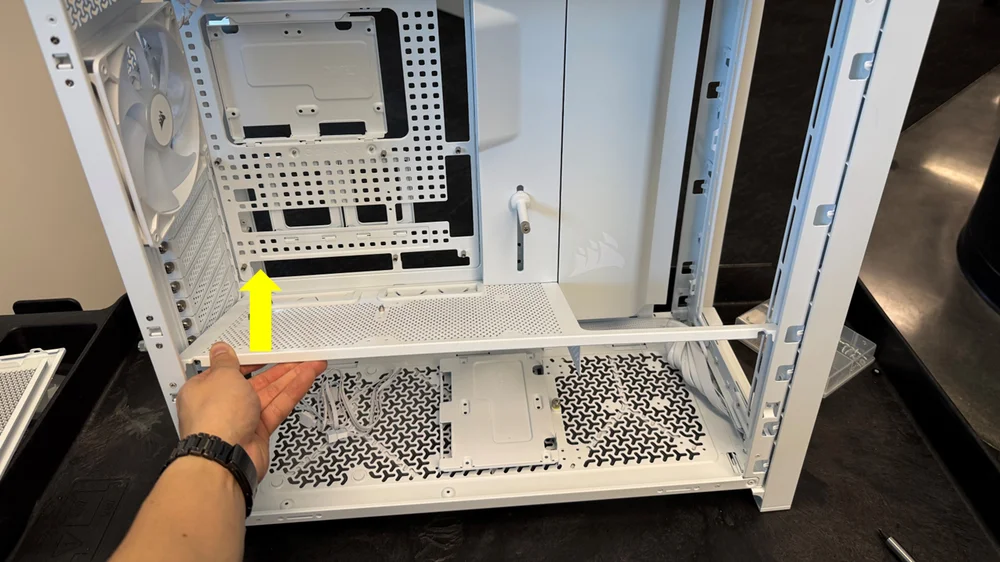
After removing the fan clips and PSU shroud, you can install two 200mm fans at the front of the FRAME 5000D.
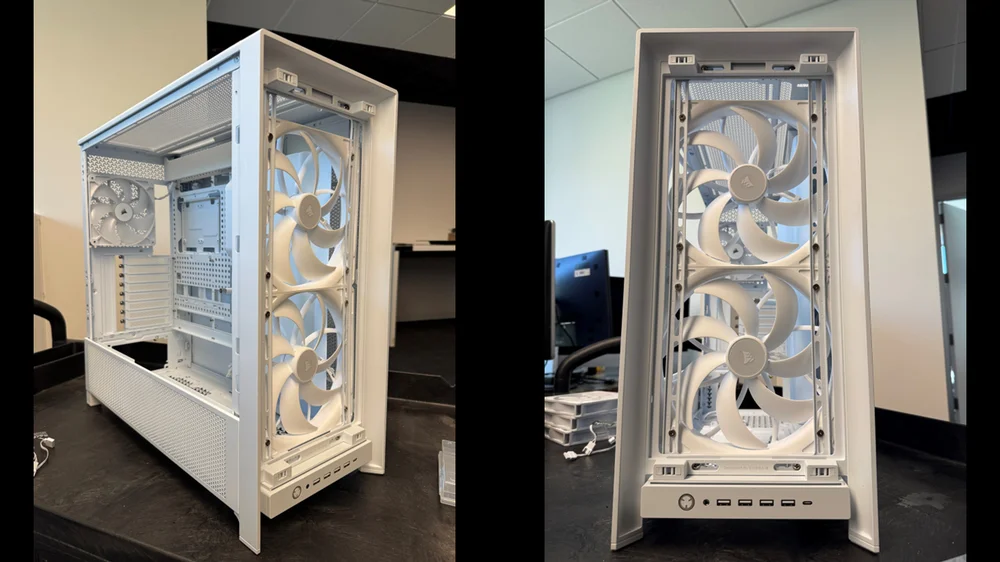
Few cases on the market can fit 200mm fans, and the FRAME 5000D is among them. Cases that support 200mm fans are becoming a key feature for high-end models because these larger fans move more air than smaller ones. This results in better cooling for high-performance systems and can lower noise levels, too.
TOOTED ARTIKLIS
JOIN OUR OFFICIAL CORSAIR COMMUNITIES
Join our official CORSAIR Communities! Whether you're new or old to PC Building, have questions about our products, or want to chat about the latest PC, tech, and gaming trends, our community is the place for you.