BLOG
Is One Stick of RAM Enough? Single and Dual Channel Memory Explained
This is an easy one, surely? Modern processors are built to use dual memory channels to ensure they have plenty of memory bandwidth available. Why would anyone build a system that doesn’t populate both channels? Well, steady there a second. While this was totally true with last-gen DDR4 platforms, it’s not quite so clear cut with DDR5.
Yes, you’ll absolutely want at least two sticks to get the best from your system, but if your budget is tight and memory pricing is volatile, you may be able to get away with buying just a single stick of RAM in the short term. Here's how we tested the differences, and our results.
Test Setup
We’ve used an AMD Ryzen 7 9800X3D for testing here, as it is widely considered to be the best CPU for gaming. The reason it is so loved by gamers is because of its huge 96MB of L3 cache, made possible by AMD’s second‑generation 3D V‑Cache technology. Claiming a maximum boost clock of 5.2GHz off a 4.7GHz base clock, the eight physical cores, capable of handling 16 threads, mean that this is no slouch when it comes to straight computing.
We’ve paired this CPU with an NVIDIA GeForce RTX 4080 Super 16GB to form a strong CPU and GPU base for handling a wide range of games. CPU cooling is handled by a CORSAIR iCUE LINK TITAN 360, which keeps the chip running cool even under the longest benchmarking sessions. An MSI MAG B850 Tomahawk Max WiFi motherboard rounds out the core specs, with a CORSAIR RM850x SHIFT PSU providing reliable power, and everything built inside a FRAME 4000D case.
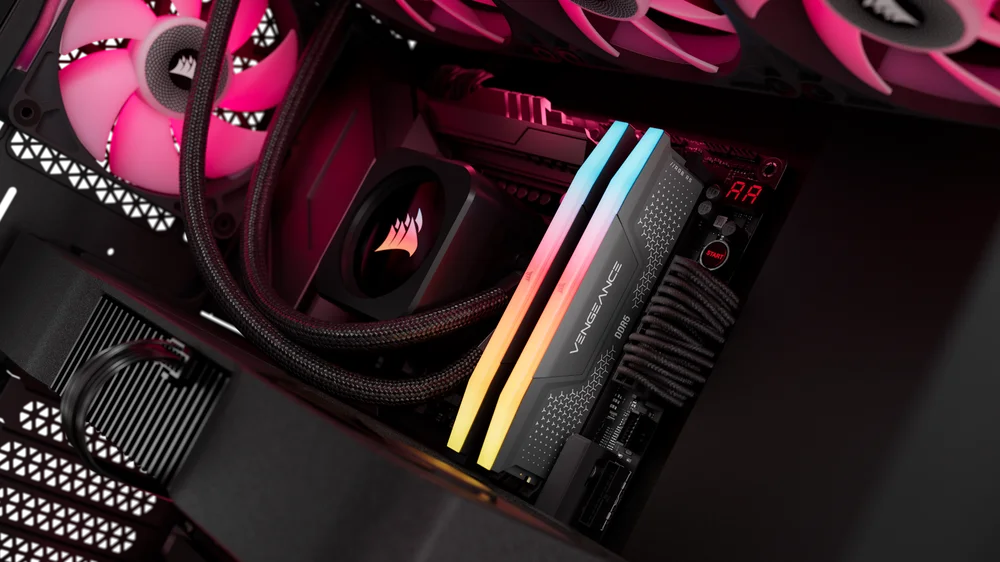
We’ve used a 2x 16GB kit of VENGEANCE RGB DDR5‑6000 for the testing here, removing one of the sticks for the single channel testing, and both together for the dual channel benchmarks. Paired memory is essential for reliable performance, and this alone is one of the reasons you should consider a dual memory kit as opposed to buying two single DIMMs separately. Essentially, there’s no guarantee that you’ll be able to find a second stick of memory at a later date that exactly matches one that you buy today.

Benchmarks
We’ve used a range of games to highlight the performance difference you’ll see between the two RAM configurations. All the games were tested at 1440p, generally at the highest possible settings, with DLSS and frame generation turned off. The one exception is Marvel Rivals, which is a competitive title where frame rate matters more, and this is tested using the Medium preset.
Sid Meier’s Civilization VI
A classic of the genre, Civ VI is more CPU bound than most games thanks to the computations needed for the AI to plan its strategies and roll out its plans for world domination. The times below show the time taken to take a turn, with the shortest time being better. There isn’t a huge difference here, although it’s worth noting that AI turn times do increase significantly later in the game. Still, under six seconds with just a single stick of memory is impressive, and not much slower than the dual stick setup.
| 16GB (1x16GB) DDR5 | 32GB (2x16GB) DDR5 | |
| Average Turn Time (seconds) | 5.89 | 5.78 |
Cyberpunk 2077
It may have launched over five years ago, but Cyberpunk 2077 is still one of the best looking games you can play on a high-end PC. The raytracing modes in particular really show what modern PC gaming is capable of, and thanks to countless patches, this is a well optimized game. There’s essentially no difference between single and dual channel memory configurations.
| 16GB (1x16GB) DDR5 | 32GB (2x16GB) DDR5 | |
| Average FPS | 63 | 64 |
| Minimum FPS | 56 | 56 |
Grand Theft Auto V Enhanced
GTA V set the bar for open world playgrounds, and thanks to the Expanded and Enhanced update in March 2025 it looks pretty good doing it too. There’s a slight improvement when using two sticks of RAM here, although even at the highest settings the frame rate is silky smooth, even with a single DIMM.
| 16GB (1x16GB) DDR5 | 32GB (2x16GB) DDR5 | |
| Average FPS | 150 | 151 |
| Minimum FPS | 60 | 63 |
Metro Exodus Enhanced Edition
One of the standout titles to show off Nvidia’s ray tracing capabilities, Metro Exodus looks great and is incredibly atmospheric. Using the highest settings, which you’re going to want to do to get the best experience, there’s no discernible difference between single and dual memory setups.
| 16GB (1x16GB) DDR5 | 32GB (2x16GB) DDR5 | |
| Average FPS | 89 | 89 |
| Minimum FPS | 60 | 60 |
Dying Light 2 Reloaded Edition
Parkour zombie survival doesn’t care too much about your memory configuration, producing the same averages and only a slight increase in the minimum frame rates going from a single stick to two. Running at lower settings and therefore higher frame rates will show a bigger delta here, but you want the best visual experience when escaping the zombie hordes.
| 16GB (1x16GB) DDR5 | 32GB (2x16GB) DDR5 | |
| Median FPS | 96 | 96 |
| Minimum FPS | 82 | 83 |
Marvel Rivals
This third‑person hero shooter follows in the footsteps of Overwatch and to some extent TF2, but does so in a far prettier way, and is free to play as well, which is always a boon. Frame rate is king here, so playing on the Medium preset is a compromise that is widely accepted. Here we see a slight bump to the averages, but it’s in the minimum frame rates where the different memory configurations are most noticeable, with a 20% improvement going up to two sticks of RAM. You’ll feel it too, with a smoother overall experience.
| 16GB (1x16GB) DDR5 | 32GB (2x16GB) DDR5 | |
| Average FPS | 176 | 179 |
| 1% Low FPS | 125 | 145 |
Conclusions
What these figures highlight is that if you’re looking for great frame rates, then the biggest chunk of your budget needs to go on your graphics card. Yes, it depends on what sort of games you want to play, and there are obviously going to be exceptions that are far more memory bound, but for a huge swathe of modern PC gaming, the improvements made to DDR5 mean that you may be able to get away with a single stick of memory, at least in the short term.
We still recommend buying and using a dual memory kit if you want to get the most out of your system. This will allow you to multitask much more easily, as well as handle more serious applications. The increase in capacity that inherently comes from using two sticks can’t be understated either, as that alone allows you to do more.
What Is Single Channel and Dual Channel Memory?
Modern mainstream Intel and AMD CPUs use dual channel memory controllers. This means the CPU can communicate with memory across two independent 64‑bit channels at the same time. Single channel memory simply means only one of those channels is populated, such as when using only a single DIMM. In this configuration, the CPU can only access memory through one channel, which limits available memory bandwidth.


Dual channel memory means both channels are populated, typically by installing two matching memory modules in the correct motherboard slots. With two channels active, the CPU can read from and write to memory in parallel, effectively doubling memory bandwidth compared to a single channel setup.
This is not the same thing as memory ranks. Ranks describe how memory chips are organized on a DIMM, while channels describe how the CPU accesses memory. A single stick can be single or dual rank, but it will still operate in single channel if it is the only DIMM installed.
DDR5 Is Different to DDR4
If you’ve built a PC before and tested single channel memory versus dual channel configurations with DDR4 platforms, you may have seen significant performance differences between the two. 20–30% improvements are common when going from single to dual setups, and more memory dependent applications can see much higher jumps.
Things aren’t the same when it comes to DDR5. Indeed, in plenty of gaming titles, you’ll regularly see only marginal differences between single and dual channel setups. This is partly due to the improvements made to DDR5 over its predecessor, but also due to the raw bandwidth that is available with the more recent memory standard. It’s also worth bearing in mind that when it comes to gaming, it’s the graphics card that does a lot of the heavy lifting, so when it comes to in‑game performance, the CPU, RAM, and storage can often play a smaller supporting role.
You will notice the difference between using a single stick of RAM and two when it comes to the general responsiveness of the system. Launching multiple applications and swapping between them can quickly highlight a deficit in memory capacity, especially when combined with the lower throughput. So, while it shouldn’t affect you too much in‑game, you’re not getting the full performance of your components in general day‑to‑day activities.
TUOTTEET ARTIKLASSA
JOIN OUR OFFICIAL CORSAIR COMMUNITIES
Join our official CORSAIR Communities! Whether you're new or old to PC Building, have questions about our products, or want to chat about the latest PC, tech, and gaming trends, our community is the place for you.