Intel XMP (eXtreme Memory Profile) and AMD EXPO (Extended Profiles for Overclocking) are two technologies that make it simple to run your memory at its optimal settings. There’s some nuance in how they do this, and a few platform-specific considerations, but essentially, XMP and EXPO serve the same purpose and can be treated as the same.
Pick a memory kit that supports XMP or EXPO, plug the sticks into your motherboard, jump into the UEFI/BIOS, and select the XMP or EXPO profile that’s right for you. Job done. It really is that easy. If you’re unsure about the process, we’ve have a dedicated article about how to enable XMP/EXPO that goes into more detail.

The main difference between the two technologies is the platform each supports: Intel XMP is specific to Intel platforms, while AMD EXPO is supported by AMD’s latest DDR5-ready AM5 processors and motherboards. Back when Intel and AMD first released DDR5-supporting CPUs, you had to be careful to buy memory that matched your platform.
These days, most modern motherboards do a lot of the heavy lifting to ensure both memory technologies are supported, regardless of the platform you’re running. This is particularly useful for AMD systems, which joined the DDR5 revolution a little later than Intel, meaning there are plenty of memory kits out there that predate AMD’s AM5 launch. As always, check your motherboard’s QVL (Qualified Vendor List) to make sure the memory you’re considering will work without hassle.
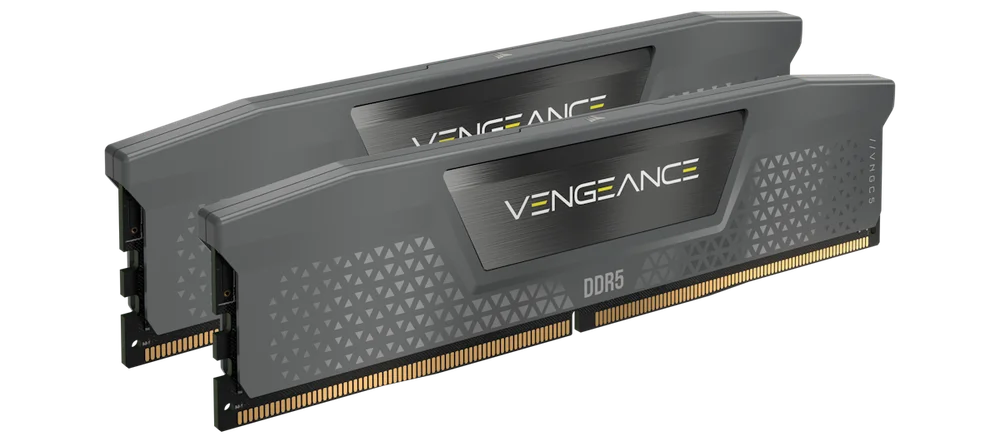
It's worth noting that CORSAIR memory kits are available that support both Intel and AMD platforms, such as this 32GB VENGEANCE DDR5-6000 CL30 kit, making your life a little bit easier.
Why Do We Need XMP and EXPO?
AMD EXPO and Intel XMP exist because we want our PCs to be fast, but we also need them to work with minimal fuss. When it comes to something as fundamental as the memory subsystem, that’s a tricky balancing act. The industry takes a cautious approach to ensure memory boots on virtually any platform. XMP and EXPO push beyond those conservative defaults by overclocking the memory, or rather running it at optimal settings, without the need for manual tuning.
| JEDEC Default | Intel XMP | AMD EXPO | |
| Speed | 4800 MT/s | Up to 8000+ MT/s | Up to 8000+ MT/s |
| Latency | CL 40 | As low as CL 28 | As low as CL 28 |
| Platform | Universal | Intel CPUs and chipsets | AMD CPUs and chipsets |
| Purpose | Compatibillity | Easy RAM overclocking | Easy RAM overclocking |
Memory compatibility is achieved by adhering to JEDEC standards, which define memory profiles that “just work.” These specifications aren’t the fastest, don’t have great latency, and the overall throughput is nothing to write home about, but they work on the vast majority of systems without issue. When you slot a new memory kit into a motherboard for the first time, the UEFI/BIOS uses the JEDEC spec and runs the memory accordingly.
For DDR5, you're looking at 4800MT/s and a CAS Latency of 40.
The thing is, we now have memory much faster than that. DDR5-6000 CL30 is generally considered the sweet spot for most modern systems, particularly for AMD’s gaming powerhouses, such as the Ryzen 7 9800X3D. You could manually configure all the timings in the UEFI/BIOS to make a kit run at its rated speed, but most people don’t have the time or the inclination for that. This is where XMP and EXPO come in, taking all the hard work out of configuring memory.

TUOTTEET ARTIKLASSA
JOIN OUR OFFICIAL CORSAIR COMMUNITIES
Join our official CORSAIR Communities! Whether you're new or old to PC Building, have questions about our products, or want to chat about the latest PC, tech, and gaming trends, our community is the place for you.