Unless you’re performing the sort of deep analysis necessary for making “Best Weapons for x” guides on YouTube, then you’d probably prefer to disable the damage counter in the Battlefield 6 Open Beta.
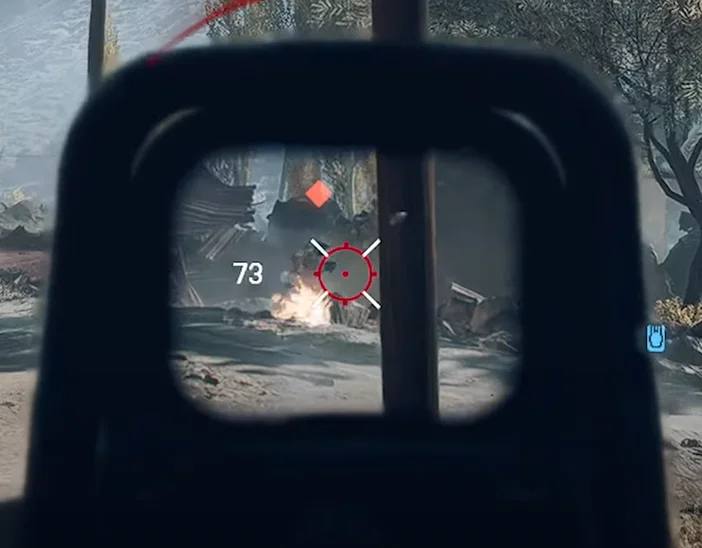
While kind of useful, it can be super distracting in the heat of the moment, and totally get in the way, especially when you’re using a red dot or ACOG sight that already occlude your view significantly. Luckily, it’s not as annoying as enabling the FPS counter, nor as labor-intensive as enabling secure boot. So, here’s how to disable the damage numbers in the Battlefield 6 Open Beta.
How to Turn off the Damage Numbers Battlefield 6 Open Beta
- Hit escape / the gear icon to open the settings menu
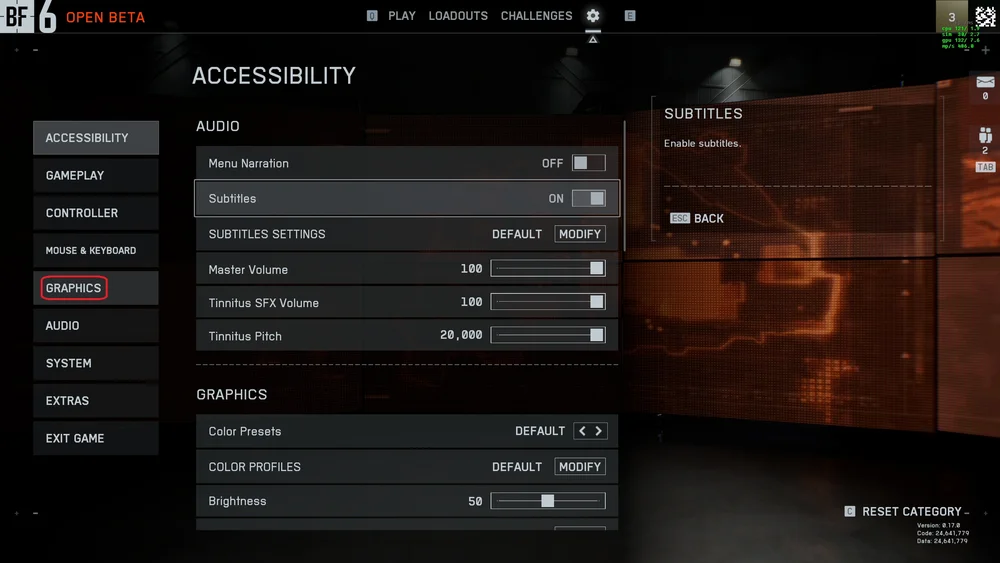
- Click on the “GRAPHICS” tab and scroll down until you see the “Icons & Indicators” section.
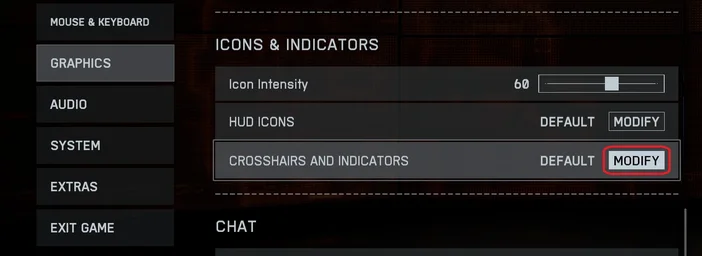
- In here find where it says “Crosshairs and Indicators” and click “Modify”.
- Now scroll down until you reach the “Damage Indicator” section and simply click the button to turn it off.
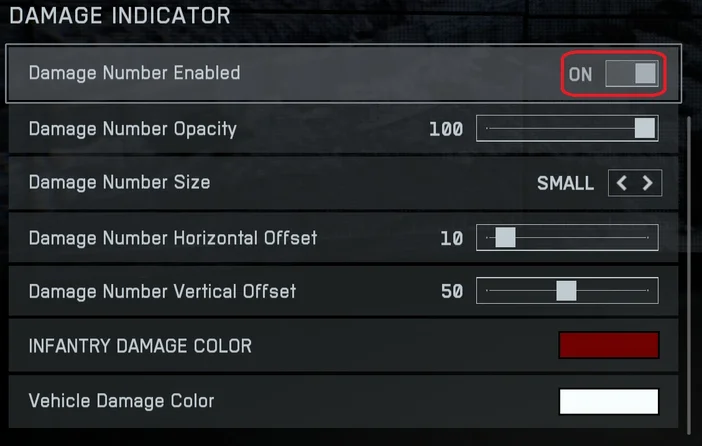
It’s worth mentioning that the Battlefield 6 Open Beta damage indicator is highly customizable, so you if you find it handy, but too intrusive, you can use the options in this section to change the color, size, position, and opacity.
If you want to keep the damage counter, jump into the firing range and mess around with these settings so the counter stays visible and therefore useful, but doesn’t ruin your shots by cluttering up your screen.
JOIN OUR OFFICIAL CORSAIR COMMUNITIES
Join our official CORSAIR Communities! Whether you're new or old to PC Building, have questions about our products, or want to chat the latest PC, tech, and gaming trends, our community is the place for you.