BLOG
Memory for Local LLMs: How Much RAM Do You Need? (and When Speed Matters)
Running a large language model on your own hardware is one of the most practical things you can do with AI right now. Whether you're experimenting with coding assistants, building a private chatbot, or just curious about what open-source models can do, there's one question that comes up immediately: how much memory do I actually need?
The answer depends on the model you want to run, how you plan to run it, and whether you care more about fitting the model at all or getting fast, responsive output. Memory capacity gets you in the door. Memory speed determines how good the experience feels once you're inside.
Why Memory Is the Bottleneck
When you run a large language model locally, the entire model needs to live in memory while it's generating text. Unlike gaming or video editing, where data streams in and out of memory as needed, LLM inference loads the full set of model weights and keeps them resident. Every single token the model generates requires a pass through those weights.
That makes memory capacity the hard gate. If you don't have enough RAM or VRAM to hold the model, you either can't run it at all or you end up with part of the model spilling over into slower storage, which tanks performance dramatically. We're talking 5 to 30 times slower in some cases.
But capacity is only half the story. Once the model fits in memory, the speed at which your system can feed those weights to the processor becomes the primary limiter for how fast tokens come out. That's memory bandwidth, and it's why RAM speed and configuration matter more for local AI than almost any other desktop workload.
RAM vs VRAM: Which One Matters?
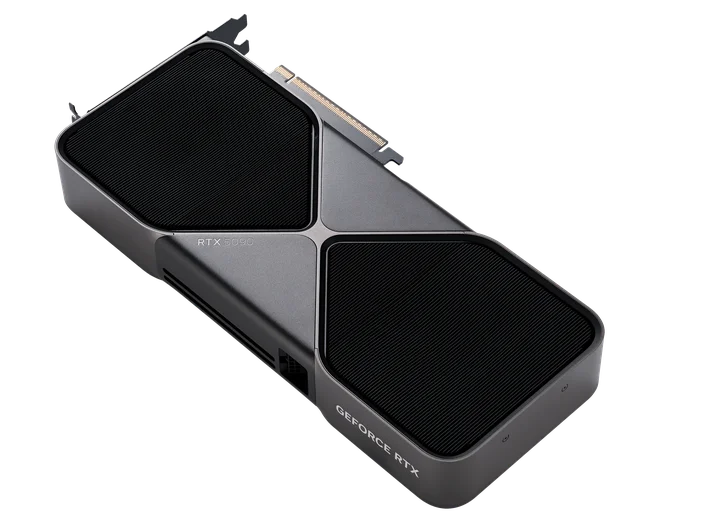
If you have a dedicated GPU with enough VRAM, that's the fastest path. GPU memory (VRAM) has vastly higher bandwidth than system RAM, a modern GPU like an RTX 4090 or RTX 5090 can deliver over 1 TB/s of memory bandwidth, while even fast DDR5 system RAM tops out around 90 GB/s in a typical dual-channel desktop configuration.
That bandwidth gap is why a model that fits entirely in VRAM can generate 40 or more tokens per second, while the same model running from system RAM might manage 8 to 15 tokens per second on a fast CPU setup. Both are usable, but the difference in responsiveness is noticeable.
The catch is that consumer GPUs max out at 24 GB of VRAM (on cards like the RTX 4090 and RTX 5090), which limits you to roughly 14B-parameter models at good quality, or up to about 32B with aggressive quantization. If you want to run larger models, 70B parameters and above, you'll likely need to lean on system RAM, use multiple GPUs, or accept some performance tradeoff with partial offloading.
How Much RAM Do You Need? A Practical Breakdown
Here's where things get concrete. The amount of memory a model requires depends on its parameter count and the precision (quantization level) you run it at. A rough rule of thumb: at Q4 quantization (4-bit), expect to need about 0.5 to 0.6 GB per billion parameters, plus overhead for context and the operating system.
8 GB: Entry Point
With 8 GB of total system memory (or VRAM), you can comfortably run small models in the 1B to 7B parameter range using 4-bit quantization. That includes models like Llama 3.2 3B, Phi-4 Mini, Qwen 3 4B, and Mistral 7B (at Q4). These are surprisingly capable for tasks like summarization, simple code generation, and conversational Q&A.
Expect around 40 to 50 tokens per second on a decent GPU, or 15 to 20 tokens per second on CPU. Perfectly usable for chat-style interactions.
16 GB: The Sweet Spot for Most People
16 GB opens the door to 7B and 8B models at higher quantization (Q8 for better quality) and 13B to 14B models at Q4. This is where models like Llama 3.1 8B, Qwen 3 8B, and DeepSeek-R1-Distill 14B become practical. You also get enough headroom to run the OS and other apps alongside the model without everything grinding to a halt.
For most people experimenting with local AI, 16 GB of DDR5 is the realistic starting line. You'll get good results with the most popular open-source models and won't feel constantly memory-constrained.
32 GB: Serious Local AI
At 32 GB, you're in the territory of running 32B-parameter models comfortably and 70B models with heavy quantization (Q2 or Q3). Models like Qwen 3 32B, DeepSeek-R1-Distill 32B, and Gemma 3 27B fit well here. These models offer noticeably better reasoning, longer coherent outputs, and stronger performance on complex tasks compared to their smaller counterparts.
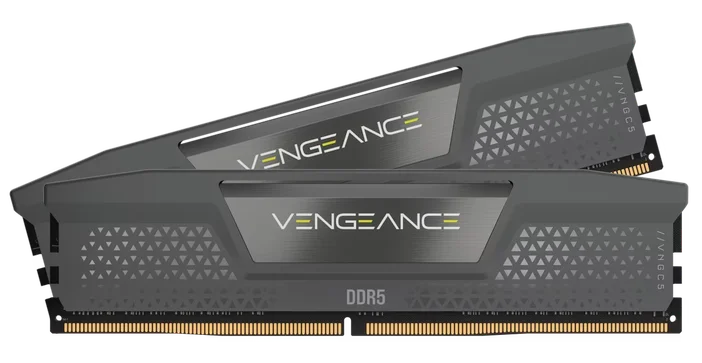
If you're using local LLMs for development work, writing assistance, or anything where output quality matters, 32 GB is where the experience starts to feel genuinely good. Something like a CORSAIR VENGEANCE DDR5 64GB (2x32GB) kit at 6000MT/s gives you the capacity and bandwidth to handle these workloads without compromise.
64 GB and Beyond: Running the Big Models
If you want to run 70B-parameter models at reasonable quantization levels (Q4 or Q5), you'll need 64 GB of system RAM, and ideally a multi-GPU setup or a system that supports partial GPU offloading. Llama 3.3 70B at Q4 requires about 42 GB just for the model weights, before accounting for context window and OS overhead.
At this level, memory bandwidth becomes even more critical. Every token generation requires streaming through tens of gigabytes of weights, and faster RAM directly translates to faster output. This is a workstation-class setup, but it's increasingly common for professionals who want to keep sensitive data on-device while working with frontier-class open models.
Why RAM Speed Matters, Not Just Capacity
Here's something that surprises a lot of people: for local LLM inference, memory bandwidth is often more important than raw compute power. After the first token is generated (which is compute-bound), every subsequent token is memory-bound. The model needs to stream its entire weight set through the processor for each token, and the speed of that streaming is gated by your memory bandwidth.
Real-world benchmarks show the difference clearly. Jumping from DDR5-4800 to DDR5-6000 has been shown to improve token generation speed by 20 to 23 percent for models like Mistral 7B and Llama 3.1 8B running on CPU. That's a significant, noticeable improvement in responsiveness, and it comes purely from faster memory.
Dual-channel configurations also matter enormously. Running two sticks of RAM in dual-channel mode effectively doubles your available bandwidth compared to a single stick. In practice, that can mean 30 to 50 percent faster inference. If you're building or upgrading a system for local AI, always use two sticks in dual-channel, never a single DIMM.
Quantization: How to Fit Bigger Models in Less Memory
Quantization is the technique that makes local LLMs practical on consumer hardware. It compresses model weights from their original 16-bit floating point (FP16) down to smaller representations, typically 4-bit (Q4), 5-bit (Q5), or 8-bit (Q8). The tradeoff is a small reduction in output quality for a massive reduction in memory requirements.
At Q4_K_M quantization (the most popular format for local use), an 8B model drops from about 16 GB down to roughly 5 to 6 GB. A 70B model goes from 140 GB down to about 40 to 42 GB. That's a 75 percent reduction in memory, and in most practical use cases the quality difference is barely noticeable.
Q5_K_M offers slightly better quality at roughly 15 to 20 percent more memory cost, and is worth considering if you have the headroom. Q8 preserves nearly all of the original model quality but only cuts memory requirements in half, it's the choice when you have plenty of memory and want the best possible output.
Tools like Ollama and LM Studio handle quantized models natively, so you don't need to do any conversion yourself. Just pick the quantization level that fits your available memory.
Context Length: The Hidden Memory Cost
Every token of context (the text you send to the model plus the text it generates) requires additional memory on top of the model weights themselves. Short conversations are fine, but if you're feeding in long documents or maintaining extended chat histories, context memory can add up quickly.
As a rough guide, 8K tokens of context adds about 1 GB per 10B parameters. Push that to 32K tokens and you're looking at an extra 4 GB. Some newer models support 128K tokens or more, which can effectively double your total memory requirements.
If you plan to use long contexts regularly, for example, feeding entire codebases or lengthy documents into a model, budget extra memory beyond what the model weights alone require. This is another reason 32 GB or 64 GB configurations make sense for serious local AI use.
Popular Models and What They Need
Here's a quick reference for some of the most-used local models right now, showing approximate memory needed at Q4_K_M quantization:
- Phi-4 Mini (3.8B): ~2.3 GB, runs great on almost anything
- Qwen 3.5 4B: ~3.4 GB, excellent for lightweight tasks with strong reasoning
- Llama 3.2 8B: ~5 GB, reliable general-purpose small model
- Qwen 3 8B: ~5 GB, strong multilingual and reasoning performance
- Qwen 3.5 9B: ~6.6 GB, latest small model with improved capabilities
- DeepSeek-R1-Distill 14B: ~9 GB, excellent reasoning at a compact size
- Gemma 3 12B: ~8 GB, Google's efficient mid-size option
- Llama 4 Scout (109B MoE, 17B active): ~10 GB at aggressive quantization, Meta's latest, runs surprisingly well thanks to MoE architecture
- Qwen 3.5 27B: ~17 GB, strong all-rounder that fits in 24 GB VRAM
- Qwen 3 32B: ~20 GB, serious capability, fits in 24 GB VRAM
- Qwen 3.5 35B-A3B (MoE): ~24 GB, 35B total but only 3B active per token, very efficient
- Llama 3.3 70B: ~42 GB, near-frontier quality, needs substantial RAM
- DeepSeek-R1-Distill 70B: ~42 GB, top-tier reasoning for local use
- GPT-OSS 120B: ~63 GB, OpenAI's open-weight model, needs 64GB+ unified or system RAM
- Qwen 3.5 122B-A10B (MoE): ~81 GB, flagship-class with only 10B active parameters
These numbers are for model weights only at Q4_K_M quantization. Add 2 to 8 GB for context, OS overhead, and any other applications you're running alongside. MoE (Mixture of Experts) models like Llama 4 Scout and Qwen 3.5 35B-A3B are especially memory-efficient during inference because only a fraction of their total parameters are active per token.
Choosing the Right Memory for Local AI
Based on everything above, here's how to think about your memory setup for local LLMs:
Go with DDR5 if your platform supports it. The bandwidth advantage over DDR4 is real and directly impacts inference speed. DDR5-6000 or faster hits the sweet spot of price, compatibility, and performance for AI workloads.
Always run dual-channel. Two sticks of RAM will significantly outperform a single stick of the same total capacity for LLM inference. A 2x16GB kit beats a single 32GB stick by a wide margin in tokens per second.
Size for the models you want to run. If you're mainly experimenting with 7B to 8B models, 16 GB works. If you want to run 14B to 32B models or keep headroom for future models, 32 GB is the better target. And if 70B models are on your radar, plan for 64 GB.
For a system that handles current local AI models well and leaves room to grow, a kit like the CORSAIR VENGEANCE DDR5 64GB (2x32GB) at 6000MT/s or 6400MT/s is hard to beat. You get the capacity for large models, the bandwidth for fast inference, and the dual-channel configuration that makes it all work efficiently. If you're building a more compact setup focused on smaller models, a 32GB (2x16GB) DDR5-6000 kit is a solid and cost-effective starting point.
Purpose-Built for Local AI: The CORSAIR AI WORKSTATION 300
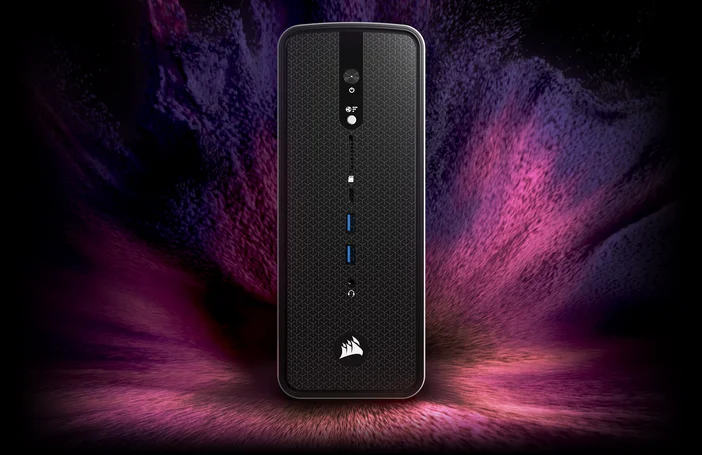
If you're serious about running large models locally and don't want to build a multi-GPU tower, the CORSAIR AI WORKSTATION 300 takes a different approach. It's built around AMD's Ryzen AI MAX+ 395 processor with a Radeon 8060S integrated GPU that can access up to 96 GB of VRAM from the system's 128 GB of LPDDR5X-8000 memory. That capacity is what makes it interesting for local AI: a single discrete consumer GPU tops out at 32 GB of VRAM today, so loading something like GPT-OSS 120B (around 63 GB at MXFP4) on one card isn't possible without splitting the model across multiple GPUs or offloading to system RAM.
The unified memory architecture is the key trade-off. You give up the raw bandwidth of dedicated GDDR7 VRAM, but in exchange you get up to 96 GB of GPU-accessible memory at LPDDR5X speeds. That means models in the 70B to 120B parameter range that would otherwise require multiple discrete GPUs or heavy CPU offloading can run entirely on the GPU memory path on a single machine, without splitting layers across cards or paging weights through PCIe.
The system also includes AMD's XDNA 2 NPU with 50 TOPS of AI acceleration for lighter tasks, 2.5 Gbps Ethernet, Wi-Fi 6E, and multiple USB 4.0 ports. For professionals working with sensitive data, legal, medical, financial, having this level of AI capability completely offline and on-premises is a significant practical advantage.
The CORSAIR AI Software Stack
Getting local AI tools installed and configured correctly can be one of the most frustrating parts of the experience, dependency conflicts, driver versions, framework compatibility. The CORSAIR AI Software Stack is a guided setup tool designed to eliminate that friction. It helps you choose and install the right tools for your system, from AI and machine learning frameworks to development environments and creative software, all tailored to your hardware.
JOIN OUR OFFICIAL CORSAIR COMMUNITIES
Join our official CORSAIR Communities! Whether you're new or old to PC Building, have questions about our products, or want to chat about the latest PC, tech, and gaming trends, our community is the place for you.