BLOG
CPU Clock Speed Explained
CPU clock speed is the tempo your processor runs at how many “ticks” it can perform every second. It’s measured in hertz (Hz), and on modern CPUs you’ll usually see gigahertz (GHz), i.e., billions of cycles per second. More cycles can mean more work, but context (architecture, core count, and workload) matters just as much.
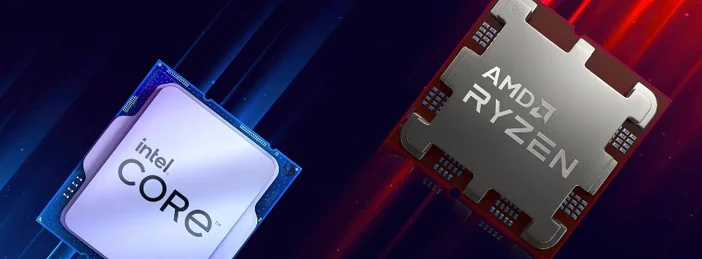
What Does “GHz” Actually Mean?
Think of a clock cycle as a tiny heartbeat that coordinates what the CPU does next.
- 3.6 GHz ≈ 3,600,000,000 cycles each second.
- 1 cycle at 4.0 GHz takes 0.25 nanoseconds.
That doesn’t guarantee the CPU finishes one whole instruction per cycle modern chips often break work into micro-ops, so efficiency (“IPC,” below) plays a big role.
Base Clock vs. Boost Clock (Turbo)
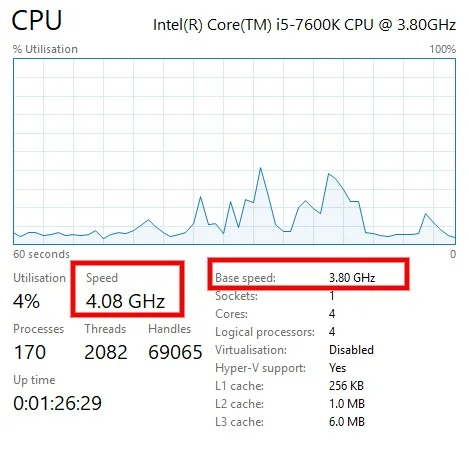
Base clock is the nominal frequency a processor can sustain under heavy, multi‑core load within its default power/cooling limits. Boost clock (often called Turbo) is a higher, opportunistic frequency the CPU can hit for short bursts or on a few cores when there’s thermal and power headroom. Names vary by vendor, so for Intel we have Turbo Boost and AMD's version is called Precision Boost but the idea is the same: go faster when conditions allow.
Why Two CPUs at the Same GHz Can Still Feel Different
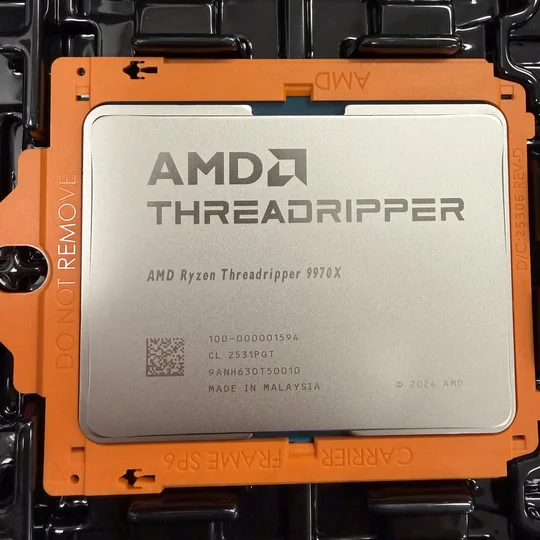
Clock speed isn’t the whole story. Performance also depends on IPC (instructions per cycle), cache, memory latency, and the CPU’s microarchitecture. A newer core at 3.5 GHz can beat an older core at the same 3.5 GHz if it does more work per tick. That’s why reviewers often talk about “per‑clock” gains from one generation to the next.
What Actually Determines the Speed You See?
Modern CPUs constantly adjust their frequency in real time to balance speed, power draw, and temperature. Operating systems and firmware use performance states (“P‑states”) defined by the ACPI standard to nudge the CPU up or down as needed. On laptops, manufacturers may set tighter power limits, so sustained speeds can be lower than on desktops.
Is Higher Clock Speed Always Better?
Usually, higher clocks help especially for tasks that rely on one or a few fast cores (many games, some creative apps). But pushing frequency higher also raises power and heat, which can lead to fan noise, thermal throttling, or reduced boost duration if your cooler can’t keep up. That’s why base/boost behavior and overall platform cooling matter as much as the headline GHz.
Single‑Threaded vs. Multi‑Threaded Workloads
- Single‑thread heavy (e.g., many games, lightly‑threaded tools): look for strong boost clocks and high per‑core performance.
- Multi‑thread heavy (e.g., 3D rendering, code compiling, video encoding): look for more cores and good all‑core frequencies under sustained load.
Either way, clocks and cores work together; bigger wins come from a balance of both.
How to Check Your CPU’s Clock Speed
- Windows: Open Task Manager → Performance → CPU to see current speed and the CPU’s reported “Base speed.”
- Linux: lscpu shows model info; watch -n1 "cat /proc/cpuinfo | grep MHz | head -n1" shows live per‑core MHz.
- macOS: Activity Monitor doesn’t show frequency directly; third‑party monitors (e.g., iStat Menus) or powermetrics (Terminal) can.
If your live speed is below the spec boost, that’s often normal boost is opportunistic and depends on workload, power limits, and temperature.
Can You Change Clock Speed?
Yes, within limits:
- Overclocking (raising frequency, sometimes voltage) can improve performance but adds heat and may reduce stability or warranty coverage.
- Auto‑boost technologies: Intel Turbo Boost and AMD Precision Boost already try to maximize clocks automatically when safe.
- Undervolting/underclocking can lower temperatures and noise with minimal performance loss for light tasks.
Support depends on your CPU model, motherboard, and cooler; many mobile chips and non‑“K”/non‑“X” desktop parts offer little or no headroom beyond their built‑in boost.
What Clock Speed Do You Actually Need?
- Gaming: Favor high single‑core boost and 6–8+ modern cores; you’ll see real‑world gains from strong per‑core performance rather than chasing the absolute highest advertised GHz.
- Content creation: Favor more cores with solid sustained (all‑core) clocks; boost still helps snappy UI and mixed workloads.
- Everyday use: Any recent CPU’s dynamic boost will keep things responsive; prioritize quiet cooling and efficiency.
Why does my CPU sometimes show 0.8–1.5 GHz at idle?
Power management scaling down frequency is normal your CPU ramps up as needed.
Is “base clock” a guarantee?
It’s a nominal sustained frequency under default power/TDP and adequate cooling. Real systems may vary slightly depending on OEM power limits, thermals, and firmware.
Do Intel and AMD use different names for boost?
Yes Intel Turbo Boost and AMD Precision Boost but both raise frequency above base when there’s power and thermal headroom.
JOIN OUR OFFICIAL CORSAIR COMMUNITIES
Join our official CORSAIR Communities! Whether you're new or old to PC Building, have questions about our products, or want to chat the latest PC, tech, and gaming trends, our community is the place for you.