When planning a PC build, it’s important to consider how you’ll configure internal airflow. Strategically placing fans according to the case design helps ensure smooth air circulation, which can greatly improve the system’s overall thermal performance.
Airflow is all about how air moves through inside a case and the PC parts, which is really important for keeping everything cool. The main concepts to be aware of here are positive and negative airflow.
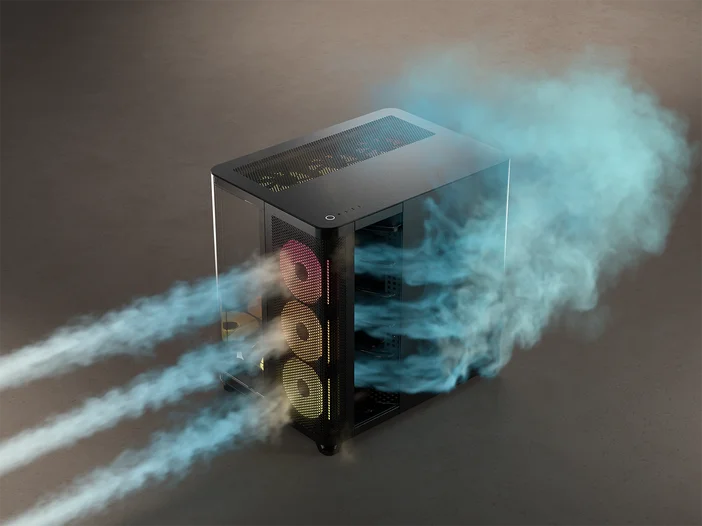
Positive Pressure
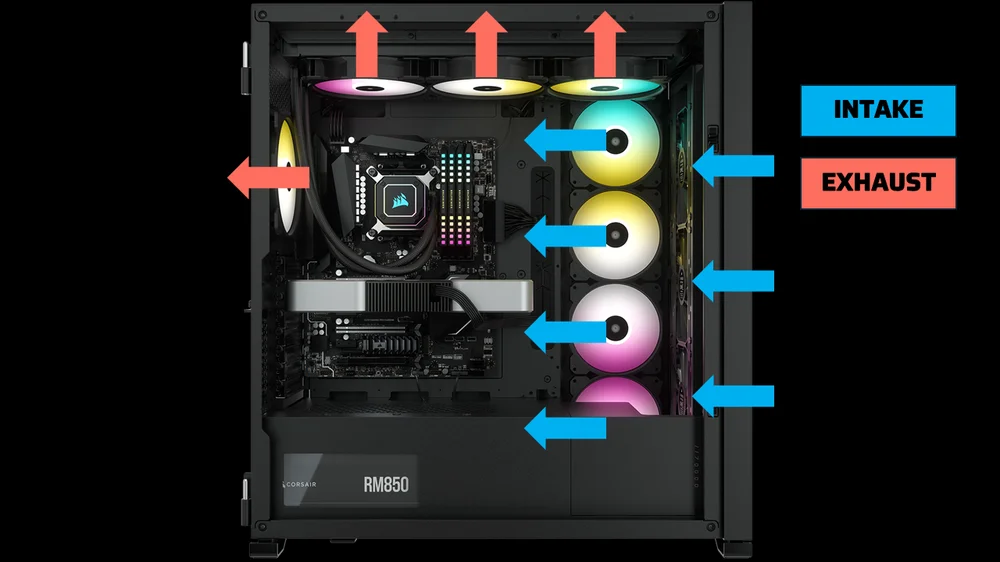
Positive airflow is a setup in which the intake fans draw in more air than the exhaust fans expel, meaning there are more intake fans than exhaust fans. This configuration creates a slight pressure difference inside the case, helping prevent dust from entering through gaps and unfiltered channels. But the main benefit of positive airflow is that it can keep internal temperatures lower for an extended period, as fresh air is constantly pulled into the system, while limiting dust accumulation
Negative Pressure
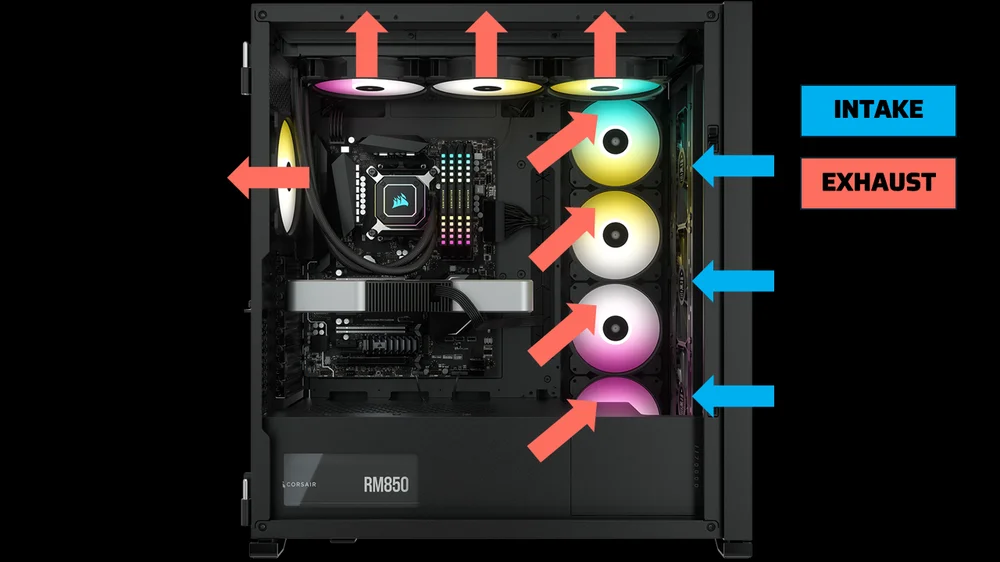
On the other hand, negative airflow is set up by using more exhaust fans than intake fans. This arrangement creates a vacuum effect that helps pull hot air out of the case more efficiently. While it’s great at removing heat, it might also let in dust through unfiltered openings. Negative airflow can be especially helpful when you want to focus on cooling, as it can swiftly clear out the warm air produced by high-performance parts.
The downside is that dust accumulates faster than you’d like, blocking airflow. This poses a significant risk because dust can impede airflow, leading to corrosion and degradation of computer components over time and reducing their effectiveness.
Most PC enthusiasts, including seasoned PC builders, recommend configuring your PC for positive airflow. It helps keep your system cooler, reduces dust buildup, extends component life, operates more quietly, and maintains a balanced air pressure. This approach can make your PC more reliable and efficient, giving you a better overall experience.
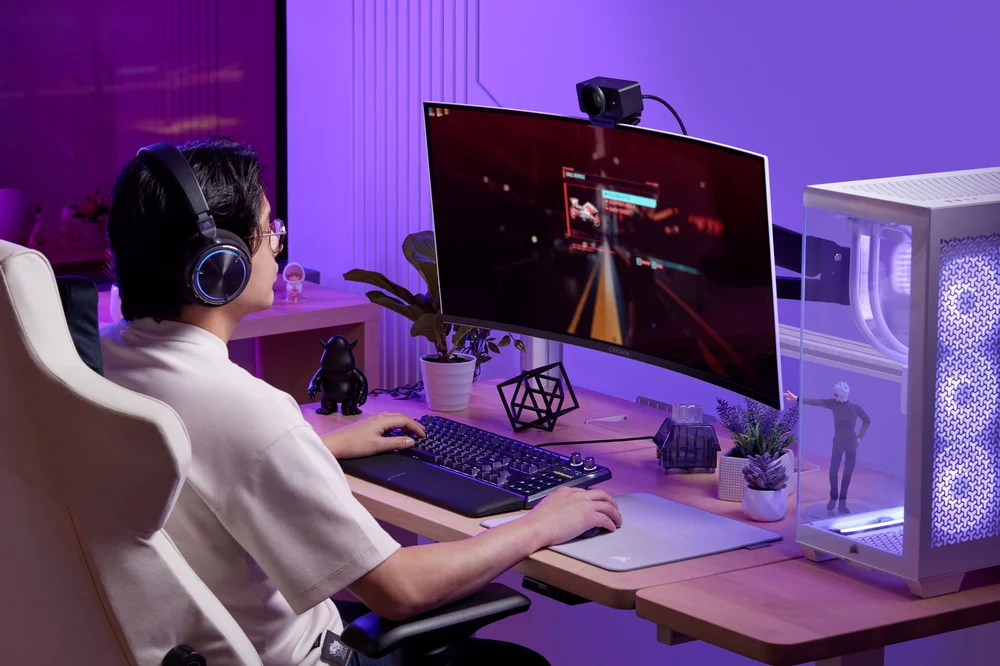
For the same reasons, it would be counterintuitive not to have positive airflow in your gaming PC. During gaming, especially with demanding titles, your PC hardware, like the CPU, GPU, motherboard, and DRAM, works harder to deliver optimal performance, which causes your hardware to generate more heat than typical applications.
A positive airflow setup is beneficial in this scenario because it helps keep the internal temperature steady and lower, which is vital for high-performance parts. This promotes a continuous flow of cool air into the case, reducing the risk of overheating and enabling the CPU and GPU to perform at their best.

As mentioned earlier, dust buildup inside your build can negatively impact your PC’s performance if left unchecked. In a positive airflow setup, dust accumulation is rarely a problem because it helps push dust particles out of the case more effectively, keeping your hardware cleaner and maintaining better cooling over time.
Plus, you can have your PC fans run at a lower RPM (speed) while still maintaining effective cooling. This results in a quieter system, which I am sure many of you prefer a silent PC when gaming or working on a project.
JOIN OUR OFFICIAL CORSAIR COMMUNITIES
Join our official CORSAIR Communities! Whether you're new or old to PC Building, have questions about our products, or want to chat about the latest PC, tech, and gaming trends, our community is the place for you.