MANUÁL | STRUČNÝ PRŮVODCE
M65 RGB ULTRA
LADITELNÁ HERNÍ MYŠ FPS
Anglická verze je k dispozici zde - English
Pokud máte nějaké další problémy, kontaktujte zákaznickou podporu
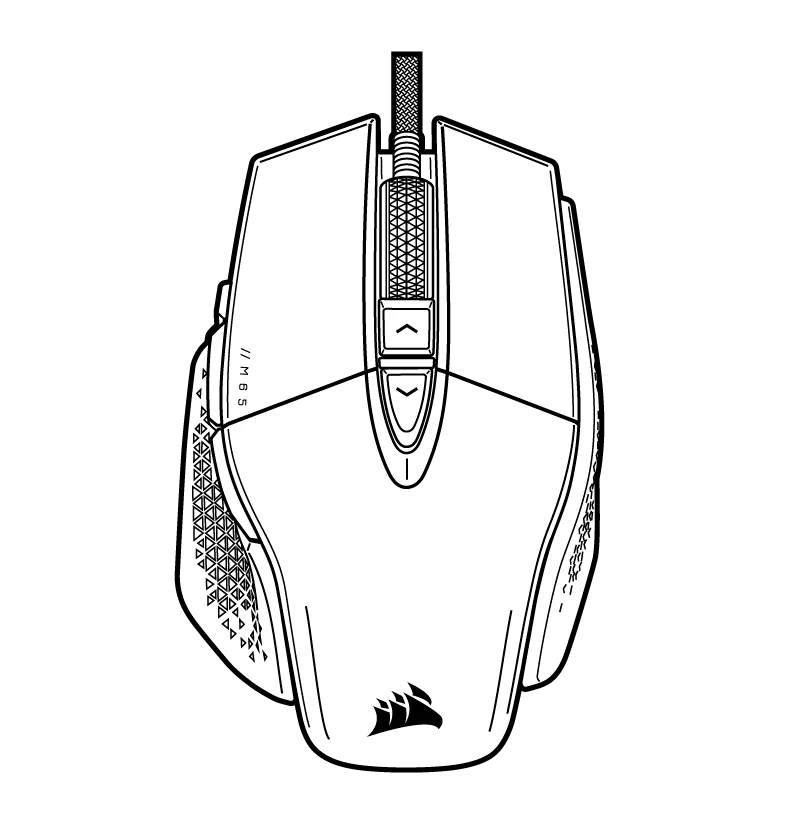
POZNÁVÁNÍ MYŠI
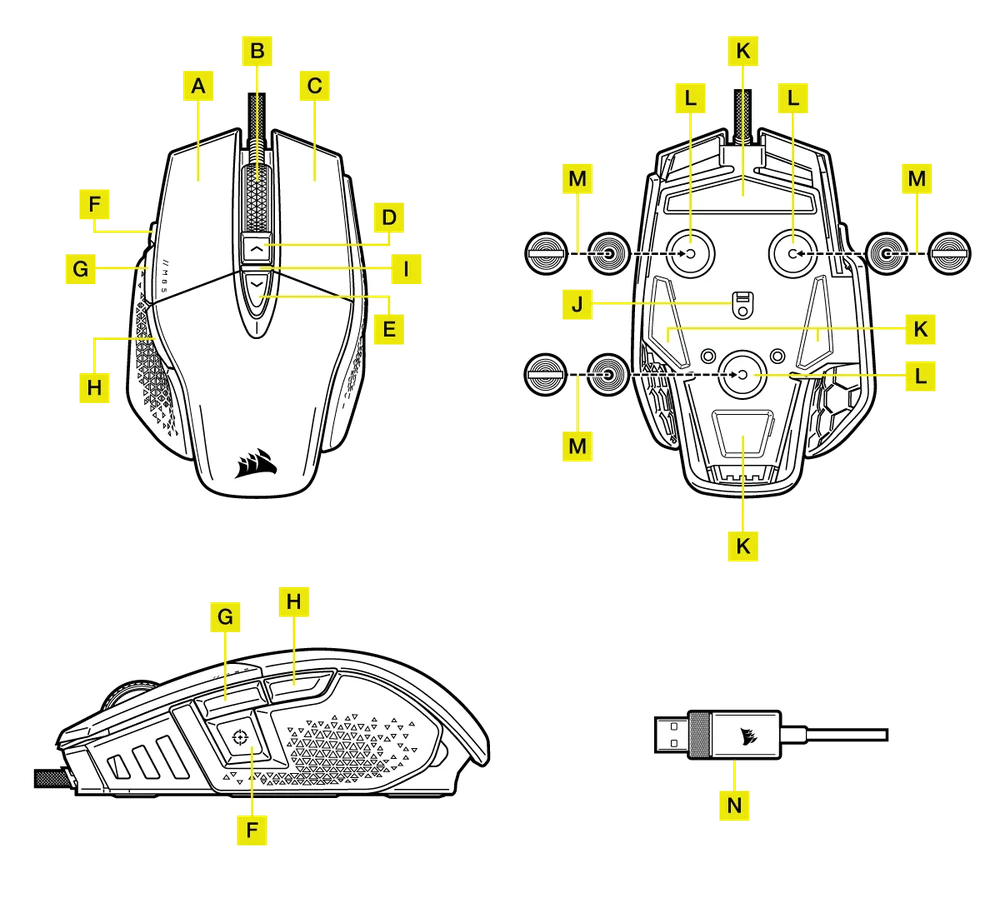
- RYCHLÝ ÚDER LEVÝM TLAČÍTKEM MYŠI
- PROSTŘEDNÍ TLAČÍTKO KLIKNUTÍ / ROLOVACÍ KOLEČKO
- TLAČÍTKO RYCHLÉHO STISKU PRAVÉHO TLAČÍTKA MYŠI
- TLAČÍTKO PRO ZVÝŠENÍ DPI
- TLAČÍTKO DPI DOLŮ
- ODSTŘELOVAČ / TLAČÍTKO VOLBY
- TLAČÍTKO PRO POSUN VPŘED
- TLAČÍTKO ZPĚT
- LED INDIKÁTOR DPI
- OPTICKÝ HERNÍ SENZOR
- KLUZNÉ PODLOŽKY Z PTFE
- SLOT PRO VOLITELNÁ ZÁVAŽÍ
- DVOJICE VOLITELNÝCH ZÁVAŽÍ (4,0 G + 2,4 G)*
- KABEL PRO PŘIPOJENÍ USB
*Volitelná závaží jsou součástí balení.
NASTAVENÍ MYŠI
Připojte propojovací kabel USB (N) k dostupnému portu USB 2.0 nebo lepšímu typu A v systému Windows.® PC, Apple Mac®, nebo Microsoft Xbox One®.*
NASTAVENÍ A INDIKACE DPI
Myš je dodávána s běžnými konkurenčními nastaveními DPI, která lze zvolit stisknutím tlačítka DPI Up (D) nebo DPI Down (E), přičemž podsvícení indikátoru DPI (I) LED odráží aktuální stupeň.
| STAV FÁZE DPI | INDIKÁTOR DPI |
| FÁZE Č. 1 - 400 DPI | RED |
| FÁZE #2 - 800 DPI | BÍLÁ |
| FÁZE #3 - 1200 DPI | ZELENÁ |
| FÁZE #4 - 1600 DPI | PURPLE |
| STUPEŇ Č. 5 - 3000 DPI | CAPRI |
LADĚNÍ DPI ZA CHODU
Myš je vybavena jedinečnou funkcí, díky níž můžete bez použití softwaru upravovat aktuální nastavení vestavěného stupně DPI v krocích po 50 DPI, takže se můžete rovnou vrhnout do akce a najít ideální nastavení citlivosti.
| FUNKCE | SHORTCUT | VÍCEÚČELOVÝ LED INDIKÁTOR |
| ZVÝŠENÍ DPI O 50 | PODRŽTE TLAČÍTKO DPI UP (D) A STISKNĚTE TLAČÍTKO FORWARD (G). | BLIKAJÍCÍ ZELENÁ |
| SNÍŽENÍ DPI O 50 | PODRŽTE TLAČÍTKO DPI NAHORU (D) A STISKNĚTE TLAČÍTKO ZPĚT (H). | BLIKAJÍCÍ ČERVENÁ |
| RESETOVÁNÍ STUPNĚ DPI | PODRŽTE TLAČÍTKO DPI NAHORU (D) A POTÉ OBĚ TLAČÍTKA VPŘED (G) A ZPĚT (H) PO DOBU 2 SEKUND. | BLIKÁ ŽLUTĚ |
Změny DPI za chodu se ukládají do vestavěné paměti a v aplikaci iCUE je lze dále upravovat v krocích po 1 DPI. Pokud je spuštěna aplikace iCUE, změny se ukládají přímo do softwarového profilu.
AUTORSKÁ PRÁVA / PRÁVNÍ INFORMACE
© 2021-2025 CORSAIR MEMORY, Inc. Všechna práva vyhrazena. CORSAIR a logo plachet jsou registrované ochranné známky společnosti CORSAIR ve Spojených státech a/nebo dalších zemích. Všechny ostatní ochranné známky jsou majetkem příslušných vlastníků. Výrobek se může mírně lišit od vyobrazených.