Aside from choosing the right hardware for your PC build, planning the number of fans for your PC should be given careful consideration, as they help dissipate heat from components that generate it, such as your CPU and GPU, and can also enhance the aesthetics of a build. Many fans are designed with customizable RGB lighting options, such as iCUE LINK fans, allowing you to create a visually appealing setup that reflects your personal style.
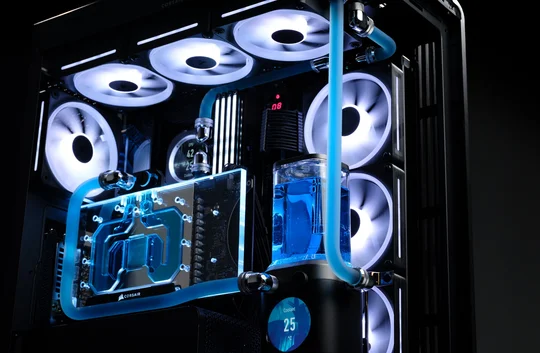
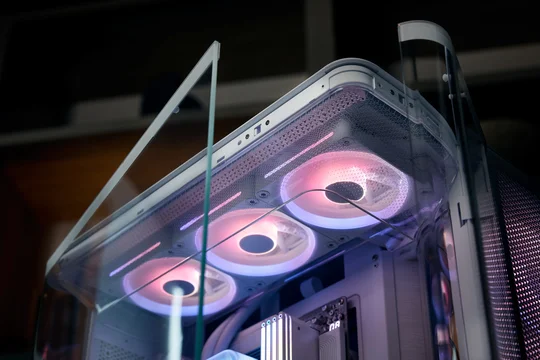
So, how many fans should you install in a PC? If you're using a mid or full-tower case like the FRAME 4000D or FRAME 5000D respectively, then three in the front for intake and one in the back as exhaust is typically sufficient.
The truth is, there’s no one-size-fits-all answer, as it varies depending on the specific build. The ideal number of fans relies on several key factors:
- Size and design of the PC case
- Hardware configuration
- Purpose of the PC
Let's go over a few concepts that should help you decide the answer to this question for your specific situation.
Positive or Negative Airflow?
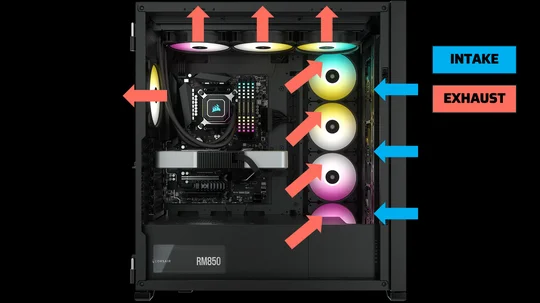
There are two main types of fan orientations: intake and exhaust. Intake fans bring fresh air into the case, while exhaust fans help push hot air out. When building a PC, a good rule of thumb is to aim for positive airflow, which helps keep your components cool and dust at bay. Fan orientation can create different airflow patterns: Positive, Neutral, or Negative.
It’s generally best to choose positive or neutral airflow for your case. Positive airflow means you’ll have more intake fans than exhaust fans, which helps bring in fresh air. Neutral airflow has an equal number of intakes and exhausts, maintaining balanced airflow. Negative airflow, with more exhaust than intake, isn’t usually recommended because it can suck dust through unfiltered gaps, leading to dust accumulation inside the case.
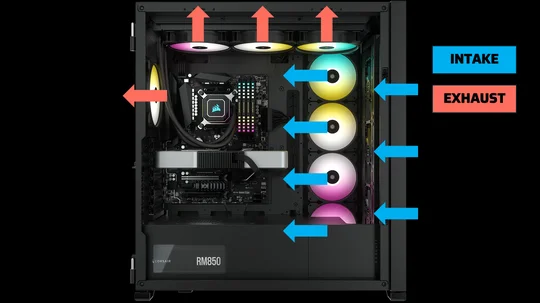
Positive Airflow
Negative Airflow
Case Size and Layout
PC cases heavily dictate how many fans you use in a build to achieve optimal airflow. Cases come in different form factors or sizes: Full-tower, Mid-tower, and SFF (Small Form Factor). Full-tower cases typically accommodate more fans than mid-tower and SFF cases, giving you more options for fan configurations and combinations to achieve the best possible internal case thermals, which can enhance airflow and cooling efficiency.
Let’s use the CORSAIR 7000D AIRFLOW as an example of a full-tower case. With the case’s wide, spacious internal layout, you can fit up to 12x 120mm fans at multiple fan-mount locations, giving you a variety of airflow configuration options for your build. Again, our goal here is a positive airflow configuration, which means more intake fans than exhaust fans. As you can see in this build, we have maximized the 7000D’s fan capacity by using 12x 120mm fans.
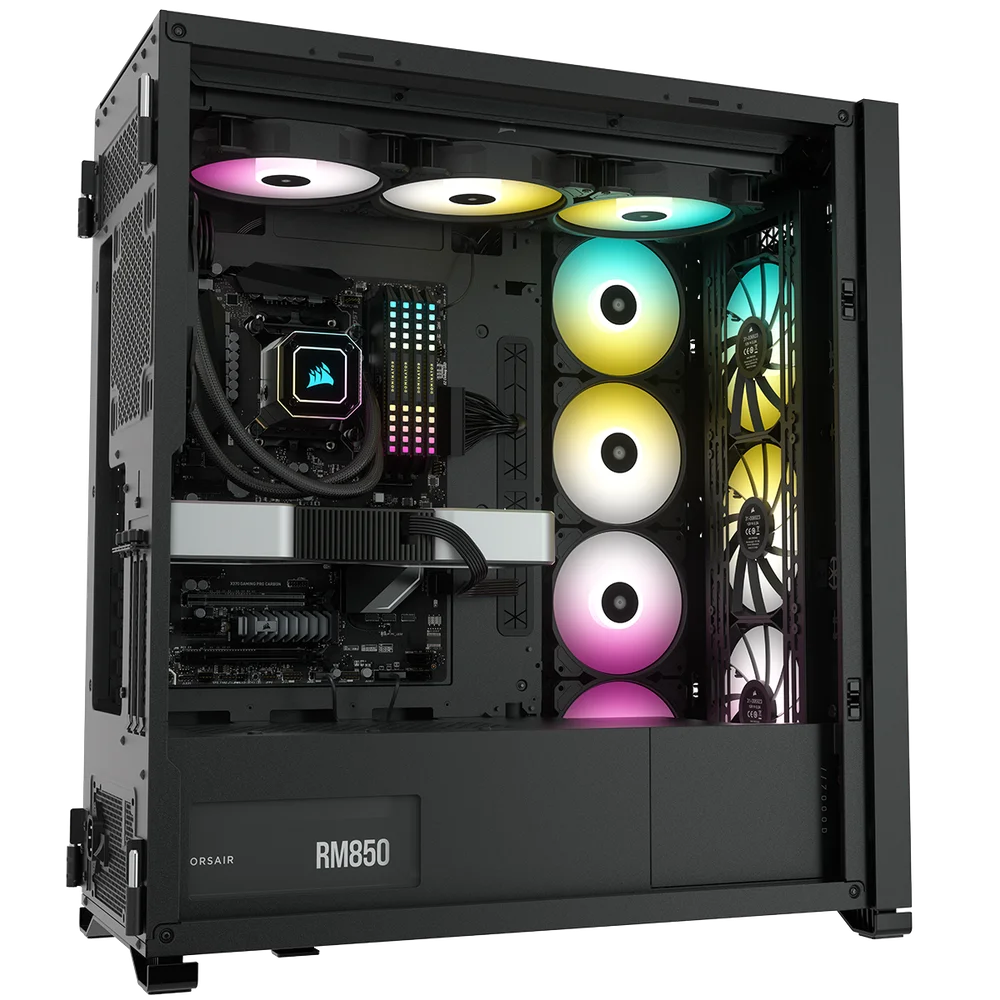
These fans are configured with four in the front and on the sides as intake, and the top and rear as exhaust. This gives you a total of 8x 120mm fans for intake and 4x 120mm fans for exhaust, creating positive airflow inside the case. In this full-tower setup with 120mm fans, having all 12 in use is the ideal fan configuration.
While maximizing fan support results in outstanding thermal performance, keep in mind that the more fans you have in the system, the more noise it will generate. So, if you are very particular about your PC’s noise level, you may want to reduce the number of fans installed while still maintaining a positive airflow to achieve very efficient cooling.
The same principle applies to mid-tower and small-form-factor cases. It depends on the case’s fan support. The only thing to remember is that you need more intake fans than exhaust fans. Once you have figured out the best fan placement and orientation for each fan in your build, you can then decide how many fans work best for you.
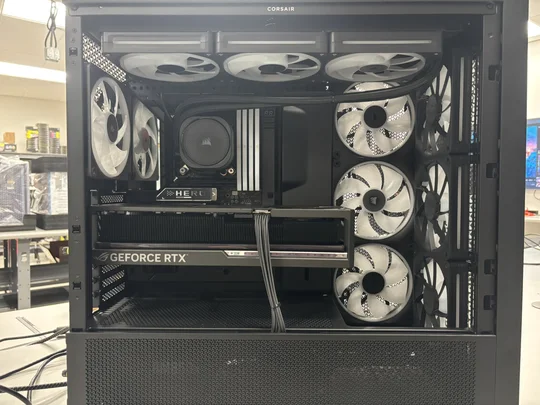
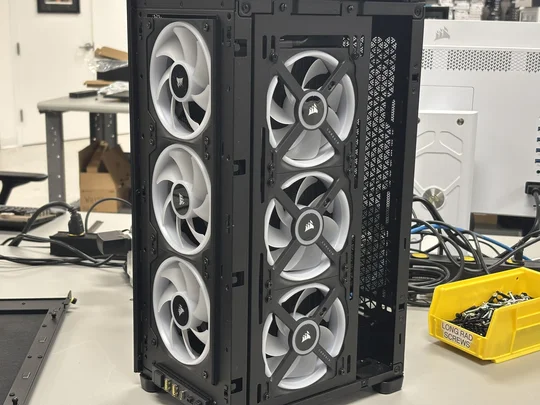
FRAME 4000D Mid-Tower Case
2000D Small Form Factor Case
Hardware Configuration and Use Case
These two factors are closely connected and can be considered a single factor. When building a PC, the first step is to determine its purpose. Your component choices will depend heavily on the applications you’ll run. For demanding tasks like gaming or video editing, additional fans may be needed to keep temperatures in check. A gaming PC, for example, can benefit from maximizing case-fan support and strategic placement to improve airflow.
Let’s take a look at this FRAME 4000D setup as an example. This PC build is designed to be a dependable machine, perfect not just for gaming, but also for a range of video and photo editing tasks. Powered by an Intel Core Ultra 7 265KF, an RTX 5080, and 64GB of RAM, it means serious business, making excellent, efficient cooling a must to keep everything running smoothly.
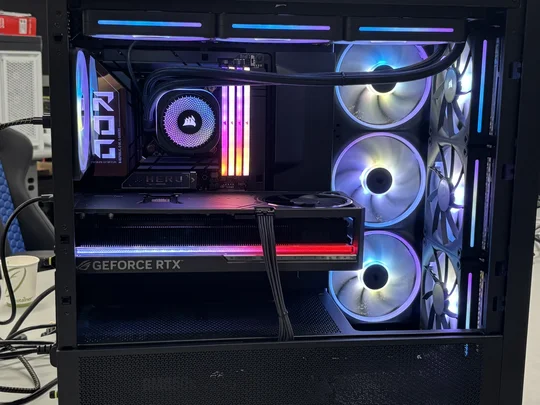
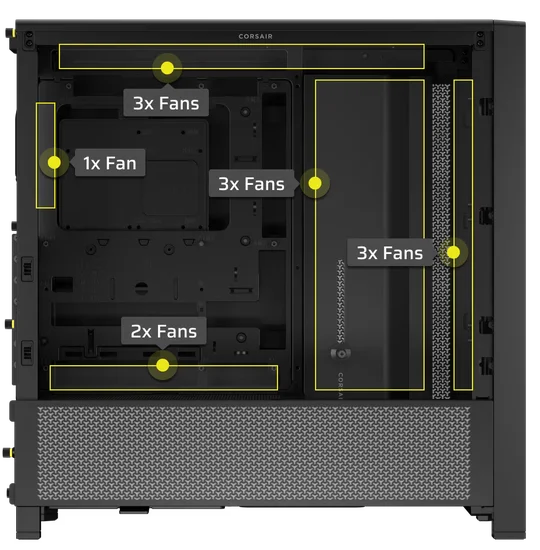
This is where you want to load up your case with case fans. In this setup, the FRAME 4000D supports up to 12x 120mm fans. That said, we’ve only fitted it with ten fans, which is sufficient to keep the PC hardware temps in check. We could’ve maxed out the fans, but we decided not to because we want to keep the PC’s noise level under control, especially under heavy load.
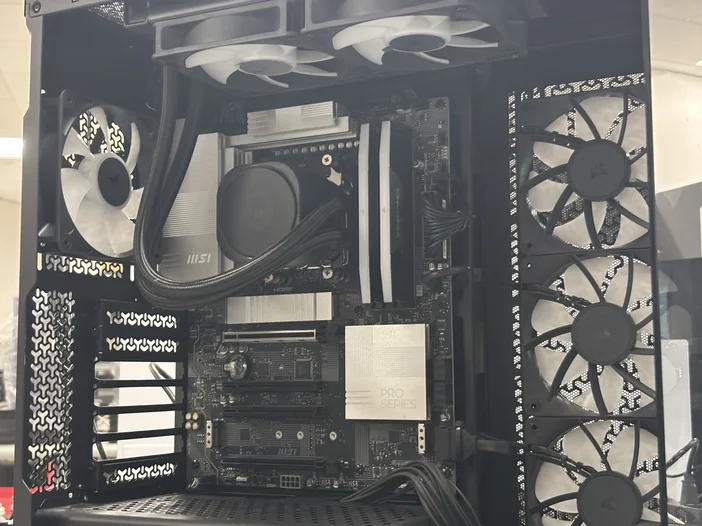
Another PC setup worth using as an example is when your PC is more on the lightweight side of things in terms of use case, and not as extreme as those of the heavy-hitter ones. You will see in this 3500X build that there are only 6x 120mm fans, despite the case supporting up to 10. This is because this PC is not meant to run demanding applications – it’s more for online browsing, word processing, and other run-of-the-mill office applications.
Ultimately, the ideal number of fans for a PC varies case by case. You, the user, will decide this based on the main purpose of your PC and the factors mentioned above to make the right choice. It's a balancing act between ensuring adequate airflow and managing noise levels, and only you can determine the right balance.
PRODUCTS IN ARTICLE
JOIN OUR OFFICIAL CORSAIR COMMUNITIES
Join our official CORSAIR Communities! Whether you're new or old to PC Building, have questions about our products, or want to chat the latest PC, tech, and gaming trends, our community is the place for you.