With the launch of the MP700 MICRO Solid State Drive, users now have two M.2 2242 SSDs to choose from. The latest release, the MP700 MICRO is a PCIe 5.0 device, while its predecessor, the MP600 MICRO, is a PCIe 4.0 drive. That means the MP700 MICRO offers higher sequential read and write throughput than its predecessor, while still maintaining the same physical compatibility.
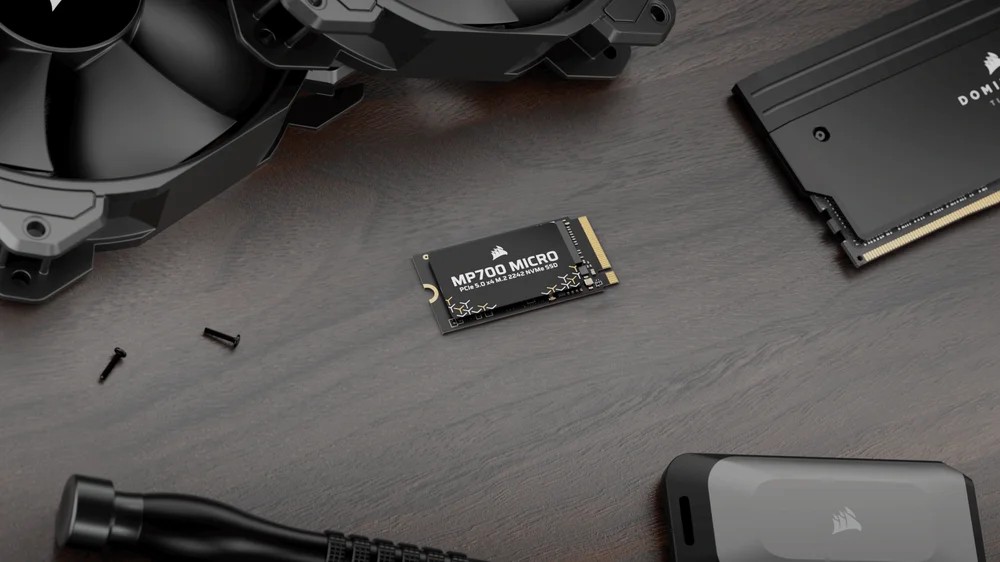
MP700 MICRO vs MP600 MICRO: Specs Compared
Here are the specs for these two drives, which cover the differences neatly:
| MP700 MICRO | MP600 MICRO | |
| Interface | PCIe 5.0 x4 | PCIe 4.0 x4 |
| Capacity | 2 TB, 4 TB | 1 TB, 2 TB |
| NAND Technology | 3D TLC | 3D TLC |
| Form Factor | M.2 2242 | M.2 2242 |
| Endurance | 1,200 TBW | 1,200 TBW |
| Average Power Consumption | 5.9 W | 5.6 W |
| Max Sequential Read | 10,000 MB/s | 7,000 MB/s |
| Max Sequential Write | 8,500 MB/s | 6,200 MB/s |
| Max Random Read | 1.3M IOPS | 1M IOPS |
| Max Random Write | 1.4M IOPS | 1.2M IOPS |
One thing of note here is that as the MP700 MICRO is a newer drive, it can utilize the latest technologies. This means it offers faster throughput, more on this in a moment, but also it offers higher capacities. While the MP600 MICRO is available in 1TB and 2TB SKUs, the MP700 MICRO can be had in 2TB and 4TB versions, giving you more room for your ever-expanding gaming collection, or serious data and programs.
We’ve highlighted that these are both M.2 2242 drives, as that is a key differentiator with other SSDs you can buy. If you’re not too au fait with the naming of SSDs, we cover it in a full article on SSD Form Factors, but the takeaway here is that an M.2 2242 is 22mm wide and 42mm long. For comparison, most desktop drives conform to the M.2 2280 standard, which means they’re 80mm long.
Size Matters
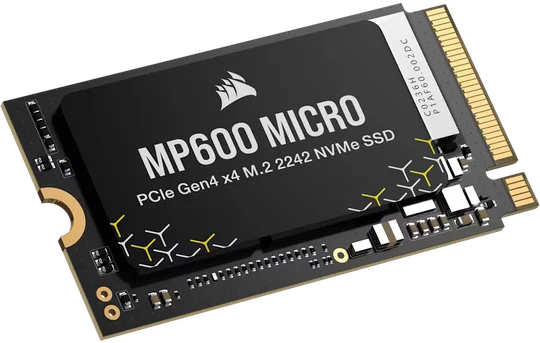
The fact that the MP700 MICRO and MP600 MICRO are just shy of being half as long as standard drives is a clear indication of their use case: They are intended for use in systems where size is at a premium. Check your laptop, handheld, mini PC, or small form factor system to make sure you’re getting the correct drive for your machine. While you’re digging out this information, it’s worth checking what PCIe generation the device in question supports.
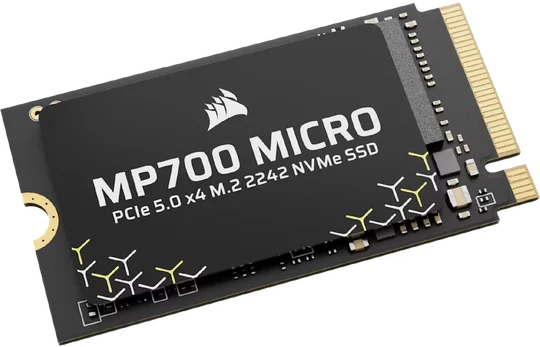
MP700 MICRO
MP600 MICRO
Performance
The maximum throughput offered by an SSD increases with each PCIe generation. This means a PCIe 5.0 SSD offers higher peak performance than a PCIe 4.0 drive, and that’s exactly what we have here. The MP700 MICRO offers sequential throughput up to an incredible 10,000 MB/s for reads and up to 8,500 MB/s for writes, while you’ll see up to 7,000 MB/s and 6,200 MB/s for the MP600 MICRO. The PCIe 4.0 device still offers strong performance, make no mistake, but if you want the absolute best performance for your system, then going with a PCIe 5.0 drive makes sense.
Compatibility
When it comes to PCIe devices such as a speedy solid-state drive, they are both backwards and forwards compatible. You can plug a PCIe 3.0 SSD into a PCIe 5.0 slot and it’ll work. You won’t get the best performance, but it’ll work. Likewise, plugging a PCIe 5.0 SSD into a PCIe 4.0 slot will give you a working slice of storage, albeit not at its fastest throughput.
Essentially, you want to buy and use the MP700 MICRO if your system supports PCIe 5.0, and the MP600 MICRO if you’re still rocking a PCIe 4.0 system.
PRODUCTS IN ARTICLE
JOIN OUR OFFICIAL CORSAIR COMMUNITIES
Join our official CORSAIR Communities! Whether you're new or old to PC Building, have questions about our products, or want to chat about the latest PC, tech, and gaming trends, our community is the place for you.