Home / Gaming PC Cases / Mid-Tower Cases / iCUE 5000X RGB Tempe...
Out Of Stock

iCUE 5000X RGB Tempered Glass Mid-Tower ATX PC Smart Case — White

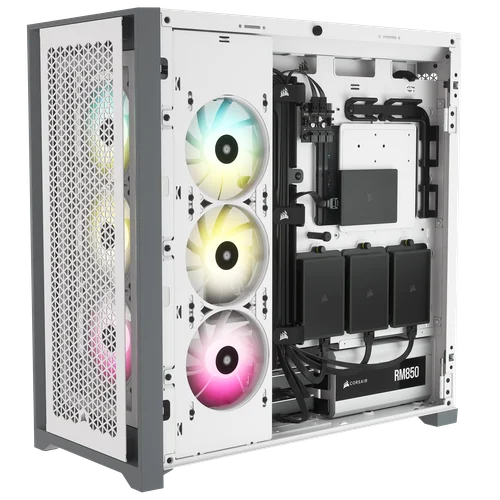
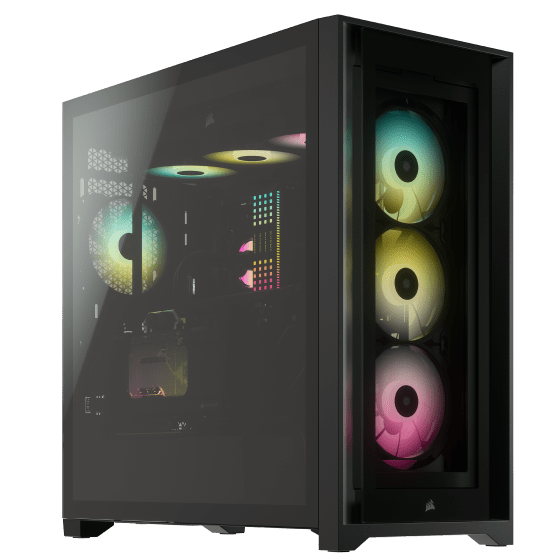
  • Four stunning tool-free tempered glass panels
  • Easily fits any Nvidia 4000 series or AMD 7000 series GPU up to 400mm
  • Smart RGB Lighting Control
  • Fits up to 10x 120mm or 4x 140mm cooling fans
$214.99Current price: $214.99
SKU: CC-9011213-WW

5000X RGB

MID-TOWER ATX CASE
FOR A CRYSTAL-CLEAR BUILD THAT KEEPS ITS COOL

CLEAR, CLEAN, AND COOL

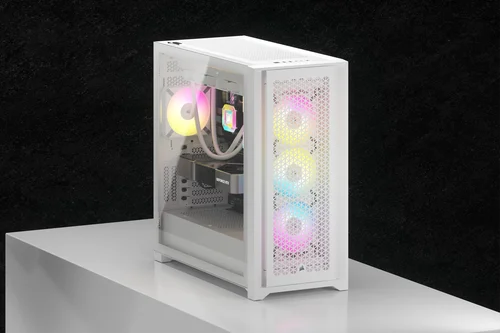
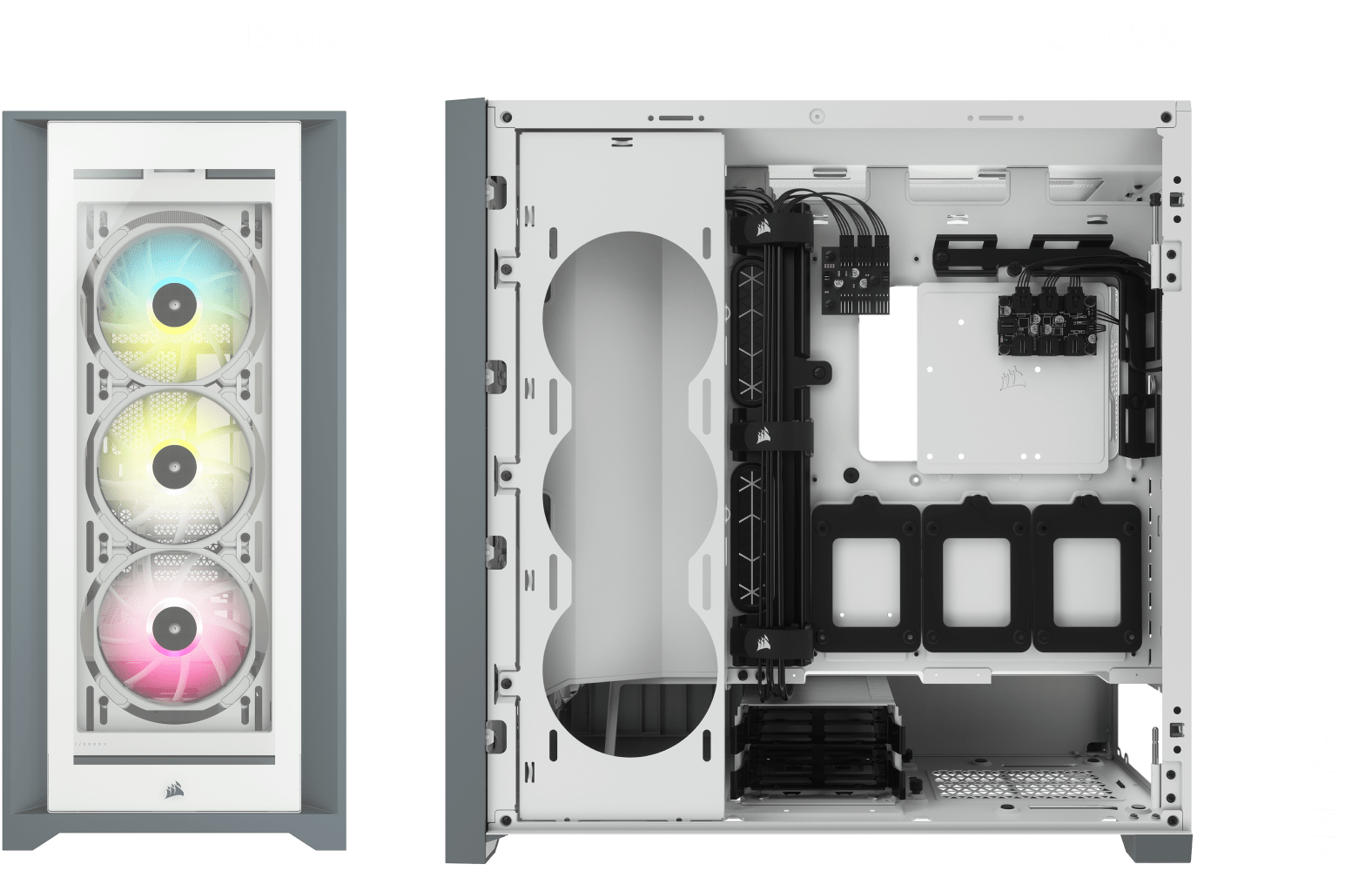
Four tempered glass panels show off your showpiece-worthy PC, while generous dust-filtered air channels provide minimal obstruction and ample airflow.

COOLING VERSATILITY

MAXIMUM COOLING POTENTIAL

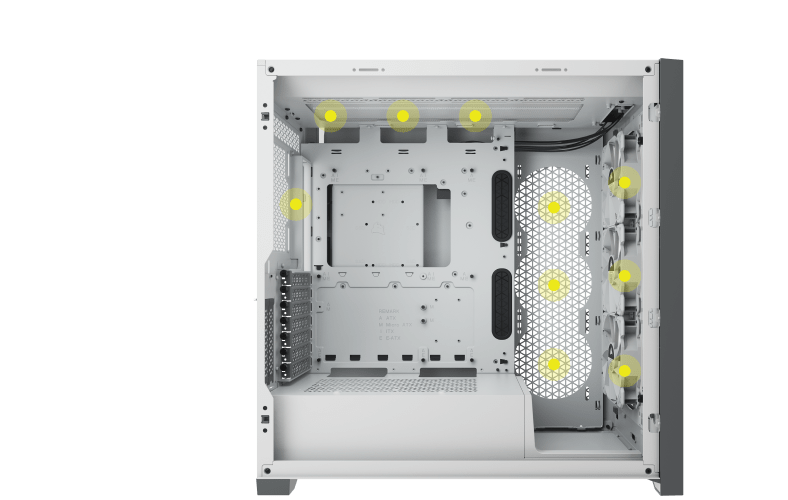
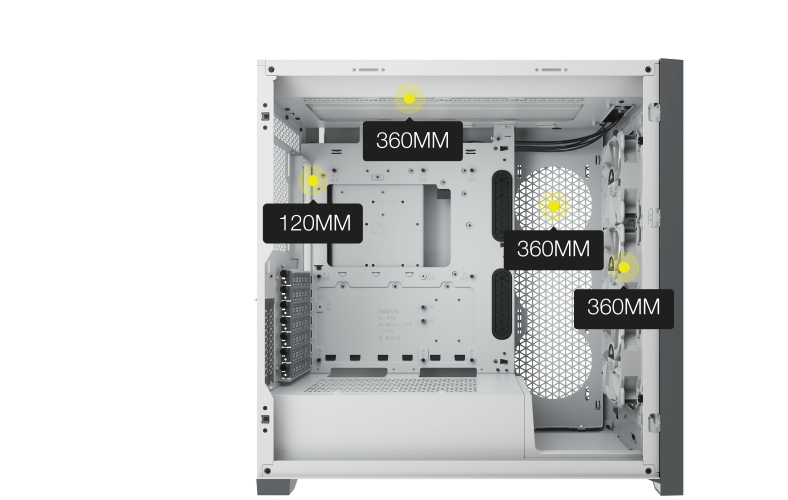
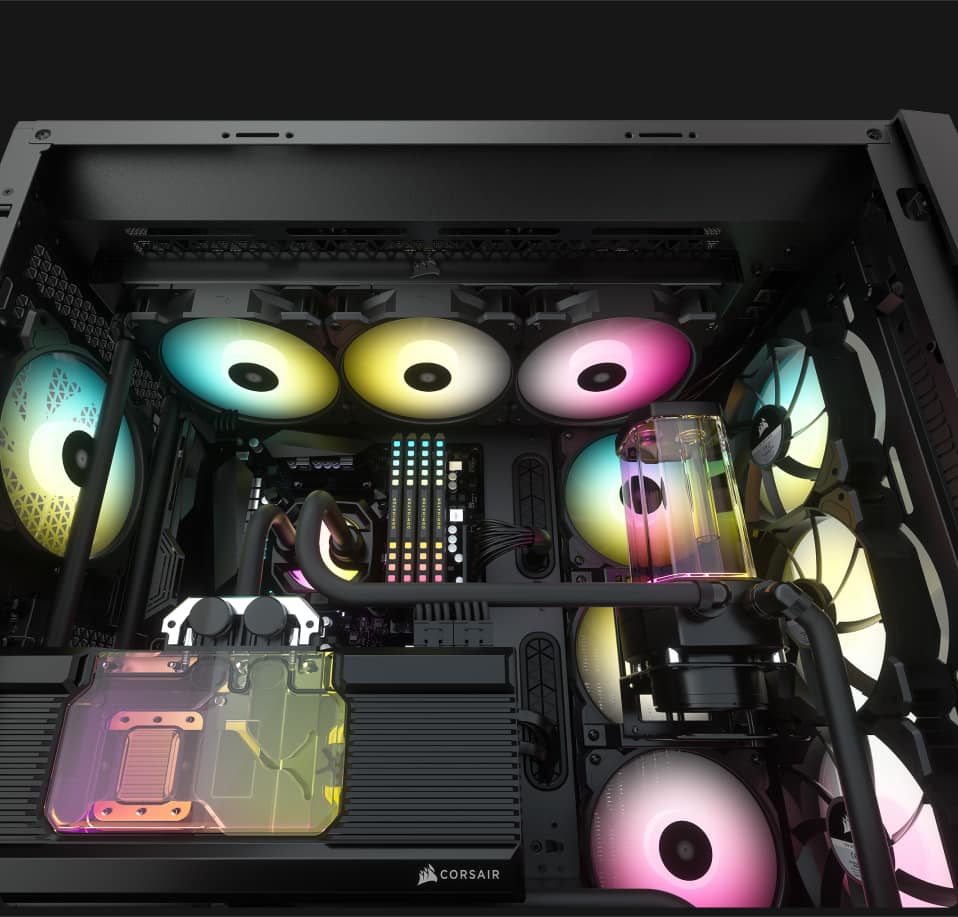
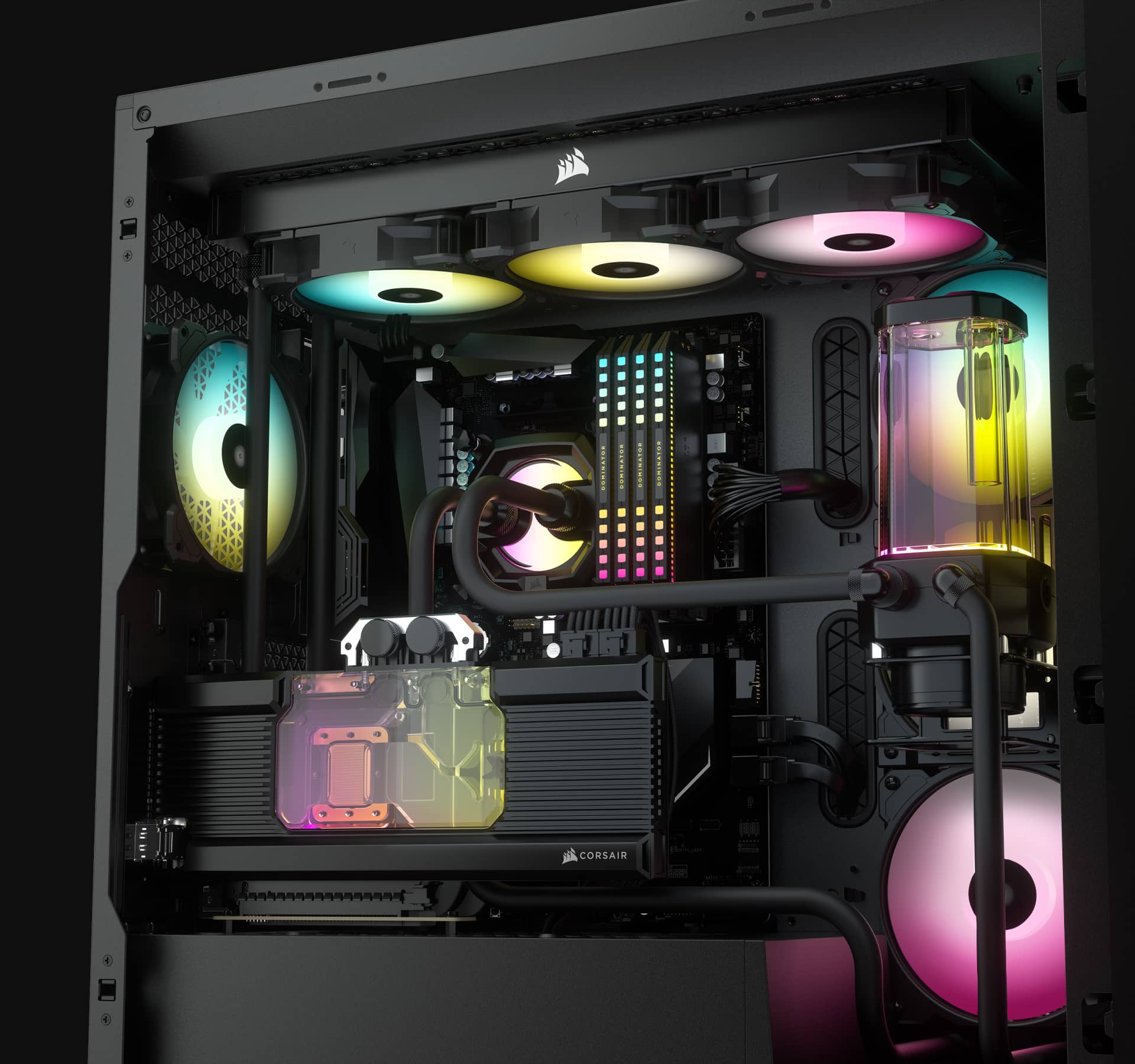
The 5000X RGB has incredible flexibility when it comes to cooling. With up to ten 120mm fan mounts, three included SP RGB ELITE fans with CORSAIR AirGuide technology and three separate 360mm radiator locations, the only limit to your cooling options is your imagination.

THERE'S NO REPLACEMENT FOR DISPLACEMENT

The 5000X RGB isn't your run-of-the-mill, standard mid-tower ATX case. Its brilliantly engineered interior offers incredible expansion potential for liquid cooling.
COOLING

POWERFUL DIRECTED AIRFLOW

Equipped with three CORSAIR SP RGB ELITE 120mm fans featuring AirGuide technology with anti-vortex vanes to concentrate airflow and enhance cooling.

Take command of your cooling

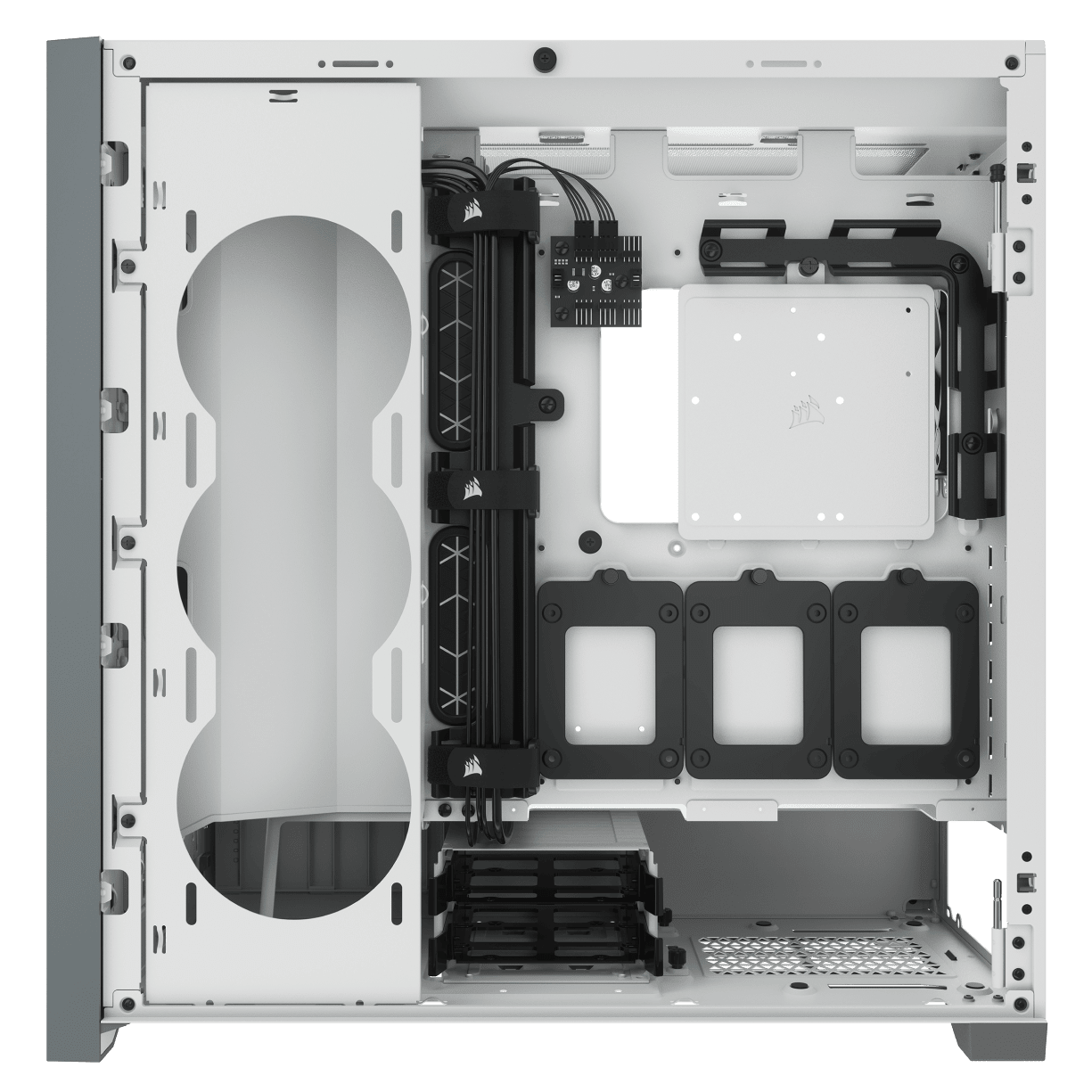
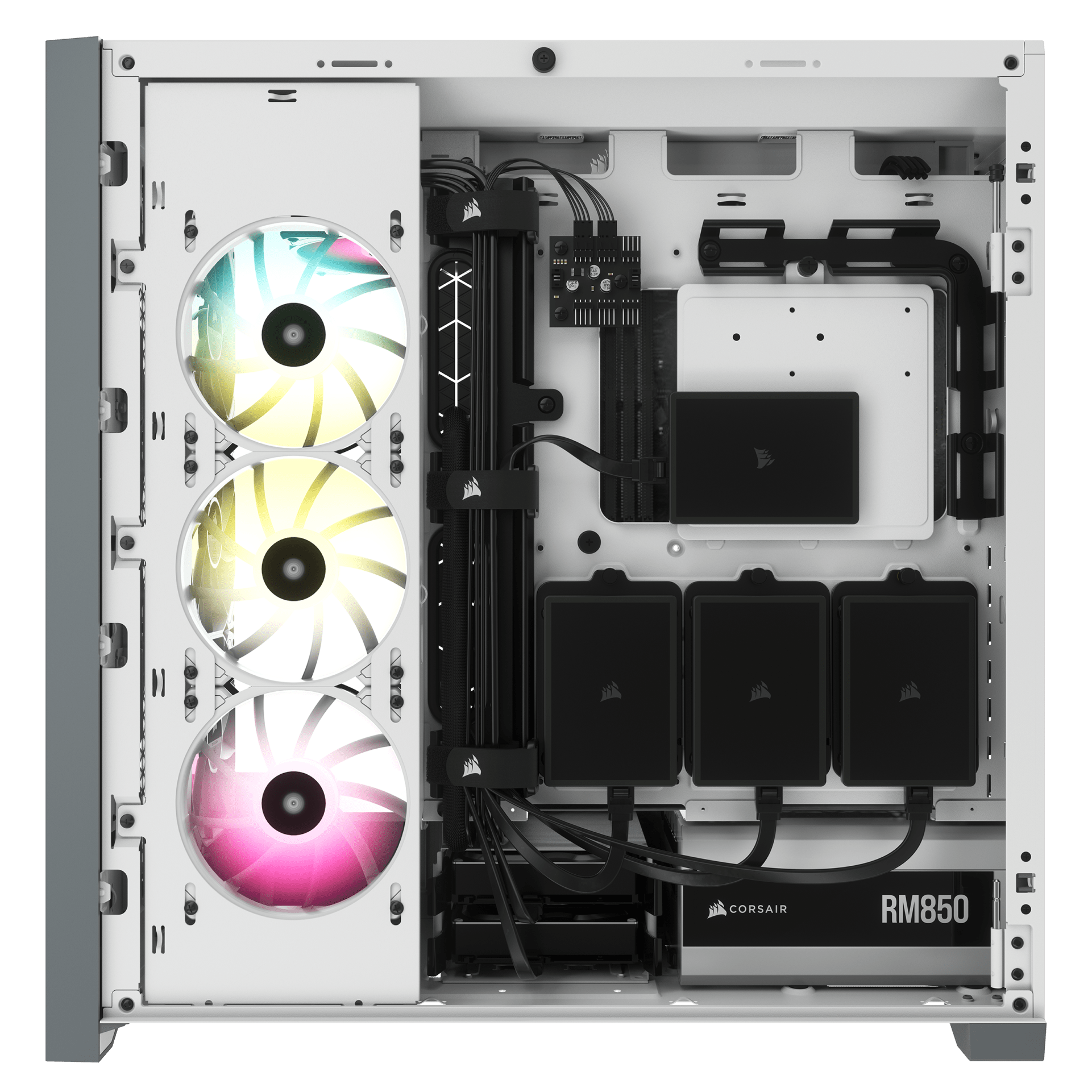
A PWM fan repeater controls the included fans, with connections for up to six in total. Reduce fan speed when you want to keep your system quiet, or increase when you want to push its performance, all from a single 4-pin PWM header on your motherboard.

EXTREME COOLING

Maximum Cooling Potential: A spacious interior fits up to 10x 120mm or 4x 140mm cooling fans, along with multiple radiators including up to a 360mm in front and a 360mm push/pull in the roof.

Expansion-friendly, the 5000X RGB has room for extensive air or liquid-cooled configurations.

All the storage you need

FITS UP TO

4X 2.5IN SSDS

2X 3.5IN HDDS

CORSAIR RapidRoute Cable Management

Quickly and easily route your major cables through a single hidden channel, with a roomy 25mm of space behind the motherboard for all of your cables, easily concealed by a hinged steel door.

1
2
3
4
5

MODERN FRONT PANEL I/O

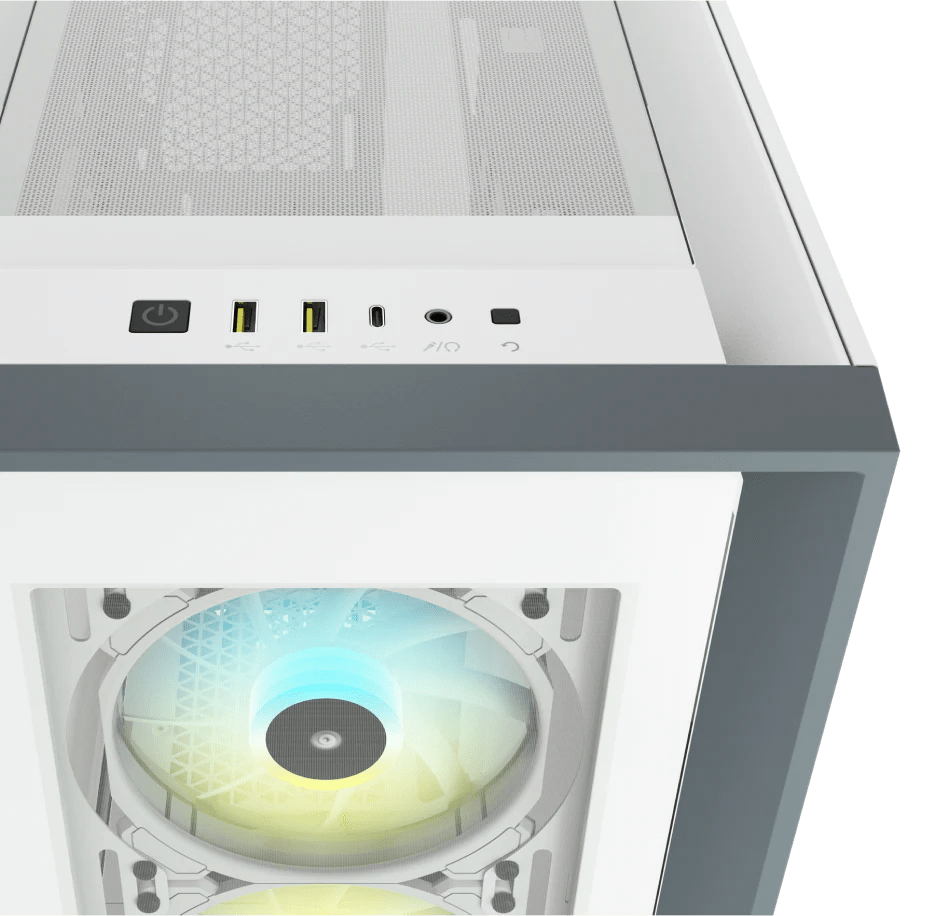
Puts your connections within easy reach, including a USB 3.1 Type-C Port, 2x USB 3.0 port, and a combination audio/microphone jack.

1
Power Button
2
2x USB 3.0 ports
3
USB 3.1 Type-C Port
4
Headphone/Mic Combo Jack
5
Reset Button

VERTICAL GPU MOUNT READY

With included vertical PCIe slots and a screw mount for a CORSAIR PCI-Express 3.0 extension cable (sold separately), you can show off your GPU and keep it secure at the same time.

UNITE YOUR SETUP

CORSAIR iCUE software brings your entire setup together, creating a fully immersive ecosystem with intuitive control.

Tech Specs

Case SupportedMini-ITX, Micro-ATX, ATX, E-ATX (305mm x 277mm)
Case Height520
Case Length520
Case Width245
LightingRGB
Case Form FactorMID TOWER
Motherboard SupportMini-ITX, Micro-ATX, ATX, E-ATX (305mm x 277mm)
ColorWHITE
Case SizeMid-Tower
Radiator Compatibility120mm, 140mm, 240mm, 280mm, 360mm
Case WindowTempered Glass
Case Dimensions520mm x 245mm x 520mm
Compatible Liquid CoolersH55, H60, H75, H80i, H90, H100i, H105, H110i, H115i, H150i
Case Warranty2 Year
Internal 3.5" Drive Bays4
Internal 2.5" Drive Bays2
Maximum CPU Cooler Height170
Maximum PSU Length250
Case Front IO(1x) USB 3.1 Type C, (2x) USB 3.0, (1x) Audio in/out
Maximum GPU Length420mm
Weight15.63kg
Case Expansion Slots7 vertical + 2 horizontal
Case Power SupplyATX
Cable Routing Space43mm

What fans come with CORSAIR Cases?

BLOG

What fans come with CORSAIR Cases?

Wondering which fans you get when you buy a case from CORSAIR? We got all the answers right here.

CORSAIR A115 case compatibility

BLOG

CORSAIR A115 case compatibility

The CORSAIR A115 is a big cooler for sure. So here's the info you need to make sure it will fit in your case.

How much weight can the CORSAIR Platform:6 desk extension hold?

BLOG

How much weight can the CORSAIR Platform:6 desk extension hold?

The desk extensions for the Platform:6 can give your desk some extra surface area, but how much weight can they handle?

How to connect CORSAIR RGB fans, controllers, and AIOs

HOW TO

How to connect CORSAIR RGB fans, controllers, and AIOs

Before iCUE LINK came along and made everything easy, planning your configurations was a wise use of your time. We've done the hard work for you.

What is the best PC case for the RTX 4080 Super / 4090?

BLOG

What is the best PC case for the RTX 4080 Super / 4090?

Finding the right case for your graphics card can be hard - how big should it be? Can it fit my CPU cooler as well? We answer all these questions in this article, and with our PC builder tool, so you can avoid having issues once all your parts arrive.

CORSAIR 4000, 5000, and 7000 Series PC Cases

NEWS

CORSAIR 4000, 5000, and 7000 Series PC Cases

The CORSAIR 7000 Series of full-tower cases is our latest addition to our new case lineup that started with the CORSAIR 4000 Series last year and 5000 Series earlier this year. Today we’ll take a look at the core features that these cases share as well as what makes them unique to help you decide which chassis is the right one for your next build!

Basic Builds for iCUE LINK in CORSAIR Cases

BLOG

Basic Builds for iCUE LINK in CORSAIR Cases

Thinking about Building with iCUE? Start here! Get an idea of some starting configurations and how the LINK system by CORSAIR can help improve your build.

How to build and install iCUE LINK into a CORSAIR case

BLOG

How to build and install iCUE LINK into a CORSAIR case

Considering iCUE LINK? Here's a few examples for some inspiration depending on your case size.

view all guides
iCUE 5000X RGB Tempered Glass Mid-Tower Smart Case, White