Usually, keeping your graphics drivers up to date is good practice for PC gamers. It means you’re always ready to play the latest games and helps when troubleshooting issues.
However, anyone who jumped into Resident Evil Requiem on day one may have been hit by a range of graphical and performance problems. It turns out that these problems have been caused by the very Game Ready Driver that Nvidia released specifically for Resident Evil Requiem.
How to Roll Back Nvidia Drivers for Resident Evil Requiem
Unfortunately, rolling back drivers can be a little irritating, but there are two ways to do it. We’ll start with the easy way.
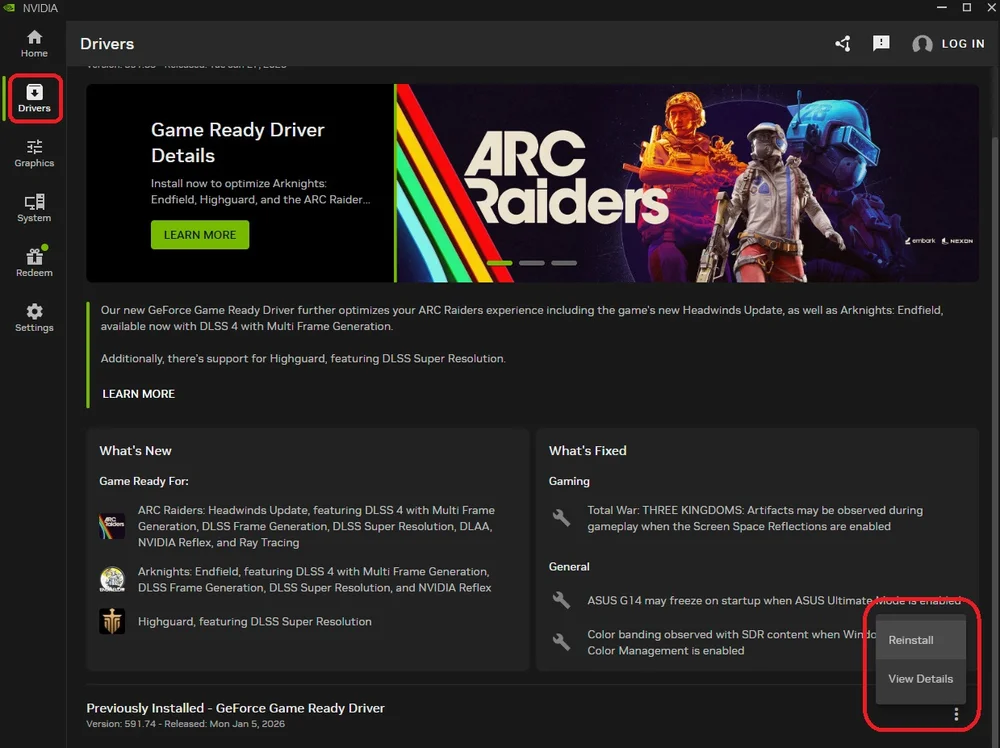
- Open the Nvidia App. (Not the Nvidia Control Panel.)
- Click the "Drivers" tab on the left side.
- Scroll down in this page until you see the "Previously Installed Driver" section.
- If you updated the drivers in preparation for Resident Evil Requiem, you will want to roll back to Version 591.86.
- Click the three dots and then select "Reinstall." You will then go through the process and successfully backdate your Drivers.
But what if you need to roll back more than one driver version? Well, the Nvidia App can’t do that, so you’ll need to use the following process.
How to Roll Back Nvidia Drivers Further Than the Previous Version
- Open your browser and head to the official Nvidia driver web page.
- In the "Manual Driver Search" box, enter your GPU and operating system details, then click "Find."
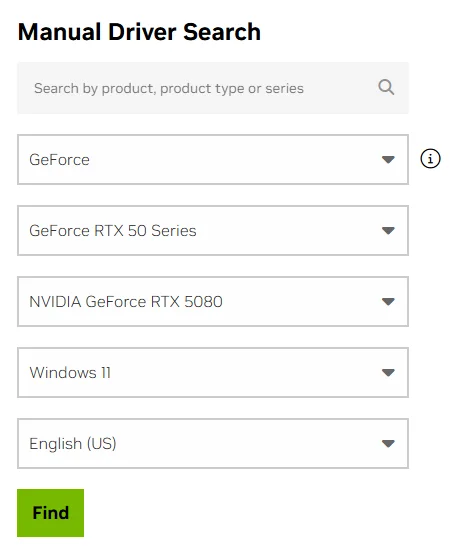
- You’ll then be shown the latest drivers. Ignore these and click the “View More Versions” tab at the bottom of the page.
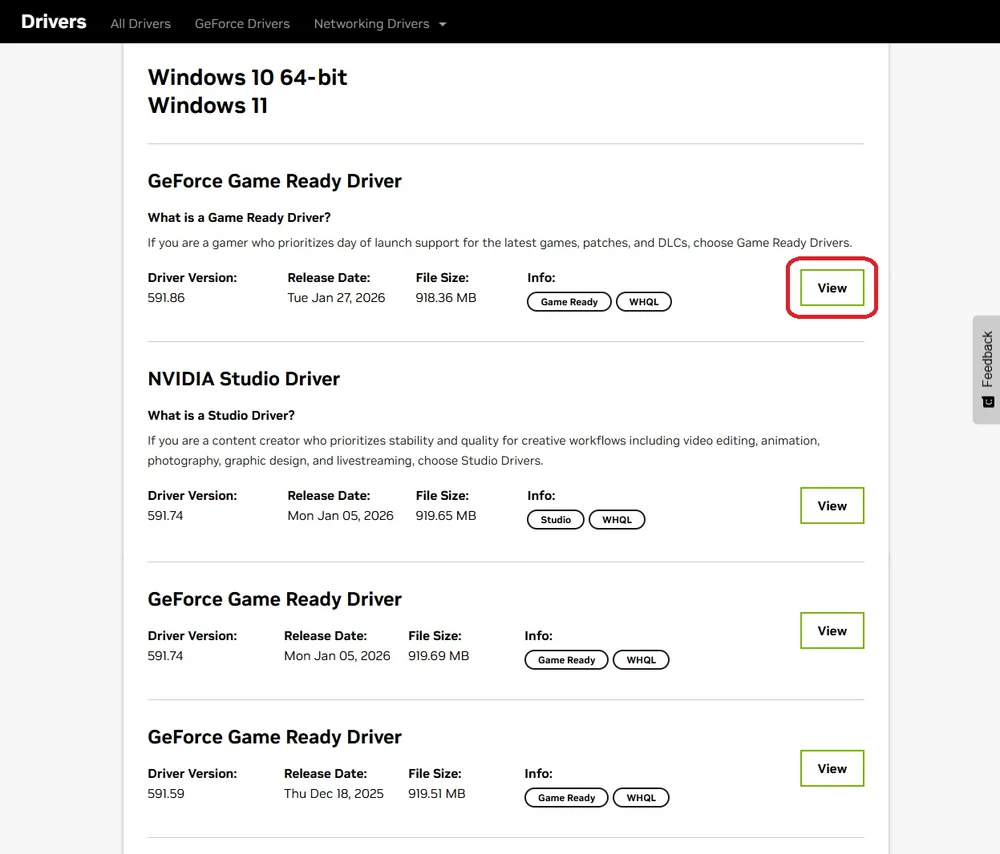
- This will show you the last 10 or so versions of the Nvidia Game Ready Drivers. Simply find the version you’re looking for. Remember, if it’s for Resident Evil Requiem, then you want version 591.86.
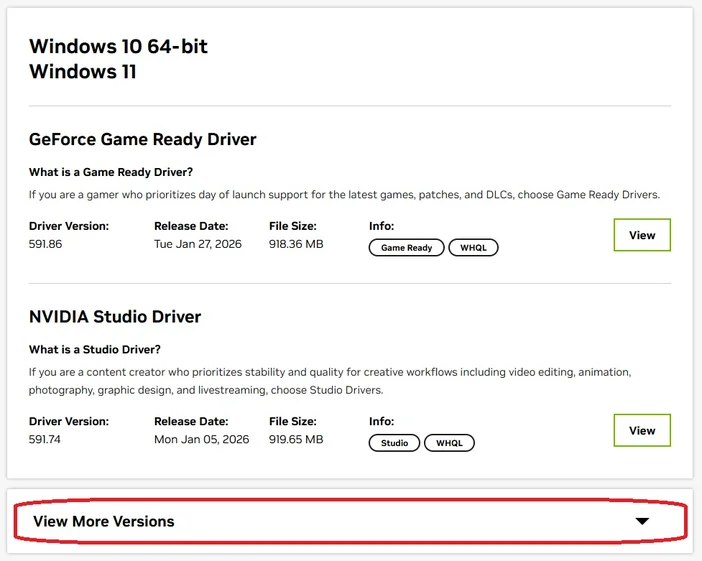
- Click “View” to open the download page for that driver version.
- Follow the prompts after this and you’ll roll back your drivers to whichever version you’ve chosen.
Note that even if this fixes the game you’re having issues with, it may cause problems in other games that rely on the newer drivers. None of this is permanent, and you can always update to the latest version once Nvidia resolves the issue.
JOIN OUR OFFICIAL CORSAIR COMMUNITIES
Join our official CORSAIR Communities! Whether you're new or old to PC Building, have questions about our products, or want to chat about the latest PC, tech, and gaming trends, our community is the place for you.