HOW TO
方法Slipstream ワイヤレスヘッドセットとワイヤレスレシーバーのペアリング
When pairing a Slipstream wireless headset with its wireless receiver dongle, make sure that the headset is switched to Wired/USB mode and not Wireless mode.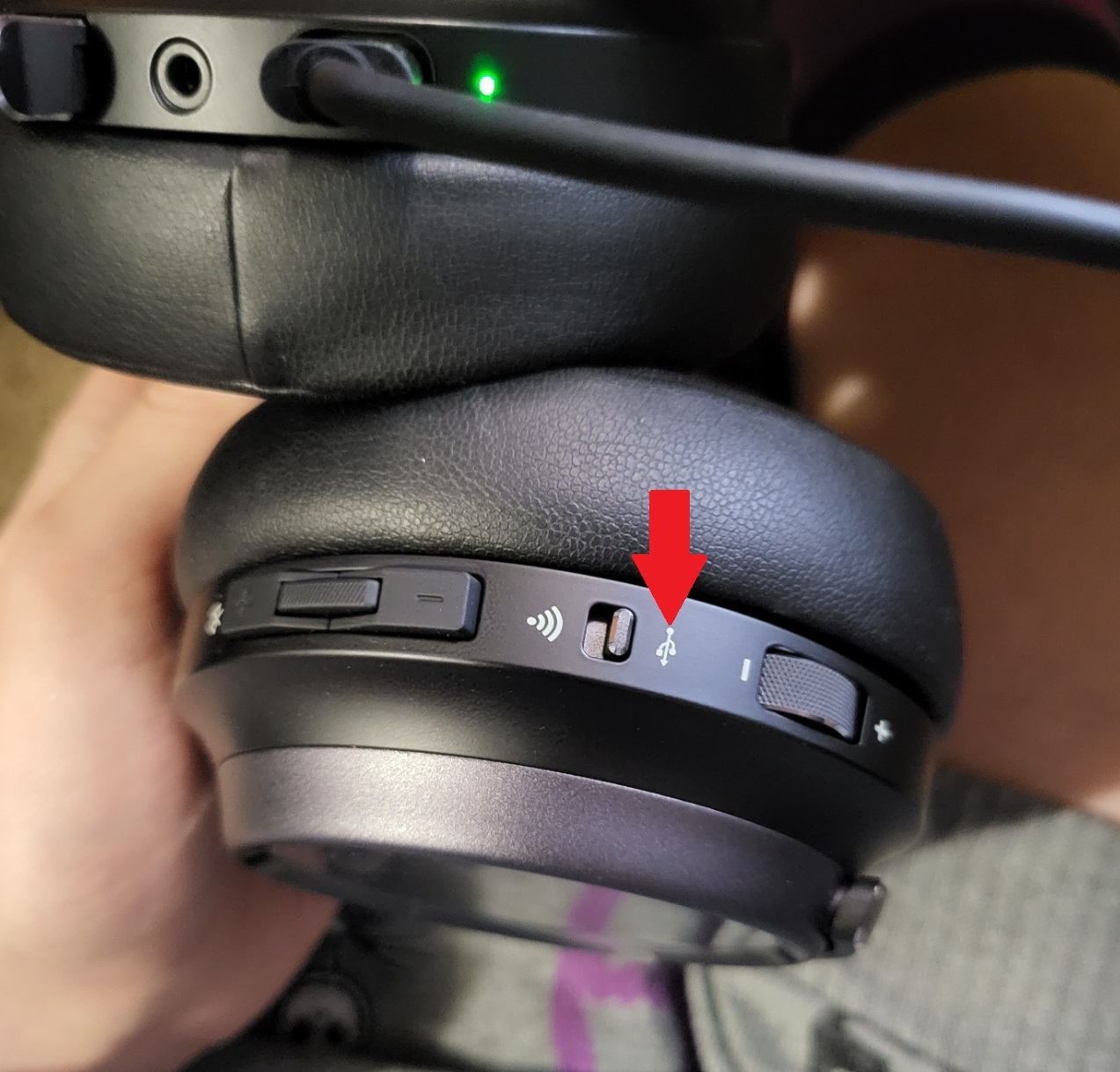
Once the headset is in Wired mode, follow the instructions below:
- Plug your headset and the dongle into the rear USB ports of your computer.
- Make sure you use a USB cable to plug your headset into your computer.
- Open iCUE.
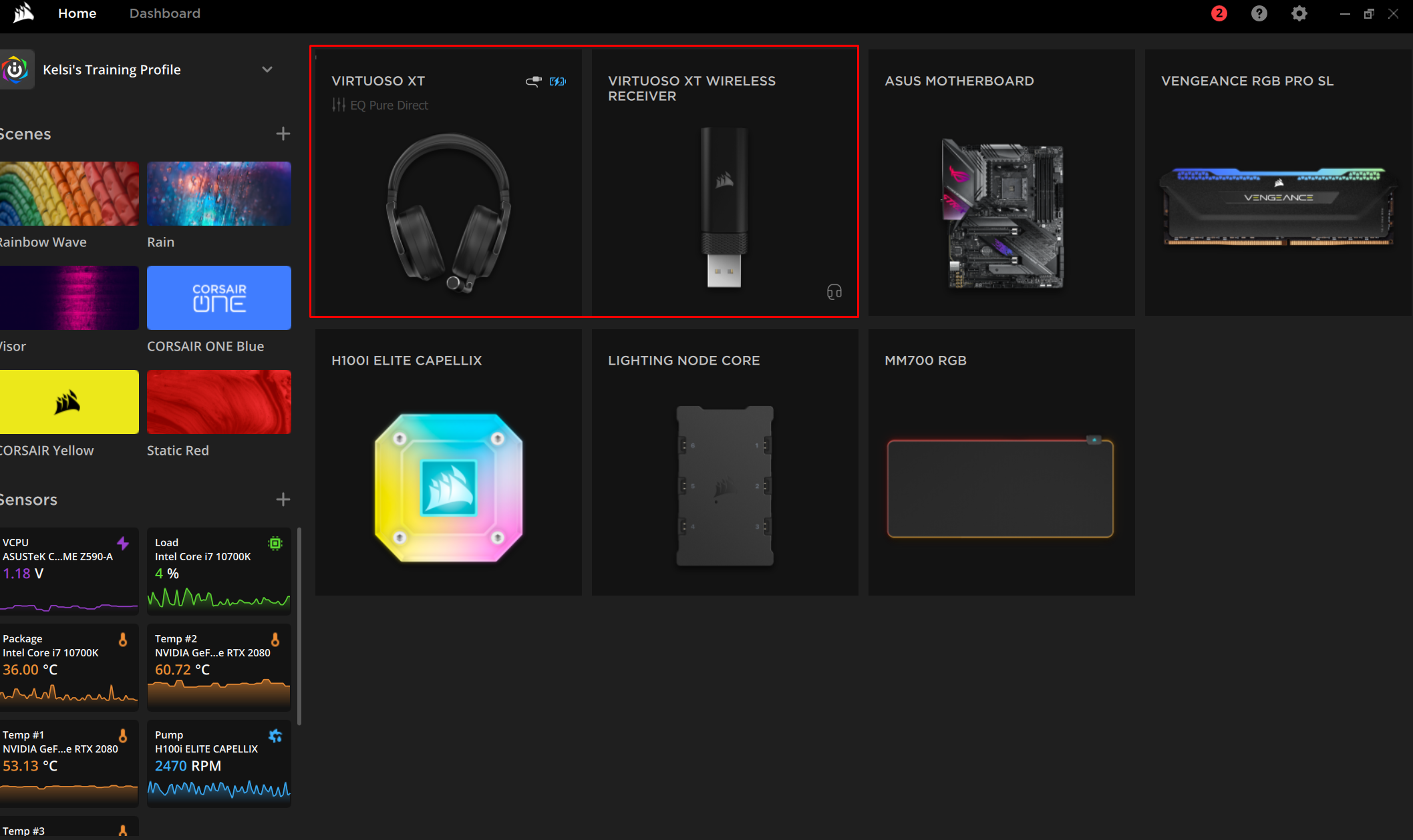
- Select your wireless dongle in iCUE.
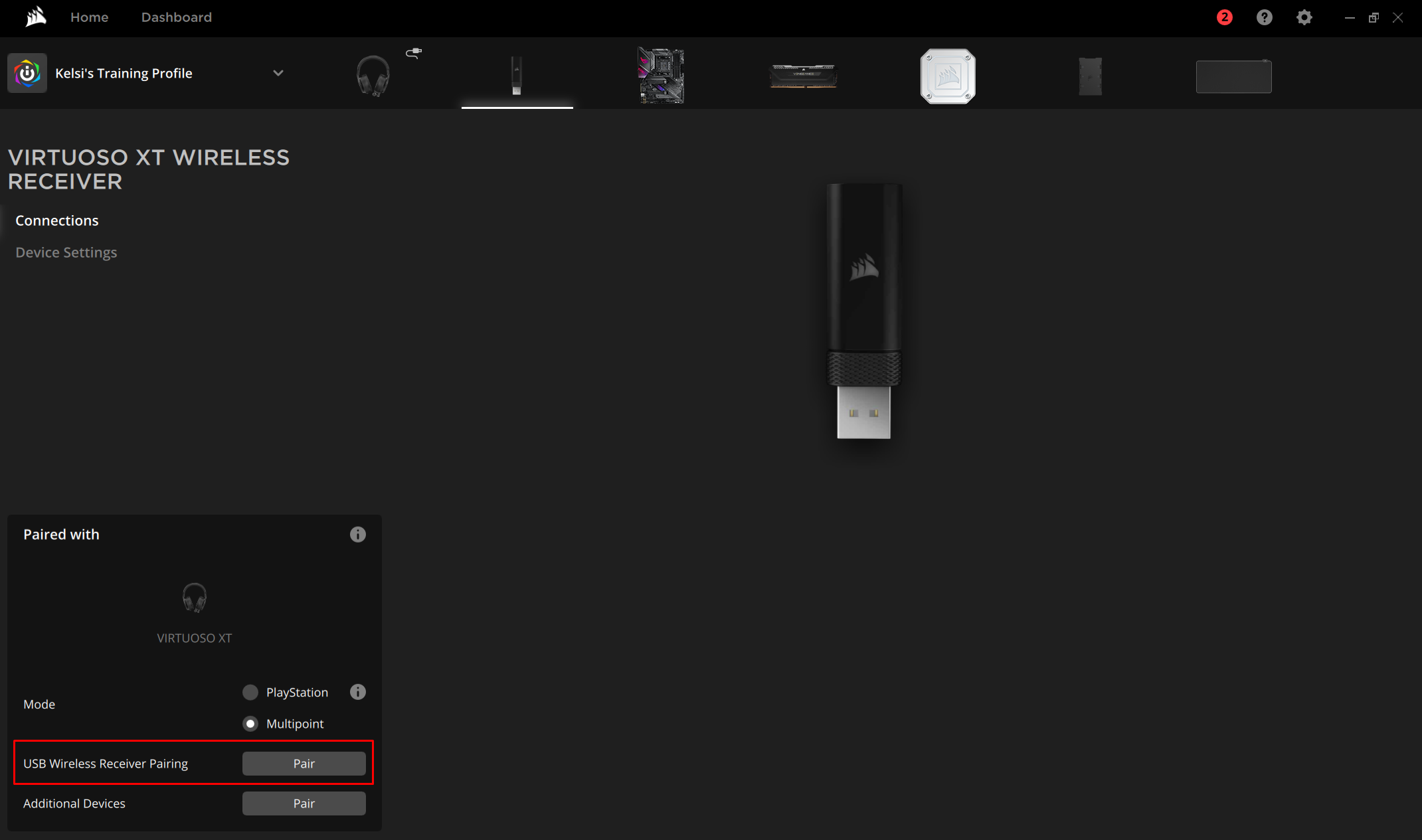
- Click Connections on the left menu.
- Click Pair next to USB Wireless Receiver Pairing.
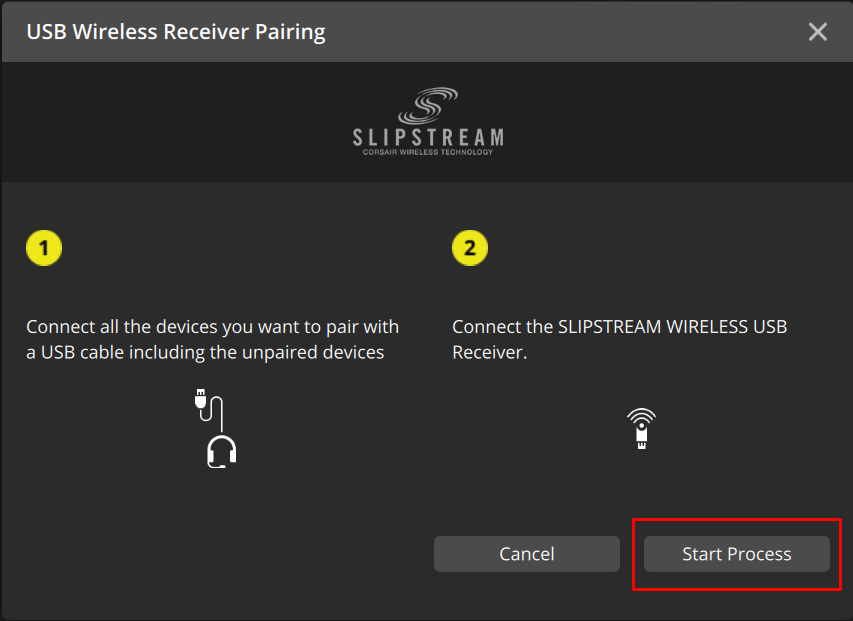
- Click the Start Process button.
- Follow the on-screen instructions to finalize the pairing.
JOIN OUR OFFICIAL CORSAIR COMMUNITIES
Join our official CORSAIR Communities! Whether you're new or old to PC Building, have questions about our products, or want to chat about the latest PC, tech, and gaming trends, our community is the place for you.