BUYER'S GUIDES
Best AIO CPU Coolers 2026
AIO Coolers, or All-In-One Coolers, are the type of CPU coolers we think suits most PC enthusiasts. They offer better performance and aesthetics compared to air coolers and are more affordable than ever.
The popularity of AIOs means there are many options across a wide variety of price points, and here at CORSAIR, we have strong offerings too. So, we’re going to go over the best AIO CPU cooler options we have.
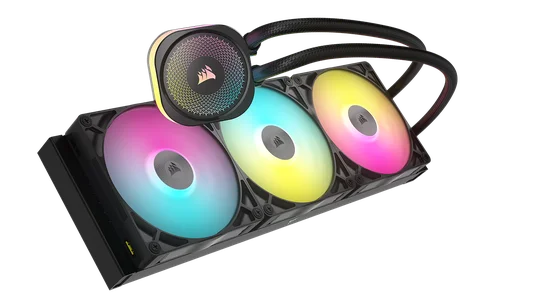
Best AIO Overall: TITAN 420 RX
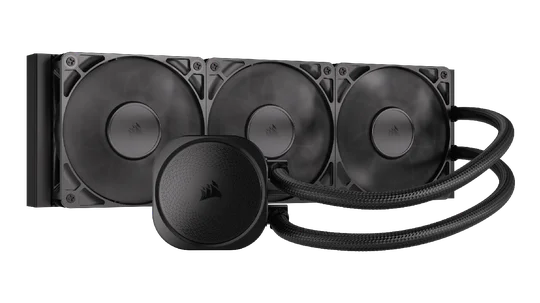
Best Non-RGB AIO: NAUTILUS 360 RS
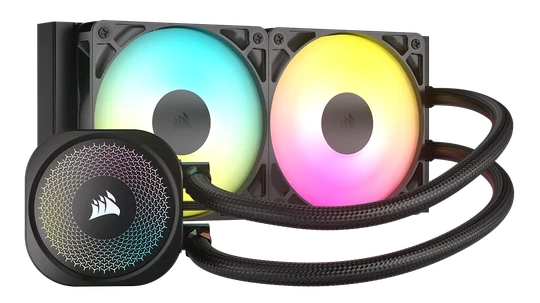
Best 240mm AIO: NAUTILUS 240 RS ARGB
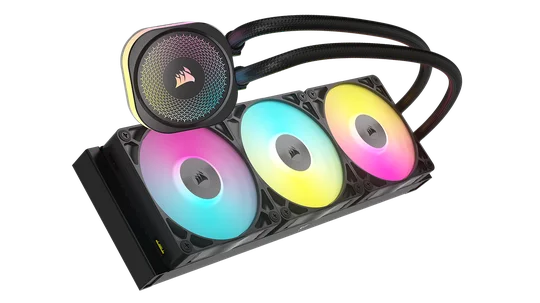
Best 360mm AIO: TITAN 360 RX
Need a little more detail? Keep reading for our explanations of our choices, plus some additional considerations later on.
Best AIO Overall: CORSAIR iCUE LINK TITAN 420 RX
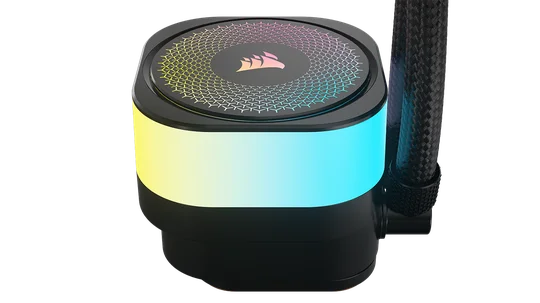
The bigger the radiator, the more surface area it has. More surface area means more heat can be dissipated. For this boring and objective reason, the best AIO will always be the biggest one you can fit inside your case. Our biggest and best AIO at time of writing is the iCUE LINK TITAN 420 RX.
iCUE LINK TITAN 420 RX Specs
- Fans: 3x RX140 RGB
- Noise level: 10–36 dBA
- Radiator and fans combined thickness: 52 mm
- Tubing length: 450 mm
- Socket Support: Intel LGA 1851, Intel LGA 1700, AMD AM5, AMD AM4
- Fan Control Method: iCUE LINK
The three-phase motor resists overheating and stays quiet even when moving coolant at high speeds. A 420mm radiator cooled by three 140mm fans can easily shed the heat of even the spiciest CPUs available today. If your case can handle a 420mm AIO, this is the best AIO to get.
Best 360mm AIO: CORSAIR iCUE LINK TITAN 360 RX
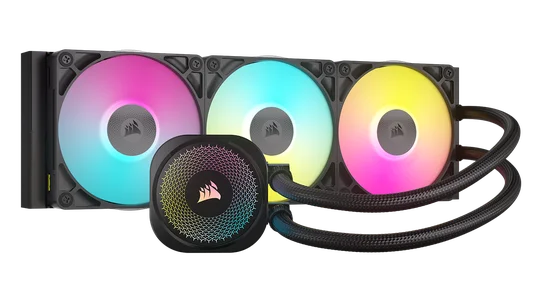
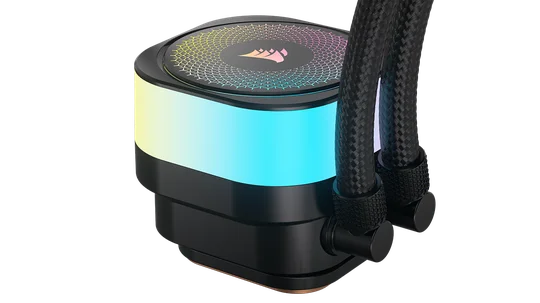
The corollary of our first choice is that the 360mm version of the iCUE LINK TITAN is the best 360mm AIO in our lineup. It has the same pump, the same easy cable management setup, and everything else as the 420mm. If a 360mm radiator is the max your case allows, this is the AIO for you.
iCUE LINK TITAN 360 RX Specs
- Fans: 3x RX120 RGB
- Noise level: 10–36 dBA
- Radiator and fans combined thickness: 52 mm
- Tubing length: 450 mm
- Socket Support: Intel LGA 1851, Intel LGA 1700, AMD AM5, AMD AM4
- Fan Control Method: iCUE LINK
It’s also worth considering that if you like to change up your PC from time to time, or plan to try an ITX build in the future, a 360mm AIO might be the better choice even if your current case can accommodate something larger. 360mm tends to be the sweet spot between cooling performance and broad compatibility, making it a solid long-term cooling investment.
It’s important to note that the iCUE LINK TITAN RX is also available in a 240mm size. Keep this in mind, as the next section does not include that option, even though it’s a valid one.
Best 240mm AIO: CORSAIR NAUTILUS 240 RS ARGB
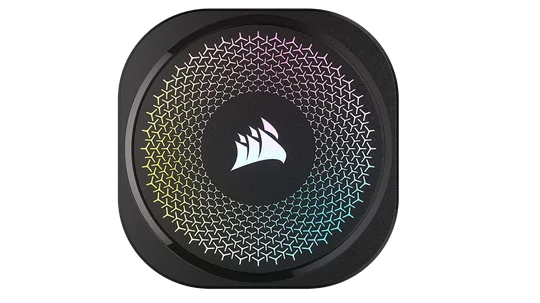
Given a 240mm AIO is inherently less capable than a 360mm or 420mm model, it makes sense that it is better suited to CPUs that generate less heat. For this reason, we recommend a more affordable option in the CORSAIR NAUTILUS 240 RS ARGB.
NAUTILUS 240 RS ARGB SPECS
- Fans: 2x RS120 RGB
- Noise level: 10–36 dBA
- Radiator and fans combined thickness: 52 mm
- Tubing length: 400 mm
- Socket Support: Intel LGA 1851, Intel LGA 1700, AMD AM5, AMD AM4
- Fan Control Method: ARGB
Alongside a more attractive price, this AIO does not use the iCUE LINK cable management system. Instead, it connects directly to your motherboard via ARGB headers, which can improve compatibility and simplify installation, especially in builds that use components from multiple brands.
Best Non-RGB AIO: CORSAIR NAUTILUS 360 RS
For more than ten years, RGB lighting has been a defining feature of PC components. Even mousepads now have RGB lighting. This is great news for anyone who likes their PC to have a different vibe whenever they want, but some have tired of the constant barrage of LEDs.
As a result, “what’s the best non-RGB AIO” has become an increasingly frequent question. The answer is the CORSAIR NAUTILUS 360 RS.
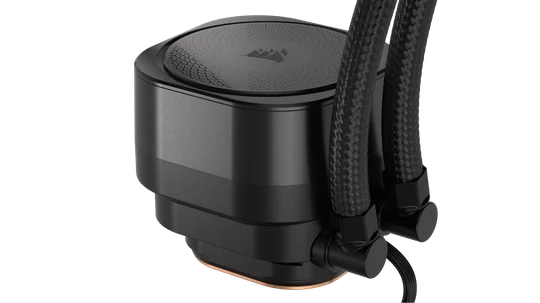
NAUTILUS 360 RS Specs
- Fans: 3x RS120
- Noise level: 10–36 dBA
- Radiator and fans combined thickness: 52 mm
- Tubing length: 450 mm
- Socket Support: Intel LGA 1851, Intel LGA 1700, AMD AM5, AMD AM4
- Fan Control Method: PWM
This cooler delivers the same cooling as the RGB version, while being more affordable and better suited to a clean, understated PC build. Pair it with RS120 fans throughout for a cohesive, industrial blacked-out look.
Now that we’ve covered our best AIO options, let's look at some additional factors to consider when choosing an AIO.
AIO Size and Compatibility
It is worth taking a moment to mention AIO sizing and compatibility. AIOs are installed into fan mounts, which means radiator sizes are tied to fan dimensions. These generally fall into single, double, or triple 120mm layouts, or single, double, or triple 140mm configurations.
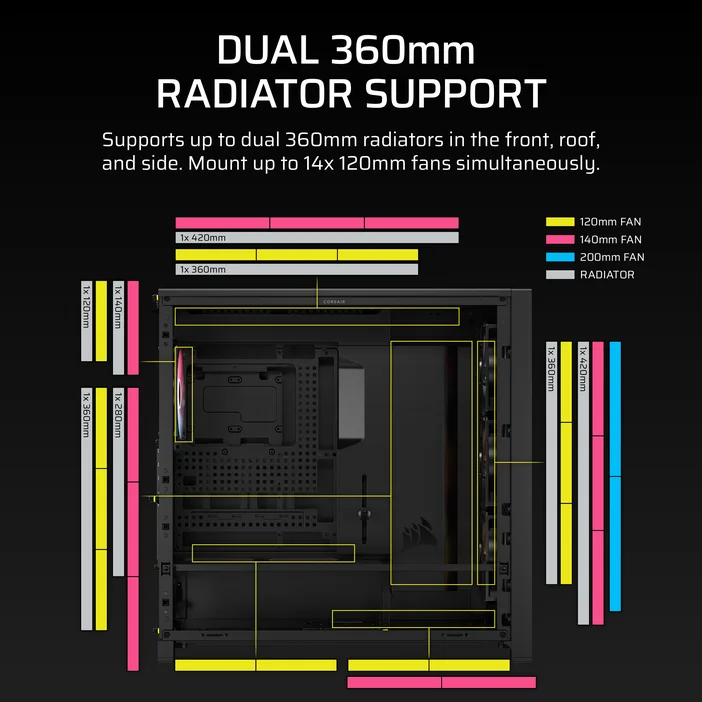
The AIO / radiator support of the FRAME 5000D, for example. Note how compatibility changes depending on the fan size.
Before buying an AIO, check which sizes your case supports. Many cases, particularly budget models, support either 120mm or 140mm fans, but not both. This limits you to AIOs based on one fan size only.
Some cases that support both fan sizes may still have restrictions. For example, a case might support a 360mm AIO using triple 120mm fans, but only a 280mm AIO using double 140mm fans due to clearance limitations. Always check the product page or case manual to confirm supported radiator sizes.
Best Way to Mount an AIO
Most mid-tower and full-tower cases have two or more contiguous fan mounts at the top and front, allowing an AIO to be installed in either location. A commonly cited recommendation on the internet is that, you must make sure the pump (the section of the AIO that clamps onto the CPU) is lower than any other part of the AIO so any air that wasn’t bled out during the manufacturing process does not end up in the pump.
Opinions on how critical this is vary, but it’s worth understanding before installation. In many cases, other components will dictate the mounting position anyway.
This is especially true in mid-tower cases where space is limited. Installed hard drives may block front mounting, while tight clearance between the motherboard and the top panel may make a front-mounted radiator easier to install, particularly for first-time builders.
產品註冊
JOIN OUR OFFICIAL CORSAIR COMMUNITIES
Join our official CORSAIR Communities! Whether you're new or old to PC Building, have questions about our products, or want to chat the latest PC, tech, and gaming trends, our community is the place for you.