HOW TO
How to: Set up your ELITE LCD in iCUE 4 or newer
If you have an ELITE LCD installed in your system, you can use iCUE to change lighting, display options, and other device settings.
Make sure that you have updated iCUE to version 4.16 or newer.
If you need help installing your ELITE LCD, we have an article to help you out.
Setting up lighting effects
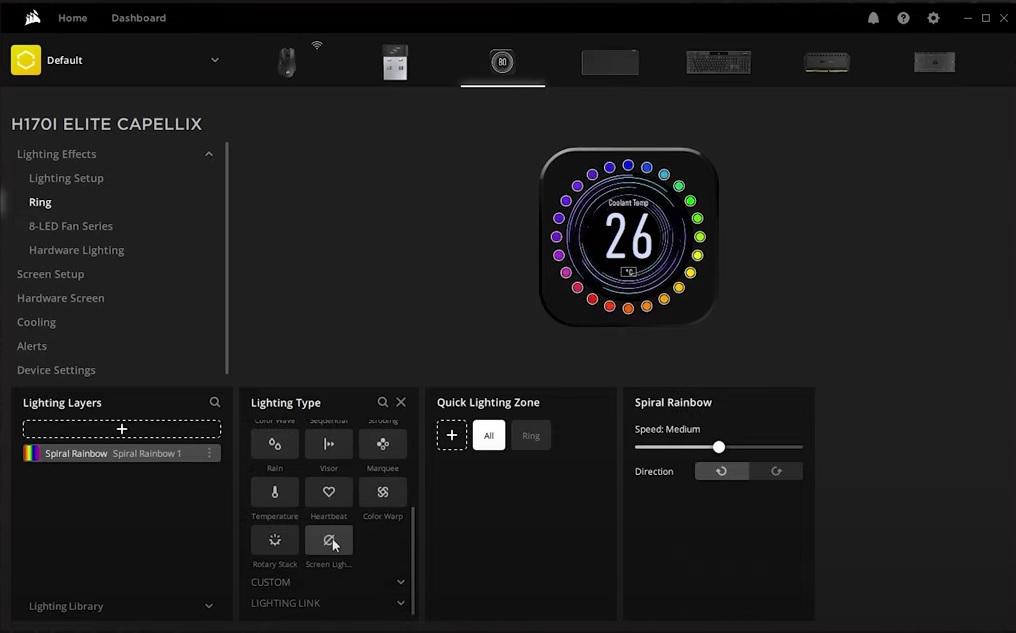
With iCUE, you can change the lighting effects of your ELITE LCD by selecting preset effects or creating your own custom effect.
To create a lighting effect:
- Select your cooler in the iCUE home screen.
- Select Lighting Effects.
- Select Ring.
- Click the + button in the Lighting Layers section to create a new lighting layer.
- Select the lighting effect you want in Lighting Type.
-
NOTE: Selecting a Lighting Link effect will apply that effect to all of your iCUE-compatible devices.
-
NOTE: Selecting a Lighting Link effect will apply that effect to all of your iCUE-compatible devices.
- Customize your lighting effect however you want.
Changing screen display
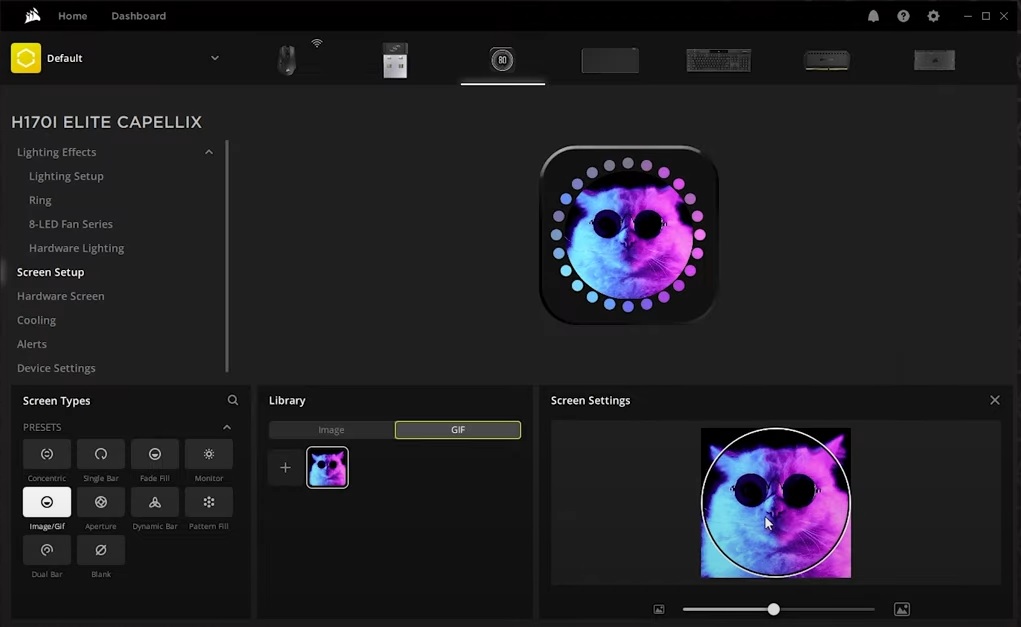
You can use iCUE to change what is being displayed on the screen of your ELITE LCD. You can select from presets such as monitor readouts such as coolant temperature, or create a screen of your own by picking a picture or an animated GIF from your files.
You can also select a screen to display whenever iCUE is not running, such as when you lock your PC or turn off your PC completely.
To change the screen display:
- Select your cooler in the iCUE home screen.
- Select Screen Setup.
- Select the screen you want to display in the Screen Types section.
- If you select Image/GIF, please note that animated GIFs can be up to 480 x 480 pixels and have a framerate up to 30 FPS.
- If you select Image/GIF, please note that animated GIFs can be up to 480 x 480 pixels and have a framerate up to 30 FPS.
- To select a screen to display when iCUE is not running, click Hardware Screen.
- Select either the default screen or Image/GIF in the Screen Types section.
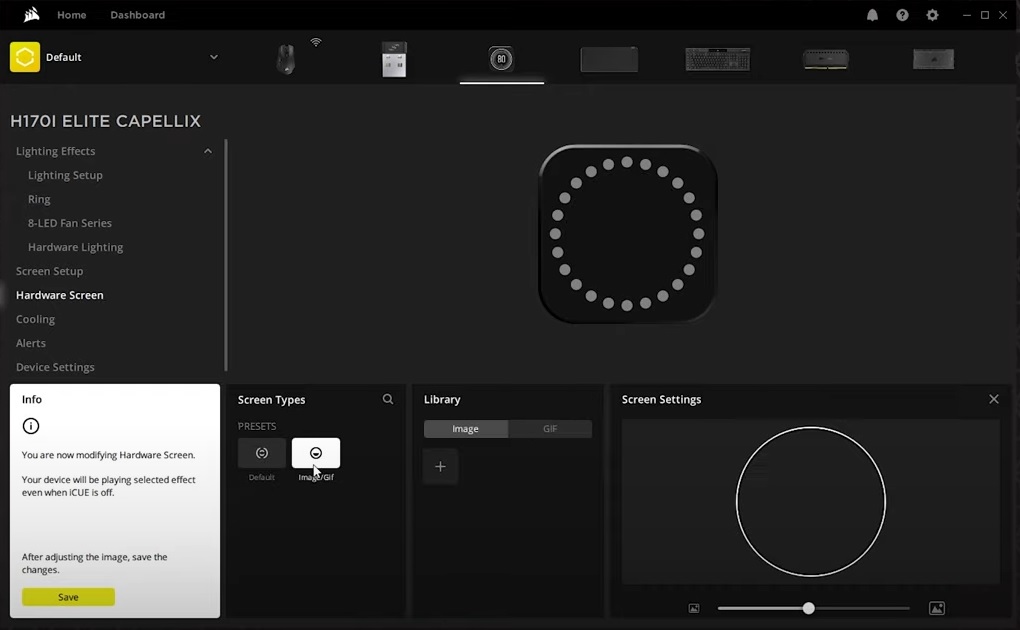
- If creating a custom screen, click Save in the white Info box when you are done.
Changing device settings
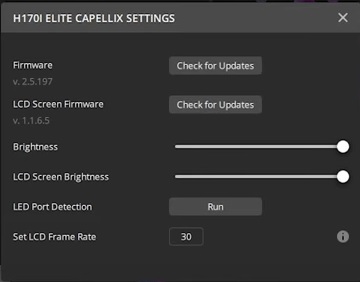
When you select Device Settings, you can:
- Detect and install any firmware updates for your cooler and ELITE LCD.
- Adjust the brightness settings of your cooler and ELITE LCD.
- Set a target framerate for any animations in your ELITE LCD.
Video instructions
Stay up to date with CORSAIR. Get our latest News, Guides, and Product Updates in your Google feeds.
Add CORSAIR as a preferred sourceWas this article helpful?
Feedback received
Thanks for helping us improve this article.
JOIN OUR OFFICIAL CORSAIR COMMUNITIES
Join our official CORSAIR Communities! Whether you're new or old to PC Building, have questions about our products, or want to chat about the latest PC, tech, and gaming trends, our community is the place for you.