The NOVABLADE PRO Wireless Hall Effect Leverless Controller takes personalization seriously. With up to five onboard profiles, you can lock in your preferred settings, ranging from RGB lighting effects to macro assignments and input tuning, and switch between them seamlessly. This makes it easy to adapt to different games, modes, or even moods without the hassle of reconfiguring every time you play.
The Power of Onboard Profiles
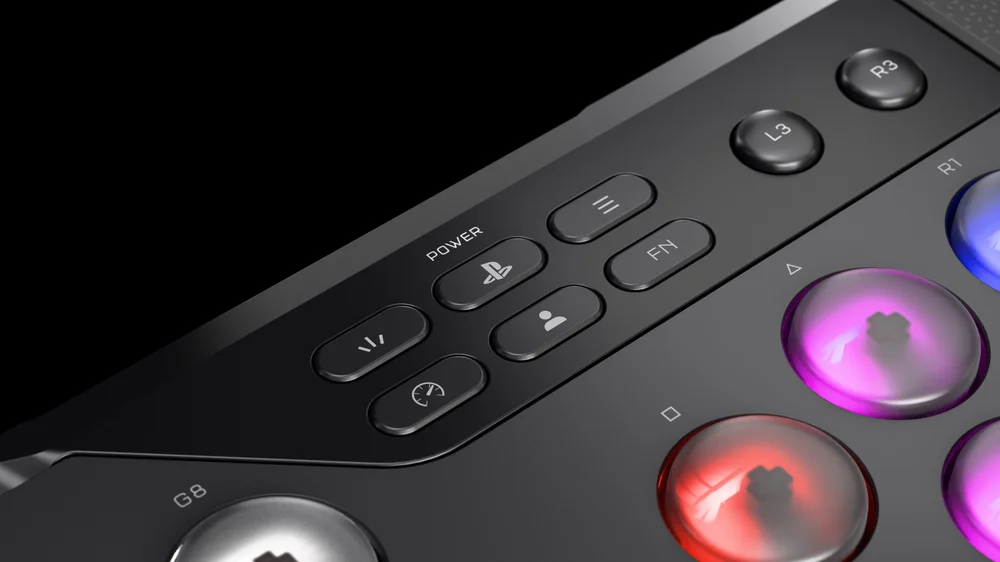
Onboard profiles act like presets saved directly on your controller. They hold all your customizations in one place, ready to load instantly at the press of a button. By holding the Profile button for three seconds, you cycle through the saved profiles, allowing you to jump from a competitive fighting game setup to a relaxed late-night playstyle in seconds.
Unlike cloud or software-only solutions, onboard profiles ensure your preferences are always available, even when you switch PCs, consoles, or tournament setups.
What You Can Save to Profiles
- RGB Lighting Modes and Brightness
Lighting isn’t just for aesthetics, it’s a reflection of your personality and a tool for visibility. The NOVABLADE PRO offers six lighting effects such as Type Lighting, Horizon Wave, and Rainbow Wave. You can also fine-tune brightness levels for any environment. By saving these settings to a profile, you can toggle between an eye-catching stream setup and a minimal, distraction-free glow instantly. - G-Key Remapping and Macros
The eight programmable G-Keys give you control over remaps and macros. Whether you’re recording combo sequences, reassigning commands for faster input, or setting productivity shortcuts, these assignments can be saved into profiles. This allows you to maintain unique configurations for specific games or even for non-gaming tasks like editing or content creation. - Rapid Trigger Sensitivity
For fast-paced competitive play, milliseconds matter. Rapid Trigger technology reduces input delay by adjusting actuation points down to ultra-responsive 0.1mm. Profiles allow you to lock in different actuation settings; one profile with shallow actuation for maximum speed, another with deeper presses for more deliberate control. - FlashTap SOCD Cleaning
Precision is critical in fighting games. FlashTap SOCD Cleaning ensures that opposite directional inputs resolve cleanly, eliminating confusion or unintended moves. With profiles, you can store different SOCD modes such as Neutral, Up Priority, or First Priority, so your controller remains compliant with tournament rules while still being flexible for practice.
Why It Matters
Onboard profiles elevate your controller from a static device to a dynamic tool tailored to your needs. Competitive players can carry tournament-legal setups on one profile while keeping another for experimental training. Streamers can match lighting effects to their brand colors, while casual players can create a comfortable profile with relaxed inputs.
The true advantage? Everything lives directly on your controller. No extra software required, no complicated reconfiguration across your devices. Just instant, personalized performance whenever and wherever you play.
Conclusion
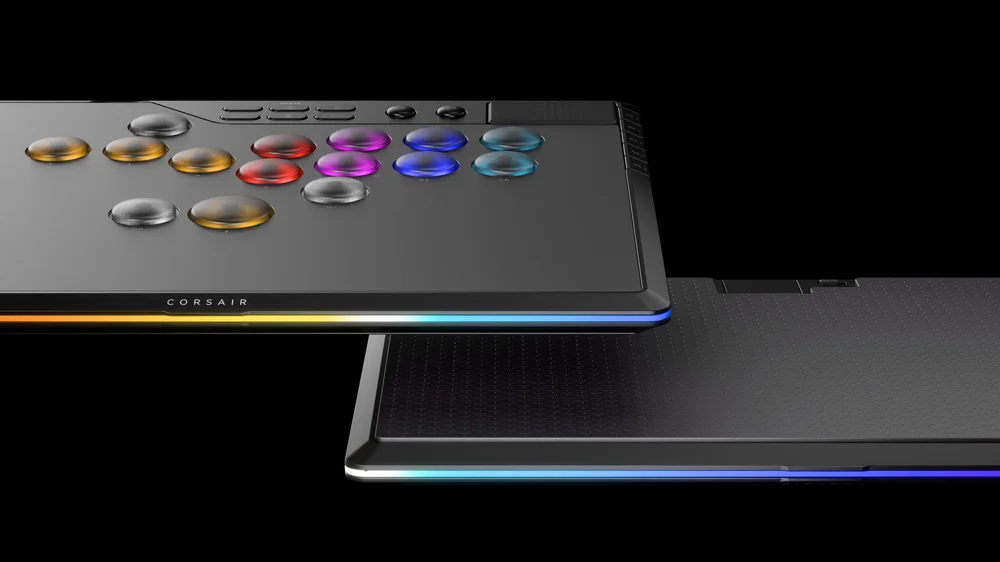
Managing onboard profiles on the NOVABLADE PRO ensures that your controller adapts as quickly as you do. With the ability to save RGB lighting, macro and remap setups, Rapid Trigger actuation, and SOCD cleaning modes, you can create purpose-built profiles for any scenario. Profiles aren’t just convenient, they’re the key to maximizing both performance and expression, making the NOVABLADE PRO more than a controller. It becomes your personal gaming command center.
PRODUCTS IN ARTICLE
JOIN OUR OFFICIAL CORSAIR COMMUNITIES
Join our official CORSAIR Communities! Whether you're new or old to PC Building, have questions about our products, or want to chat about the latest PC, tech, and gaming trends, our community is the place for you.