HOW TO
How to Front Mount a 420mm AIO in the FRAME 5000D
The CORSAIR FRAME 5000D offers excellent support for up to a 420mm radiator or all in one cooler (AIO) in various mounting locations. One of the more popular mounting locations is the front. And this is technically possible, So lets go through the process of front mounting the AIO.
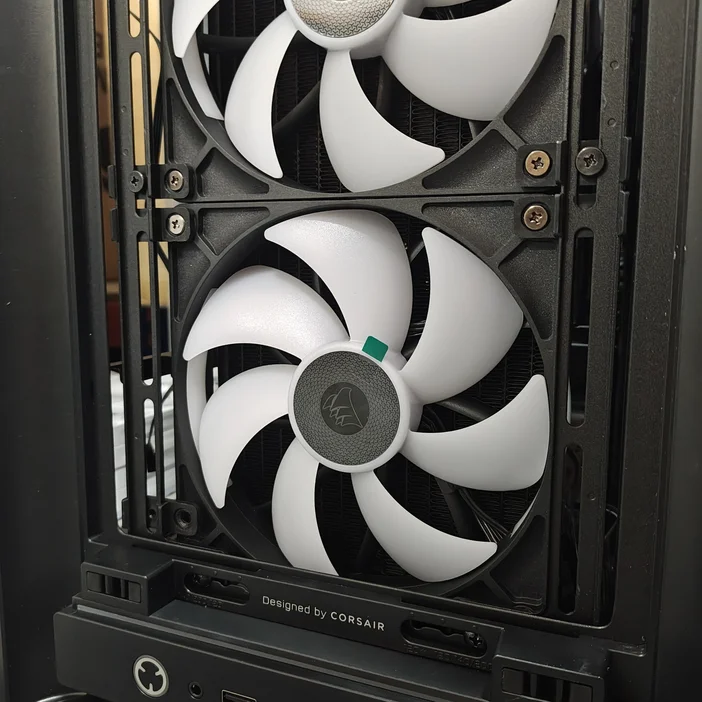
To mount a 420mm radiator in the front we need to adjust a couple of things. A 27mm thick radiator such as from the iCUE LINK TITAN 420 RGB does fit, but we need to move it down slightly and not use the bottom two fan screw mounts. This is fine as we will be using the rest of the screw mounts and AIOs aren't heavy enough for this to be insecure.
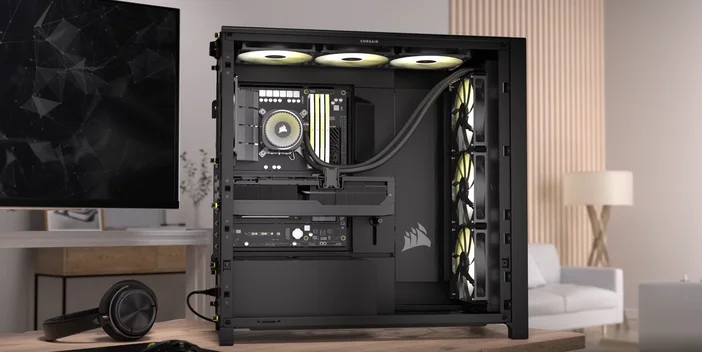
InfiniRail Options
With front mounting the AIO we can choose to keep or remove the InfiniRail mounting clips. They can provide a couple of millimetres of additional space, but in our testing we were able to easily mount the AIO keeping the InfiniRail clips in place.
How to Front Mount a 420mm AIO in the FRAME 5000D: Step-by-step Guide
- Firstly, loosen the InifiniRail fan clip screws so the entire column of front fans can be shifted down.
- Next, remove the fans from the AIO. AIOs come with the fans attached assuming that you're going to use it in an exhaust position. (this is not what you want if you put the AIO at the front of the case,) so these fans can be removed and installed at the top of the case as exhaust fans.
- Now that the AIO is fanless, you can position it behind the column of front fans with the tubes at the top.
- Starting from the top, replace the short screws that hold the fans to the clips with the long screws that you removed when you took the pre-installed fans off of the radiator. These screws will go through the clip, through the fan, and then the threads will catch into the radiator. A few more turns here will pull everything securely together.
- You will do this a total of 10 times, remembering that the bottom two will not be used because the fans must be shifted down past the end of the InfiniRails to accommodate the AIO. (As seen below)
What About Thicker Fans and Radiators?
As you can see below, regular 25mm thick fans combined with the typical 27mm thickness of a radiator is already a pretty tight fit. You can potentially add 30mm fans like the RX140 MAX, or push it with a thicker radiator, but you should take measurements first to make sure that the clearance is sufficient.
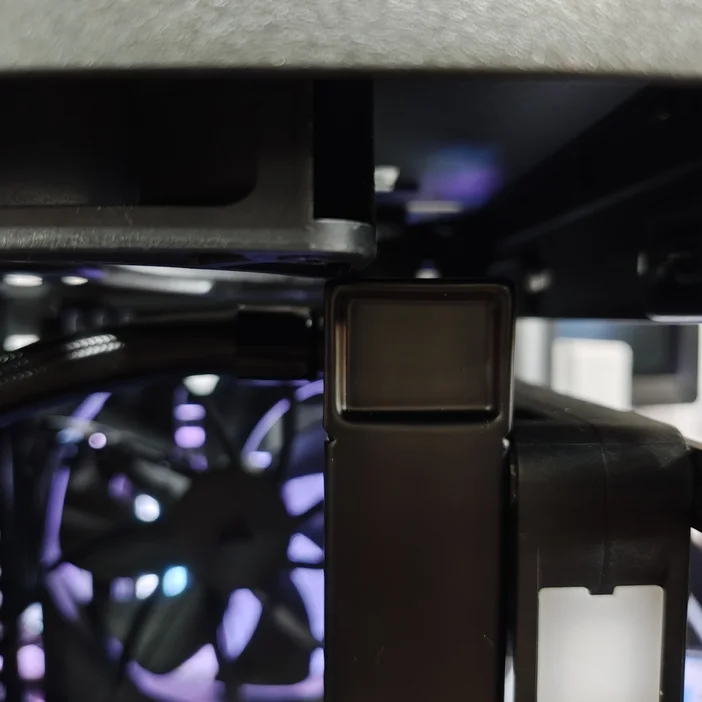
TITAN 420 RX RGB with standard 25mm fans.
РЕГИСТРАЦИЯ ПРОДУКЦИИ
JOIN OUR OFFICIAL CORSAIR COMMUNITIES
Join our official CORSAIR Communities! Whether you're new or old to PC Building, have questions about our products, or want to chat about the latest PC, tech, and gaming trends, our community is the place for you.