PC Building has always been about DIY, and here at CORSAIR, we have been long-time advocates for pushing the boundaries to enable user customization. With 3D printing being widely available, especially in the consumer space, what better way to further customize your PC build? You can transform a standard build and tailor it to have a unique expression of your style.

Beyond aesthetics, there are also functional improvements such as custom cable combs, fan shrouds, or anti-sag brackets perfectly tailored to specific hardware. This DIY approach fosters a deeper connection with your system, turning you from a consumer into a creator who customizes their PC to another depth. You can find some of our published files for your tinkering here!
CORSAIR x PRUSA Competition (+ Prizing!) - Concluded
On June 30th, 2025, we partnered with Prusa, a staple provider in the 3D printing community, on a competition for custom designs revolving around our PC components. We're looking for creative minds in the maker world to produce some eye-catching pieces for PC Builds. Whether you're a seasoned 3D printmaker or brand new to the wonderful world of 3D Modelling and Printing, we want to see everyone's creativity!
The competition involved creating custom designs for any of our three products: The pump cap on our TITAN AIO, the toppers of our DOMINATOR TITANIUM DRAM, or the side-clips on our RX fans! We've provided the blanks for all three products:
It was an absolute thrill to see the creative designs that the Printables community concocted, customizing PC builds to another level.
Prizing for the competition consisted of the following:
1st Place:
2nd Place:
- DOMINATOR TITANIUM 48GB Memory Kit*
- 1200 Prusameters
3rd Place:
- iCUE LINK LX120 Triple Pack Fans*
- 800 Prusameters
To get one of the physical CORSAIR prize packs, you’d need to live in a country we can ship to. Check the list here. You can also find more details regarding this contest here!
Winners
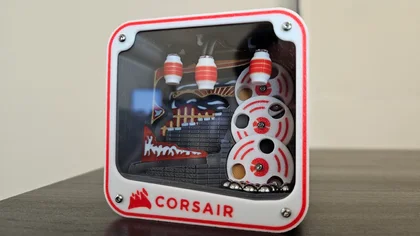
1st Place - Mini Marble Machine by RuForge
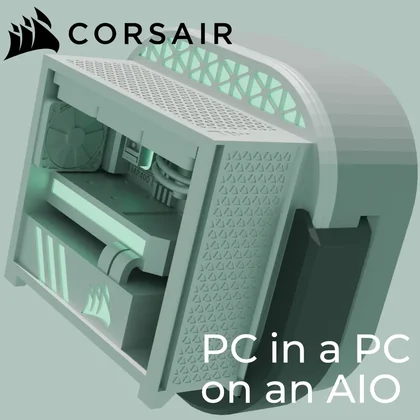
2nd Place - PC in a PC on an AIO by Half-Portal
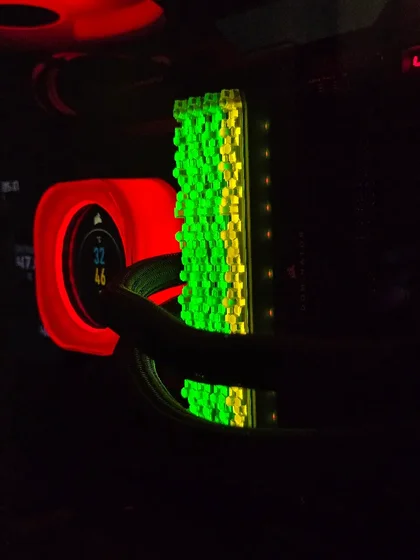
3rd Place - Hex dominator titanium top bar with lightpipe by eduardo989
To see all the entries and honorable mentions for this competition, check them out here!
Getting Started
If you're new to 3D designing/modelling, a few programs we'd recommend specifically for modifying 3D print files (.stl) are Fusion 360, Solidworks, PTC Creo, and Blender. If you already have some familiarity which one of these programs, you're ahead of the curve.
If you're completely new, you can find tutorials for each software to guide you through the process. Some examples:
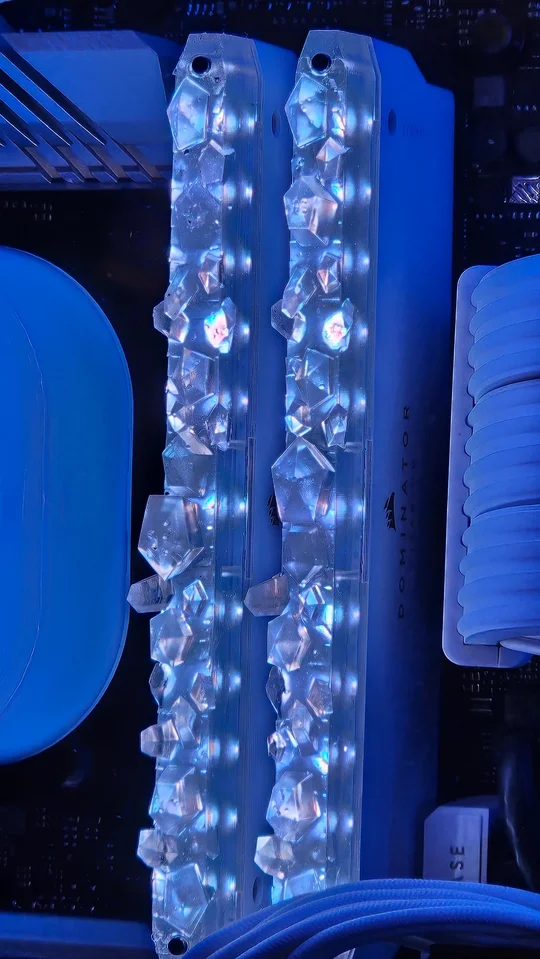
An example of custom DOMINATOR TITANIUM top bars from Red5Productions
Design Considerations
There are several considerations when it comes to designing - but a few things we'd especially like for you to be considerate of when creating designs are the geometry, detail, and structural design.
- Geometry - avoid or have minimal overhang to decrease required supports for the actual print
- Detail - ensure small details (such as text and engravings) are large enough for 3D printers to print them visibly. A majority of 3D printers will have .4mm nozzle printers.
- Structural Design - be mindful the walls are thick enough for strength, while being within a limit to ensure the parts will still be compatible with our products
We also ask you to be considerate that these designs will be near other components, so please do not create anything that will interfere with component clearance, such as the DRAM & TITAN AIO pump cap!
JOIN OUR OFFICIAL CORSAIR COMMUNITIES
Join our official CORSAIR Communities! Whether you're new or old to PC Building, have questions about our products, or want to chat about the latest PC, tech, and gaming trends, our community is the place for you.