MANUAL | QUICK START GUIDE
CORSAIR WS3000
ATX 3.1 FULLY MODULAR WORKSTATION POWER SUPPLY
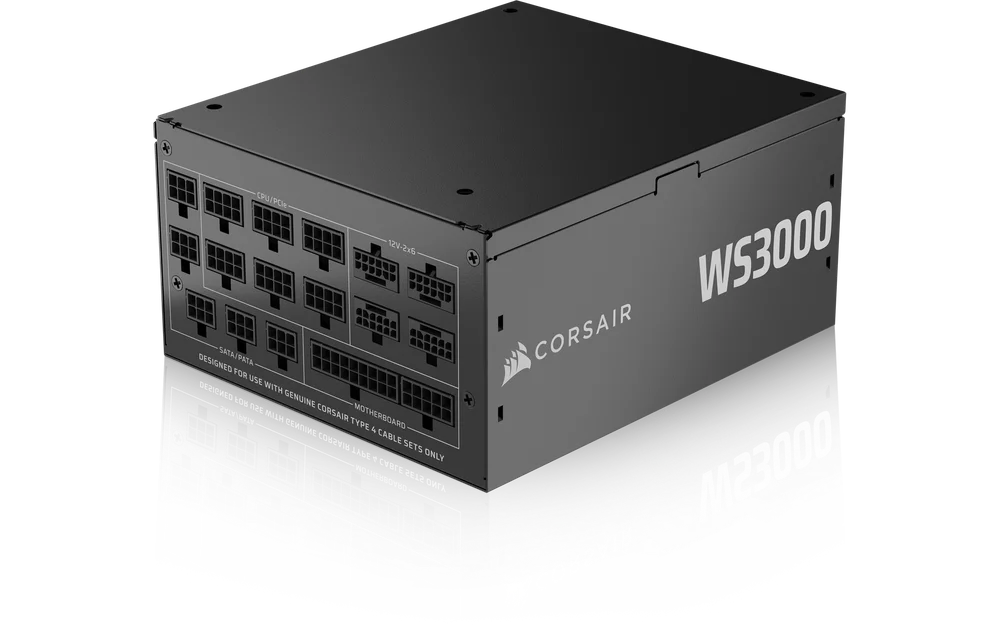
Congratulations on the purchase of your CORSAIR WS3000 ATX 3.1 Fully Modular Workstation Power Supply!
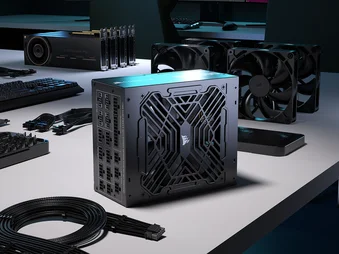
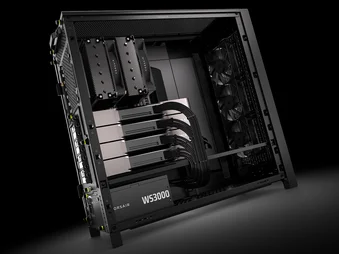
The WS3000 is the ultimate ATX power supply for reliable, powerful workstations with 3000W of total power and four 12V-2x6 connectors to easily power multiple current and next-gen GPUs.
SAFETY AND PROTECTION
OVER-VOLTAGE PROTECTION (OVP)
Over-voltage protection for the 12V, 5V, and 3.3V DC outputs is required to comply with the ATX specification. OVP shuts down the PSU in the event that the DC outputs exceed a set level, determined by the PSU manufacturer.
OVER-CURRENT PROTECTION (OCP)
OCP is featured on the 3.3V, 5V, and 12V rails. OCP ensures that the output of the DC voltage rails remains within safe operating limits.
OVER-TEMPERATURE PROTECTION (OTP)
OTP ensures that the PSU will shut down when the internal temperature reaches a set point. This is usually as a result of internal current overloading or a fan failure.
SHORT-CIRCUIT PROTECTION (SCP)
A short-circuit is defined as any output impedance of less than 0.1 ohms. Amongst other things, SCP ensures that the PSU shuts down should the 3.3V, 5V, and 12V rails short to any other rail, or to ground. It also ensures that no damage should occur to the unit, or your PC’s components in the event of a short.
OVER-POWER PROTECTION (OPP)
Over-power protection shuts off the PSU when the power drawn is between 115% and 135% of the rated power.
INCLUDED CABLES
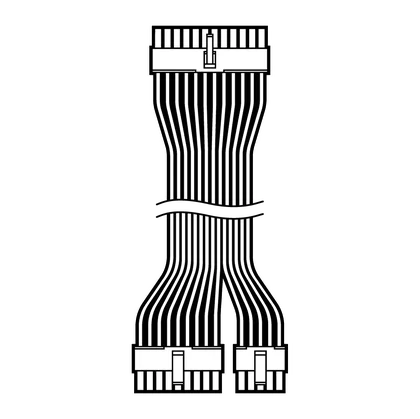
1x ATX Motherboard 24-pin
610mm (± 10mm)
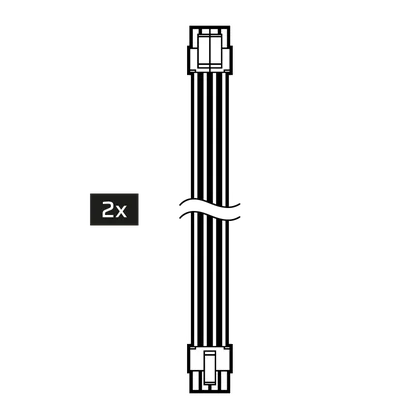
2x ATX12V / EPS12V (4+4-pin)
650mm (± 10mm)
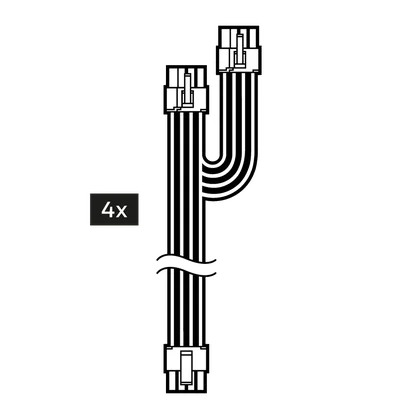
4x Dual 8-pin PCIe (6+2-pin)
750mm (± 10mm)
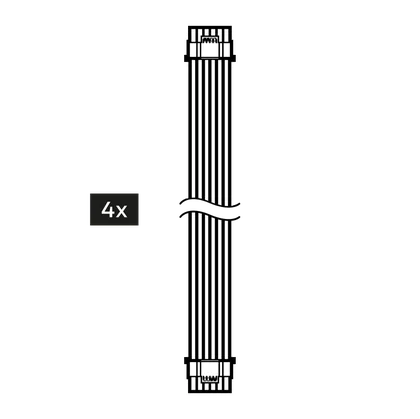
4x 600W 12V-2x6 (12+4-pin)
675mm (± 10mm)
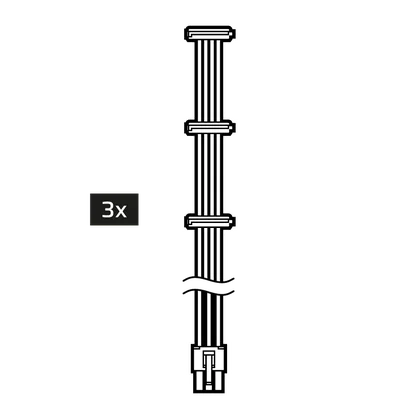
3x SATA (3 SATA)
700mm (± 10mm)
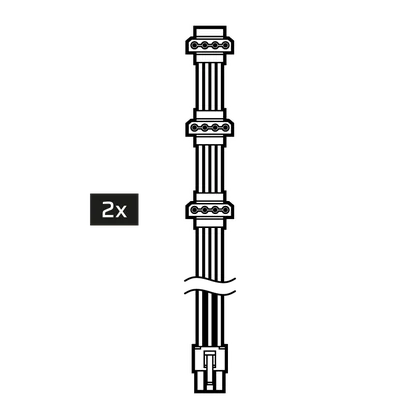
2x PATA (3 PATA)
700mm (± 10mm)
SPECIFICATIONS AND POWER TABLE
|
Height |
86mm |
|
Width |
150mm |
|
Length |
175mm |
| CORSAIR WS3000 POWER TABLE | MAX LOAD | MAX OUTPUT | |||
| MODEL | RPS0237 | +3.3V | 25A | 130W | |
| PART NO. | 75-006861 | +5V | 25A | ||
| AC INPUT RATING |
220V - 240V a.c. |
+12V | 250A | 3000W | |
| INPUT CURRENT |
16A |
-12V | 0.8A | 9.6W | |
| FREQUENCY | 47Hz - 63Hz | +5Vsb | 3A | 15W | |
| TOTAL POWER: 3000W | |||||
WS3000 EFFICIENCY CHART

INSTALLING THE WS3000 POWER SUPPLY
STEP 1: REMOVING YOUR EXISTING POWER SUPPLY
If you are building a new system, skip to Step 2.
- Disconnect the AC power cord from your wall outlet or UPS and from the existing power supply.
- Disconnect all the power cables from your video card, motherboard and all other peripherals.
- Follow the directions in your chassis manual and uninstall your existing PSU.
- Proceed to Step 2.
STEP 2: INSTALLING THE NEW POWER SUPPLY
- Make sure the power supply’s AC power cable is not connected.
- Follow the directions in your chassis manual and install the power supply with the screws provided.
- Connect the ATX Motherboard 24-pin cable and the ATX12V / EPS12V (4+4-pin) cable to the motherboard.
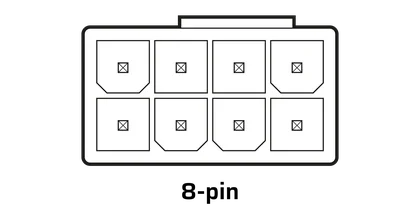
If your motherboard has an eight-pin +12V socket, connect the ATX12V / EPS12V (4+4-pin) cable directly to your motherboard.
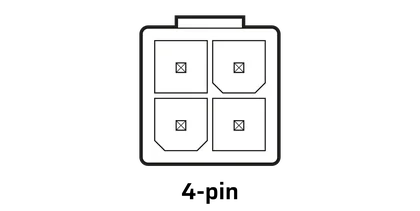
If your motherboard has a four-pin +12V socket, detach the four-pin from the ATX12V / EPS12V (4+4-pin) cable, and then plug the cable directly to your motherboard.
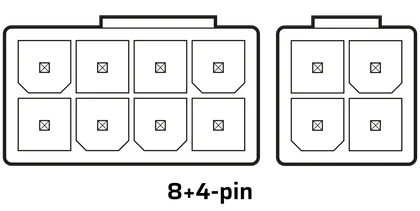
Some motherboards will require a mix of 8-pins and 4-pins. Use as many ATX12V / EPS12V (4+4-pin) cables as necessary and do not mistake them for PCIe cables.
Connect the peripheral cables, PCI-Express cables, and SATA cables.
- Connect each cable to the appropriate port on the PSU, ensuring it matches the labeled slot.
- Connect the AC power cord to the power supply and turn it on by pushing the switch to the ON position (marked with “I”).
If you would like to order additional cables or cable kits, they are available on the CORSAIR webstore.
WARRANTY

CORSAIR WS3000 PSUs have a 10-year warranty.
LEGAL
© 2025 CORSAIR MEMORY, Inc. All rights reserved. CORSAIR and the sails logo are registered trademarks of CORSAIR in the United States and/or other countries. All other trademarks are the property of their respective owners. Product may vary slightly from those pictured.
RELATED CONTENT