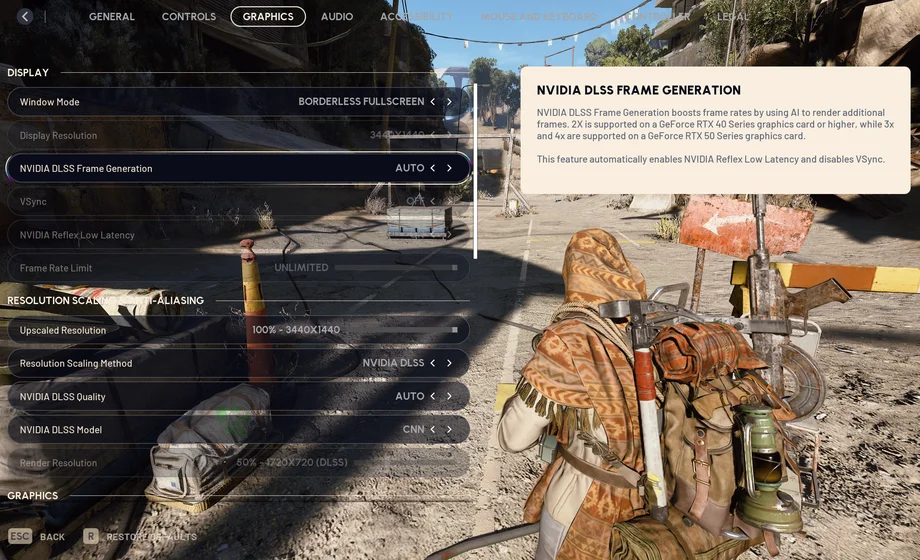
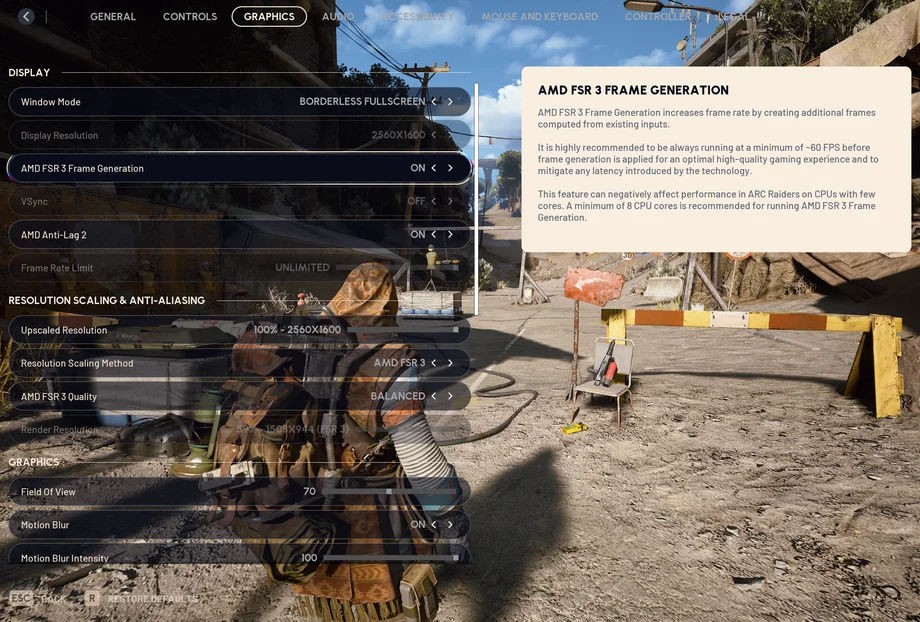
In the lethal environments of Speranza, you'll want to accumulate any advantage you can get. Arc Raiders doesn't have particularly strict system requirements, but more performance is always better anyway. With our suggested settings in this article, you'll be able to access some quick and easy advantages, with graphics and audio settings being the most impactful. We know how a split-second frame drop or delay in reaction due to not effectively hearing your enemies can be the difference between a successful extraction and losing your entire haul.
Arc Raiders blends fast-paced combat with high environmental fidelity. To stay competitive, you need smooth, high-FPS gameplay and clear visuals. To help you maintain a competitive edge, we’ve tested the best settings to balance maximizing your FPS and maintaining visual fidelity.
Two of the largest impacts on your game's performance are frame generation and frame rate limit - both of which are easy settings to enable/adjust. Depending on which graphics card you have, you'll be able to enable NVIDIA DLSS, AMD FSR 3, or Intel XeSS. Enabling frame generation can provide a significant FPS boost, though may not be in everyone's interest if they experience a noticeable latency delay. However, it would be recommended for users with 100+ base FPS (without frame generation), as they'll be able to experience the least latency impact.
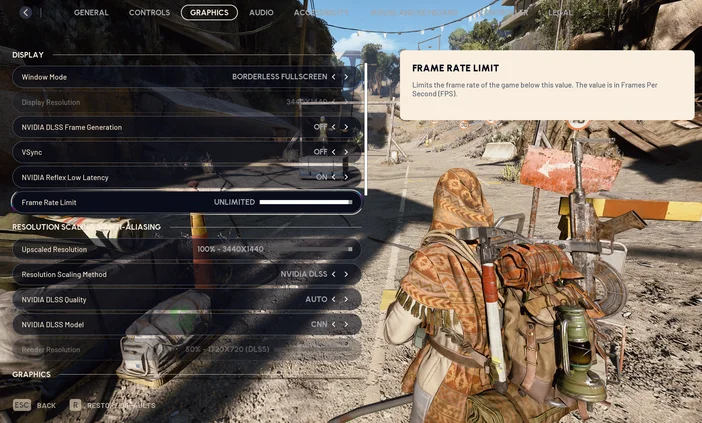
By default, Arc Raiders has the game's frame rate limit locked to 60. Unless you've enabled frame generation, you'll want increase the Frame Rate Limit to a number identical to or slightly higher (5-10 FPS) than your monitor's maximum supported refresh rate.
Adjusting quality settings is also recommended for improving your game's performance - especially to strike a balance between optimal FPS count and great visuals. Here are some of our recommendations for the quality settings:
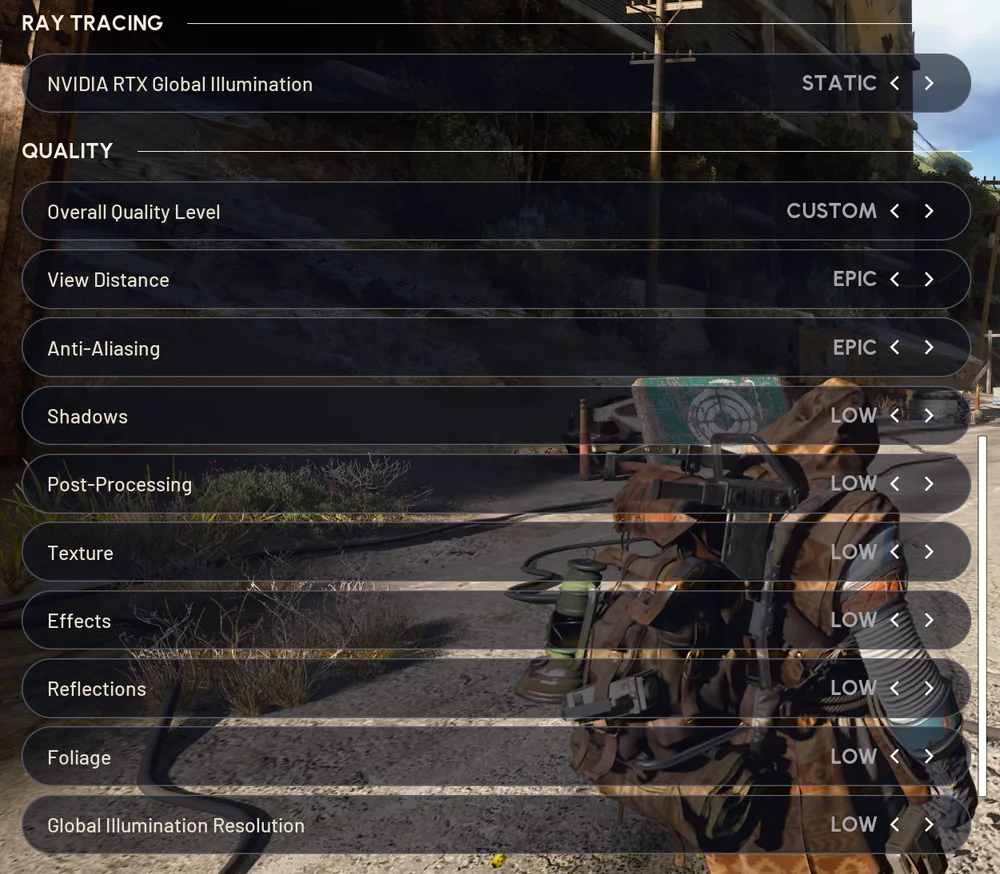
Miscellaneous settings:
Being able to hear your surroundings in Arc Raiders is crucial, as you'll need any indicator you can get that enemies are nearby. It would be recommended to have night mode on, as it'll dull explosions but amplify footsteps so you can react sooner.
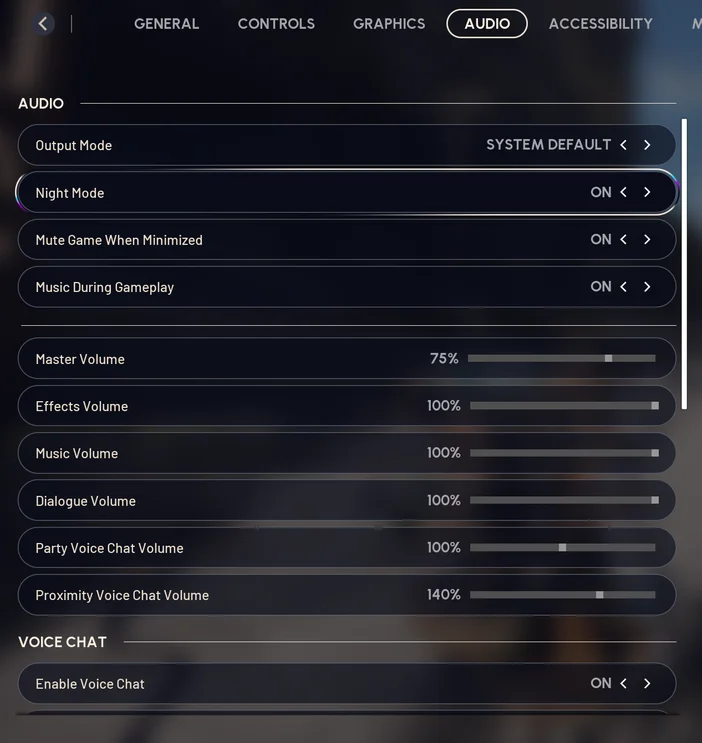
Another tip outside of Arc Raiders' settings is to enable Spatial Sound in Windows' audio settings. If you have one of our headsets, such as the VOID WIRELESS V2 or VIRTUOSO MAX, you may also have access to Dolby Atmos spatial audio, granting an easy advantage to clearly hearing incoming enemies and their positioning.
The default color crosshair can make it difficult to see in some environments. You want full visibility of where you're aiming during intense combat, so the last thing you should have to worry about is your crosshair. In the "Accessibility" tab of Arc Raiders' settings, you can extensively customize your crosshair. It would be recommended to play with these settings until you find a comfortable setting. For absolute visibility, the following colors would be recommended:



PRODUCTS IN ARTICLE
JOIN OUR OFFICIAL CORSAIR COMMUNITIES
Join our official CORSAIR Communities! Whether you're new or old to PC Building, have questions about our products, or want to chat about the latest PC, tech, and gaming trends, our community is the place for you.