Despite all the advancements the PC gaming world has made over the years, a fully built computer is still pretty fragile. This isn’t usually a problem, as for the vast majority of your PC’s life, it will be sitting perfectly still. However, what if you’re moving house? Or travelling to a LAN party? Or shipping a PC across the country?
In these cases, there are some preparations you should make to ensure your PC arrives undamaged and in full working condition. Here are the steps you should take in order, from most important to most optional.
Good: Remove the GPU and Transport It Separately
Given that modern GPUs are heavy enough to require dedicated anti-sag devices, leaving them in place while you transport the PC is a bad idea. If the PC is bumped up and down, the weight of the GPU will make it flex, putting strain on the PCIe slot and its own connector. If either of these break, repair is almost impossible.
So, uninstall your GPU and transport it separately (preferably inside the box it originally shipped in). You can put the PCIe screws back into the case where you removed them from and leave the power cables loose, or zip-tie them in place to keep them immobilized.
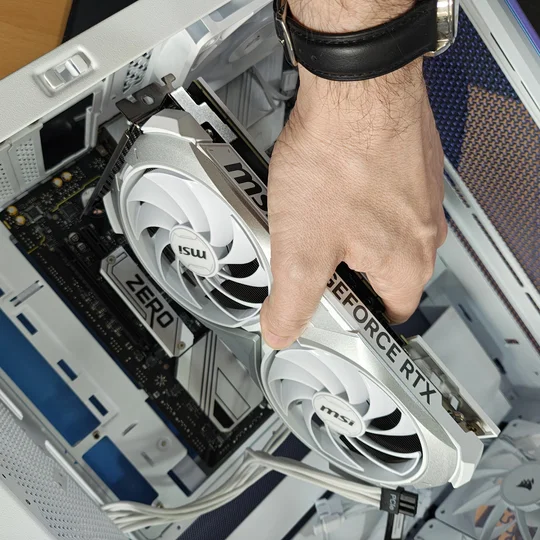
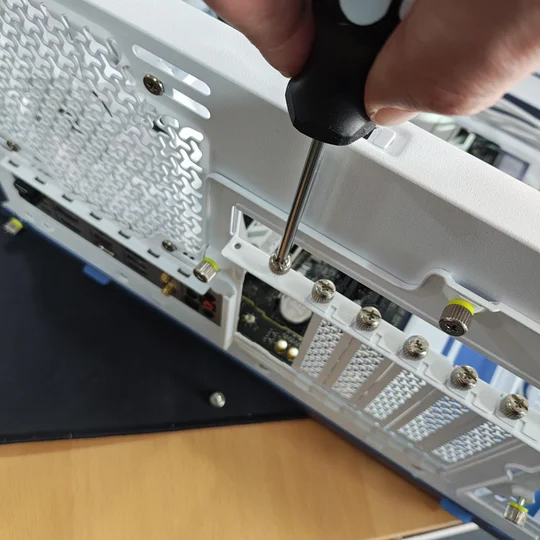
It’s also worth mentioning that if you use an air cooler, you should consider removing it too, as large, heavy air coolers can cause damage in a similar way to a GPU. If you’ve got an AIO, you’ll be fine.
Removing the GPU is the bare minimum for transporting a PC safely. However, there are other things you can do to further widen your margin of safety.
Better: Repack the PC in the Box It Came In
To be honest, you could skip this step if you’re just going to put the PC in your passenger seat and secure it with the seatbelt for a short drive. In that case, be aware that an entire gaming PC, even without a GPU, is an attractive target for thieves.
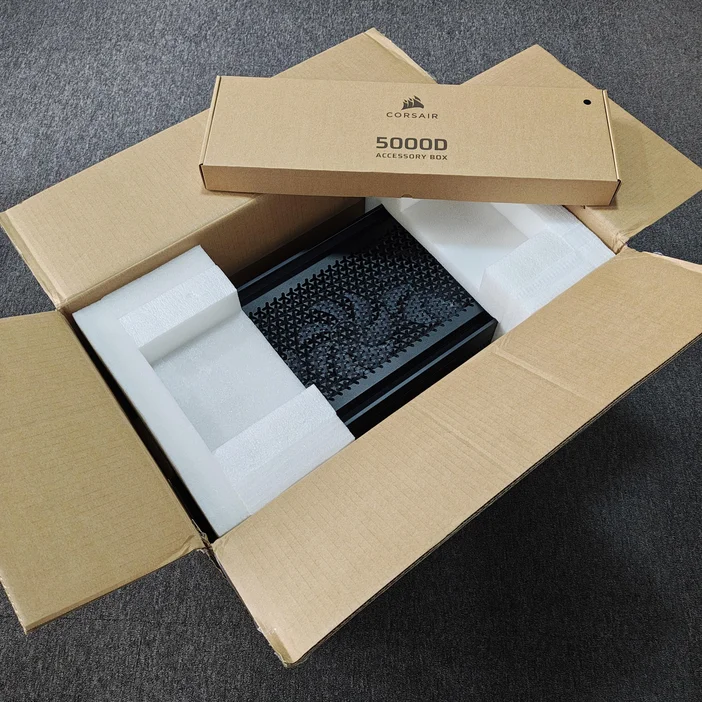
But the box your case came in, along with the original packing material, is great for transporting the PC yourself. It’s not literally perfect, as the box and foam aren't designed for the weight of a fully built PC, but if it just needs to ride in the trunk of a car and you’ve removed the GPU, it will be sufficient. This is the correct way to transport the PC if you’re moving house and it will be packed up among a lot of other items in the bumpy trunk of a car or back of a truck.
Best: Use a Pelican Case and Instapak Foam Packaging
To be totally clear, this is an expensive solution. These things cost hundreds of dollars, but if that kind of cost is not off-putting, it’s the safest way to transport or ship a PC long distance, with minimal risk of damage. We know this because this is the exact way we ship fully built PCs all over the world for events like CES, Computex, and Gamescom. In some cases, these systems use rare pre-production parts, so they absolutely must arrive undamaged.
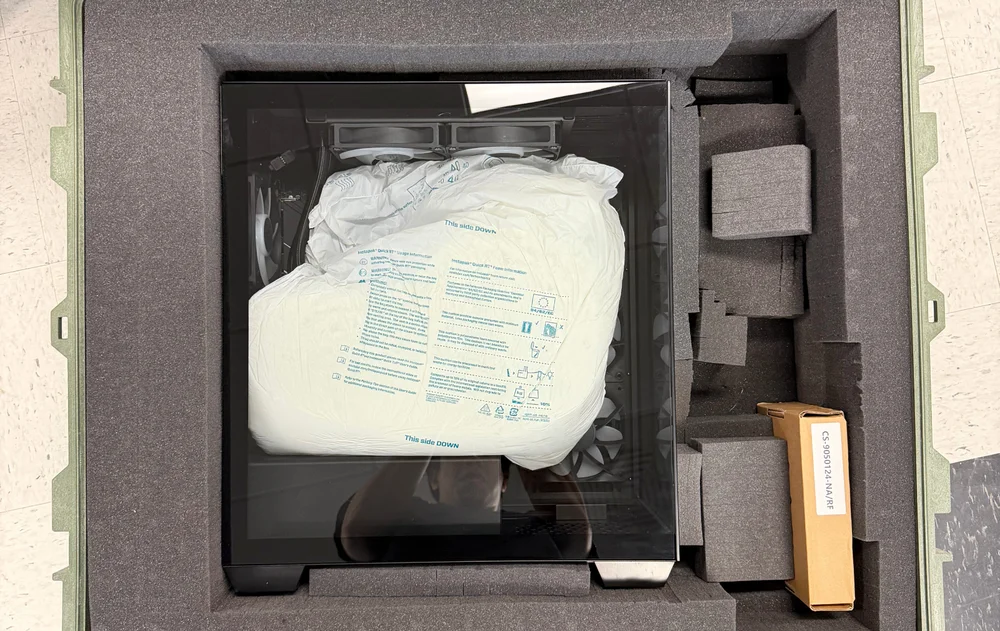
Pelican cases are ideal because the foam inside comes pre-scored into small cubes, allowing you to remove them piece by piece to create a bespoke cavity that perfectly immobilizes your PC. The lid is lined with eggshell foam, so even if the PC is a tight fit, it won't apply excessive pressure to the side panel when closed.
Additionally, these cases include reinforced holes that allow you to double-lock the case with padlocks if you're particularly concerned about security.
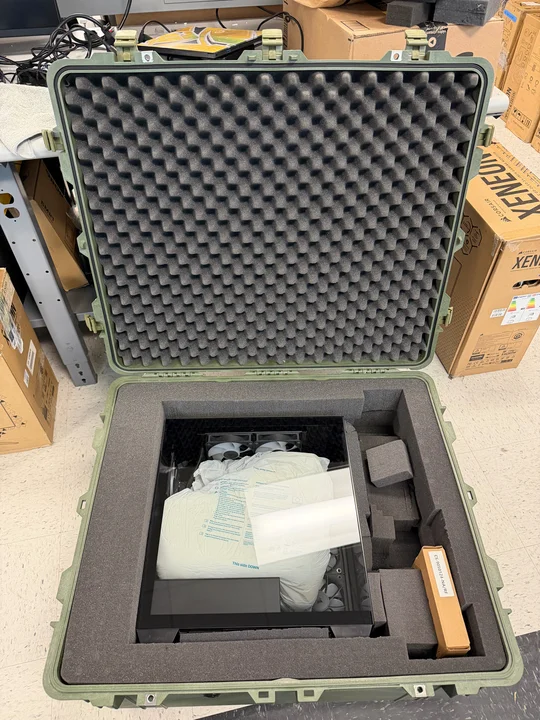
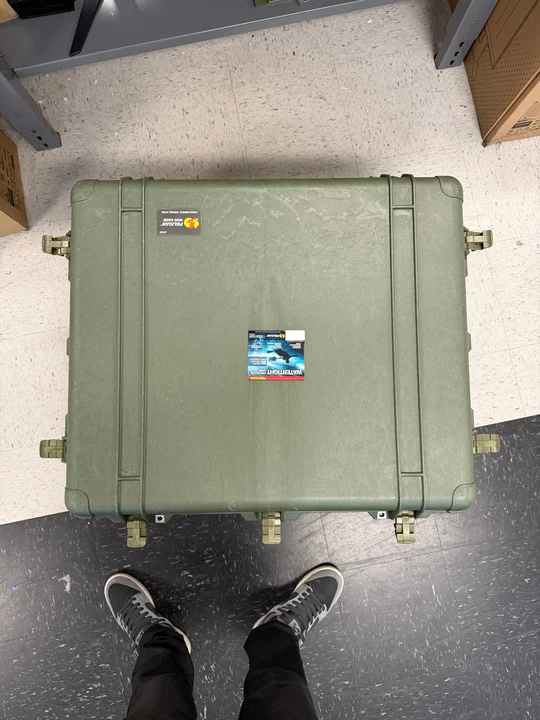
We use model 1690 Protector Transport cases and create a void in the foam to match whichever PC case we’re transporting. A 1690 is deep and wide enough for virtually any standard PC case and also provides extra space for accessories like a power cable. If we’re not using Instapak foam bags, we create a second custom void to secure the GPU separately.
Instapak is a brand that makes expanding foam bags. We use these to fill the empty space inside a PC case. You place the bags inside the case, close the side panel, and they to fill the gaps, preventing internal components from moving. We use size 45 Instapak bags for most cases.
Which Method Should You Use?
Ultimately, it depends on how much you value your PC, how risk-averse you are, and how confident you are in the method by which the PC is being transported. If you’re shipping it across the country, you should be aware that any number of tragedies can befall your PC during that process and adjust your preparations accordingly.
If you’re just moving to a new home two hours away, you’ll likely have the PC with you the entire time and more control over process, so you may choose to scale back the packing precautions.
What About a Custom Cooled PC?
We've saved custom cooled PCs for last because they're a niche case. If you’ve built one, you’re probably already comfortable with the risks involved in moving it.
One thing we do feel compelled to mention here is that removing the GPU from a custom cooled PC is a huge pain. For this reason, custom cooled systems are the one scenario where we don't recommend removing the GPU. Instead, you should leave the components installed, drain the coolant, and pack foam or other protective material into all the gaps to support tubing and fittings. This is especially important if your system uses hardline tubing.
If you bought a pre-built custom cooled PC, the safest approach is to replicate how it was originally shipped to you.
JOIN OUR OFFICIAL CORSAIR COMMUNITIES
Join our official CORSAIR Communities! Whether you're new or old to PC Building, have questions about our products, or want to chat about the latest PC, tech, and gaming trends, our community is the place for you.