Chromatic aberration in games is a visual effect that mimics the color distortion you can see when using camera lenses. It’s the subtle fringing effect on objects that adds a color shift, usually using the primary colors red, green, and blue. It tends to be accentuated towards the edges of the screen, rather than the center, where the effect is less noticeable. This is caused by different wavelengths of light refracting through glass at slightly different angles, which means they don’t all line up perfectly.
As the name suggests, it’s an aberration, and not something that is generally wanted when taking photographs or making a film.
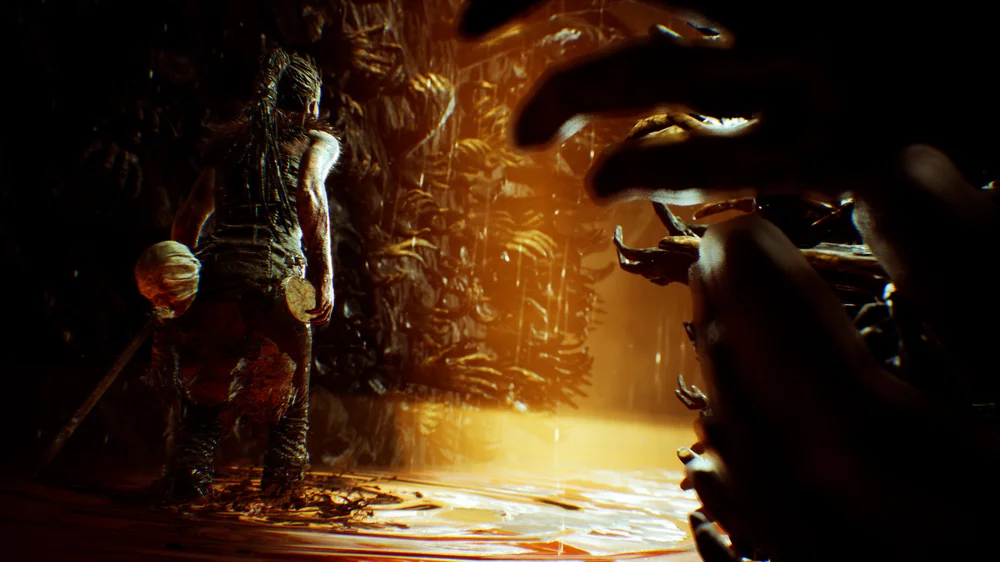
Hellblade: Senua’s Sacrifice features chromatic aberration in some of its pivotal scenes.
So why is chromatic aberration such a popular graphics option in PC gaming? Simply because like "lens flare" and "film grain" it can make a game feel more cinematic. When developers are trying to create a specific vibe, it can help sell that look by making the image feel like it’s being viewed through a camera lens, rather than directly through your eyes.
Is chromatic aberration overused? Yes. It’s an effect that only really happens in the real world when viewing a scene through a lens, generally a camera, so the fact that it’s often enabled by default can be annoying. If you’re playing a fantasy game and there’s lens flare and chromatic aberration everywhere, purists are going to get ticked off by it. It can feel like an effect that’s so widely implemented that game designers turn it on without really thinking about whether it fits the world.
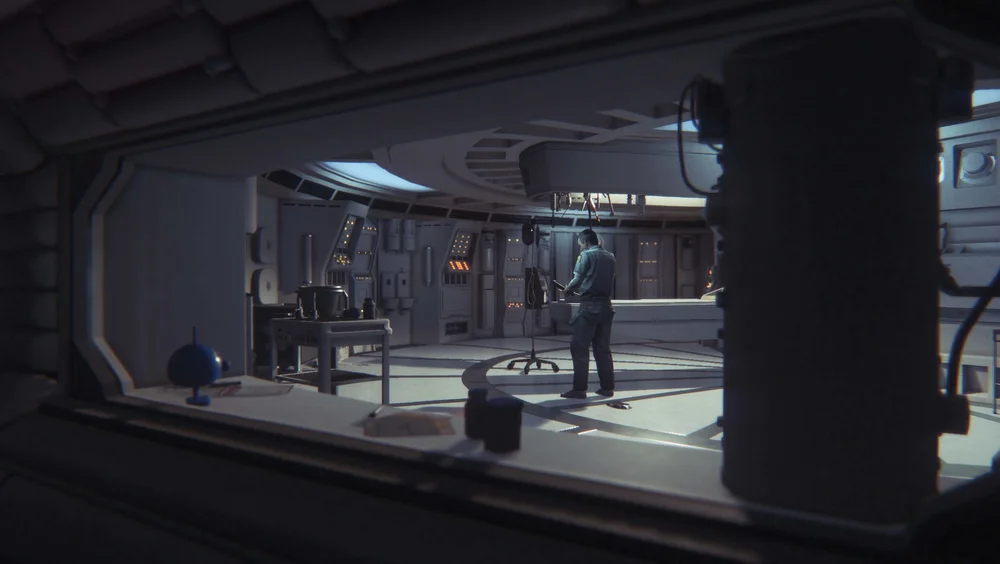
Alien: Isolation recreates the vibe of the original Alien film with a little help from chromatic aberration.
Should You Enable Chromatic Aberration in Games?
It’s a purely subjective effect, so if you like it, use it. If you don’t, turn it off. There’s no right answer here.
In its defence, chromatic aberration can work better in certain types of games, especially ones where the idea of viewing the experience through a lens makes sense. Horror games, for example, can benefit from it, as the effect can add a gritty or unsettling feel. That said, if you find it distracting or it just makes the image look worse to you, there’s no reason to keep it enabled.
Those who are 100% committed to competitive gaming should switch it off too. It can be a little distracting and can reduce clarity which is unacceptable depending on how seriously you take these things.
Is there a performance hit from turning it on? Generally, no, although it does depend on how it’s implemented. Chromatic aberration is usually applied during the post‑processing stage of the rendering pipeline, and it’s been around long enough that it’s typically very lightweight. The best way to know for sure is to run your own benchmarks with it on and off. In most cases, the performance impact is minimal and well within the margin of error.
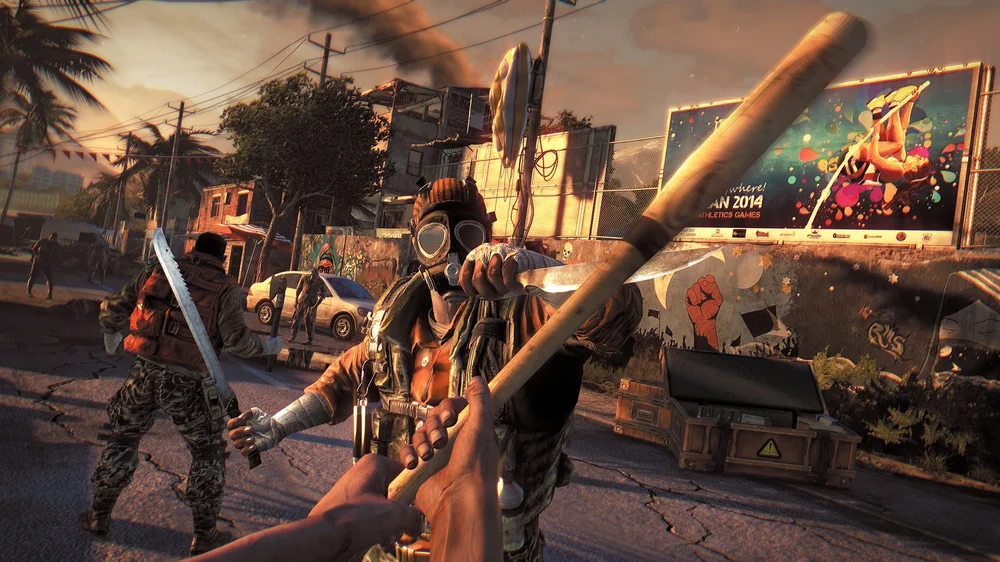
Dying Light uses plenty of chromatic aberration around the edge of the screen.
JOIN OUR OFFICIAL CORSAIR COMMUNITIES
Join our official CORSAIR Communities! Whether you're new or old to PC Building, have questions about our products, or want to chat about the latest PC, tech, and gaming trends, our community is the place for you.