MANUAL | SNABBSTARTGUIDE
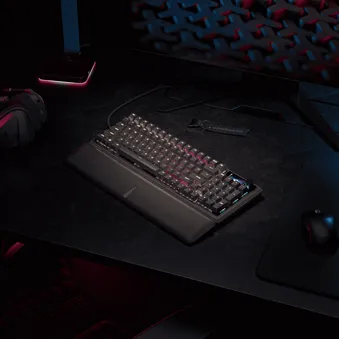
CLIPPER PRO MINI 60
Hall Effect Gaming Keyboard
I denna guide
- GETTING TO KNOW YOUR KEYBOARD
- TECHNICAL SPECIFICATIONS
- AXON HYPER-PROCESSING TECHNOLOGY
- SETTING UP YOUR KEYBOARD
- CONNECTING TO SONY PLAYSTATION
- OPERATING MODES
- CORSAIR WEB HUB
- HARDWARE OVERVIEW
- SOFTWARE OVERVIEW
- FACTORY RESET
- COMPATIBILITY MODE
- BIOS MODE
- COPYRIGHT / LEGAL INFORMATION
- RELATERAT INNEHÅLL
GETTING TO KNOW YOUR KEYBOARD
- KEY METRIX
- DETACHABLE BRAIDED TYPE-C CABLE
TECHNICAL SPECIFICATIONS
| FEATURE | DESCRIPTION |
| Form Factor | 60% |
| Top Cover | Plastic |
| Bottom | Plastic |
| Colorway | Tri-color Black/ Tri-color White |
| Keycaps |
PBT Double shot, ABS Single shot Disclaimer: May vary by region. |
| Backlighting | Per key RGB, programmable lighting |
| LED Color | RGB, 16.8 million colors |
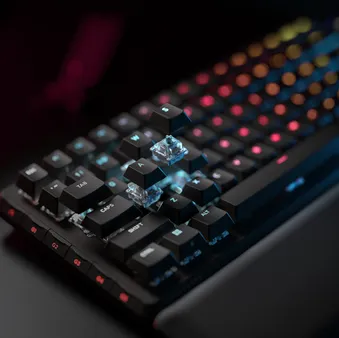
| Keyboard Key switches | CORSAIR MGX Hyperdrive Core Hall Effect pre-lubricated key switches, 27g actuation force, 0.2 – 3.8mm actuation distance, 4.0mm total travel, guaranteed for 100 million keystrokes |
| Keyboard Connectivity | Wired USB |
| Keyboard Matrix | Full key rollover (NKRO) with 100% anti-ghosting |
| Water & Dust proof |
IP57 Disclaimer: Recommends waiting a minimum of 72 hours after submerging before normal use. Drying time may vary depending on the actual environment. |
| USB Report Rate | Up to 8,000Hz hyper-polling with CORSAIR AXON |
| Keyboard On-Board Profiles | 5 |
| Media-Function Control | FN shortcuts |
| Game Mode | Hotkey (FN+G) |
| Windows Lock Key | Yes |
| Adjustable Height | Yes |
| Console Compatibility | Xbox One, Xbox Series X|S, PlayStation 4,5 |
| Software | CORSAIR WEB HUB |
| USB Cable | 1.8 m / 6 ft, Detachable braided Type-C cable |
| Dimensions | 294(L) x 103(W) x 31(H) mm / 11.57 × 4.06 × 1.22 inches |
| Weight | 414 g / 14.6 oz |
| Warranty | Two years – Local country regulations are applicable |
AXON HYPER-PROCESSING TECHNOLOGY
CORSAIR AXON delivers a powerful and responsive keyboard experience with:
- Hyper-fast keystroke detection and processing
- Up to 8,000Hz hyper-polling (adjustable in CORSAIR WEB HUB device settings)
- Up to 5-layer onboard lighting effects (programmable in CORSAIR WEB HUB per profile)

SETTING UP YOUR KEYBOARD
Connecting the keyboard via USB cable to an available USB 3.0 Type-A port or better on a compatible device including:
| Windows® PC | Apple Mac® |
Microsoft Xbox One* Microsoft Xbox Series X | S* |
Sony PlayStation 4** Sony PlayStation 5** |
**See CONNECTING TO SONY PLAYSTATION section.
CONNECTING TO SONY PLAYSTATION
| SHORTCUT | FUNCTION | INDICATION |
FN+  (Hold for 5 seconds) (Hold for 5 seconds) |
Switch to PlayStation mode | Blinks white 5 times over 5 seconds, then solid blue on Win key |
| FN+ (Hold for 5 seconds) |
Switch back to standard mode | Breathe white 2 times |
NOTE: Available functions may be limited depending on gaming console support and application.
OPERATING MODES
The keyboard features in two different operating modes:
- Hardware Mode – When CORSAIR WEB HUB is not running or the keyboard is connected to a device that does not support CORSAIR WEB HUB, the keyboard operates in hardware mode which uses profiles and settings saved to the onboard storage.
- Web-based Mode – Go to CORSAIR Web Hub link https://corsair.com/web-hub, the keyboard operates in Web-based mode, using profiles and settings saved to onboard storage.

CORSAIR WEB HUB
| FUNCTION | HARDWARE MODE | SOFTWARE MODE |
| Storage & Profiles | 8MB for up 5 profiles | 8MB for up 5 profiles |
| Create New Profiles | N/A | Yes |
| Create RGB Lighting Effects | N/A | Yes |
| Create Keyboard Key Assignments | Yes | Yes |
| Maximum Lighting Layers | N/A | 5 |
CORSAIR WEB HUB is a user-friendly web utility with an intuitive, seamless interface, accessible via the link:
https://corsair.com/web-hub/. No app downloads are required. CORSAIR Web Hub is lightweight, allowing customization of the CLIPPER PRO MINI 60 and supported peripherals via the web. Easily program macros, assign key mappings, update firmware, customize Game Mode, and more.
CORSAIR WEB HUB will present options to start programming for:
- RGB Lighting Effects
- Keyboard Key Assignments
- Keyboard Key Actuation
- Multi-Action Keys
- Smart Tap Technology
- Tap Lock Technology
- Flash Tap Technology
- Key Testing
- Game Mode
- Device Setting
HARDWARE OVERVIEW
FN SHORTCUTS LIGHTING INDICATOR
When pressing the FN key, all lighting will momentarily turn OFF, excluding keys that have secondary functions and macros assigned to them. Those keys will have backlighting turned ON.
- The default color will be WHITE.
- Users can customize the color indication in CORSAIR WEB HUB.
Color indication for profile currently in-use will take priority over FN Shortcuts lighting.
GAME MODE BUTTON FUNCTIONALITY
Enter competition-optimized setting via pressing FN + G on Game Mode Button.
Note: If activating Game Mode changes the current polling rate of the keyboard, this will create a delay of up to 1 second as the keyboard switches rates. Activating Game Mode BEFORE starting gameplay is recommended to limit the impact on your gameplay experience.
| FUNCTIONS | HARDWARE | SOFTWARE(CORSAIR WEB HUB) | REMARK | |
| Default mode (Game Mode off) |
Game mode off:
|
No |
No |
Factory default |
| Game Mode on |
Game mode on:
|
Yes |
Yes |
Can be customized in Web Hub. Changing the polling rate will cause the keyboard to restart. |
STANDARD SHORTCUTS
All functions below assume FN key is being held and action is activated upon press unless otherwise noted.
Default function shortcut, with printed icons.
| SHORTCUT | FUNCTION | LIGHTING INDICATOR |
|
FN + ESC |
` |
|
|
Shift + FN + ESC |
~ |
|
|
FN + 1 |
F1 |
|
|
FN + 2 |
F2 |
|
|
FN + 3 |
F3 |
|
|
FN + 4 |
F4 |
|
|
FN + 5 |
F5 |
|
|
FN + 6 |
F6 |
|
|
FN + 7 |
F7 |
|
|
FN + 8 |
F8 |
|
|
FN + 9 |
F9 |
|
|
FN + 0 |
F10 |
|
|
FN + - |
F11 |
|
|
FN + = |
F12 |
|
|
FN + Backspace |
Del |
|
|
FN + Tab |
Rapid trigger on/off |
On/off = Tab in yellow/default. |
|
FN + Q |
Profile 1 |
Q in white for 1 sec. |
|
FN + W |
Profile 2 |
W in red for 1 sec. |
|
FN + E |
Profile 3 |
E in green for 1 sec. |
|
FN + R |
Profile 4 |
R in blue for 1 sec. |
|
FN + T |
Profile 5 |
T in yellow for 1 sec. |
|
FN + I |
Ins |
|
|
FN + O |
Scroll lock |
On/off =O in yellow/default. |
|
FN + P |
Print screen |
|
|
FN + [ |
Home |
|
|
FN + ] |
End |
|
|
FN + \ (Other layouts: FN + #) |
Page up |
|
|
FN + Caps Lock |
Flash tap on/off |
On/off= A&D in yellow/default. |
|
FN + G |
Game mode on/off |
Red ripple effort, then all keyboard in red and Enable functions in yellow. |
|
FN + H |
Actuation point - |
This function can change the actuation point and Rapid Trigger settings in active hardware mode. Rapid Trigger is off: The actuation distance control shortcuts adjust the actuation point in 0.1 mm increments. The actuation point is indicated on the number keys 1 to 0 (the first digit in red, the second digit in yellow and if both overlap both are shown in red). When Rapid Trigger is on: The actuation distance control shortcuts adjust the Rapid Trigger settings.
Example: Actuation point: 1.2mm, 1 in red/2 in yellow. Actuation point: 2.2mm, 2 both in red.
|
|
FN + J |
Actuation point + |
|
|
FN + L |
Play / Pause |
|
|
FN + ; |
Previous track |
|
|
FN + ' |
Next track |
|
|
FN + Enter |
Page down |
|
|
FN + Z |
Macro recording |
Macro recording is a way to record a simple sequence of key press and key release events. While in this mode, device should record keys as their default function. That is, disabled keys should still be recorded, remapped keys should be ignored.
macro recording limitations: 1. FN keys and internal function Shortcuts can not be recorded in the resulting macro. 2. Macro cannot be assigned to FN, MR shortcut keys, FN + Windows key in self-operated mode. 3. Macro can be assigned to standard keys and FN + standard keys. 4. Profile shortcuts will be disabled while recording macro. |
|
FN + N |
Brightness - |
Decrease brightness 20% |
|
FN + M |
Brightness + |
Increase brightness 20% |
|
FN + , |
Mute / Unmute |
|
|
FN + . |
Volume - |
|
|
FN + / |
Volume + |
|
|
FN + R-Shift |
Up arrow ↑ |
|
|
FN + Win (Hold for 5 seconds will enter PS mode.) |
Win lock (PS mode) |
On/off= Win in yellow/default lighting. (Enter PS: 5*blink in white then static blue on Win key. Exit PS: 2*breath in white the back to default lighting.) |
|
FN + R-Alt (Other layouts: FN + KANA) |
Left arrow← |
|
|
FN + Menu |
Down arrow ↓ |
|
|
FN + R-Ctrl |
Right arrow → |
|
|
FN + Win for 5 seconds |
PS mode |
|

MACRO RECORDING / CLEARING NOTES
- Enters macro recording: Hold FN + Z key (Indication: Indicator breathes red )
- Press any series of standard keys to begin recording
- Stops recording: Press FN + Z key (Indication: Indicator blinks red)
- Press any key, FN + key or modifier (CTRL/SHIFT/ALT/ALTGR) + key
- If keys were recorded: Pressing that key or combination saves the macro
- If no keys were recorded: Pressing that key or combination clears any macro or function saved
FLASHTAP(SOCD)
FlashTap is a revolutionary technology that puts the player in complete control of their movement keys, left and right in particular, optimizing SOCD behaviour across every game and genre.
FlashTap will be disabled by default both in HW mode and Corsair Web Hub.
HW mode behaviour
- Enable via shortcuts: FN + CAPS
- Supports key A + D, last priority only
- Indication: A & D stay solid yellow when FlashTap is on (overrides existing lighting)
Corsair Web Hub behaviour
- Supports advanced feature such as mode selection and key remapping
- Can be configured with profile
- Mode selection details
| Last priority (default when on) |
Always output last direction and bypass the other one |
| Neutral |
No output when both directions are triggered at the same time |
| First Priority |
Always output first direction and bypass the other one |
SOFTWARE OVERVIEW
CORSAIR WEB HUB
CORSAIR Web Hub is the lightweight, web-based utility to customize your CLIPPER PRO MINI 60 keyboard. It’s powerful, easy-to- use, and doesn’t require any additional software installation. Try it here: https://corsair.com/web-hub
FACTORY RESET
Performing a factory reset will return the keyboard settings to their factory default state, including lighting, key assignments, as well as any other device settings. To perform a factory reset, follow these steps:
- Unplug the USB cable.
- Press and hold ESC key.
- Plug the USB cable into USB port.
- Hold ESC key for 2 seconds.
COMPATIBILITY MODE
- By holding FN + Windows key for 5 seconds, FW will change to Compatibility mode from standard mode.
- To go back to standard mode from Compatibility mode, hold FN + Win Lock (F1) key for 5 seconds.
- When entering Compatibility mode, Windows key indicator blinks white 5 times over 5 seconds when switchingmode.
- When changing to standard mode from Compatibility mode, Windows key indicator breathes white 2 times over 2 seconds when switching mode.
In compatibility mode, the output is limited to:
- 13-keys + 7 modifier keys (RCtrl, LAlt, LShift, Windows, AltGr)
- Still output media keys
- The actual polling rate may differ from the setting, due to PS USB interface limitations.
BIOS MODE
- By holding B and S keys while plugging in power via USB, FW will enter BIOS mode
- To exit BIOS mode and return to standard mode, hold ESC key while plugging in power via USB (this will clear EEPROM, but does not perform a factory reset)
- All indicators blink white 5 times over 5 seconds when switching modes
In BIOS mode, the output is limited to:
- 6-keys + 5 modifier keys (R-Ctrl, L-Alt, L-Shift, Windows, AltGr)
- Fixed at 125Hz polling rate
- No media key output
COPYRIGHT / LEGAL INFORMATION
© 2026 CORSAIR MEMORY, Inc. All rights reserved. CORSAIR and the sails logo are registered trademarks of CORSAIR in the United States and/or other countries. All other trademarks are the property of their respective owners. Product may vary slightly from those pictured.


RELATERAT INNEHÅLL