BLOG
What Are the Different PCIe Slots on a Motherboard For?
Modern motherboards include almost everything you need baked in, but if you want to upgrade your system for gaming, content creation, or specialized tasks, you will use PCI Express slots, or PCIe for short. These slots let you add graphics cards, storage controllers, networking cards, and more. Not all PCIe slots are the same though, and understanding the differences will help you make the most of your build.
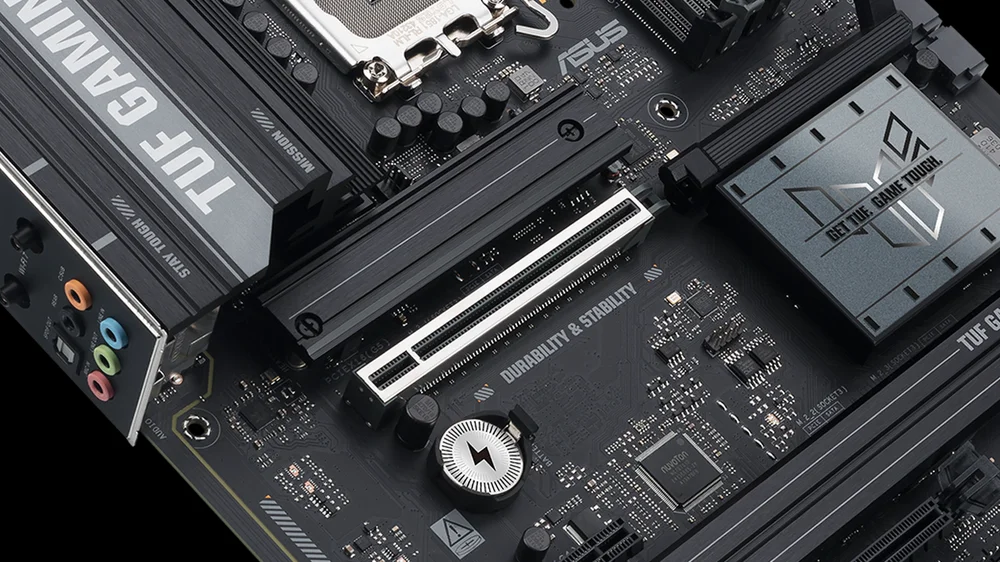
How PCIe Slots Differ
PCIe slots vary by lane count: x16, x8, x4, and x1. More lanes mean more bandwidth. A graphics card typically needs a full x16 slot, while a sound card or Wi-Fi adapter only needs x1. Capture cards, NVMe expansion cards, and high-speed networking adapters often use x4 or x8 slots.
It’s worth noting though, that a slot’s physical size does not always match its electrical configuration. A slot may look like x16 but only be wired for x4 or x8. This matters because installing a high-bandwidth card in a low-lane slot will limit performance. As always, check your motherboard manual to confirm lane allocation and configuration.
PCIe Generations and Bandwidth
PCIe bandwidth doubles with each generation. PCIe 3.0 offers roughly 1GB/s per lane, PCIe 4.0 doubles that to 2GB/s, and PCIe 5.0 doubles it again to 4GB/s. Multiply that by the number of lanes in a slot and you see why this matters. A PCIe 5.0 x16 slot can deliver up to 64GB/s of bandwidth. That is an enormous amount of bandwidth, but most graphics cards today do not come close to saturating PCIe 4.0 x16, and even PCIe 3.0 x16 is fine for many situations. NVMe drives benefit more from newer generations because storage speeds scale directly with bandwidth. For everyday add-in cards like sound or network adapters, even PCIe 3.0 x1 is plenty.
So while the numbers look impressive, the real question is what are you installing? A high-end GPU? Use the primary x16 slot connected to the CPU. Adding multiple NVMe drives? Make sure your board supports PCIe 4.0 or 5.0 lanes for storage. For everything else, lane count and generation matter less.

Can You Get PCIe 5.0 and PCIe 4.0 on Your Motherboard?
Yes, but it depends on your CPU and chipset. PCIe 4.0 is widely supported on most modern AMD and Intel platforms. AMD introduced PCIe 4.0 with Ryzen 3000 series and X570 or B550 chipsets. Intel added PCIe 4.0 support starting with 11th Gen Core CPUs and Z590 boards.
PCIe 5.0 is available on newer platforms such as Intel 12th Gen and later with Z690 and newer chipsets, and AMD Ryzen 7000 series with X670 or B650 boards. These boards typically provide PCIe 5.0 lanes for the primary GPU slot and at least one NVMe slot, while other slots may remain PCIe 4.0. PCIe 5.0 lanes usually come directly from the CPU, not the chipset, and the number of lanes is limited. Always check the motherboard specifications because lane allocation varies by model.

Be Mindful of Lane Sharing
As we’ve just highlighted, your CPU provides a limited number of PCIe lanes, usually for the main GPU slot and one NVMe slot. The rest come from the chipset, which shares bandwidth with your SATA and USB ports. Populate too many slots and you might disable some ports or split lanes, reducing performance. Once again, check your motherboard manual before adding extra cards.
JOIN OUR OFFICIAL CORSAIR COMMUNITIES
Join our official CORSAIR Communities! Whether you're new or old to PC Building, have questions about our products, or want to chat about the latest PC, tech, and gaming trends, our community is the place for you.