HOW TO
How to: Connect CORSAIR SLIPSTREAM Wireless peripherals to the Voyager gaming laptop
The CORSAIR Voyager a1600 gaming laptop comes with a built-in SLIPSTREAM receiver that you can use to connect CORSAIR SLIPSTREAM Wireless peripherals. This will free up your laptop USB ports so you can connect more to your laptop.
Video instructions
Pairing a CORSAIR wireless peripheral
To pair a CORSAIR wireless peripheral with the SLIPSTREAM wireless receiver, you must first connect the device into your Voyager laptop via a USB cable.
You can see a list of CORSAIR products that are compatible with SLIPSTREAM in our How to: Set up SLIPSTREAM Multipoint in iCUE article.
To pair a wireless peripheral:
- Open iCUE in your Voyager gaming laptop.
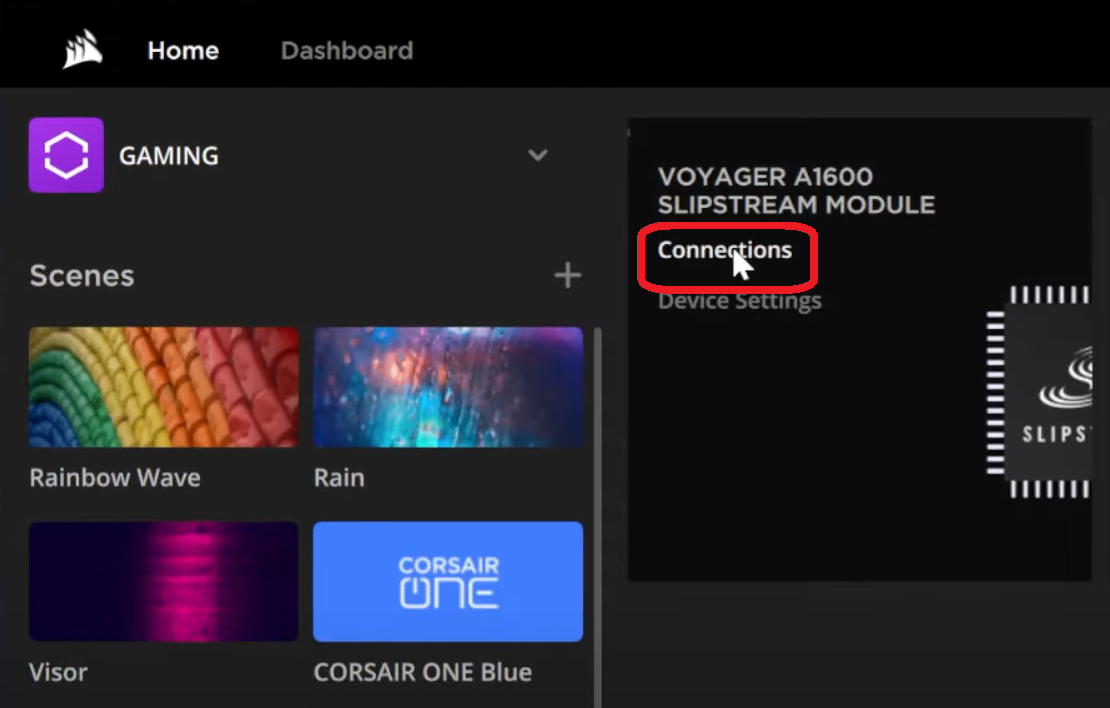
- Move your mouse over the VOYAGER A1600 SLIPSTREAM MODULE tile and click Connections.
- Connect the CORSAIR device you want to pair wirelessly into one of your laptop's USB Ports.
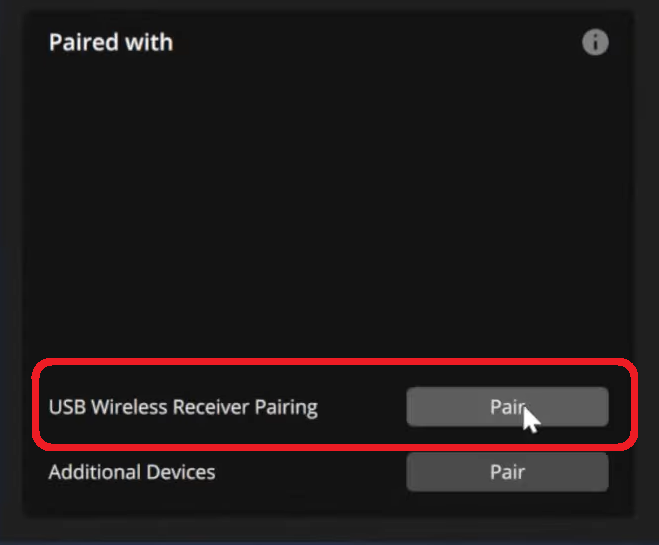
- In the Paired With section on the bottom left, click the Pair button next to USB Wireless Receiver pairing.
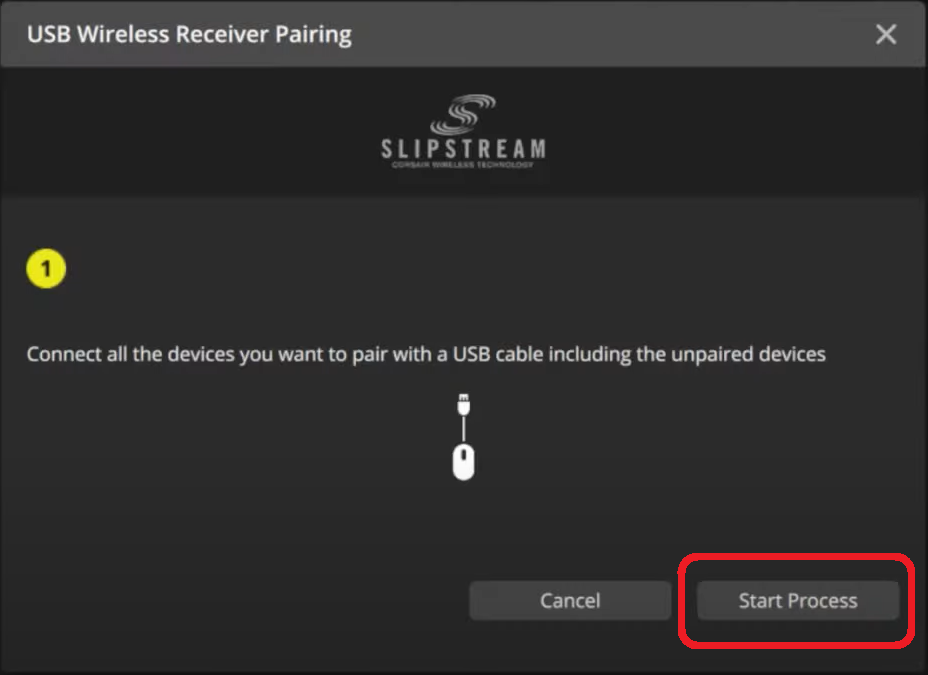
- Click the Start Process button after making sure the device you want to pair is connected via USB.
- Follow the prompts by the wizard until the pairing is successful.
- Disconnect your CORSAIR device from the laptop, then switch it into wireless mode.
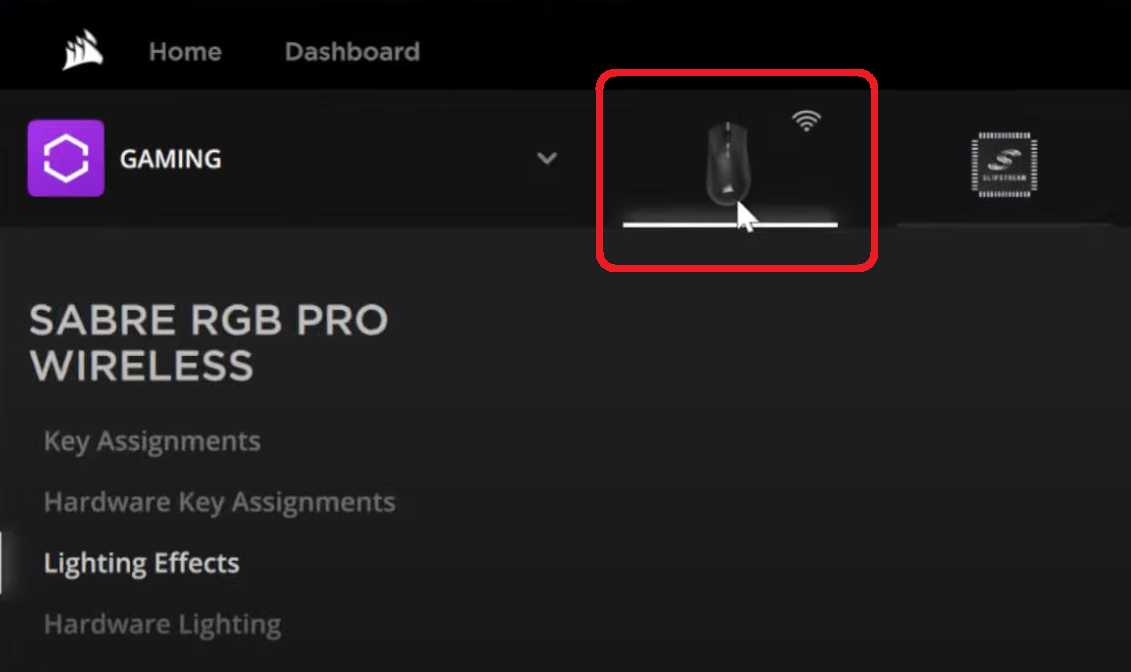
- You should now see the CORSAIR device listed as connected wirelessly in the Connections panel.
- Repeat steps 3 to 7 to pair more devices with the wireless receiver.
- A SLIPSTREAM-capable mouse, keyboard, and headset may be connected simultaneously to your Voyager laptop.
Once you have paired a CORSAIR device wirelessly with your Voyager laptop, you can use iCUE to customize your device, such as adding lighting effects, creating key assignments, customizing device settings, etc.
Stay up to date with CORSAIR. Get our latest News, Guides, and Product Updates in your Google feeds.
Add CORSAIR as a preferred sourceWas this article helpful?
Feedback received
Thanks for helping us improve this article.
JOIN OUR OFFICIAL CORSAIR COMMUNITIES
Join our official CORSAIR Communities! Whether you're new or old to PC Building, have questions about our products, or want to chat about the latest PC, tech, and gaming trends, our community is the place for you.