HOW TO
How to: Record macros for your K70 RGB MK.2
You can use our iCUE software to record macros for your K70 RGB MK.2 keyboard and assign the macro to a key.
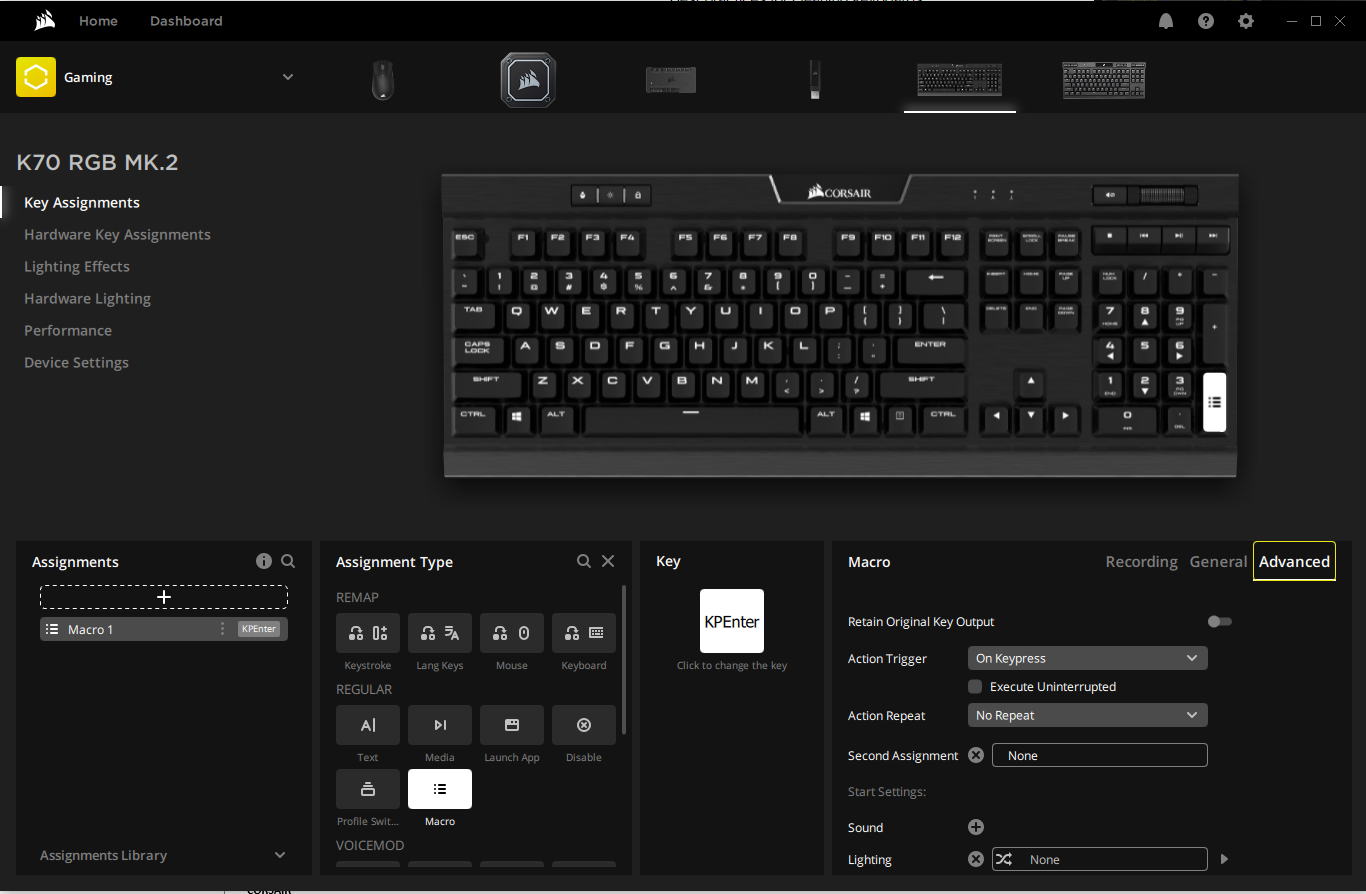
You can further customize your recorded macros by using the advanced settings and start settings. The advanced settings let you:
- Determine what sort of key press will trigger the macro (e.g. simply pressing the key or holding the key)
- Whether the macro will execute once or repeat itself
- Perform a second action after the first macro is finished executing
With the start settings, you can choose a sound effect to play when the macro triggers, giving you confirmation that the macro has been executed. You can also choose a lighting effect to signify when the macro executes.
For iCUE version 4 or newer
Recording a macro
Make sure that the keyboard you want to record and assign a macro to is connected to your computer.
To record a macro:
- Open iCUE.
- Select your K70 RGB MK.2 on the iCUE home screen.
- Click Key Assignments.
- Click the + in the Assignments section on the bottom left.
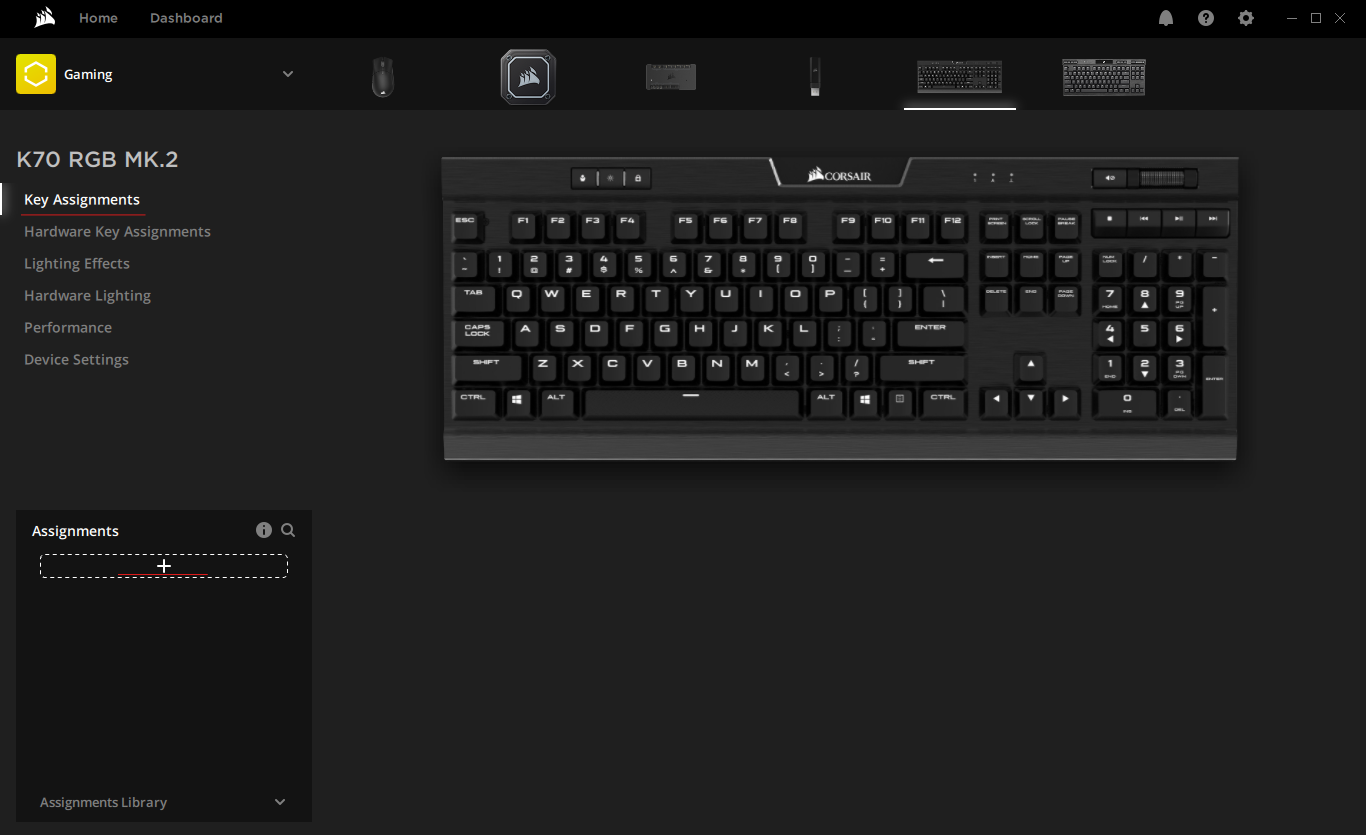
- In the Assignment Type section, select Macro.
- Select the key you want to assign the macro to on the keyboard image.
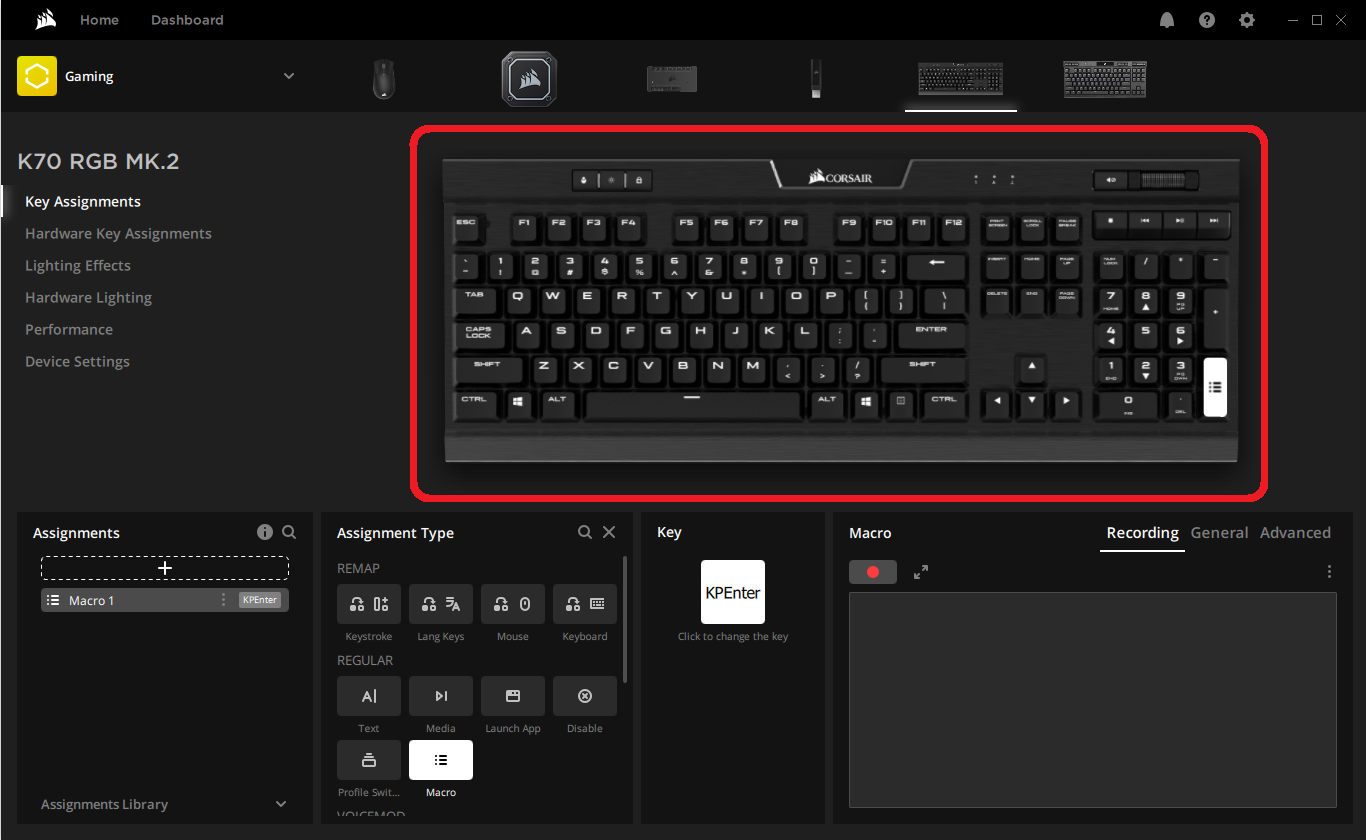
- Click the red record button in the Macro section to begin recording your macro.
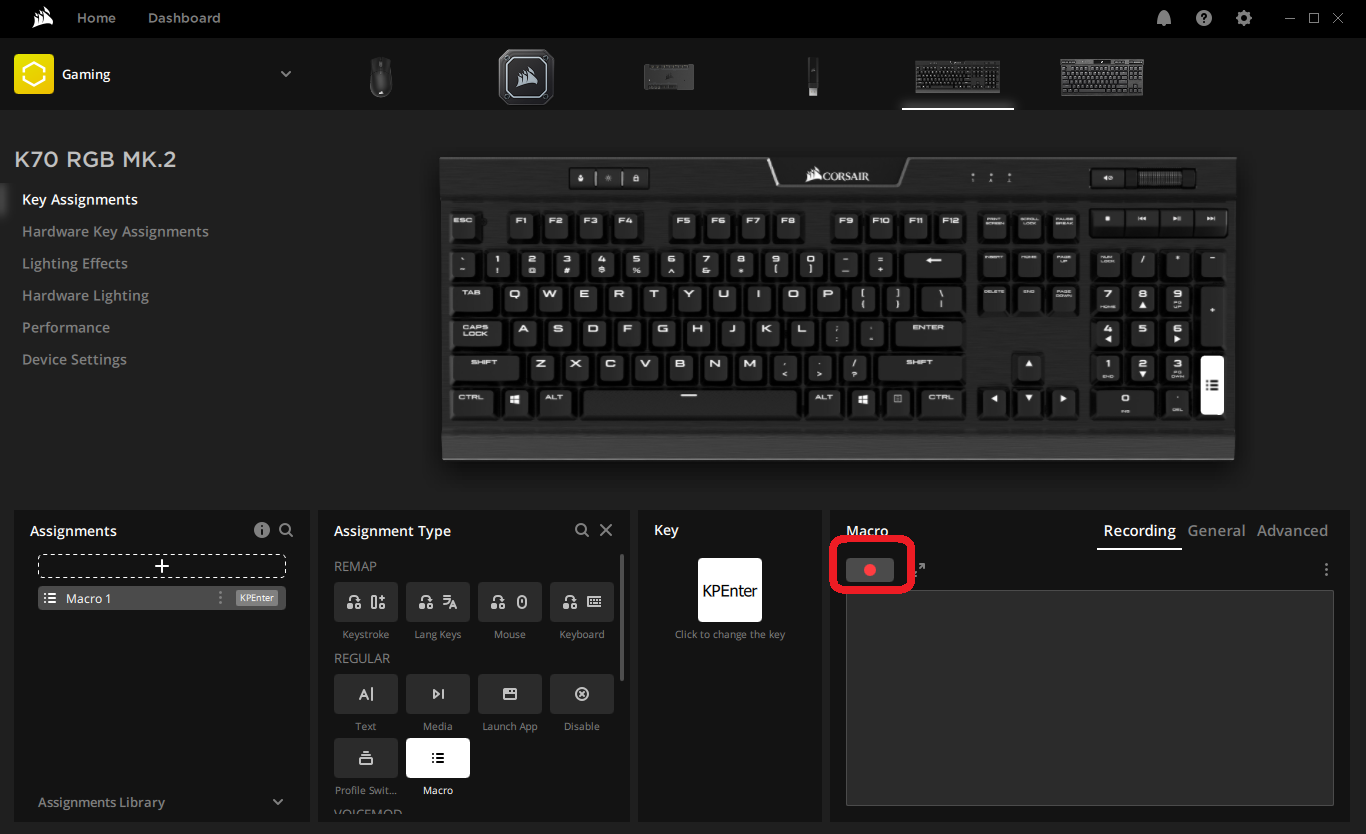
- Perform the keyboard actions you want the macro to do.
- Click the red record button again to stop recording.
- Apply any advanced settings or start settings to your macro.
- Test out your macro to make sure it is working properly.
For iCUE version 3 or older
Recording a macro
Make sure that the keyboard you want to record and assign a macro to is connected to your computer.
To record a macro:
- Open iCUE.
- Select your K70 RGB MK.2 in the DEVICES section.
- Click ACTIONS on the left-hand menu and then click the + button.
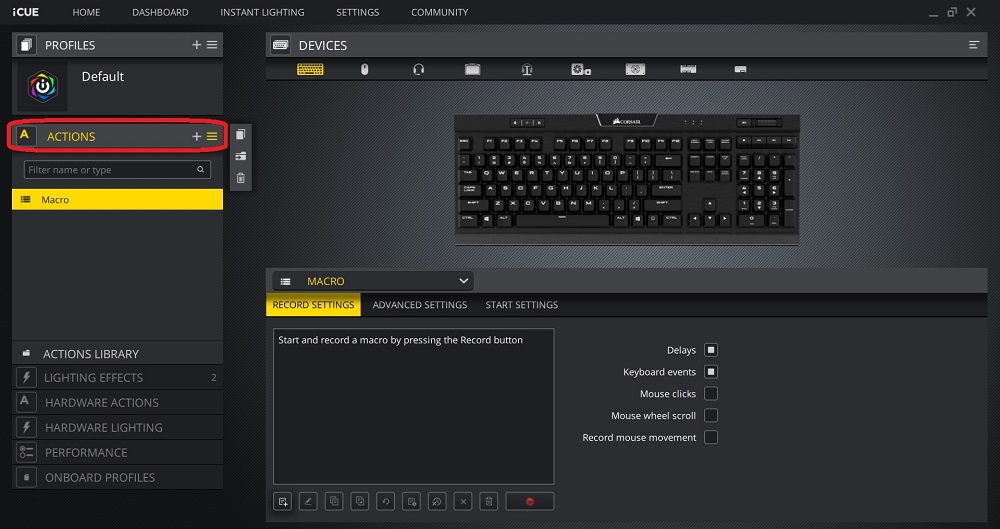
- Click the red record button at the bottom of the screen to begin recording your macro.
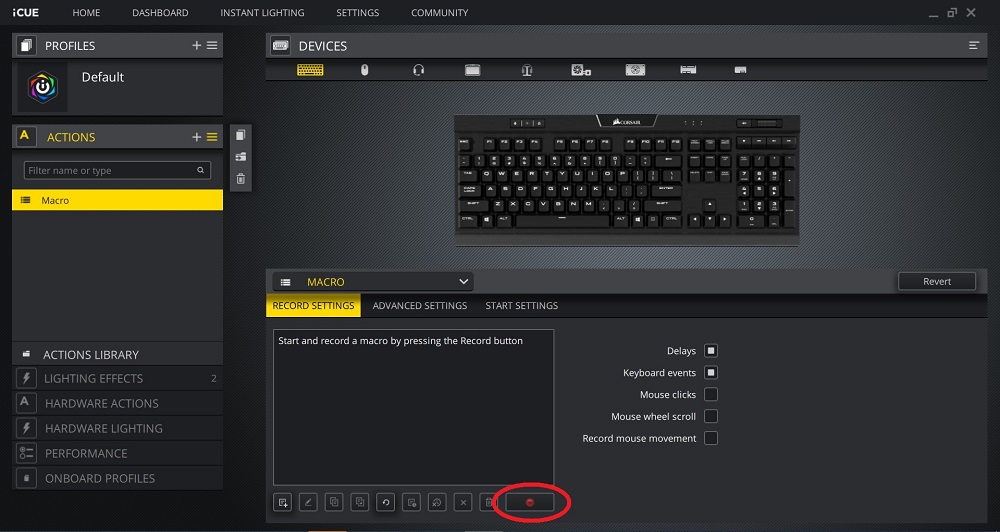
- Perform the keyboard actions you want the macro to do.
- Click the red record button again to stop recording.
- Apply any advanced settings or start settings to your macro.
- Select a key on the image of the keyboard to assign your macro to that key.
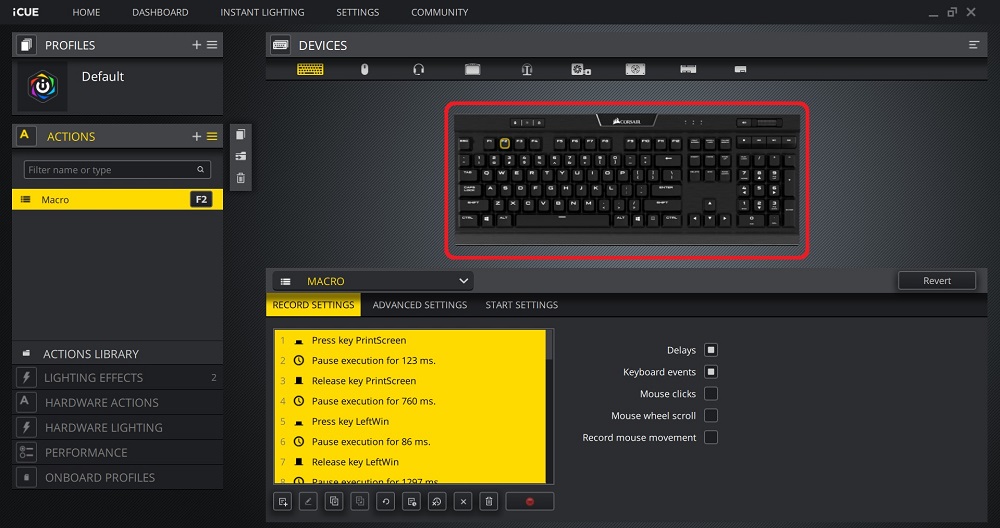
- Test out your macro to make sure it is working properly.
Video instructions
PRODUKTY V ČLÁNKU
Stay up to date with CORSAIR. Get our latest News, Guides, and Product Updates in your Google feeds.
Add CORSAIR as a preferred sourceWas this article helpful?
Feedback received
Thanks for helping us improve this article.
JOIN OUR OFFICIAL CORSAIR COMMUNITIES
Join our official CORSAIR Communities! Whether you're new or old to PC Building, have questions about our products, or want to chat about the latest PC, tech, and gaming trends, our community is the place for you.