HOW TO
How to: Re-pair your KATAR PRO wireless mouse with its wireless receiver
If your KATAR PRO wireless mouse has been unpaired with its wireless receiver, follow the steps below to re-pair it.
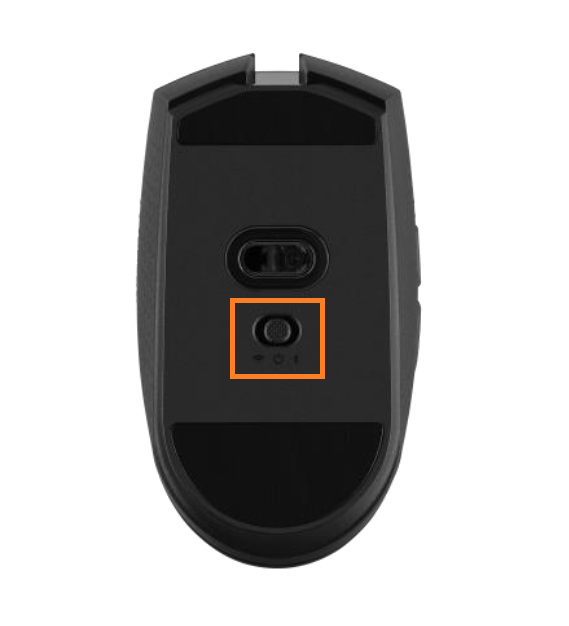
- Turn off your KATAR PRO wireless mouse by flipping the power switch on the bottom of the mouse to the middle position.
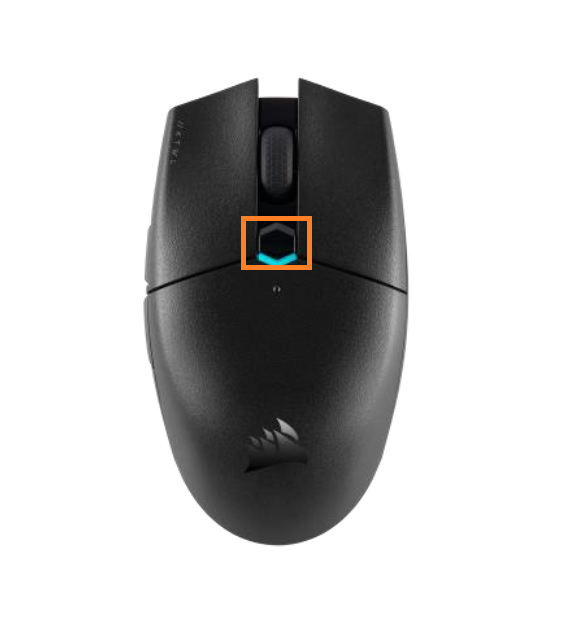
- After powering off your mouse, hold down the DPI button under the mouse wheel.
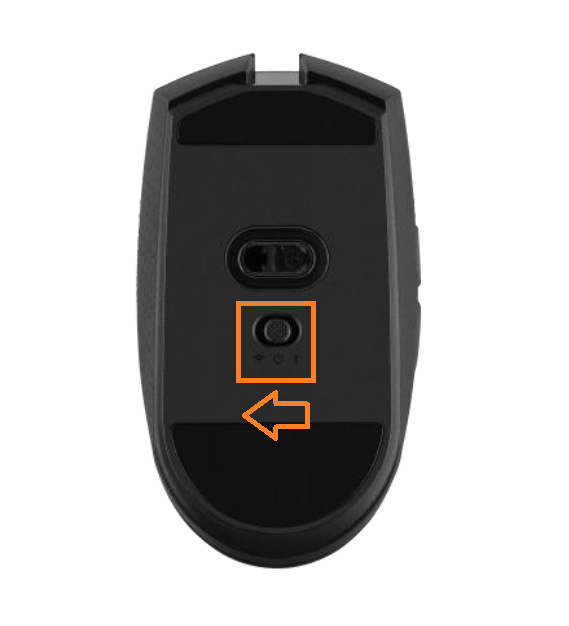
- While holding down the DPI button, switch the power switch from the "Off" position to 2.4Ghz Wireless mode by moving the switch to the left.
- Release the DPI button.
Your mouse should now be paired with its wireless receiver dongle once again. If following the steps above did not solve your issue, contact Customer Support and we will provide further assistance.
Stay up to date with CORSAIR. Get our latest News, Guides, and Product Updates in your Google feeds.
Add CORSAIR as a preferred sourceWas this article helpful?
Feedback received
Thanks for helping us improve this article.
JOIN OUR OFFICIAL CORSAIR COMMUNITIES
Join our official CORSAIR Communities! Whether you're new or old to PC Building, have questions about our products, or want to chat about the latest PC, tech, and gaming trends, our community is the place for you.