The COMMANDER DUO is CORSAIR’s next-generation lighting and fan controller, and it is replacing the COMMADER CORE XT in the lineup. Here's how it works, and why it will make fan and lighting control far easier, especially if you have different types of fans in your system.
What is in the Box?
The COMMANDER DUO package includes the following items:
- COMMANDER DUO
- 1X USB cable
- 2x iCUE LINK Bridge Connectors
- 2x Temperature Sensors
- 2x Double-sided tape
What is the COMMADER DUO?
The Commander Duo is mainly a lighting and fan speed controller, and it has two modes, hence the word DUO in its title. It can function as an ARGB PWM fan and lighting controller, and it supports iCUE LINK devices as well, but you will need an iCUE LINK System Hub for this functionality.
This means you can control both types of fans/devices from iCUE instead of having to use iCUE for the LINK devices, and motherboard software for ARGB fans. There is a switch on the left side that lets you toggle between ARGB and LINK mode.
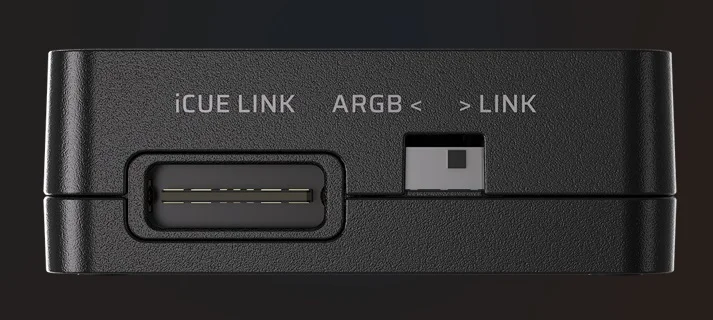
ARGB and iCUE LINK mode toggle switch
What Does it Do with PWM ARGB fans?
As a PWM ARGB fan controller, it offers two channels for fan speed control and RGB lighting. You can connect up to six daisy-chained fans on each channel, so it supports up to 12 PWM ARGB fans in total. Each fan group is controlled by iCUE software as a group, as opposed to six or 12 individual fans, but you can control both fan groups easily through iCUE software.
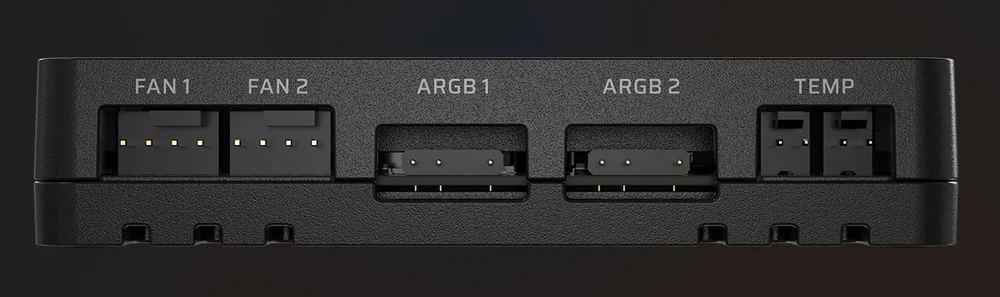
There are two 4-pin power connectors and two 3-pin ARGB ports, allowing you to connect six daisy-chained ARGB fans to each channel for a total of 12.
The COMMANDER DUO is designed to control daisy-chained PWM fans, which are normally connected to your motherboard and controlled through that manufacturer’s software. If you’re just using it for PWM ARGB fan control, you can connect a single SATA power cable for power and a USB cable for iCUE detection.
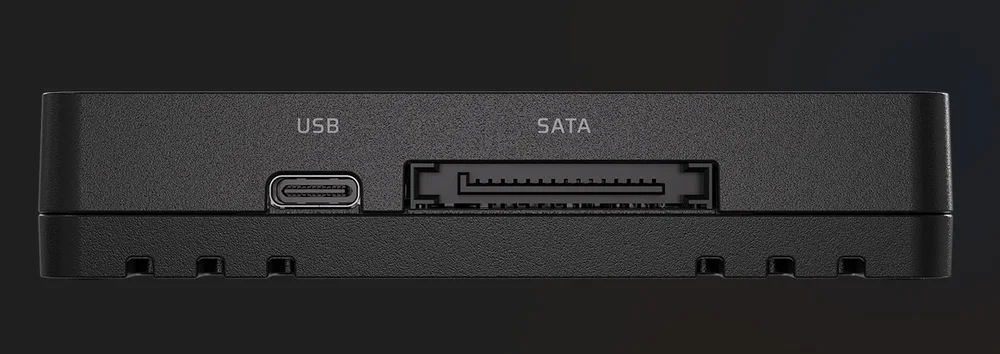
For ARGB mode, you connect one SATA power cable and a USB cable for iCUE detection.
What About iCUE LINK devices?
It also offers iCUE LINK connectivity as well, so you can take an iCUE LINK System Hub and plug it into the side of the COMMANDER DUO via the included Bridge Connector that goes into both the System Hub and the COMMANDER DUO. This is the same "biscuit" plug used to connect iCUE LINK fans to each other for data transmission between them.
When you do that the System Hub takes over full control of all connected devices and also provides power through its six-pin PCIe power cable and iCUE detection through its USB cable, so the COMMANDER DUO needs neither of those cables (USB and power).
This means all connected devices, both PWM ARGB and iCUE LINK, are controlled through iCUE software. When you connect a System Hub, you have to flip the switch on the side moving it from ARGB mode to LINK mode. There is an additional iCUE LINK connector on the side of it that you can use to connect other iCUE LINK devices.
Check out our installation and iCUE setup guide for the Commander DUO for more detailed information.
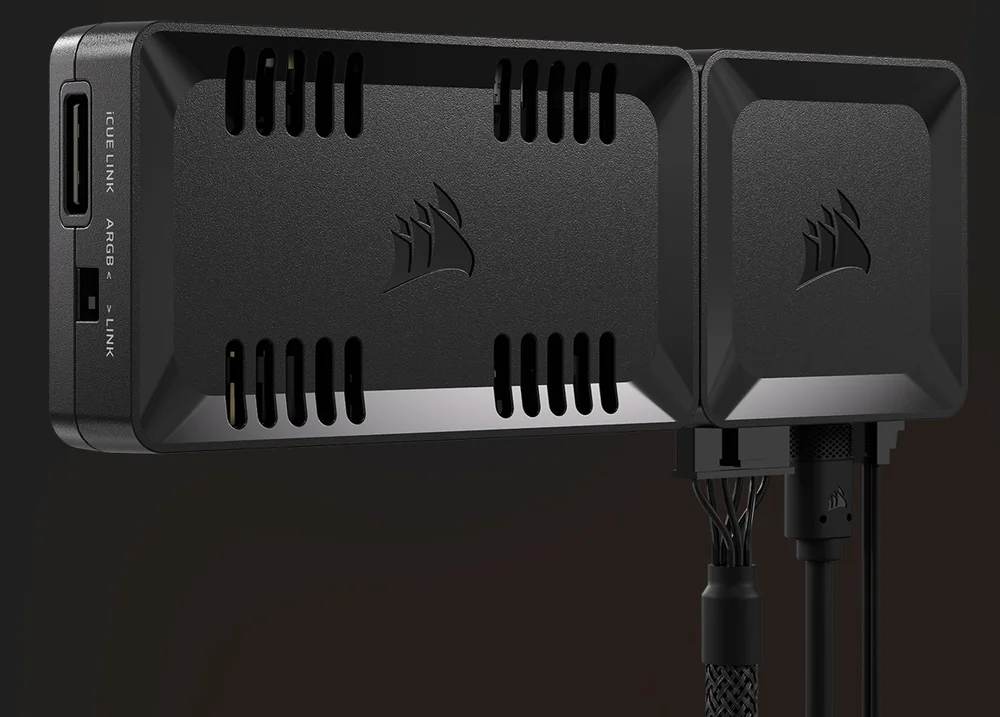
If you have an iCUE LINK System Hub, it can be docked to the side and will control all connected devices, so you don't need to use SATA power or USB for the COMMANDER DUO.
COMMANDER DUO Example Use Case
Let’s say you have a case with several PWM ARGB fans already installed, such as a CORSAIR 3500X ARGB, which includes 3x RS120 ARGB fans. Those fans are daisy-chained to your motherboard’s PWM and ARGB connectors, and you’re controlling the fans and RGB through your motherboard’s software. You then add a CORSAIR iCUE LINK Titan 360 CPU cooler. The issue you’d face is you’d control the CPU cooler's fans and pump through iCUE, and your existing fans with your motherboard’s software. The COMMANDER DUO makes this easier by letting you control both types of fans from one interface, aka iCUE.
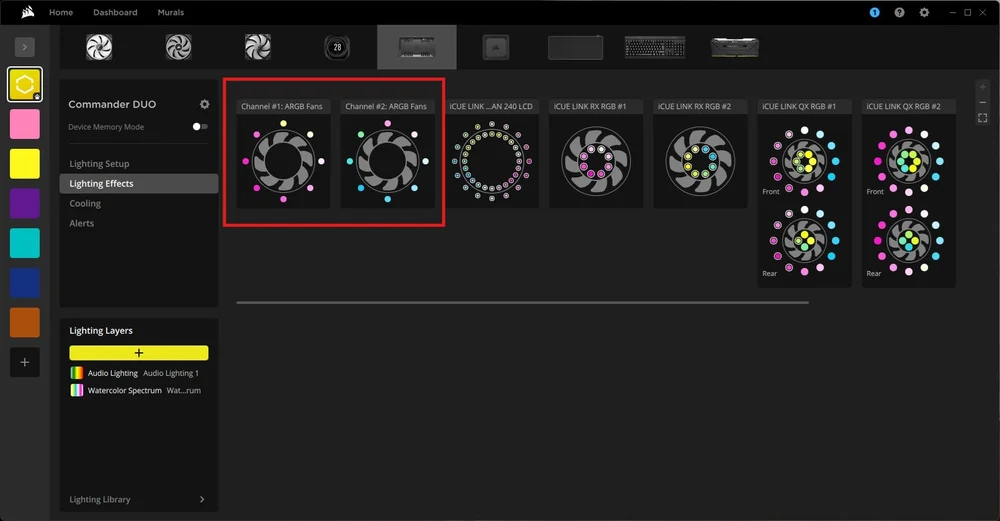
With a System Hub docked and the unit in LINK mode, you can control both ARGB fans and iCUE LINK devices from iCUE. The red square is the two ARGB channels.
Once you have your CPU cooler installed and working normally, you’d unplug the SATA power and USB cables from the COMMANDER DUO and dock it to the side of the iCUE LINK System Hub using the included connector. Next, you’d make sure the switch on the side was set to LINK mode, and you’d connect your ARGB fans to the COMMANDER DUO instead of your motherboard. When you turn the PC back on, you should see all your fans in iCUE, letting you easily control fan speed and lighting for both types. Note that ARGB fans are controlled as a group, not individually.
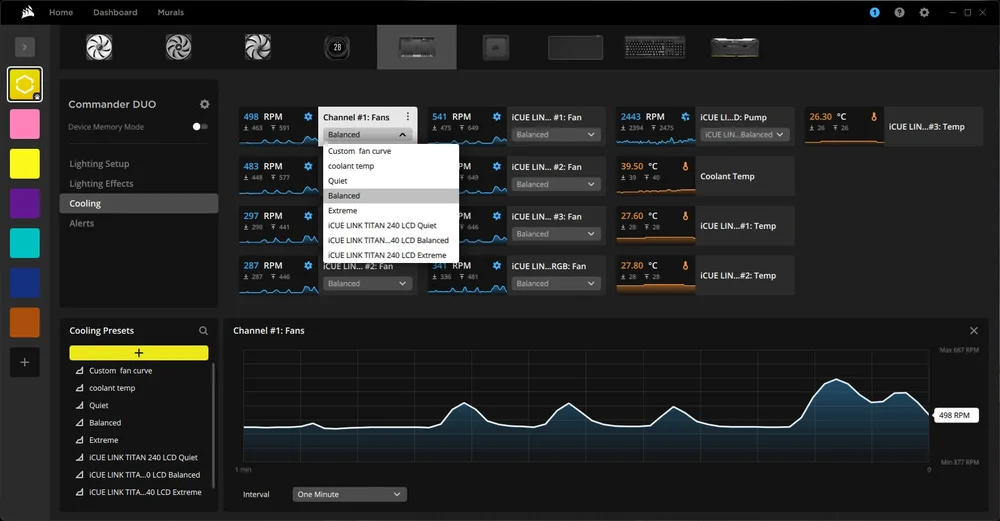
You can control each ARGB fan channel as a group through iCUE, and easily change fan speed and lighting for all fans connected in the chain.
Alternatively, you might have a non-CORSAIR case with PWM ARGB fans but want iCUE LINK case fans (or a CPU cooler) for easier cable management, so with this device you can connect them all to the same hardware and control them all through iCUE, assuming you buy a fan kit that includes a System Hub as that is required for LINK mode.
Regardless of the exact scenario, you can now add an iCUE LINK cooler or case fans to your existing or new PC with PWM ARGB fans and control them all through one streamlined interface. This should make fan and lighting control easier than dealing with two different software packages.
How Do I Mount it Inside My PC?
It includes magnets in the housing so it can be stuck to the back of your motherboard tray, similar to the iCUE LINK System Hub. If the bond isn't strong enough, two pieces of double-sided tape are included that will make for a very strong connection.
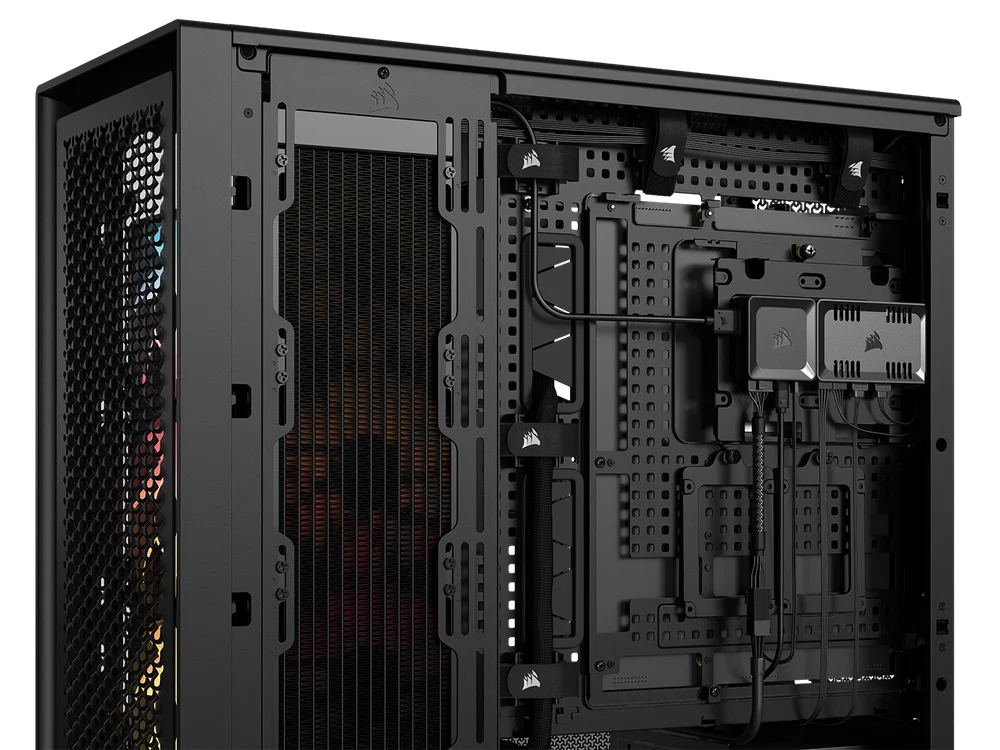
The COMMANDER DUO attached to a PC via its internal magnets. Double-sided tape is also included if your chosen mounting position is not magnetic, or if you're just really keen on totally immobilizing it.
What About the Temperature Sensors?
There are two ribbon-style temperature monitors included, so you can use those to monitor temperatures in areas of your case where there is no temperature sensor present. It could be your hard drive bay if you are still rocking mechanical drives, or just an area you want to test for good airflow. They are optional accessories, so you don’t have to use either one, but they will appear in iCUE when connected and you can rename them to whatever you like for easier monitoring.
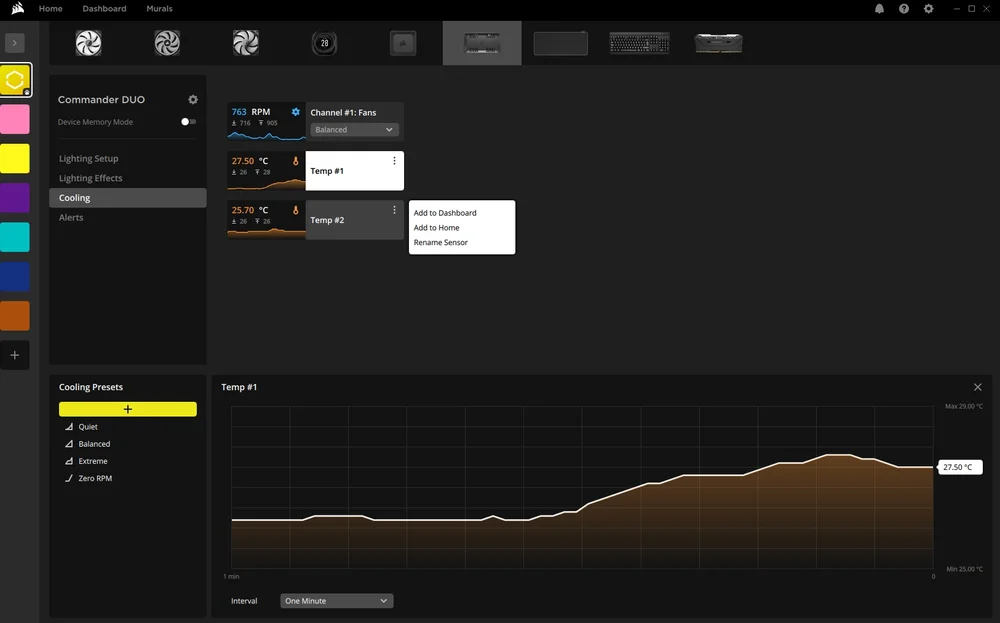
The temperature sensors are optional, and you can rename them to anything such as "CPU region" or "Rear Exhaust" to get an accurate measurement of temps in specific areas of your case.
Do I have to own iCUE LINK Fans?
You do not, as you can use it as a standard PWM ARGB fan controller, but if you want to add iCUE LINK devices in the future without having to use two different software packages to control it all, now you can.
PRODUCTS IN ARTICLE
JOIN OUR OFFICIAL CORSAIR COMMUNITIES
Join our official CORSAIR Communities! Whether you're new or old to PC Building, have questions about our products, or want to chat about the latest PC, tech, and gaming trends, our community is the place for you.