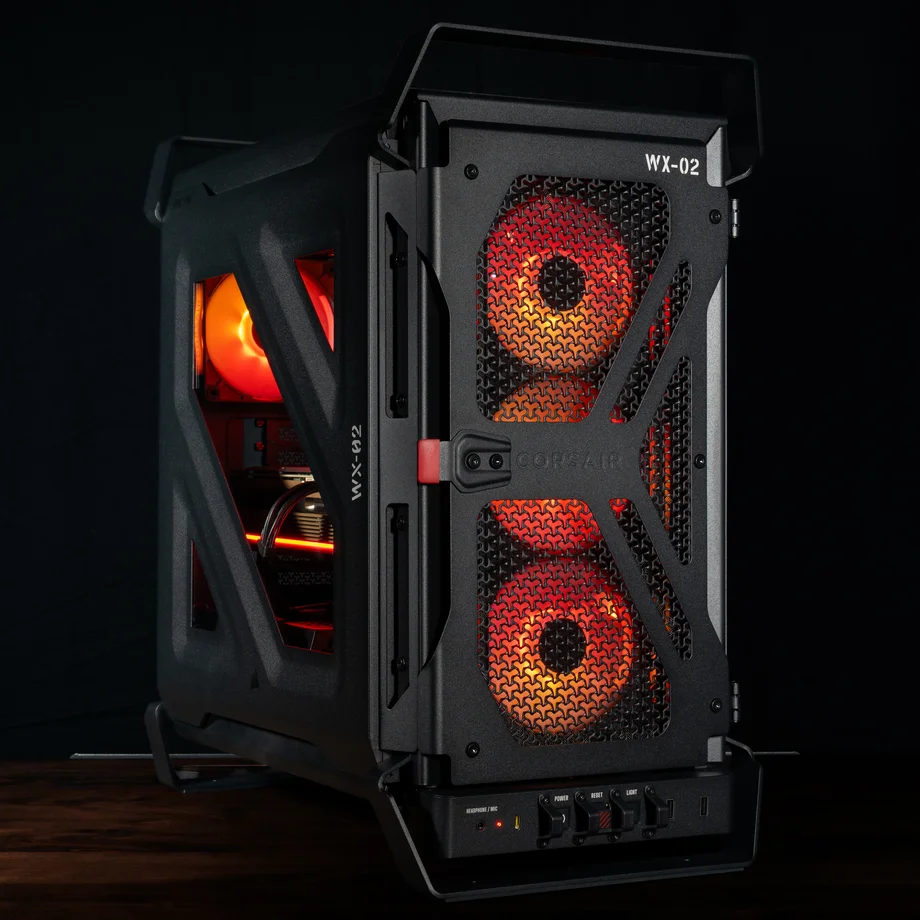
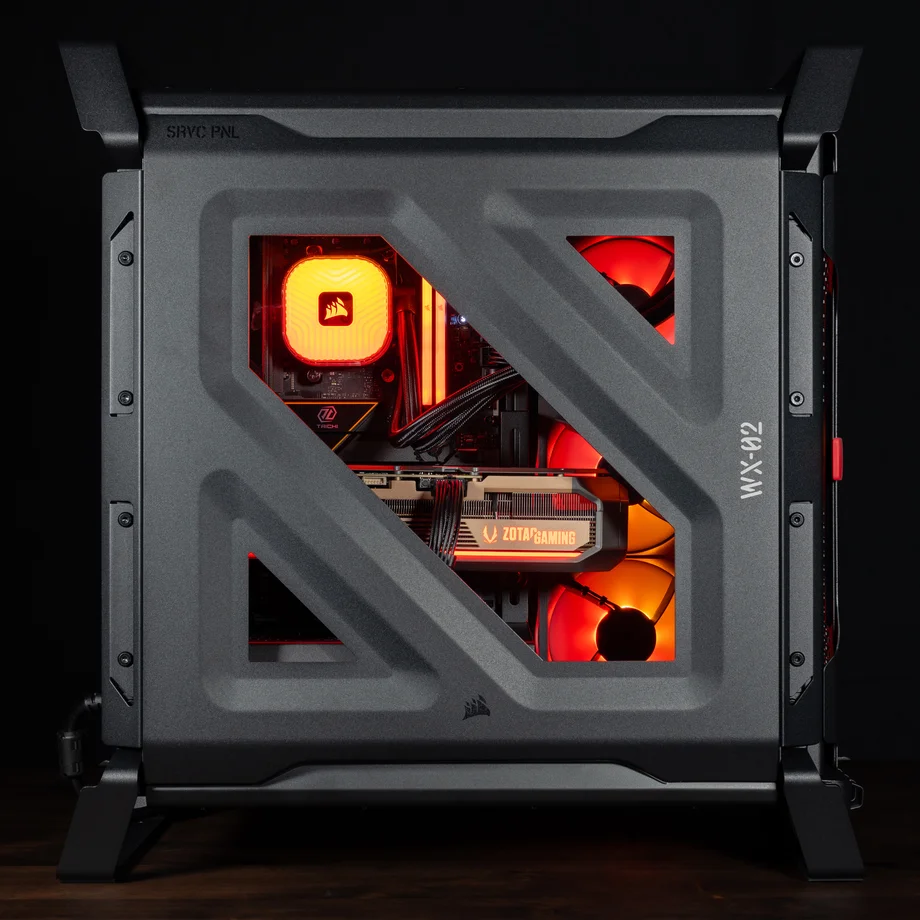
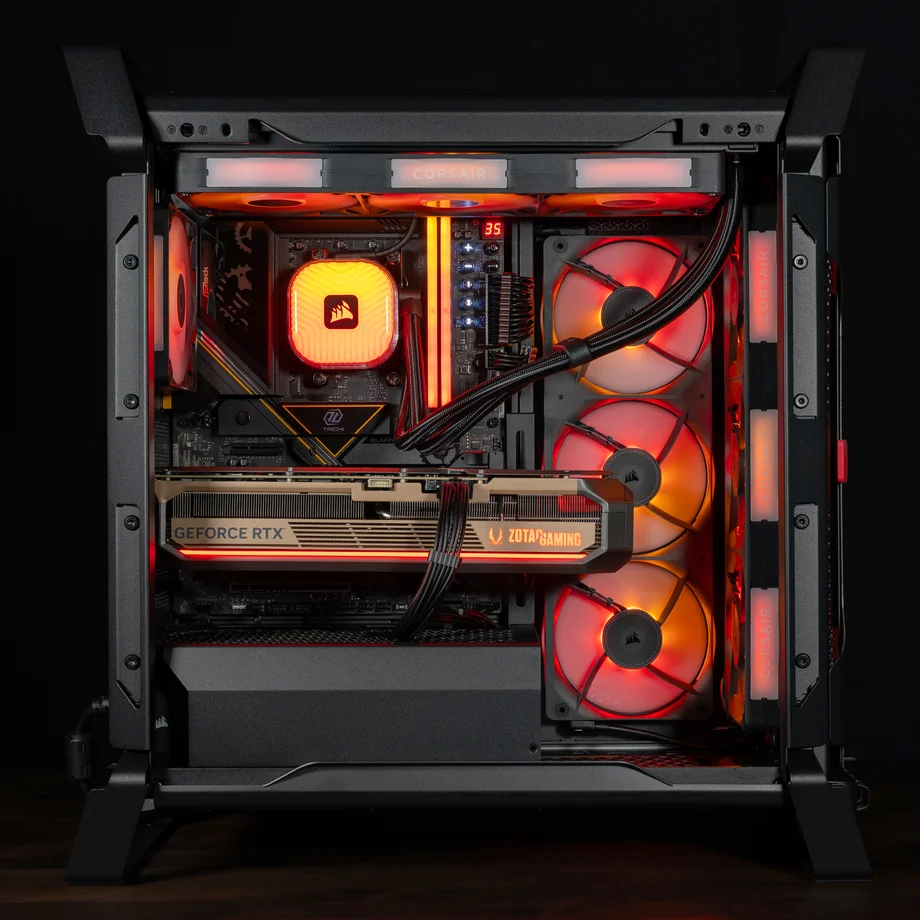
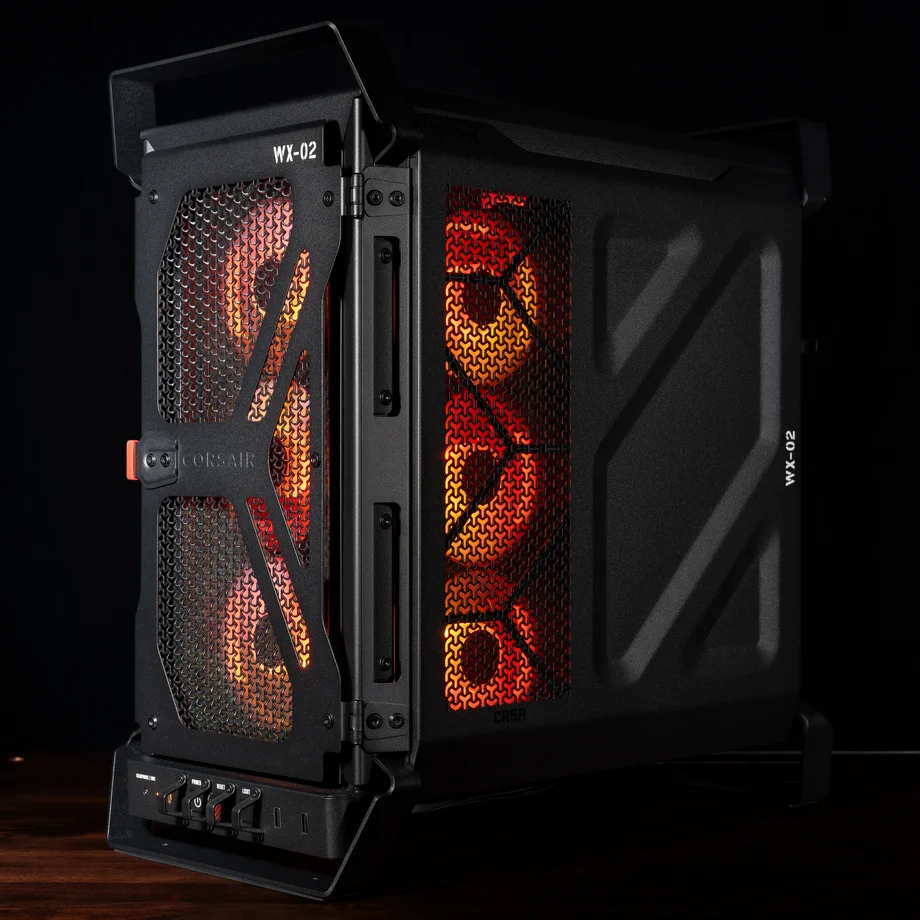
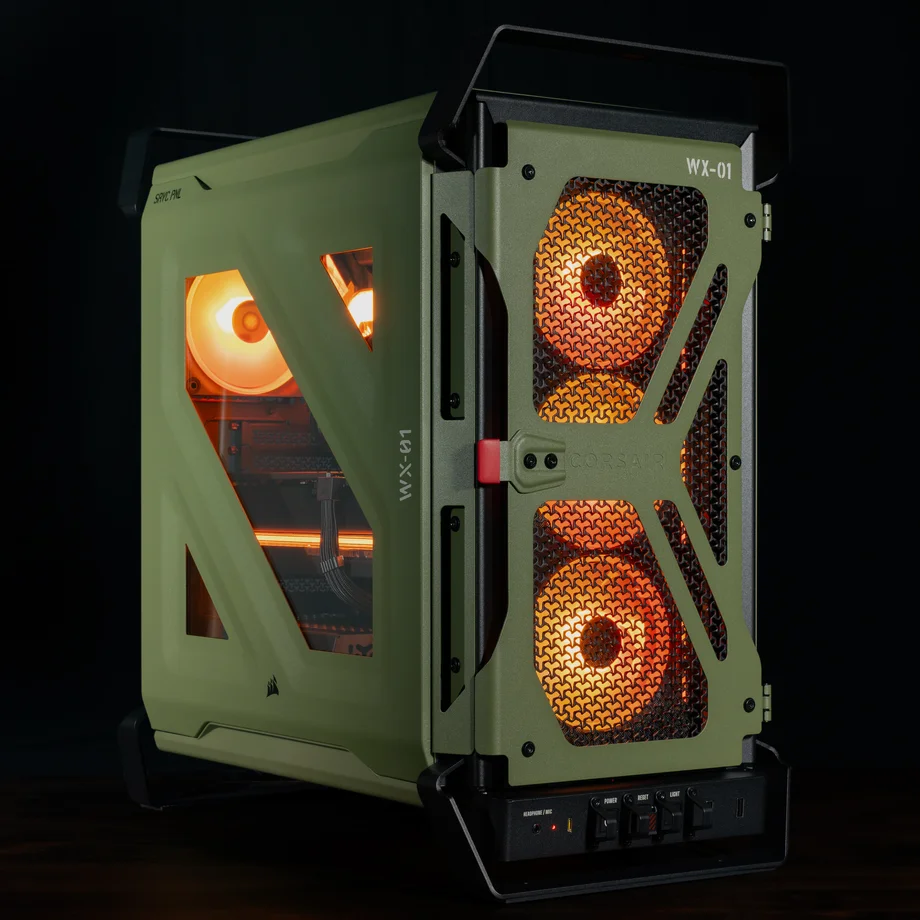
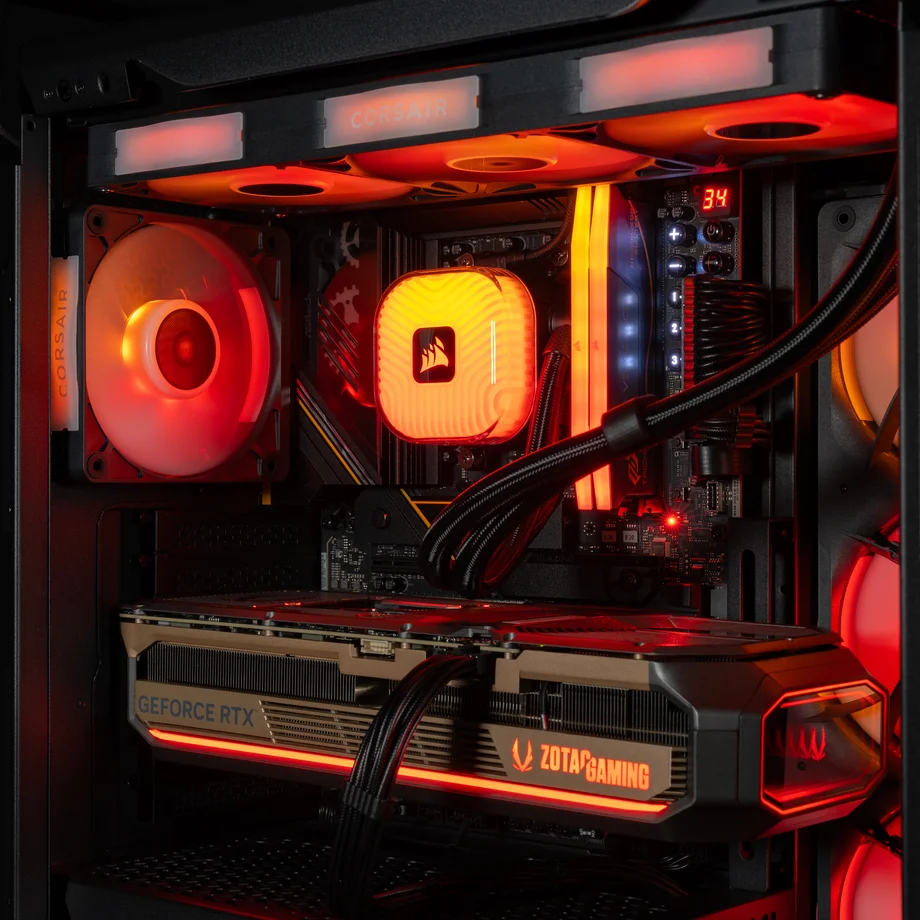
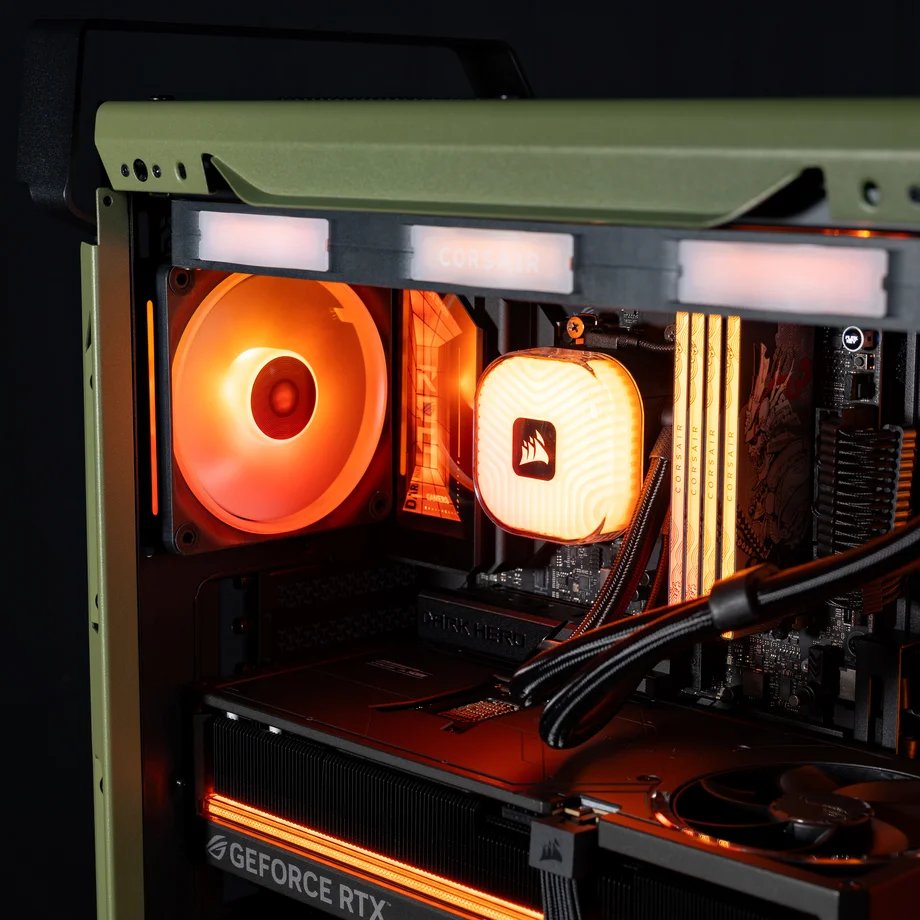
In 2012 CORSAIR launched a case with a military theme called the Vengeance C70. The case resembled an ammo container, and it went on to win numerous awards for its spacious interior, smart engineering, rugged construction, and unique aesthetic. Since then CORSAIR has been besieged by requests to remake the C70 for modern builds, and that’s exactly what we’ve done with the all-new WARTHOG mid-tower chassis.
The all-new Warthog resembles its predecessor but is totally upgraded for modern systems.
This new case from CORSAIR borrows several noteworthy features from the C70 while updating the design for 2026 with an even more rugged exterior, significantly more expansion options, and an emphasis on excellent airflow throughout the chassis.
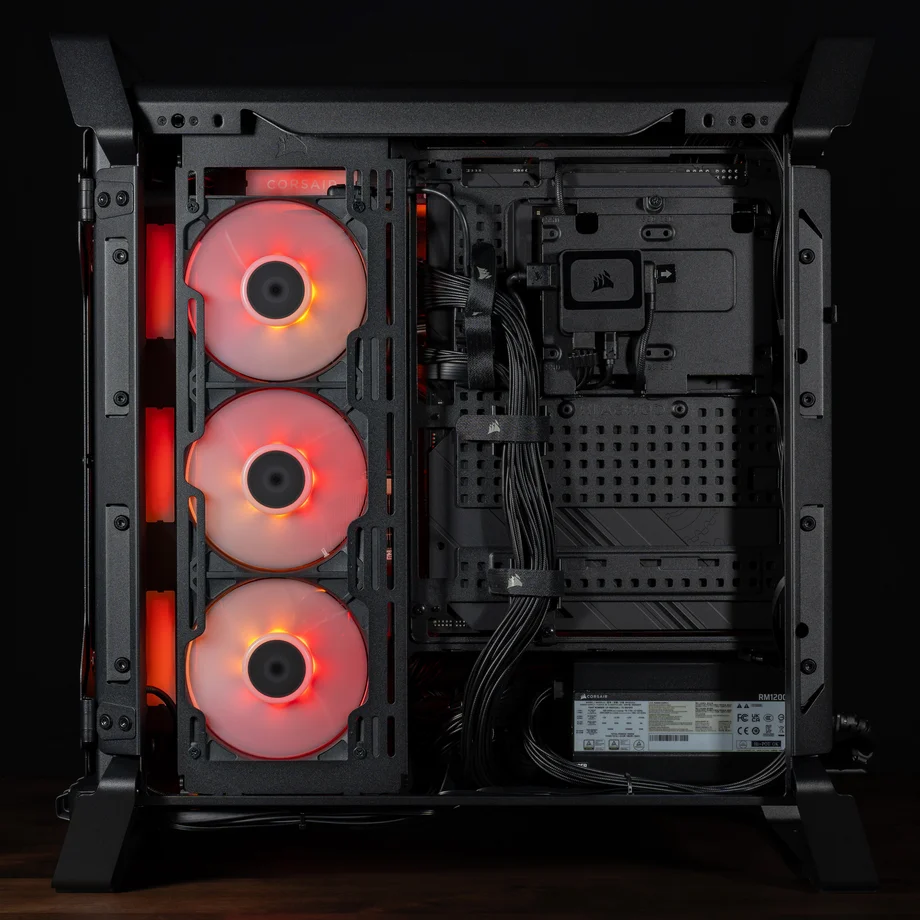
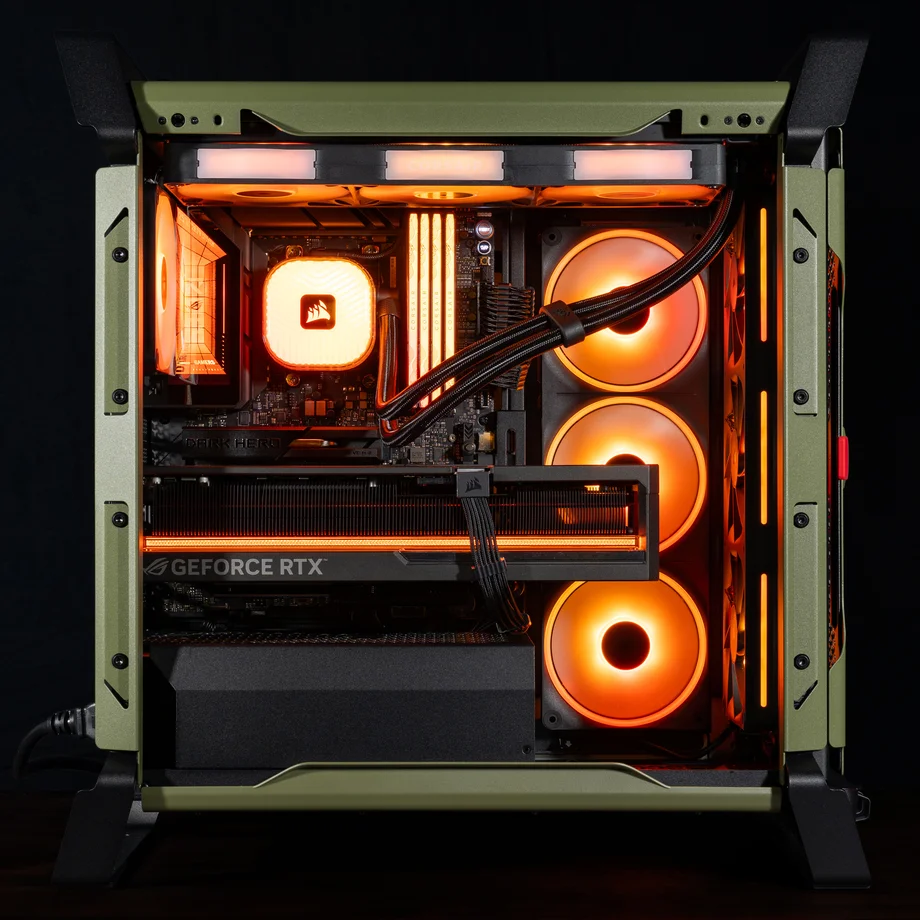
Those updates include features such as the InfiniRail Fan Mounting System for easier installation of different size fans, a pegboard motherboard tray for customizable cable management, and room for giant GPUs with built-in GPU Anti-sag, along with three mounting locations for a 360mm radiator and support for 13x 120mm fans.
The revamped Warthog features a pegboard motherboard tray for customizable cable management, built-in GPU anti-sag, and is full of features for a powerful modern PC.
Like Terminator 2 and Aliens, this is a sequel that is better than the original in every way with modern features, a rugged design, plenty of room for fans and radiators, and a unique aesthetic that is like nothing else on the market.
|
Dimensions |
534mm (H) x 284mm (W) x 546mm (L) |
|
Max GPU Length (w/ front fan) |
405mm |
|
Max GPU Length (w/o front fan) |
430mm |
|
Max CPU Cooler Height |
190mm |
|
Max PSU Length |
200mm |
|
Fan Mounts (Front) |
3x 120mm, 2x 140mm, 2x 200mm |
|
Fan Mounts (Top) |
3x 120mm, 2x 140mm |
|
Fan Mounts (Side) |
3x 120mm, 2x 140mm |
|
Fan Mounts (Rear) |
1x 120mm, 1x 140mm |
|
Fan Mounts (PSU Shroud) |
2x 120mm |
|
Fan Mounts (Bottom) |
1x 120mm |
|
Dust Filters |
Front, Bottom, and Side
|
|
Radiator Compatibility |
Note that you cannot mount radiators in the front and the top simultaneously. |
|
Motherboard Compatibility |
Mini-ITX, Micro-ATX, ATX, E-ATX |
|
Reverse Motherboard Compatible |
Yes |
|
Storage Compatibility |
1x 3.5" HDD and 2x 2.5" SSDs |
|
Front Panel I/O |
|
|
PCIe Slots |
7 |
The CORSAIR WARTHOG comes in two versions: WARTHOG and WARTHOG RS. The standard WARTHOG does not include any fans, so you can reuse your existing fans or customize the cooling to your preference. The WARTHOG RS includes two of our all-new RS200 fans as front intake, so you have dual 200mm fans in the front of the case pulling in air from outside the chassis for great airflow with very low noise. There is also an RS120 fan mounted in the rear for exhaust, so you have great cooling right out of the box. The RS fans connect directly to the motherboard for a simple setup and no-hassle fan management without any controllers needed.
Additionally, the WARTHOG is available in two colors; Black or Olive Drab.
WARTHOG RS Black
WARTHOG RS OLIVE DRAB
Note: The RS fans included with WARTHOG are non-RGB, as we didn’t want anything to distract from case’s rugged aesthetic. However, you can easily add ARGB fans if you prefer and we’re sure many customers will do exactly that.
WARTHOG BLACK
WARTHOG OLIVE DRAB
The WARTHOG RS includes 2x RS200 and 1xRS120 PWM fans for full-coverage cooling with both intake and exhaust cooling right out of the box. The all-new RS200 intake fans are 200mm fans that are new for CORSAIR and they move a lot of air at very low RPMs for great cooling with very low noise.
Both the RS200 intake and the RS120 exhaust fans include AirGuide technology, which uses precisely-engineered stator vanes to focus airflow on a straight trajectory for concentrated cooling as opposed to unfocused air that spreads throughout the chassis instead of directly at components that need it. These fans are also very quiet thanks to Magnetic Dome bearings.
The RS fans included with the WARTHOG RS connect directly to the motherboard for a simple way to control and sync fan speeds for the group, all using free motherboard software with no fan controllers needed. All three fans are pre-installed, with the 2x RS200 in the ventilated front panel as intake fans and 1x RS120 installed as an exhaust fan, saving you time when building your PC.
The WARTHOG continues the military theme of its predecessor by bringing back some features from the C70 while introducing a few new ones to solidify its tactical pedigree.
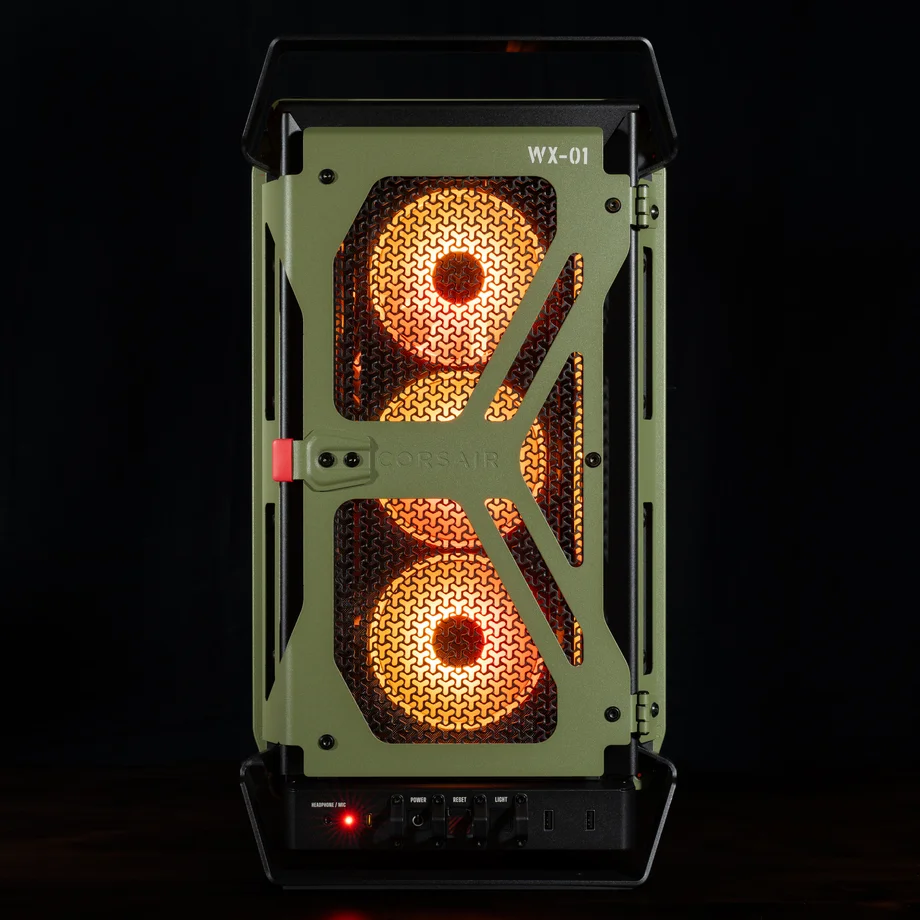
The switches on the front of the chassis are protected with metal bollards to prevent accidental activation. These switches include Power, Reset, and a Light switch that illuminates the rear of the case so it’s easier to plug in cables. Additionally, there is a “Remove Before Build” tag as an homage to the “Remove Before Flight” tags found on critical equipment in fighter jets. The Reset button also has a protective cover over it that has to be flipped up to access this crucial switch.
Like its predecessor, the WARTHOG features sturdy built-in handles made of steel for easy transport. On the previous version of this case the handles were often used to carry the case to LAN parties, and since that is largely a bygone era at this point the handles have returned as a callback to the case’s heritage and to offer a striking appearance and an easy way to move the case around. It also makes it easier to prop the case up on its side with the handles for an easier build or to perform upgrades.
Connecting a cable to the back of your PC in a dimly lit room is always tricky, but it’s easier than ever with built-in lighting over the rear I/O. A button in the front of the PC lets you turn on a light that shines down over the rear I/O to make easier to connect or disconnect a cable without any guesswork involved.
Rear I/O lighting is a new feature on the WARTHOG to help PC builders connect cables without having to pull their PC away from the wall.
We debuted a new 3D-Y perforated front panel on the FRAME 4000D for enhanced airflow, and now we’ve taken it to the next level by using this unique design on both the front and the top of the WARTHOG to allow for unrestricted airflow in both areas. The 3D-Y pattern allows up to 12.7% more airflow compared to a standard flat cutouts, offering excellent cooling performance for intake fans and top-mounted AIO CPU coolers.
The 3D-Y pattern was previously only offered on the front panel of the FRAME 4000D, but for WARTHOG we've added it on both front and top panels for excellent cooling.
A steel multi-point mounting system offers exceptional flexibility in front and roof fan configurations. Since it includes 200mm intake fans pre-installed in the front, most users will only use the top rail, which can be easily adjusted to switch between 120mm and 140mm in the roof, allowing precise placement for airflow without fixed mounting constraints.
Due to sharing a base chassis with the FRAME 4000D, the storage options on the WARTHOG are great, allowing for 2x 2.5" SSDs and 1x 3.5" HDD. Additionally, it is fully compatible with our 3D printable HDD cage for those who need the extra space.
A pegboard style motherboard tray provides customizable mounting points for tie downs and buckles. Includes six cinching straps and two wire loom pairs to secure excess cable length for a clean interior, with the option to 3D print additional accessories. Increased spacing behind the motherboard tray further improves cable management.
WARTHOG is validated for ASUS BTF, MSI Project Zero, and GIGABYTE Project Stealth motherboards, with extensive connector cutouts and tie downs to keep cables tidy even where they are not visible.
There is support for 360mm radiators in three locations: front, roof, and side, and you can run two simultaneously in case you have a liquid-cooled CPU and GPU. You can also mount up to 13x 120mm fans simultaneously to maintain strong, efficient airflow.
Today’s graphics cards are larger and heavier than ever, which is why this case includes a GPU Anti-sag Stabilization Arm to keep your graphics card properly supported.
Stay up to date with CORSAIR. Get our latest News, Guides, and Product Updates in your Google feeds.
Add CORSAIR as a preferred sourceThanks for helping us improve this article.
JOIN OUR OFFICIAL CORSAIR COMMUNITIES
Join our official CORSAIR Communities! Whether you're new or old to PC Building, have questions about our products, or want to chat about the latest PC, tech, and gaming trends, our community is the place for you.