At CORSAIR, we strive to deliver a seamless, powerful experience through our iCUE software. Many users integrate motherboards and devices from prominent brands such as Gigabyte, MSI, ASUS, Govee, Nanoleaf, and others, benefiting from unified lighting and control. To ensure clarity, we'd like to explain how compatibility with non-CORSAIR devices works within iCUE.
How Compatibility Works with iCUE
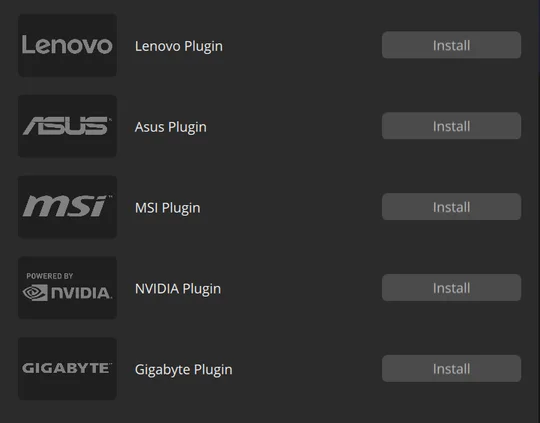
Compatibility with third-party devices in iCUE is facilitated through Plugins and Integrations. Both plugins and integrations utilize Software Development Kits (SDKs), or Application Programming Interfaces (APIs) provided by our aforementioned hardware partners. These partner-provided SDKs and APIs act as a bridge, connecting iCUE to each partner's software, enabling iCUE to control and communicate with compatible third-party hardware.
However, our hardware partners ultimately define the parameters of control and the types of devices accessible through their SDK or API.
To maintain simplicity and ensure a consistent user experience, in some instances such as with Govee and Nanoleaf products we may limit the number of third-party devices that iCUE supports.
It’s important to understand that the landscape of compatibility is dynamic. Our partners regularly update their software, features, and firmware, impacting the integration with iCUE. As such, product behaviors and hardware compatibility may change or be removed in subsequent updates.
Common Reasons for Compatibility Issues
Compatibility issues commonly arise due to:
- Updates or changes to the SDK or API: Product Behavior and/or hardware can be changed or removed in subsequent updates.
- For motherboards, BIOS, or firmware updates that affect SDK communication. It is essential to always ensure your third-party devices are updated to the latest firmware through their respective applications.
- End-of-Life (EOL) hardware is no longer supported by the third-party manufacturer.
If You Experience Issues
If you encounter compatibility issues:
- Reach out directly to the support team of your motherboard or device manufacturer. They maintain their SDK and software integrations, making them best equipped to provide detailed and direct support. However, CORSAIR’s internal support team remains accessible for inquiries related to basic functionality and setup within the context of iCUE.
- Check the manufacturer's website or support pages regularly for the latest firmware updates, software revisions, or additional information. Most applications will also offer real-time update notifications as soon as new firmware or software becomes available.
JOIN OUR OFFICIAL CORSAIR COMMUNITIES
Join our official CORSAIR Communities! Whether you're new or old to PC Building, have questions about our products, or want to chat about the latest PC, tech, and gaming trends, our community is the place for you.