When people talk about “32-bit” versus “64-bit,” they’re describing the width of a CPU’s registers and memory addresses a concept known as bitness. In practical terms, a 64-bit system can access vastly more memory, handle modern applications more smoothly, and still run most 32-bit software without issue. By 2025, 64-bit computing has become the standard across nearly every platform, leaving 32-bit systems as a legacy option.
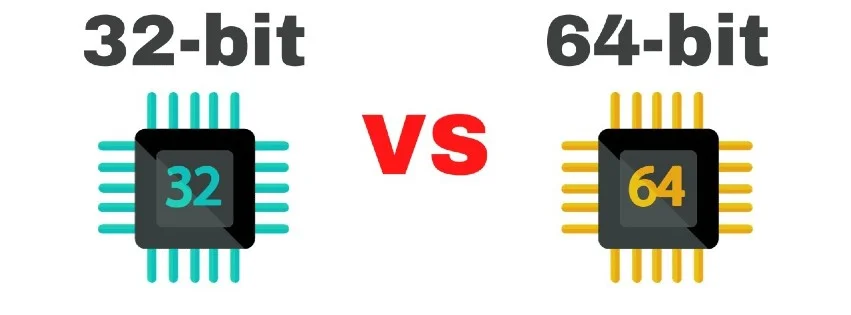
Image from Tech Index
What do “32‑bit” and “64‑bit” Actually Mean?
In CPU architecture, the “bits” describe the width of key data paths especially registers and memory addresses. A 32‑bit address space tops out at 2³² addresses (4 GB), while 64‑bit designs support vastly larger virtual and physical address spaces. On x86‑64 specifically, 64‑bit mode also adds more general‑purpose registers (from 8 to 16), which can help certain workloads
Is 64‑bit Faster?
Sometimes. It depends on the app:
- More registers & wider math can speed up compute‑heavy tasks, compression, encryption, compiling, and content creation.
- Bigger pointers mean bigger memory footprints; very small or memory‑tight programs don’t always get faster just because they’re 64‑bit.
- The big win is removing RAM bottlenecks. When an app can use >4 GB of memory (think modern browsers with many tabs, virtual machines, large games, DAWs), 64‑bit is a practical necessity.
How much memory can each one use?
It varies by OS edition, but the pattern is consistent:
- 32‑bit Windows (x86): limited to 4 GB of physical RAM on client editions.
- 64‑bit Windows (x64/ARM64): ranges from 128 GB (Windows 11 Home) up to 6 TB (Enterprise / Pro for Workstations).
- Per‑process limits also jump massively in 64‑bit mode (Windows 8.1+ allows a 128 TB user‑mode virtual address space).
Details (and some fun historical footnotes like PAE and the old /3GB switch) are in Microsoft’s memory‑limits documentation.
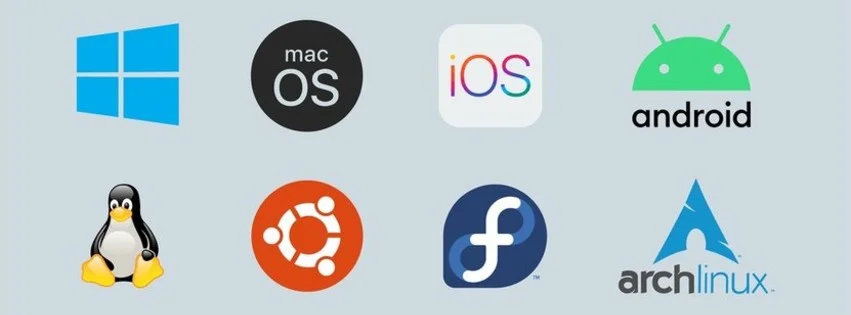
Will my Apps and Drivers Work?
Windows:
- Most 32‑bit apps run on 64‑bit Windows thanks to WOW64, a built‑in compatibility layer.
- 16‑bit programs and 32‑bit kernel drivers do not run on 64‑bit Windows. Hardware on a 64‑bit system needs 64‑bit drivers.
macOS:
- Since macOS Catalina (10.15), 32‑bit apps no longer run at all. You’ll need 64‑bit versions or alternatives.
Linux:
- Most 64‑bit distros can run 32‑bit programs if you install 32‑bit compatibility libraries (multiarch).
Android:
- Google Play has required 64‑bit app support for years; newer devices (e.g., Pixel 7 family) are 64‑bit‑only for apps.
How Can I Tell if My System is 32‑bit or 64‑bit?
Windows 10/11:
- Settings → System → About → System type. Note that Windows 11 is 64‑bit‑only, so any PC running it is already 64‑bit.
macOS:
- If you’re on Catalina (10.15) or later, the OS only runs 64‑bit apps. For older versions, Apple’s support page explains how to check app compatibility.
Linux:
- Open a terminal and run uname -m.
- x86_64 or aarch64 ⇒ 64‑bit kernel
- i686/i386 ⇒ 32‑bit kernel
Do I need special hardware to go 64‑bit?
Any modern CPU is 64‑bit. On Windows, Windows 11 requires a compatible 64‑bit processor so if you’re aiming for the latest OS, your hardware needs to be 64‑bit capable.
Is 64‑bit always the right choice?
Almost always yes in 2025:
- You’ll get access to more RAM, better performance in many pro apps and games, and broader future compatibility.
- The few reasons to stick with 32‑bit are niche very old hardware, very old OSes, or a single must‑have legacy app that can’t run under compatibility layers or a VM.
32-bit vs 64-bit Specs Compared
| Feature | 32‑bit | 64‑bit |
|---|---|---|
| Addressable user‑space (typical OS) | ~2–4 GB per process | Tens to hundreds of TB (OS‑dependent) |
| Max physical RAM (Windows examples) | 4 GB (Windows 10 x86) | 128 GB-6 TB (Windows 11 editions) |
| App compatibility | Runs 32‑bit apps | Runs 64‑bit apps; most platforms also run 32‑bit apps (Windows/Linux); macOS no longer runs 32‑bit apps |
| Driver model | 32‑bit drivers | 64‑bit drivers required on 64‑bit Windows |
| Today’s default | Legacy | Standard |
(Exact limits depend on OS & edition; figures here use Microsoft’s published limits.)
How do I move from 32‑bit to 64‑bit Windows?
There’s no in‑place flip: migrating from 32‑bit Windows to 64‑bit requires a clean install of the 64‑bit OS (back up, verify CPU compatibility, create install media, reinstall apps/drivers). Microsoft’s FAQ covers the steps and caveats
32-bit vs 64-bit FAQ
Can a 64‑bit Windows PC run my old 16‑bit program?
No 64‑bit Windows can’t run 16‑bit software directly. Consider a VM or emulator.
Why do some programs install to “Program Files (x86)” on Windows?
That folder is for 32‑bit apps on a 64‑bit system; the regular “Program Files” is for 64‑bit apps. The separation keeps the right DLLs with the right apps. (This behavior is part of the WOW64 compatibility layer.)
JOIN OUR OFFICIAL CORSAIR COMMUNITIES
Join our official CORSAIR Communities! Whether you're new or old to PC Building, have questions about our products, or want to chat the latest PC, tech, and gaming trends, our community is the place for you.