USB transfer speeds are a bit of a mess. The speeds are not obvious, they’re not explicitly stated in the naming, and there are plenty of caveats that can catch you out. Even if you are aware of the differences between generations, it’s far too easy to lose track of what it all means when it comes to something like USB 3.2 Gen 2x2. And no, we haven’t made that up.
To make sense of it all, here’s a table for easy comparison.
| Operation Mode | Introduced | Label | Speed | |
| USB 1.0 | 1996 | Low-Speed | 1.5 Mbps | |
| USB 1.1 | 1998 | Full-Speed | 12 Mbps | |
| USB 2.0 | 2000 | High-Speed | 480 Mbps | |
| USB 3.0 | USB 3.2 Gen 1x1 | 2008 | SuperSpeed | 5 Gbps |
| USB 3.1 | USB 3.2 Gen 2x1 | 2013 | SuperSpeed+ | 10 Gbps |
| USB 3.2 | USB 3.2 Gen 2x2 | 2017 | SuperSpeed USB | 20 Gbps |
| USB4 | USB4 Gen 3x2 | 2019 | USB 40Gbps | 40 Gbps |
| USB4 2.0 | USB4 Gen 4x2 | 2022 | USB 80Gbps | 80 Gbps |
It’s not an exaggeration to say the naming has become harder to follow as the standard has developed. The good news is that once you understand the basics, the rest starts to fall into place.
Now that we’ve got the table out of the way, it’s worth covering what USB is, where it came from, and how it’s doing.
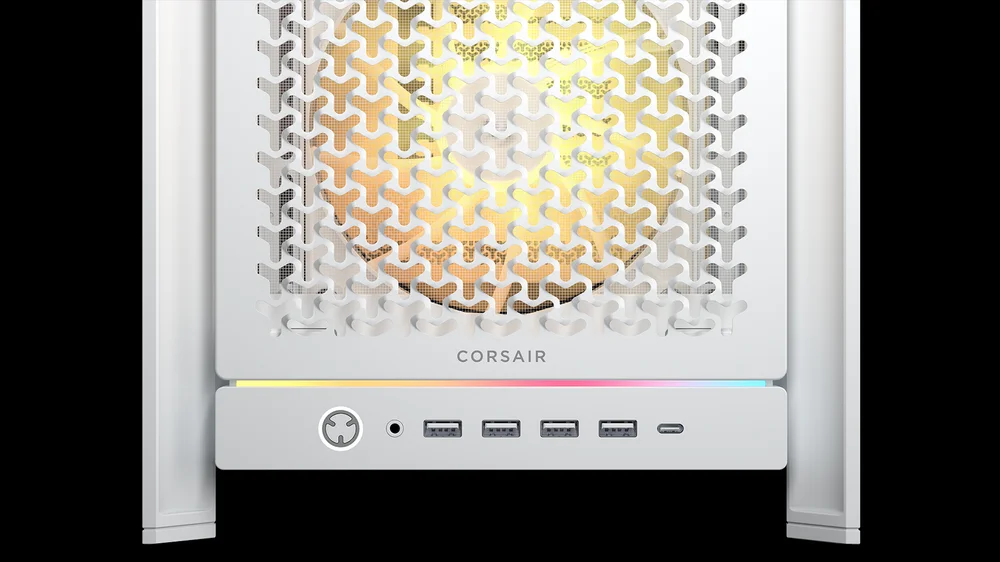
The FRAME 5000D features both Type-A and Type-C ports on the front I/O
What is USB?
USB stands for Universal Serial Bus, and as the name suggests it set out with the lofty goal of being the de facto standard for connecting devices and peripherals to PCs. In practice, it quickly grew beyond that. As it developed, USB aimed to connect not just PCs, but pretty much anything that needed to talk to something else.
USB has pretty much nailed its original intent. Generational updates, with all the refinements that come with such things, have seen it replace all manner of proprietary connectors. It isn’t just about connecting peripherals and transferring data between devices either, it’s also become the standard for powering and charging devices. It really is the standard it set out to be.
You’ll find USB ports on everything from our phones to smart TVs, including our beloved PCs, but also games consoles, and even kitchen devices.
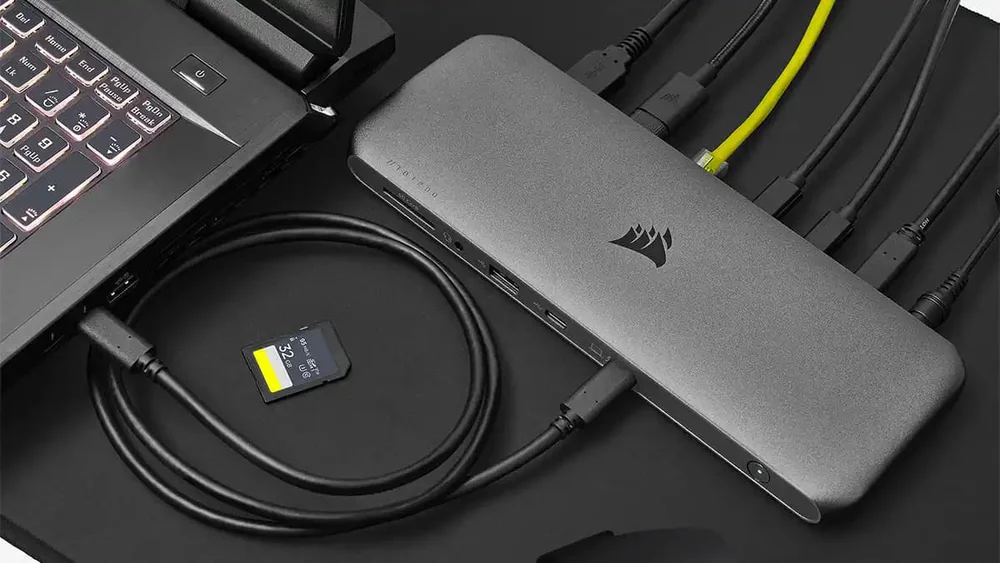
The TBT200 Dock is a great option if you've got limited ports
USB Versions
The first iteration of USB, USB 1.0, launched at the beginning of 1996. It was created by the USB Implementers Forum (USB‑IF), which was made up of some of the biggest players in the PC industry at the time, including Compaq, DEC, IBM, Intel, Microsoft, NEC, and Nortel. This initial version offered up to 1.5 Mbps of throughput, although overhead means you never quite reach that in real‑world use.
The latest major version is USB4, released in 2019. Apart from dropping the space between USB and the version number, it also simplified things by standardising on the USB Type‑C connector. That alone is a welcome change, as there have been far too many physical connectors over the years. If you’re wondering about the colour of your USB Type‑A ports, we’ve got a separate article covering that.
Most recently, we’ve had USB4 2.0, which increases supported throughput from 40Gbps to 80Gbps. That puts it in the same performance bracket as Thunderbolt 5, and that’s no accident, as USB4 is built on Thunderbolt technology, and the two standards are now closely related.
USB Compatibility
USB is less about a single speed and more about its capabilities and compatibility. The version tells you the maximum potential, but the actual performance depends on the cable, the port, and the device being connected.
That’s why USB can feel confusing, even when everything is technically compatible. Understanding the version names and speed tiers helps set expectations and avoid buying hardware that never quite delivers what the label suggests.
JOIN OUR OFFICIAL CORSAIR COMMUNITIES
Join our official CORSAIR Communities! Whether you're new or old to PC Building, have questions about our products, or want to chat about the latest PC, tech, and gaming trends, our community is the place for you.