HOW TO
NOVABLADE PRO Game Mode: How it Enhances Performances and Ensures Tournament Readiness
Last updated:
For competitive gamers, precision and consistency are critical. Accidental key presses or unintended commands can cost valuable seconds and sometimes even the match. That’s where the Novablade Pro Wireless Hall Effect Leverless Controller’s Game Mode comes in. Designed to provide a streamlined, distraction-free experience, Game Mode disables unnecessary functions and activates performance-driven settings to make sure you are tournament-ready at all times.
What Is Game Mode?
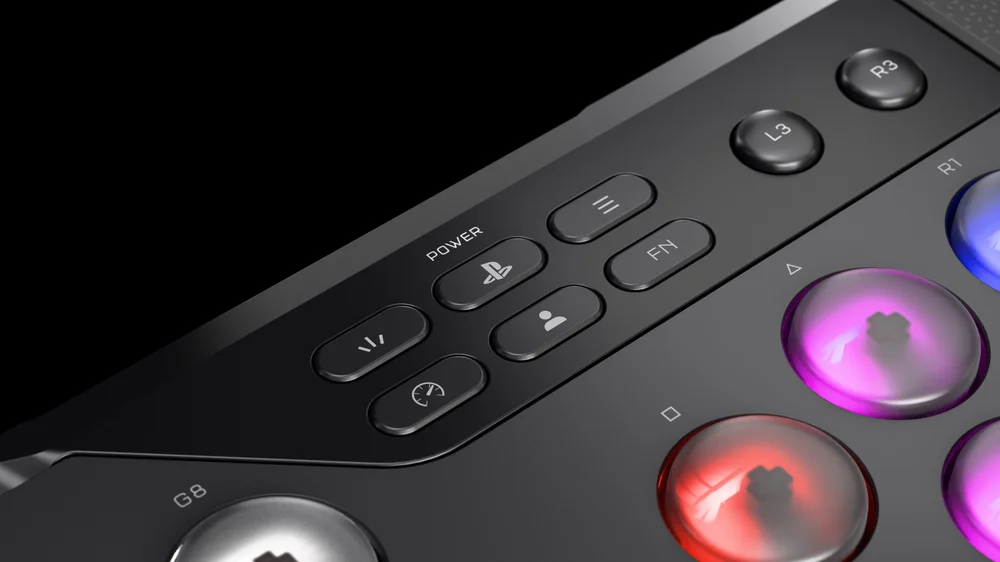
Game Mode is a specialized feature that locks out specific functions on your device such as the touchpad and macro functions, so you don’t accidentally trigger them during high-stakes gameplay. By enabling Game Mode, you create a focused environment where only the most critical inputs are active. This not only helps avoid unintentional disruptions but also ensures your setup complies with tournament regulations.
How to Activate Game Mode
Activating Game Mode is simple and user-friendly. To enable it:
- Press and hold the Game Mode button for three seconds.
- Once activated, all the buttons and Light Edge will flash rapidly. A series of adjustments are automatically applied to enhance your gaming experience.
Here’s what happens when Game Mode is enabled:
- Touchpad Disabled (Temporary Override Available): The touchpad is automatically turned off to prevent accidental clicks or cursor movements during gameplay. If you need temporary access, you can hold the FN key to temporarily enable the Touchpad, it will remain enabled while the FN key is held down. Releasing the FN key will lock the Touchpad again.
- Flashtap SOCD (Neutral mode) On: Simultaneous Opposite Cardinal Directions (SOCD) cleaning is activated, ensuring clean and tournament-legal directional inputs.
- Rapid Trigger Enabled: This setting minimizes input lag and ensures that keystrokes are registered instantly, giving you a competitive edge in fast-paced games.
- Macros Disabled: To comply with competitive regulations, macros are automatically disabled in Game Mode. This prevents automated actions that could otherwise provide an unfair advantage.
- Type Lighting Effect Activated: A lighting effect indicates that Game Mode is active, giving you visual confirmation without needing to check software menus.
Why Game Mode Matters for Competitive Gaming
In esports and competitive tournaments, compliance with rules is non-negotiable. Features like macro disabling and SOCD cleaning make sure your device meets tournament standards. Meanwhile, practical adjustments like touchpad lockout and rapid triggering improve focus and reaction time. Whether you’re a professional competitor or an enthusiast, Game Mode helps eliminate distractions and maximize performance.
Final Thoughts
Game Mode is more than just a convenience; it’s a performance enhancer and a safeguard for serious gamers. By disabling unnecessary features, optimizing input responsiveness, and ensuring compliance with tournament rules, it gives players the confidence to focus on what truly matters: winning.
If you’re looking to take your gameplay to the next level and dominate your next tournament bracket, learning how to properly use Game Mode is an essential step.
PRODUCTS IN ARTICLE
JOIN OUR OFFICIAL CORSAIR COMMUNITIES
Join our official CORSAIR Communities! Whether you're new or old to PC Building, have questions about our products, or want to chat about the latest PC, tech, and gaming trends, our community is the place for you.