MANUAL | QUICK START GUIDE
SABRE v2 PRO
ULTRALIGHT WIRELESS GAMING MOUSE
CHARGING THE MOUSE
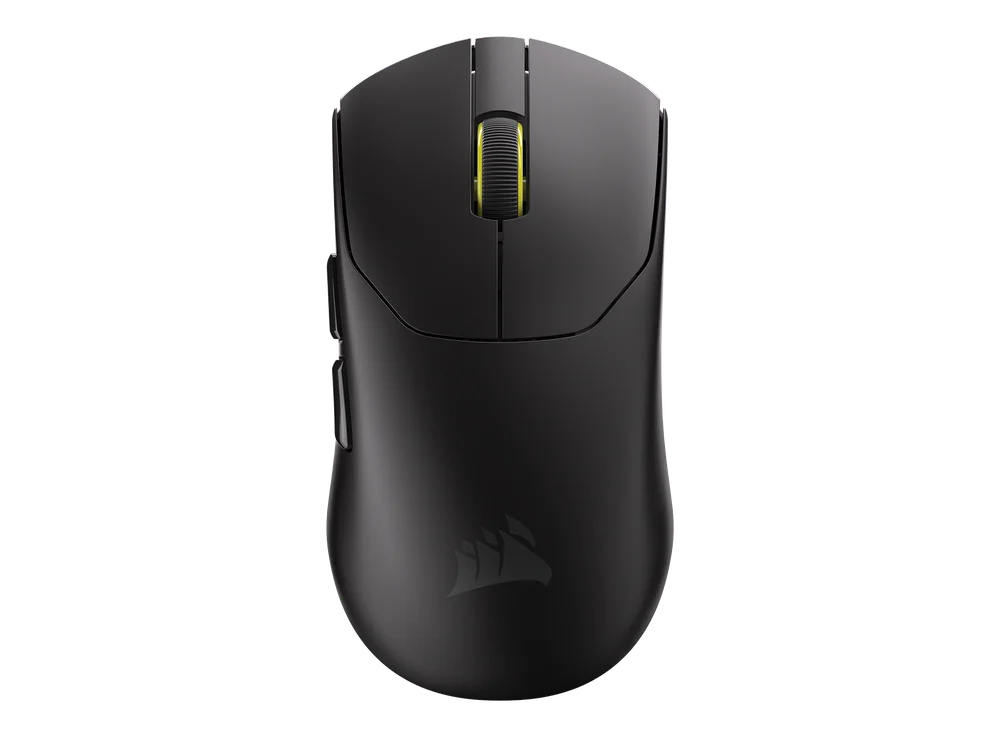
Connect the mouse to an available USB 2.0 or 3.x port on your PC with the USB CHARGING/DATA CABLE (K).
The lights under the MIDDLE CLICK/SCROLL WHEEL (C) on the mouse will light up according to the battery status and will turn solid green when charging is complete.
GETTING TO KNOW YOUR MOUSE
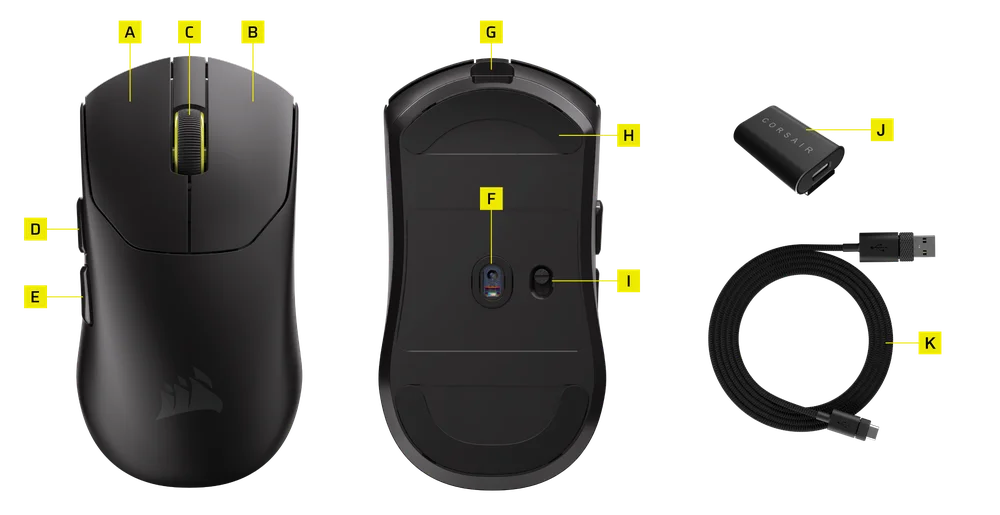
- LEFT MOUSE BUTTON
- RIGHT MOUSE BUTTON
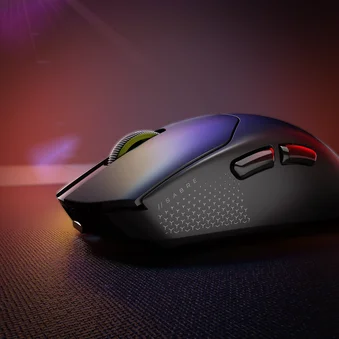
- MIDDLE CLICK/SCROLL WHEEL
- FORWARD BUTTON
- BACK BUTTON
- MARKSMAN S OPTICAL SENSOR
- USB CHARGING/DATA PORT
- 100% VIRGIN-GRADE UPE MOUSE SKATES
- POWER ON/OFF SWITCH
- USB WIRELESS RECEIVER
- USB CHARGING/DATA CABLE
- GRIP TAPE
- EXTRA MOUSE SKATES
- WARRANTY LEAFLET
SETTING UP 2.4GHz WIRELESS
- Connect the USB WIRELESS RECEIVER (J) to the USB CHARGING/DATA CABLE (K), plug the other side of the cable to an available USB 2.0 or 3.x port located on the front panel of your PC or nearby USB port.
- Power on your mouse by switching the POWER ON/OFF SWITCH (I) to ON.
- The LED indicator under the MIDDLE CLICK/SCROLL WHEEL (C) will light up to the corresponding DPI color it was last set to for 3 seconds before turning off.
CYCLING THROUGH DPI PROFILES
On-the-fly pre-defined DPI cycling is available for fast configuration.
- Long press the RIGHT MOUSE BUTTON(B) and the BACK BUTTON(E) for 3 seconds to switch to next DPI stage.
- When switching to the corresponding DPI level, the indicator light on the mouse wheel will flash 3 times for the corresponding DPI color and then turn off.
- Repeat the above steps to switch to the next DPI stage. It will cycle through 5 DPI stages and return to Stage 1.
Advanced configurations are available via CORSAIR WEB HUB.

MOUSE STATUS AND INDICATIONS
Wireless connection and battery status are communicated through the lights under the MIDDLE CLICK/SCROLL WHEEL (C).
| DPI STATUS - PREDEFINED | LED INDICATOR |
| STAGE 1 - 400 | RED |
| STAGE 2 - 800 | BLUE |
| STAGE 3 - 1200 | GREEN |
| STAGE 4 - 1600 | YELLOW |
| STAGE 5 - 2000 | PURPLE |
| BATTERY STATUS | LED INDICATOR |
| BATTERY CHARGING WHEN LOW | BREATHING RED |
| BATTERY CHARGING WHEN MEDIUM | BREATHING GREEN |
| BATTERY FULL | SOLID GREEN |
| BATTERY CRITICAL, RECHARGE REQUIRED | BREATHING RED |
BATTERY REMOVAL INFORMATION
This product uses a rechargeable battery and safety guidelines must be followed in the event that the product is disabled for disposal and recycling. To safely remove the battery for disposal and recycling, follow the numbered steps with the below diagrams.
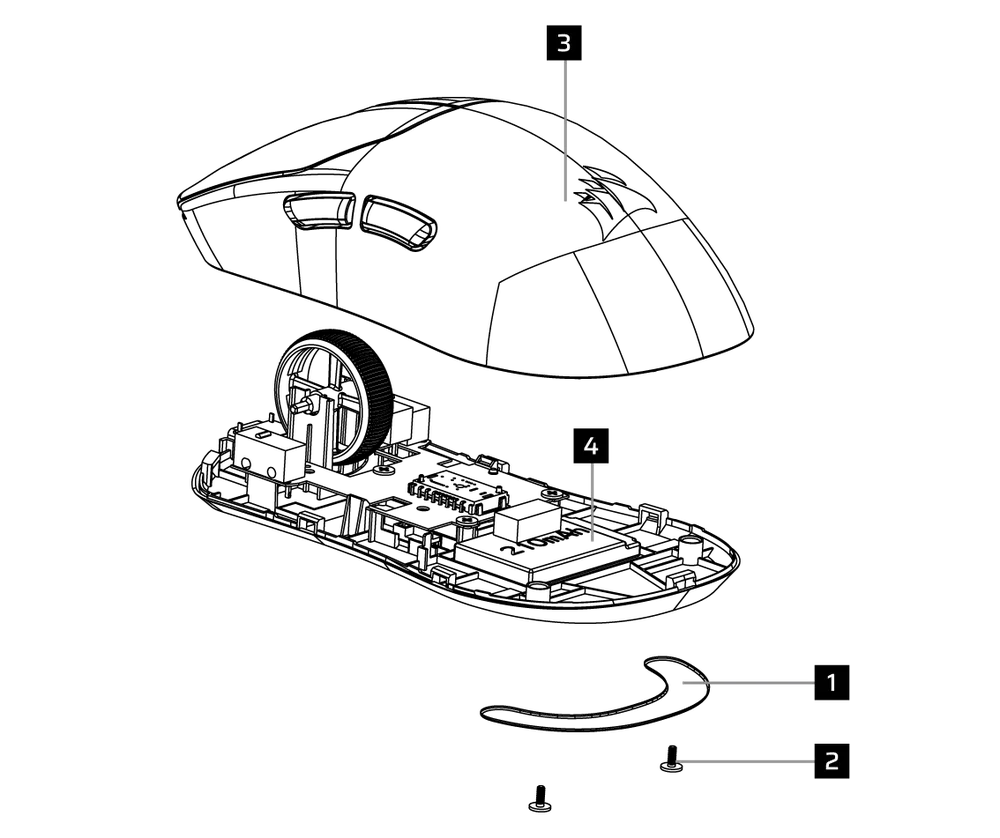
- Remove the rear foot
- Disassemble 2 screws
- Disassemble top case sub assy
- Remove battery
CORSAIR MEMORY, Inc. encourages customers to recycle used electronic hardware and rechargeable batteries in accordance with local laws and regulations.
For optimal performance, use this product within a temperature range of 5°C to 40°C (41°F to 104°F).
BATTERY INFORMATION
- M/N(型號): TW 302535
- Rating: 3.7V, 210mAh, 0.777Wh
- Scan QR code for battery detail information

Mouse
M/N(型號): RGP0183
Rating(電壓電流): 5V  250mA
250mA
Dongle
M/N(型號): RGP0185
Rating(電壓電流): 5V 50mA
CH-931G000-WW (Black)
CH-931G001-WW (White)
FCC ID: 2AAFM-RGP0183 (Mouse)
FCC ID: 2AAFM-RGP0185 (Dongle)
IC: 10954A-RGP0183 (Mouse)
IC: 10954A-RGP0185 (Dongle)

The power delivered by the charger must be between min 2.5 Watts required by the radio equipment, and max 10 Watts in order to achieve the maximum charging speed.
COPYRIGHT/LEGAL INFORMATION
© 2025 CORSAIR MEMORY, Inc. All rights reserved. CORSAIR and the sails logo are registered trademarks of CORSAIR in the United States and/or other countries. All other trademarks are the property of their respective owners. Product may vary slightly from those pictured.

RELATED CONTENT