GLOSSARY
What is HDMI?
HDMI stands for High-Definition Multimedia Interface, which is a proprietary method of transmitting audio and video signals. Technically, this initialism covers all the standards, designs, and protocols that make up the interface. However, that is way beyond the scope of a single article, so we’re going to approach this explanation from a general consumer standpoint.
What’s the Difference Between HDMI and DisplayPort?
For the regular consumer, HDMI and DisplayPort both achieve the same purpose: transmitting video and audio from a device like a GPU or games console to an output, such as a TV or monitor. Both are inexpensive, backwards compatible, require no real technical knowledge to use, and offer nearly identical image capabilities.
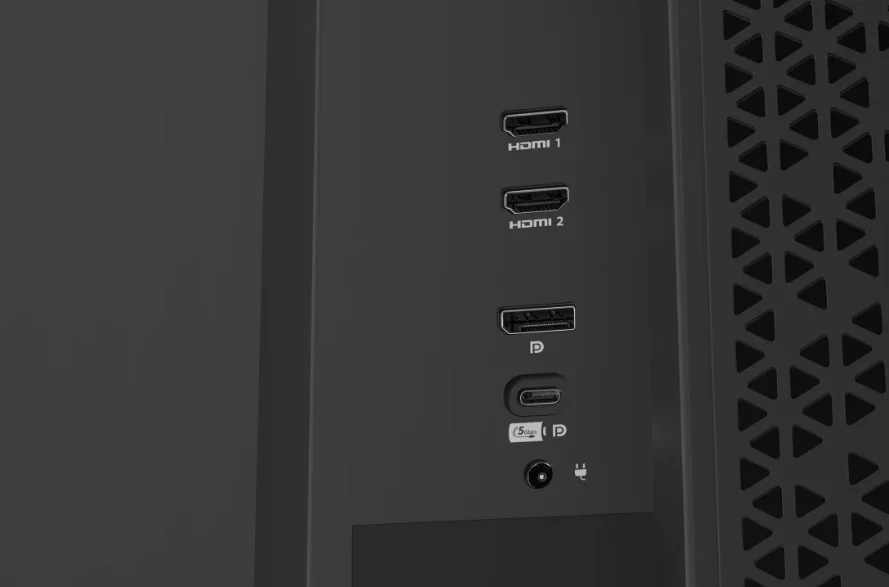
That being said, there are some key differences between the two. The first to be aware of is that the physical connectors on the cables are different shapes. You cannot plug an HDMI cable into a DisplayPort socket, and vice versa. However, DisplayPort to HDMI cables work perfectly fine and are a lifesaver if you need to connect a device that only uses one of these to a display that only use the other.
The main differences between HDMI and DisplayPort come from the specific version of each that you’re using. Each revision of HDMI has specific resolution and refresh rate limits and so does each version of DisplayPort. Generally speaking, DisplayPort is ahead of HDMI in this regard, so PC gamers should stick to the DP ports in their GPUs and monitors. In most cases the DisplayPort socket on the GPU and monitor will be a more powerful version than the HDMI port.
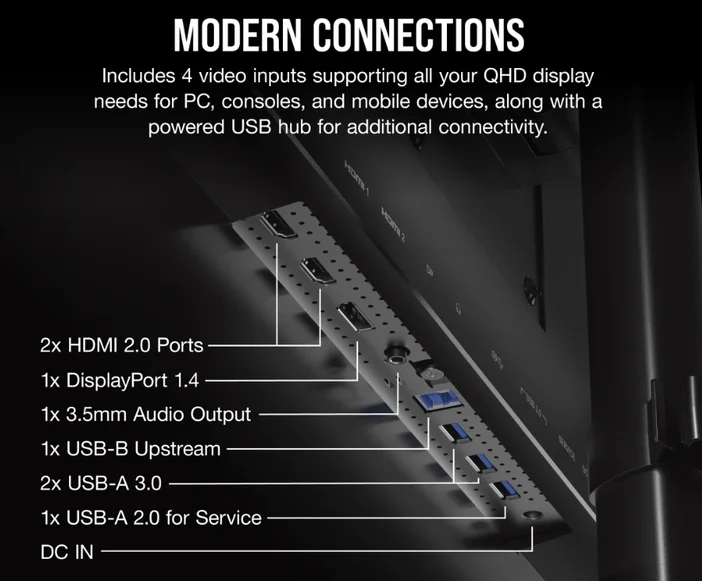
What is HDMI eARC?
eARC stands for Enhanced Audio Return Channel, and was first introduced in 2017 when HDMI 2.1 was released. It simplifies audio setup by allowing the audio signal from another device to use an HDMI cable that might already be in use for something else, instead of needing an additional audio-specific cable like optical or RCA.
For example, you’ve got a PS5 plugged into the TV via HDMI, but the TV’s built-in speakers aren’t quite giving you the audio experience you’re after. So, you invest in a soundbar. If it’s eARC-compatible, it means that the audio signal can be routed through the TV to the soundbar via a single HDMI cable. No need to go directly from the PS5 to the soundbar, nor is there any need to have a complicated and expensive DAC or any other type of dedicated A/V setup.
What is HDMI CEC?
CEC stands for Consumer Electronics Control and refers to a specific feature of HDMI that allows CEC-enabled devices to be controlled by each other. Using a PS5 as an example again, this could mean that your TV’s remote could be used to navigate the console’s menu, or you could enable the TV to turn off automatically when the PS5 is turned off. Soundbars often include this so that you don’t need two remotes for volume control.
Is HDMI Backwards Compatible?
Yes. Each new HDMI version retains all the features of the one before it, while adding new features. So, you don’t need to worry. You aren’t going to lose any capabilities by using the newest HDMI cables.
PRODUCTS IN ARTICLE