GLOSSARY
What is Unreal Engine 5?
Unreal Engine 5 (UE5) is Epic Games’ real-time 3D creation software designed for developing games and interactive experiences. It's also being utilized more and more in film, television, automotive human-machine interfaces (HMI), architecture, and simulations. You can think of it as a versatile tool that allows you to create stunning, dynamic 3D environments that operate in real time.
What’s New in UE5?
UE5 has rolled out some game-changing systems that have really improved day-to-day workflows:
- Nanite: This "virtualized geometry" system lets you work with ultra-high-detail meshes (including film-quality scans) without the hassle of manually creating multiple levels of detail (LOD). It streams and renders just the detail you need to see.
- Lumen: Offers fully dynamic global illumination and reflections, so lights bounce around naturally, no more waiting for offline baking.
- World Partition: This feature breaks large maps into a grid and automatically handles streaming cells in and out, so you can ditch the manual level-streaming stress.
- Virtual Shadow Maps (VSM): Produces high-resolution, film-friendly shadows that work great with Nanite and expansive open worlds.
- Temporal Super Resolution (TSR): An engine-agnostic upscaler that renders at a lower internal resolution and cleans up images, boosting performance, especially useful for 4K.
These are the standout features that teams tend to lean on first.
Note: the latest update to UE 5.6 puts the spotlight on achieving smoother 60 FPS in open worlds and enhances animation and rigging right in the engine. Plus, the MetaHuman creation tool is now built directly into UE, streamlining the workflow for producing digital humans.
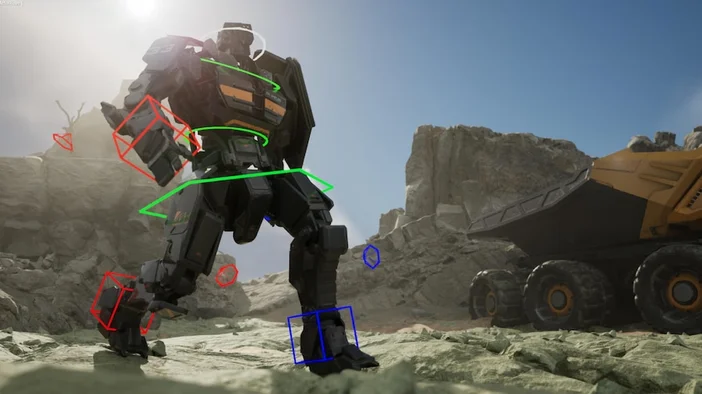
Image from Unreal Engine 5
Why is Unreal Engine 5 Important?
UE5 simplifies the process of delivering high-fidelity worlds by reducing the number of “glue” tasks. You can easily incorporate detailed assets using Nanite, illuminate them dynamically with Lumen, and expand your level without the hassle of complicated streaming setups thanks to World Partition. For filmmakers, virtual production with LED walls is top-notch, and for creators, UEFN allows you to publish directly into Fortnite with ease.
Is Unreal Engine 5 Free?
Generally, yes.
- For games and other interactive applications, there’s a 5% royalty on gross revenue after the first $1 million per product (sales through the Epic Games Store are royalty-free).
- With the “Launch Everywhere with Epic” initiative (starting January 1, 2025), if you launch eligible Unreal games on the Epic Games Store simultaneously with other platforms, your royalty rate drops from 5% to 3.5% across all platforms. (Be sure to check the specifics in the program details.)
- For non-runtime uses (such as many enterprise or linear projects), Epic provides a seat-based license instead of requiring royalties.
Do I Need a Monster PC?
While you won't need high-end hardware to run the editor itself, features like Nanite and Lumen do require modern specifications. Epic recommends the following development setup: Windows 10/11 64-bit, a quad-core CPU, 32 GB of RAM, and a DX12-capable GPU with at least 8 GB of VRAM, along with the latest drivers. For Lumen (global illumination and reflections) and MegaLights, Epic suggests using an RTX 2000-series GPU or newer (or AMD RX 6000 series / Intel Arc), with Shader Model 6 enabled. Additionally, both Nanite and VSM require DX12 (or Vulkan) with up-to-date drivers.
The good news is that UE 5.6 includes significant performance enhancements aimed at creating large-scale worlds at 60 FPS, giving you more leeway with your existing hardware.
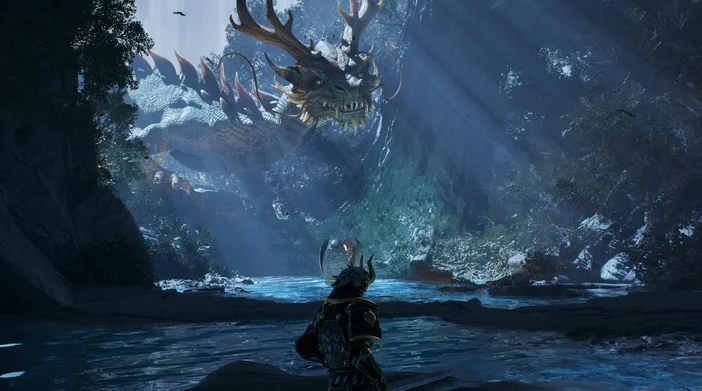
Image from Unreal Engine 5
Do I Have to Know C++?
Nope! Blueprints Visual Scripting allows you to create gameplay and tools using nodes. Many teams combine Blueprints for quick iterations with C++ for systems that require high performance. (You can also expose C++ functions to Blueprints in a straightforward manner.)
What Can I Build With UE5?
- Games: from indies to AAA open worlds, shooters, sims, you name it.
- Virtual production: in‑camera VFX on LED stages via nDisplay, Multi‑User, and Live Link.
- Architecture/Automotive: immersive product previews, design reviews, and HMI prototypes.
- Fortnite experiences: with UEFN and the Verse language, publish islands directly into Fortnite’s ecosystem.
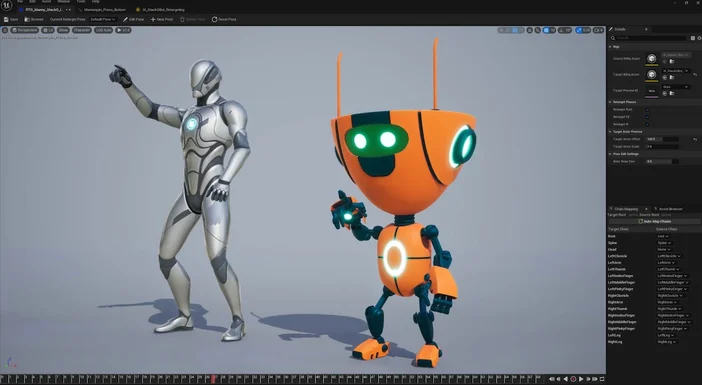
Image from Unreal Engine 5
How Do I Get Started?
- Install UE via the Epic Games Launcher (Windows/macOS).
- Open a sample project to learn by poking at a working game:
- Lyra Sample Game (modular shooter framework, great architecture patterns).
- City Sample (the Matrix city demo assets and systems).
- Try Lumen/Nanite on a test level; flip scalability settings and profile. (Epic’s hardware page lists requirements and toggles.)
- If you’re a Fortnite creator, install UEFN and try a Verse tutorial.